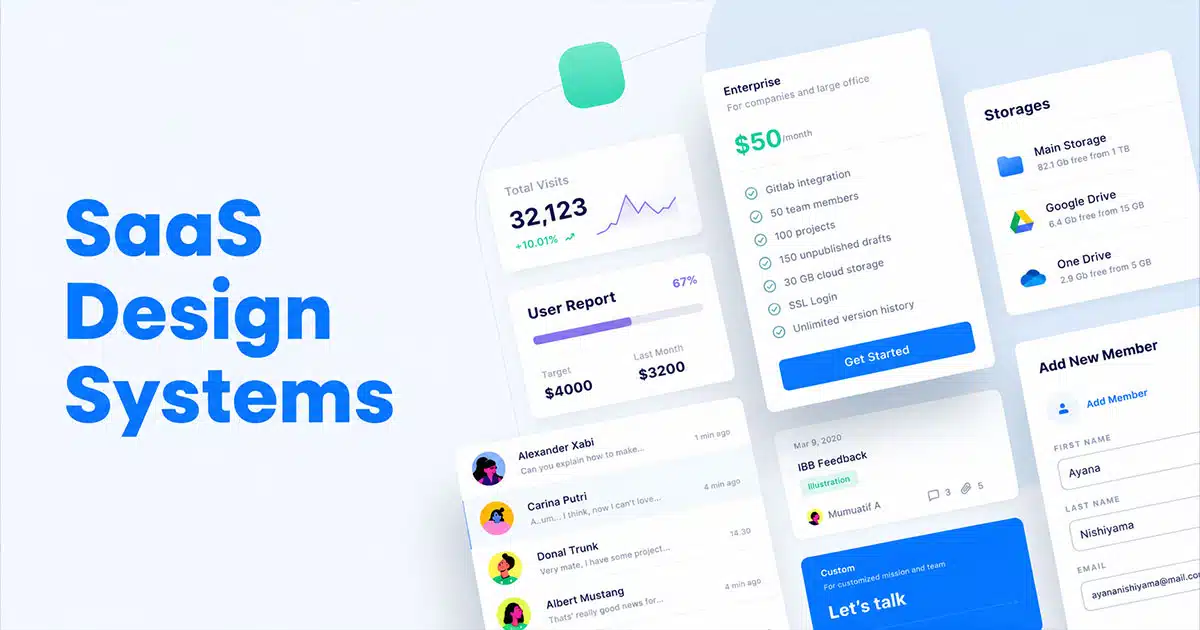
SaaS Design systems play a major role in helping SaaS products grow without losing clarity, quality, or consistency. As SaaS platforms expand with new features, new screens, and new user expectations, teams often struggle to keep the design aligned across the entire product.
A solid design system solves this problem by giving teams shared rules, reusable components, and visual standards that make every part of the product feel connected. It reduces rework, speeds up collaboration, and helps designers and developers build faster without sacrificing quality.
For SaaS companies aiming to scale smoothly, a strong design system becomes a foundation for better structure, better teamwork, and better user experiences across all touchpoints.
What A Design System Means For SaaS Teams
A design system is an essential tool that helps SaaS teams create products with clarity, consistency, and efficiency. For growing SaaS products, it acts as a shared foundation that keeps every part of the interface aligned. Design systems SaaS teams rely on include core elements such as color, typography, spacing, and patterns that shape a unified design language across the entire user interface. This structure makes it easier to support a cohesive user experience as the product evolves.
By addressing user needs through predictable layouts and reusable assets, teams avoid design drift and unnecessary rework. A strong design system ensures that every update, feature, or screen feels connected and maintains the overall quality users expect.
Why SaaS Products Need Consistency At Scale
SaaS products grow fast, and without a clear structure, the interface becomes inconsistent, confusing, and harder for users to trust. Consistency keeps everything connected as the product expands.
Visual Consistency That Builds Trust
Visual consistency helps users feel comfortable from the moment they open the product. When colors, spacing, and layout patterns stay predictable, users understand how to move around the interface instantly. This creates trust and reduces friction, especially as the product shifts across different pages and features. A stable visual foundation prevents the experience from feeling disjointed.
Brand Consistency That Strengthens Identity
Brand consistency ensures every part of the product reflects the same identity. Strong alignment across styles, logos, and patterns makes the product recognizable and easier to remember. When SaaS platforms grow quickly, brand identity can weaken if teams do not maintain consistency, but a unified system keeps everything clear and intentional across updates.
Visual Appeal That Supports Usability
A product with strong visual appeal feels easier to use. Clean spacing, balanced components, and predictable formatting allow users to focus on tasks rather than decoding layout changes. If teams ignore visual structure, they risk losing consistency and creating an interface that feels messy or distracting. Appeal reinforces usability.
Predictable Patterns That Guide How Users Interact
Predictable patterns help users interact confidently with the product. When similar actions behave the same way everywhere, the experience makes sense. Buttons, alerts, and menus that follow standard patterns reduce confusion and allow users to navigate naturally. This stability becomes more important as features grow.
Structured Systems That Ensure Consistency At Scale
As SaaS products expand, more teams contribute to the interface. Without a shared system, design quality can drift. A structured approach helps maintain consistency across teams and prevents mismatched decisions. It keeps the product stable, reduces design debt, and supports long-term growth without compromising user experience.
Core Components Of Modern SaaS Design Systems
Modern SaaS design systems rely on structured assets and rules that help teams deliver consistent, scalable, and high-quality product experiences. These components create efficiency, reduce rework, and maintain clarity across the entire interface.
Design System Components
Design system components form the strategic foundation of a system. They include the guidelines, structure, and patterns teams rely on when shaping new screens or features. These components give SaaS teams a stable starting point, reduce ambiguity, and support alignment between design and development. With these elements in place, the system becomes easier to scale as the product grows.
UI Components
UI components represent the interactive building blocks used across the product. Buttons, fields, menus, tabs, cards, and other UI elements work together to create predictable navigation. When teams reuse these pieces, the interface feels uniform across different areas of the platform. UI components speed up the workflow and help designers and developers avoid unnecessary redesigns.
Design Tokens
Design tokens store core visual values such as color palettes, spacing, typography scales, shadows, and radiuses. These values become the single source of truth for the product. With tokens in place, teams ensure visual alignment across web, mobile, and dashboard environments. Tokens also simplify updates, since one change can cascade across the entire system without breaking consistency.
Design Components
Design components combine UI parts, layout rules, and visual assets into structured, repeatable units. They may include headers, footers, form sections, cards, panels, or interaction groups. These components accelerate workflows and support clarity across the interface. When SaaS teams rely on design components, they save time and produce screens that feel connected, stable, and reliable.
Standardized Elements
Standardized elements define the rules behind spacing, grid structure, icon sets, shape language, and other foundational decisions. These rules keep the system coherent and reduce differences between screens. Standardization also supports engineering teams by ensuring consistent behavior across all the components. This makes the system easier to maintain and keeps the design clean as new features appear.
Key Components
Key components act as the essential building blocks that hold the entire system together. They unify design decisions, support documentation, and define the most important patterns used throughout SaaS interfaces. These components ensure teams follow a shared direction and reduce the risk of inconsistent decisions during fast growth. Strong key components allow SaaS teams to scale confidently without sacrificing design quality.
Modern SaaS design systems depend on these core parts to create stable, recognizable, and user-friendly product experiences. With each component clearly defined, teams build faster, stay aligned, and maintain long-term consistency at scale.
How Design Systems Accelerate SaaS Product Development
Design systems play a crucial role in helping SaaS product development and teams move faster, stay consistent, and scale confidently. By giving teams shared rules and reusable assets, the entire design and development process becomes smoother and more predictable.
Strong Foundation For The Design And Development Process
A design system streamlines the development process by providing a clear structure that teams can rely on. Designers and engineers no longer start from scratch for every screen. Instead, they follow an established design process supported by proven patterns and rules. This reduces decision fatigue and speeds up execution.
Faster Delivery Through Reusable Components
Reusable components eliminate repetitive work and help teams ship new flows quickly. When a component library already includes buttons, forms, alerts, cards, and navigation elements, teams can assemble new layouts in hours instead of days. This also reduces inconsistencies and improves overall quality.
Efficient Use Of Design Patterns
Design patterns guide how interface elements behave and interact across the product. When these patterns are documented and easy to access, teams avoid reinventing solutions. They focus on improving the experience rather than creating new styles. This structure makes future updates simpler and easier to manage.
Clear Coding Standards For Engineering Teams
Engineering teams benefit from coding standards built into the design system. These standards make implementation more efficient and reduce technical debt. Developers can introduce new components without breaking the existing structure, ensuring the product remains stable as it grows.
Faster Rollout Of Every New Feature
When teams follow a shared system, adding a new feature becomes a more predictable process. Designers choose from existing components, developers integrate them quickly, and both sides maintain alignment. This reduces bottlenecks and helps product teams release updates faster, with fewer revisions.
A well-built design system accelerates SaaS development by removing friction, improving alignment, and giving teams the tools they need to build quickly without sacrificing quality.
Collaboration Benefits For Product, Design, And Engineering Teams
Collaboration becomes much stronger when teams rely on a unified design system. It helps designers and developers work with the same expectations, removes confusion, and keeps everyone aligned during fast product growth. When different teams follow shared rules and assets, they avoid miscommunication that slows progress and causes inconsistent decisions. Product managers benefit because the system gives them a clear view of what already exists and what can be reused, allowing them to guide priorities more confidently.
A design system also supports seamless collaboration by offering comprehensive documentation that explains components, patterns, and usage rules. This documentation acts like a single source of truth, so every product team can stay on the same page regardless of which feature they are building. It creates a shared language that simplifies discussions, feedback, and review cycles.
Another strength is the ability for teams to gather feedback more effectively. Designers can validate ideas earlier, developers can flag technical constraints sooner, and product managers can incorporate insights from real users without disrupting workflows. This continuous flow of information makes collaboration smoother and reduces the risk of misunderstandings.
As SaaS products evolve, a design system keeps collaboration organized and consistent. Teams move faster, reuse more, and maintain a clearer connection between design decisions and product goals. This leads to better alignment, fewer revisions, and stronger outcomes across every stage of development.
How Design Systems Improve Scalability Across Features And Platforms
Scalability becomes one of the biggest challenges for SaaS companies as products expand, features multiply, and customer expectations rise. A strong design system gives teams the structure and stability needed to scale confidently across new platforms, new experiences, and new product areas without losing clarity or consistency.
Entire Design System As A Single Source Of Truth
An entire design system acts as a unified foundation for every team involved in building the product. It consolidates rules, patterns, and visual standards into one reliable reference point. When designers, developers, and product managers pull from the same system, the entire workflow becomes faster and more predictable. Instead of redesigning components for every new feature, teams reuse established assets, which keeps quality consistent across all modules. This central source of truth becomes even more important as the product grows larger and more complex.
Existing Design Systems As A Benchmark For Growth
SaaS teams often study existing design systems to understand how successful platforms manage large, evolving ecosystems. These real-world examples reveal how scalable patterns are structured, how documentation evolves, and how teams maintain coherence without sacrificing design integrity. By learning from these systems, SaaS companies can avoid common gaps that appear when expanding rapidly. They gain clarity on how to extend a system intelligently, refine established rules, and prepare for long-term growth.
Solid Design System For Multi-Channel Environments
A solid design system supports SaaS interfaces across various channels, including e-commerce flows, dashboards, mobile screens, knowledge hubs, and email marketing experiences. Every environment may serve a different purpose, but users expect familiar interactions, consistent spacing, and recognizable visual cues. When the same principles apply across all touchpoints, the product feels unified. This reduces friction for users who frequently move between tools, and it helps teams maintain control over the full experience without creating fragmented or mismatched interfaces.
Own Design System As A Long-Term Strategy
Building an own design system becomes a strategic investment for SaaS organizations planning long-term expansion. Instead of patching together temporary solutions for each new feature, teams rely on a shared structure that strengthens with every update. This approach supports strong content strategy, reduces design drift, and prevents teams from sacrificing design integrity during fast releases. A custom design system evolves with the product, allowing teams to scale in a predictable, manageable way.
Start Implementing With Clear Extensions For Growth
Scalability improves significantly when teams start implementing a design system built to adapt. A flexible system supports new components, new feature types, and new platforms without disrupting the existing product. As the product evolves, teams can introduce extensions, refine patterns, and standardize new layouts based on emerging needs. This keeps the entire product aligned even as it expands across different platforms, user groups, and use cases.
Metrics To Measure The Impact Of Design Systems In SaaS
Measuring the impact of a design system is essential for understanding how well it supports product quality, speed, and consistency as a SaaS platform grows. Strong metrics help teams see whether the system is performing as intended and where improvements are needed. Because design systems evolve, measurement becomes an ongoing process rather than a one-time evaluation.
Key Steps For Evaluating System Effectiveness
The first metric involves reviewing the key steps teams follow when using the system. This includes how quickly designers and developers can build new screens, how often reusable assets are applied, and whether teams follow the structure consistently. When these steps show reduced friction and faster cycles, the system is delivering real value.
Usage Guidelines And How Teams Apply Them
Usage guidelines help ensure each component is used the right way. A strong metric is how frequently teams apply these rules without deviation. If designers and developers rely on clear guidelines during their work, the system maintains stability across the interface. Low adherence suggests confusion or gaps in documentation.
Brand Guidelines And Visual Consistency Checks
Brand guidelines play a major role in system impact. Teams measure whether elements such as spacing, colors, and logo usage stay consistent across product areas. When these checks show alignment, the design system protects brand integrity. In SaaS environments with rapid updates, this consistency becomes critical for maintaining trust and familiarity.
Adoption Across The User Base Of Internal Teams
Another core metric is adoption across the internal user base, including product designers, frontend engineers, and agile teams. High adoption indicates that all the components and rules are practical and helpful. Low adoption may signal unclear processes or overly rigid standards. Tracking adoption helps teams identify where training or refinement is needed.
Benchmarking Against Established Systems Like Material Design
Comparing system performance to established models such as Material Design helps measure clarity, structure, and scalability. SaaS teams evaluate whether their own system supports similar levels of consistency, accessibility, and component quality. These comparisons guide improvements and set future targets.
A well-measured design system reveals its strengths and its gaps. With clear metrics, SaaS teams can refine rules, improve workflows, and keep the system effective as the product grows.
How GainHQ Supports Design System Adoption And Product Growth
GainHQ helps SaaS companies adopt design systems more confidently by giving teams the structure, tools, and collaboration environment needed to maintain quality at scale. As products grow and new features appear, the platform supports smoother workflows and stronger design alignment.
Better Control Over Visual Elements And Visual Design
GainHQ allows teams to manage visual elements and visual design in one organized space. Designers can store approved styles, document patterns, and reference components without searching across different tools. This helps product teams stay consistent when building new screens and ensures the visual foundation remains stable during rapid growth.
Clear Management Of Components For Future Updates
Teams can organize components, track usage, and prepare for future updates more effectively. GainHQ makes it easy to see which parts of the system are widely used and which need refinement. This helps teams create reliable structures for new design system elements and maintain consistency as more features are added.
Strong Support For Addressing User Needs
GainHQ assists teams in addressing user expectations by keeping design choices aligned with real behavior and feedback. Product teams can document patterns, improve flows, and respond to changes without disrupting the experience. This reduces the risk of inconsistencies as new design system elements are introduced.
Environment That Builds Consistent Product Experiences
GainHQ gives SaaS companies a unified space where every design decision connects. The platform helps teams stay consistent across versions, features, and devices. Whether building a new design system or refining an existing one, GainHQ supports cleaner processes, stronger alignment, and dependable product growth.
FAQs
What Is The Main Purpose Of A Design System In SaaS?
The main purpose of a design system in SaaS is to maintain consistency across fast-growing products. It provides shared rules, components, and visual standards so teams can build features without drifting from the core design. This keeps the product predictable and easier for users to navigate.
How Does A Design System Help Designers And Developers Work Faster?
A design system speeds up work by giving teams ready-to-use components, patterns, and guidelines. Designers avoid recreating layouts, and developers implement features with fewer revisions. This reduces production time and removes repetitive work across teams.
Can A Design System Reduce UI And UX Inconsistencies?
Yes. By centralizing visual styles, interaction rules, and component behavior, a design system removes guesswork. Teams follow the same structure, which prevents inconsistent screens, mismatched patterns, and confusing user flows as the product expands.
Do SaaS Startups Need A Design System Early?
SaaS startups benefit from introducing a design system early, even if it starts small. A lightweight system helps the team stay organized, supports faster feature development, and prevents scattered design decisions. As the product grows, the system can expand without disrupting the workflow.
How Often Should A SaaS Design System Be Updated?
A design system should be updated regularly as new features, patterns, and user needs emerge. Updates keep the system relevant and aligned with the product’s direction. Most SaaS teams refine the system continuously, treating it as a living asset that grows with the product and supports long-term scalability.