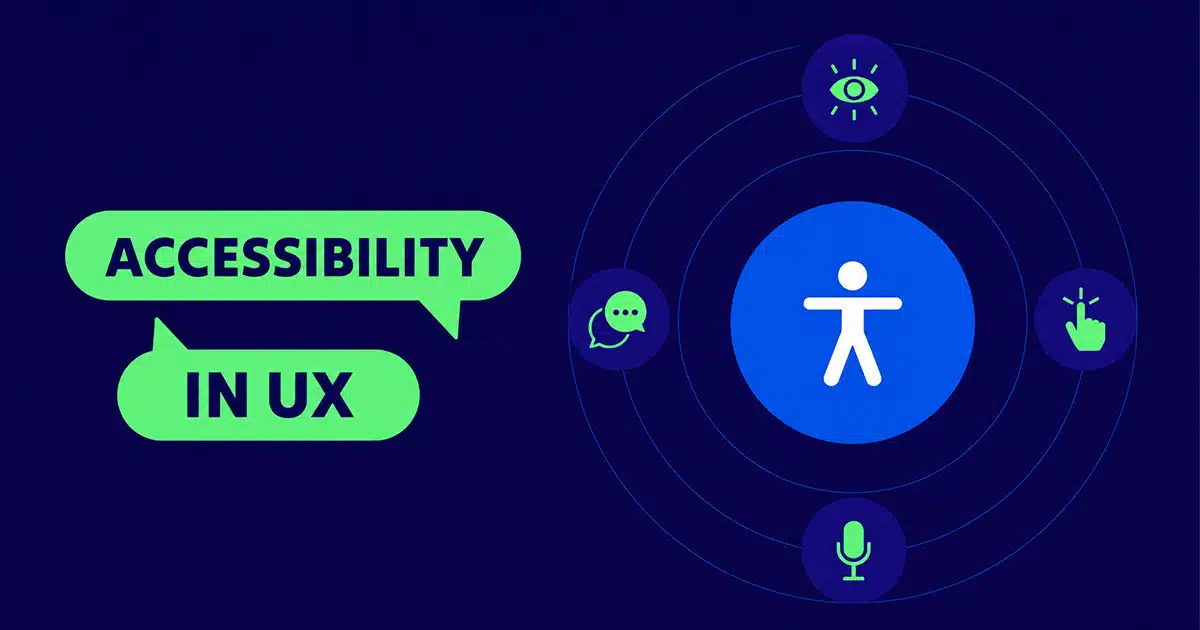
Accessible UX design is becoming a core requirement for modern SaaS products, not just an optional improvement. As more users rely on digital platforms for work, communication, and essential services, it’s important to create experiences that everyone can use comfortably. Accessibility helps people with different abilities navigate products without barriers, but it also improves clarity, usability, and overall customer satisfaction for all users.
When teams design with inclusion in mind, products become easier to understand, simpler to navigate, and more consistent across devices. This leads to stronger engagement, better adoption, and long-term trust. Accessible design is ultimately about designing digital experiences that respect every user’s needs while supporting product growth and long-term success.
What Is Accessible UX Design In Modern SaaS
Accessible UX design focuses on creating digital products that everyone can use easily, including people with different abilities. It combines accessible design and web accessibility principles with modern UX design practices to ensure digital experiences remain clear, usable, and barrier-free.
In SaaS environments, this means building interfaces that adapt to many users, including those who rely on assistive technologies for navigation and interaction. Accessible UX design helps digital products function smoothly across devices, contexts, and user needs, making the experience easier for all. By embracing inclusive design, SaaS teams create more reliable, welcoming, and user-friendly platforms that support broad accessibility and long-term customer satisfaction.
Why Is Accessibility Important For All Users
Accessibility supports every type of user, not only people with disabilities. When SaaS products remove barriers and improve clarity, the overall experience becomes easier, faster, and more enjoyable for everyone. An accessible interface reduces confusion, prevents errors, and helps users complete tasks with less effort.
Benefit Users In Every Environment
Accessibility improvements benefit users who deal with different environments such as bright light, noisy workplaces, or small screens. Clear structure, readable text, and thoughtful layouts help sighted users as much as anyone with specific needs. These improvements make everyday interactions smoother for the entire audience.
Support Blind Users And Low Vision Users
Accessible design helps blind users and individuals with low vision navigate complex layouts without frustration. When information is presented clearly and interfaces follow predictable patterns, users find it easier to move through screens. Improving clarity, structure, and guidance helps reduce friction for all users, not just those with visual limitations.
Consider Cognitive Disabilities And Other Cognitive Impairments
Cognitive disabilities and other cognitive impairments affect how users process information. Simple navigation, reduced complexity, and consistent patterns make products easier to use for everyone. Clear language and logical grouping allow potential users to understand actions faster and avoid mistakes during tasks.
Include Diverse Abilities Across The User Base
A broad user base includes people with diverse abilities. These differences shape how individuals interact with SaaS products. Designing for flexibility ensures that interfaces adapt to a wide range of needs and situations. This helps teams reach more people while improving the quality of the overall experience.
Strengthen Purchasing Power And User Growth
Accessible platforms appeal to more customers and strengthen purchasing power across different groups. When users find products easier to navigate, they remain engaged longer and build trust faster. This leads to stronger retention and a broader audience. Prioritizing accessibility becomes not only a responsible decision but a strategic advantage as the product grows.
Key Principles That Guide Accessible UX Design
Accessible UX design is built on a set of clear principles that help SaaS teams create interfaces that work smoothly for every user. These principles reduce friction, support diverse needs, and keep digital experiences usable across different devices, contexts, and abilities. Each principle contributes to a product that feels predictable, understandable, and supportive from the moment a user begins interacting with it.
Basic Principles
Basic principles focus on clarity, structure, and ease of use. A product should guide users naturally, without unnecessary complexity or cognitive load. Pages must follow consistent patterns so the interface feels familiar across all sections. Clear wording, predictable layouts, and intuitive flows help people complete tasks quickly. These fundamentals form the backbone of accessible UX and support users with a wide range of abilities and expectations.
Accessibility Features
Accessibility features strengthen inclusivity by offering flexibility in how content is consumed. These features may include adjustable text, keyboard-friendly layouts, readable spacing, and adaptable interactive elements. They support users who rely on assistive tools while also improving the overall usability for those without specific limitations. When features are built directly into the design rather than added later, the product remains flexible and resilient across different scenarios.
Accessibility Standards
Accessibility standards create a reliable framework that teams can follow during product planning and development. These standards are supported by success criteria found in widely recognized guidelines. They outline what a product must do to be considered accessible and help teams meet user expectations and legal expectations. By following these standards, SaaS teams maintain quality and ensure accessibility remains part of every release cycle.
Accessibility Requirements
Accessibility requirements define the specific checkpoints a product must meet to remain compliant. These include rules for visuals, structure, interaction, and assistive compatibility. When requirements are followed consistently, the product becomes easier to maintain as new features are added. Requirements help teams avoid inconsistent decisions that can weaken the experience or introduce barriers for users.
Color Contrast And Text Alternatives
Color contrast plays a major role in readability. Strong contrast helps users with low vision understand content easily and reduces visual strain for all users. Alt text and alternative text provide essential descriptions for images and icons, ensuring non-visual users still receive complete information. These enhancements increase clarity, support assistive tools, and strengthen the full meaning of each screen.
Semantic HTML And Logical Tab Order
Semantic HTML brings structure and meaning to each element in the interface. Tagging content correctly helps assistive tools interpret the page accurately. Logical tab order ensures users can move through the interface step by step using a keyboard. When tab movement follows a sensible sequence, users can navigate forms, menus, and content without confusion or unexpected jumps.
How UX Accessibility Improves Customer Experience And Engagement
Accessibility strengthens the entire product experience by making interactions clearer, smoother, and easier for every user. When teams design with accessibility in mind, the product becomes more intuitive and more enjoyable to use.
User Friendly Interfaces
User-friendly interfaces reduce friction and help people complete tasks without confusion. Clear layouts, readable text, and predictable interactions help users move confidently through each screen. These improvements support a wide range of abilities and make the product easier for everyone.
Seamless User Experience
A seamless user experience appears when the flow feels natural from start to finish. Consistent patterns, structured navigation, and well-organized elements remove unnecessary complexity. When accessibility considerations shape these choices, users feel supported and remain engaged longer.
Improve Accessibility Across Every Touchpoint
Efforts to improve accessibility help create products that feel more inclusive. Making web content accessible, simplifying layouts, and using features that adapt to individual needs strengthen the experience. These enhancements serve both new and returning users by reducing effort and improving clarity.
Accessibility Settings For Individual Needs
Accessibility settings allow users to tailor the interface to their preferences. Options for size, contrast, spacing, or input style allow people to interact comfortably. When teams ensure accessibility at this level, the product becomes flexible and more welcoming to a broader user base.
Weave Accessibility Into The Entire Experience
Teams that weave accessibility into each decision achieve good accessibility across all screens. Consistent improvements build trust and encourage deeper engagement. When users feel supported, they stay longer, interact more often, and develop a stronger connection to the product.
Common Accessibility Barriers Found In Digital Products
Digital products often look polished on the surface, yet many still contain barriers that quietly limit how people interact with them. These obstacles affect users with different abilities, input preferences, or device constraints. When teams understand these challenges clearly, they can design experiences that work for everyone.
Accessibility Issues
Accessibility issues appear when the structure, content, or interaction design does not support diverse needs. Missing labels, unclear headings, and inconsistent formatting make it harder for users to understand what to do next. These gaps become even more difficult for people relying on support tools. When the core layout is not planned with inclusivity in mind, users spend more time trying to understand the interface than completing tasks. This weakens trust and lowers engagement across the website or app.
Interactive Elements
Interactive elements become barriers when they are too small, not clearly marked, or lack appropriate focus indicators. Buttons, toggles, and menus should respond predictably, yet many digital products fail to meet this expectation. Users who rely on visual cues or assistive tools struggle when interactive elements are not properly structured. Poor spacing or inconsistent behaviors create unnecessary confusion and make the interface harder to navigate.
Keyboard Accessibility
Keyboard accessibility is essential for users who cannot use a mouse. Many interfaces fail to support proper keyboard navigation, offering limited movement with only the tab key. When keyboard accessibility is not considered, users cannot reach forms, buttons, or menus logically. A broken tab order forces people to cycle through items repeatedly or miss important sections entirely. These gaps create friction and prevent users from interacting with essential features.
Skip Links
Skip links allow users to bypass repeated sections and quickly reach the main content. Without them, individuals using keyboards or assistive tools must tab through every header, banner, or navigation item before reaching their destination. This creates unnecessary steps and slows down the experience. Skip links especially matter on large websites or apps with multiple layers of navigation. Their absence increases frustration and reduces efficiency.
Input Methods
Different users depend on different input methods, such as touchscreen, keyboard, voice commands, or switches. When a digital product supports only one method, it becomes less usable across different devices and environments. Many products still ignore alternative input options, making them inaccessible to a large segment of users. Strong accessibility requires supporting multiple input paths so everyone can interact comfortably, regardless of their tools or limitations.
Tools And Techniques Used To Evaluate Accessibility
Evaluating accessibility helps teams understand how well a digital product supports users with different needs, abilities, and interaction styles. A strong evaluation process gives clear insights into gaps, strengths, and opportunities for improvement.
Web Accessibility Guidelines
The Web Content Accessibility Guidelines and Content Accessibility Guidelines WCAG offer a global framework for measuring accessibility. Created and maintained by the World Wide Web Consortium, these guidelines outline clear rules for structure, behavior, and design. They help teams verify whether digital products meet essential expectations for visibility, navigation, clarity, and compatibility.
Assistive Technology Testing
Testing with assistive technology reveals how real users navigate interfaces. Screen readers play a major role by reading text aloud and describing elements on a page. Screen reader users rely on accurate labels, meaningful structure, and proper order. Screen magnifiers help people enlarge content without losing context. Voice control tools support users who interact through spoken commands. Testing across these tools ensures the product works smoothly for a wide range of needs.
Manual Testing
Manual testing helps teams detect accessibility issues that automated systems may miss. Designers and developers review spacing, focus states, reading order, and interaction behavior by navigating the interface themselves. This process uncovers subtle challenges in buttons, forms, pop-ups, or menus. Manual testing also highlights areas where the interface does not behave as expected under various conditions.
Usability Testing
Usability testing brings clarity by observing how people experience the product in real scenarios. Teams watch how users move through pages, what slows them down, and where confusion appears. Including participants with different abilities gives deeper insights into barriers and opportunities. This process reveals gaps that automated tools cannot fully capture.
Testing With Other Assistive Tools
Beyond screen readers and magnifiers, many digital experiences must support other assistive technologies. Tools such as switch devices, alternative keyboards, and navigation aids give users different ways to control the interface. Testing across these devices ensures digital products support varied interaction styles and remain usable across different environments.
Best Practices For Implementing Accessible UX Design In SaaS Products
Implementing accessibility in SaaS products requires a thoughtful, structured, and ongoing approach. Accessibility is not a single task but a continuous commitment woven into design, content, engineering, and QA. When teams build with inclusion in mind from the start, digital products become easier to use, more reliable, and more aligned with user expectations across all abilities.
Implementing Accessibility Early
Implementing accessibility begins before visual layouts, prototypes, or code appear. Teams set clear goals that align with accessibility laws and industry expectations. Early planning prevents accessibility issues from becoming expensive fixes later. By defining requirements at the start, teams treat accessibility as part of product strategy rather than an afterthought. This early alignment ensures that designers and developers understand responsibilities and avoid barriers that limit usability.
Integrating Accessibility Into The Development Process
Integrating accessibility into the development process strengthens consistency across every release. Designers consider inclusive patterns in wireframes, product teams review features for accessibility requirements, and developers follow guidelines that support structured, navigable interfaces. Each stage reinforces the next. When accessibility is part of daily workflows, teams naturally build more predictable and intuitive interfaces without needing major corrections later. This approach helps SaaS products scale without losing accessibility as new screens and features appear.
Strong Web Development Practices
Web development plays a central role in delivering accessible experiences. Developers ensure clean, semantic coding so that assistive tools can interpret the interface correctly. This includes using proper headings, form labels, and a structure that supports different interaction styles. Developers avoid patterns that break accessibility, such as inaccessible custom controls or inconsistent focus behavior. Good engineering practices help prevent defects and ensure accessibility remains intact across updates.
Accessible Web Pages And Web Content
Web pages and web content must follow a readable and predictable structure. Designers plan for appropriate contrast, flexible spacing, clear element states, and text that is easy to interpret for all users. Teams prepare content that adapts gracefully across devices, allowing users to navigate comfortably regardless of screen size or input method. Meaningful headings, descriptive labels, and consistent layouts reduce confusion and help users move through information more efficiently.
Adapting Web Design To Legal Requirements
Web design must align with accessibility laws that guide how digital products support users with different abilities. These legal requirement frameworks protect users and ensure fair access across industries. SaaS companies that follow these guidelines reduce compliance risks and demonstrate respect for their users. Aligning with these laws builds trust and positions the product as responsible, inclusive, and future-ready.
Practices That Ensure Accessibility
Teams ensure accessibility by performing regular reviews, refining components, and testing each release for barriers. Ongoing monitoring helps identify gaps created during fast-paced development. Frequent evaluations of web content, interactions, and layout patterns make sure the product remains functional and understandable for all users. When accessibility is a continuous practice rather than a final step, SaaS products maintain long-term quality and inclusiveness.
How GainHQ Helps SaaS Teams Build More Accessible Digital Experiences
GainHQ supports accessibility by helping teams create structured, consistent, and user-focused digital interfaces. The platform brings clarity to the design process, making it easier for SaaS teams to plan, test, and refine accessible decisions from the start.
Support For Actual Users
GainHQ helps teams understand the needs of actual users by giving space for clear documentation, shared patterns, and collaborative planning. This structure makes it easier to identify barriers early and create products that work smoothly for different audiences.
Better Outcomes For Assistive Technology Users
GainHQ supports workflows that help teams consider assistive technology users, including people who rely on screen readers. Designers and developers can document semantics, behaviors, and expected states to assistive tools interpret digital interfaces accurately.
Strong Foundation For Web Development
GainHQ provides a framework that aligns design choices with web development requirements. Teams can keep accessibility guidelines and implementation notes in one place, helping developers apply consistent logic when implementing accessibility across components and features.
Clear Guidance Through User Research
GainHQ allows teams to integrate insights from user research directly into design decisions. This helps ensure implementing accessibility remains a continuous effort rather than a one-time task. Centralized insights guide improvements across digital interfaces while keeping teams aligned.
With these capabilities, GainHQ helps SaaS companies deliver accessible products that support more users, work better across different tools, and remain stable as features evolve.
FAQs
What Skills Do Teams Need To Build Accessible UX Design?
Teams need skills in usability principles, semantic structure, inclusive thinking, and a basic understanding of assistive tools. Designers must know how to structure layouts clearly, while developers need skills in clean code, ARIA use, and proper focus handling. Content creators must write concise, meaningful text that supports understanding for all users.
How Does Accessible UX Design Affect Mobile Users?
Accessible UX design improves mobile experiences by supporting flexible layouts, readable text, larger tap targets, and simplified navigation. Mobile users benefit from a cleaner structure, fewer distractions, and controls that adjust to smaller screens without losing clarity or usability.
Does Accessible UX Design Increase Development Time?
Accessible UX design does not significantly increase development time when planned early. Most requirements, such as semantic structure, clear labels, and predictable navigation, fit naturally into existing workflows. Accessibility only becomes time-consuming when addressed late, after problems are already built into the product.
How Does Accessibility Improve SEO?
Accessible UX design improves SEO because search engines interpret structured content more accurately. Features like alt text, proper headings, clear hierarchy, and readable content help search engines understand page's meaning. Faster navigation and fewer errors also improve engagement, supporting stronger ranking signals.