Accessible UX design is becoming a core requirement for modern SaaS products, not just an optional improvement. As more users rely on digital platforms for work, communication, and essential services, it’s important to create experiences that everyone can use comfortably. Accessibility helps people with different abilities navigate products without barriers, but it also improves clarity, usability, and overall customer satisfaction for all users.
When teams design with inclusion in mind, products become easier to understand, simpler to navigate, and more consistent across devices. This leads to stronger engagement, better adoption, and long-term trust. Accessible design is ultimately about designing digital experiences that respect every user’s needs while supporting product growth and long-term success.
What Is Accessible UX Design In Modern SaaS
Accessible UX design focuses on creating digital products that everyone can use easily, including people with different abilities. It combines accessible design and web accessibility principles with modern UX design practices to ensure digital experiences remain clear, usable, and barrier-free.
In SaaS environments, this means building interfaces that adapt to many users, including those who rely on assistive technologies for navigation and interaction. Accessible UX design helps digital products function smoothly across devices, contexts, and user needs, making the experience easier for all. By embracing inclusive design, SaaS teams create more reliable, welcoming, and user-friendly platforms that support broad accessibility and long-term customer satisfaction.
Why Is Accessibility Important For All Users
Accessibility supports every type of user, not only people with disabilities. When SaaS products remove barriers and improve clarity, the overall experience becomes easier, faster, and more enjoyable for everyone. An accessible interface reduces confusion, prevents errors, and helps users complete tasks with less effort.
Benefit Users In Every Environment
Accessibility improvements benefit users who deal with different environments such as bright light, noisy workplaces, or small screens. Clear structure, readable text, and thoughtful layouts help sighted users as much as anyone with specific needs. These improvements make everyday interactions smoother for the entire audience.
Support Blind Users And Low Vision Users
Accessible design helps blind users and individuals with low vision navigate complex layouts without frustration. When information is presented clearly and interfaces follow predictable patterns, users find it easier to move through screens. Improving clarity, structure, and guidance helps reduce friction for all users, not just those with visual limitations.
Consider Cognitive Disabilities And Other Cognitive Impairments
Cognitive disabilities and other cognitive impairments affect how users process information. Simple navigation, reduced complexity, and consistent patterns make products easier to use for everyone. Clear language and logical grouping allow potential users to understand actions faster and avoid mistakes during tasks.
Include Diverse Abilities Across The User Base
A broad user base includes people with diverse abilities. These differences shape how individuals interact with SaaS products. Designing for flexibility ensures that interfaces adapt to a wide range of needs and situations. This helps teams reach more people while improving the quality of the overall experience.
Strengthen Purchasing Power And User Growth
Accessible platforms appeal to more customers and strengthen purchasing power across different groups. When users find products easier to navigate, they remain engaged longer and build trust faster. This leads to stronger retention and a broader audience. Prioritizing accessibility becomes not only a responsible decision but a strategic advantage as the product grows.
Key Principles That Guide Accessible UX Design
Accessible UX design is built on a set of clear principles that help SaaS teams create interfaces that work smoothly for every user. These principles reduce friction, support diverse needs, and keep digital experiences usable across different devices, contexts, and abilities. Each principle contributes to a product that feels predictable, understandable, and supportive from the moment a user begins interacting with it.
Basic Principles
Basic principles focus on clarity, structure, and ease of use. A product should guide users naturally, without unnecessary complexity or cognitive load. Pages must follow consistent patterns so the interface feels familiar across all sections. Clear wording, predictable layouts, and intuitive flows help people complete tasks quickly. These fundamentals form the backbone of accessible UX and support users with a wide range of abilities and expectations.
Accessibility Features
Accessibility features strengthen inclusivity by offering flexibility in how content is consumed. These features may include adjustable text, keyboard-friendly layouts, readable spacing, and adaptable interactive elements. They support users who rely on assistive tools while also improving the overall usability for those without specific limitations. When features are built directly into the design rather than added later, the product remains flexible and resilient across different scenarios.
Accessibility Standards
Accessibility standards create a reliable framework that teams can follow during product planning and development. These standards are supported by success criteria found in widely recognized guidelines. They outline what a product must do to be considered accessible and help teams meet user expectations and legal expectations. By following these standards, SaaS teams maintain quality and ensure accessibility remains part of every release cycle.
Accessibility Requirements
Accessibility requirements define the specific checkpoints a product must meet to remain compliant. These include rules for visuals, structure, interaction, and assistive compatibility. When requirements are followed consistently, the product becomes easier to maintain as new features are added. Requirements help teams avoid inconsistent decisions that can weaken the experience or introduce barriers for users.
Color Contrast And Text Alternatives
Color contrast plays a major role in readability. Strong contrast helps users with low vision understand content easily and reduces visual strain for all users. Alt text and alternative text provide essential descriptions for images and icons, ensuring non-visual users still receive complete information. These enhancements increase clarity, support assistive tools, and strengthen the full meaning of each screen.
Semantic HTML And Logical Tab Order
Semantic HTML brings structure and meaning to each element in the interface. Tagging content correctly helps assistive tools interpret the page accurately. Logical tab order ensures users can move through the interface step by step using a keyboard. When tab movement follows a sensible sequence, users can navigate forms, menus, and content without confusion or unexpected jumps.
How UX Accessibility Improves Customer Experience And Engagement
Accessibility strengthens the entire product experience by making interactions clearer, smoother, and easier for every user. When teams design with accessibility in mind, the product becomes more intuitive and more enjoyable to use.
User Friendly Interfaces
User-friendly interfaces reduce friction and help people complete tasks without confusion. Clear layouts, readable text, and predictable interactions help users move confidently through each screen. These improvements support a wide range of abilities and make the product easier for everyone.
Seamless User Experience
A seamless user experience appears when the flow feels natural from start to finish. Consistent patterns, structured navigation, and well-organized elements remove unnecessary complexity. When accessibility considerations shape these choices, users feel supported and remain engaged longer.
Improve Accessibility Across Every Touchpoint
Efforts to improve accessibility help create products that feel more inclusive. Making web content accessible, simplifying layouts, and using features that adapt to individual needs strengthen the experience. These enhancements serve both new and returning users by reducing effort and improving clarity.
Accessibility Settings For Individual Needs
Accessibility settings allow users to tailor the interface to their preferences. Options for size, contrast, spacing, or input style allow people to interact comfortably. When teams ensure accessibility at this level, the product becomes flexible and more welcoming to a broader user base.
Weave Accessibility Into The Entire Experience
Teams that weave accessibility into each decision achieve good accessibility across all screens. Consistent improvements build trust and encourage deeper engagement. When users feel supported, they stay longer, interact more often, and develop a stronger connection to the product.
Common Accessibility Barriers Found In Digital Products
Digital products often look polished on the surface, yet many still contain barriers that quietly limit how people interact with them. These obstacles affect users with different abilities, input preferences, or device constraints. When teams understand these challenges clearly, they can design experiences that work for everyone.
Accessibility Issues
Accessibility issues appear when the structure, content, or interaction design does not support diverse needs. Missing labels, unclear headings, and inconsistent formatting make it harder for users to understand what to do next. These gaps become even more difficult for people relying on support tools. When the core layout is not planned with inclusivity in mind, users spend more time trying to understand the interface than completing tasks. This weakens trust and lowers engagement across the website or app.
Interactive Elements
Interactive elements become barriers when they are too small, not clearly marked, or lack appropriate focus indicators. Buttons, toggles, and menus should respond predictably, yet many digital products fail to meet this expectation. Users who rely on visual cues or assistive tools struggle when interactive elements are not properly structured. Poor spacing or inconsistent behaviors create unnecessary confusion and make the interface harder to navigate.
Keyboard Accessibility
Keyboard accessibility is essential for users who cannot use a mouse. Many interfaces fail to support proper keyboard navigation, offering limited movement with only the tab key. When keyboard accessibility is not considered, users cannot reach forms, buttons, or menus logically. A broken tab order forces people to cycle through items repeatedly or miss important sections entirely. These gaps create friction and prevent users from interacting with essential features.
Skip Links
Skip links allow users to bypass repeated sections and quickly reach the main content. Without them, individuals using keyboards or assistive tools must tab through every header, banner, or navigation item before reaching their destination. This creates unnecessary steps and slows down the experience. Skip links especially matter on large websites or apps with multiple layers of navigation. Their absence increases frustration and reduces efficiency.
Input Methods
Different users depend on different input methods, such as touchscreen, keyboard, voice commands, or switches. When a digital product supports only one method, it becomes less usable across different devices and environments. Many products still ignore alternative input options, making them inaccessible to a large segment of users. Strong accessibility requires supporting multiple input paths so everyone can interact comfortably, regardless of their tools or limitations.
Tools And Techniques Used To Evaluate Accessibility
Evaluating accessibility helps teams understand how well a digital product supports users with different needs, abilities, and interaction styles. A strong evaluation process gives clear insights into gaps, strengths, and opportunities for improvement.
Web Accessibility Guidelines
The Web Content Accessibility Guidelines and Content Accessibility Guidelines WCAG offer a global framework for measuring accessibility. Created and maintained by the World Wide Web Consortium, these guidelines outline clear rules for structure, behavior, and design. They help teams verify whether digital products meet essential expectations for visibility, navigation, clarity, and compatibility.
Assistive Technology Testing
Testing with assistive technology reveals how real users navigate interfaces. Screen readers play a major role by reading text aloud and describing elements on a page. Screen reader users rely on accurate labels, meaningful structure, and proper order. Screen magnifiers help people enlarge content without losing context. Voice control tools support users who interact through spoken commands. Testing across these tools ensures the product works smoothly for a wide range of needs.
Manual Testing
Manual testing helps teams detect accessibility issues that automated systems may miss. Designers and developers review spacing, focus states, reading order, and interaction behavior by navigating the interface themselves. This process uncovers subtle challenges in buttons, forms, pop-ups, or menus. Manual testing also highlights areas where the interface does not behave as expected under various conditions.
Usability Testing
Usability testing brings clarity by observing how people experience the product in real scenarios. Teams watch how users move through pages, what slows them down, and where confusion appears. Including participants with different abilities gives deeper insights into barriers and opportunities. This process reveals gaps that automated tools cannot fully capture.
Testing With Other Assistive Tools
Beyond screen readers and magnifiers, many digital experiences must support other assistive technologies. Tools such as switch devices, alternative keyboards, and navigation aids give users different ways to control the interface. Testing across these devices ensures digital products support varied interaction styles and remain usable across different environments.
Best Practices For Implementing Accessible UX Design In SaaS Products
Implementing accessibility in SaaS products requires a thoughtful, structured, and ongoing approach. Accessibility is not a single task but a continuous commitment woven into design, content, engineering, and QA. When teams build with inclusion in mind from the start, digital products become easier to use, more reliable, and more aligned with user expectations across all abilities.
Implementing Accessibility Early
Implementing accessibility begins before visual layouts, prototypes, or code appear. Teams set clear goals that align with accessibility laws and industry expectations. Early planning prevents accessibility issues from becoming expensive fixes later. By defining requirements at the start, teams treat accessibility as part of product strategy rather than an afterthought. This early alignment ensures that designers and developers understand responsibilities and avoid barriers that limit usability.
Integrating Accessibility Into The Development Process
Integrating accessibility into the development process strengthens consistency across every release. Designers consider inclusive patterns in wireframes, product teams review features for accessibility requirements, and developers follow guidelines that support structured, navigable interfaces. Each stage reinforces the next. When accessibility is part of daily workflows, teams naturally build more predictable and intuitive interfaces without needing major corrections later. This approach helps SaaS products scale without losing accessibility as new screens and features appear.
Strong Web Development Practices
Web development plays a central role in delivering accessible experiences. Developers ensure clean, semantic coding so that assistive tools can interpret the interface correctly. This includes using proper headings, form labels, and a structure that supports different interaction styles. Developers avoid patterns that break accessibility, such as inaccessible custom controls or inconsistent focus behavior. Good engineering practices help prevent defects and ensure accessibility remains intact across updates.
Accessible Web Pages And Web Content
Web pages and web content must follow a readable and predictable structure. Designers plan for appropriate contrast, flexible spacing, clear element states, and text that is easy to interpret for all users. Teams prepare content that adapts gracefully across devices, allowing users to navigate comfortably regardless of screen size or input method. Meaningful headings, descriptive labels, and consistent layouts reduce confusion and help users move through information more efficiently.
Adapting Web Design To Legal Requirements
Web design must align with accessibility laws that guide how digital products support users with different abilities. These legal requirement frameworks protect users and ensure fair access across industries. SaaS companies that follow these guidelines reduce compliance risks and demonstrate respect for their users. Aligning with these laws builds trust and positions the product as responsible, inclusive, and future-ready.
Practices That Ensure Accessibility
Teams ensure accessibility by performing regular reviews, refining components, and testing each release for barriers. Ongoing monitoring helps identify gaps created during fast-paced development. Frequent evaluations of web content, interactions, and layout patterns make sure the product remains functional and understandable for all users. When accessibility is a continuous practice rather than a final step, SaaS products maintain long-term quality and inclusiveness.
How GainHQ Helps SaaS Teams Build More Accessible Digital Experiences
GainHQ supports accessibility by helping teams create structured, consistent, and user-focused digital interfaces. The platform brings clarity to the design process, making it easier for SaaS teams to plan, test, and refine accessible decisions from the start.
Support For Actual Users
GainHQ helps teams understand the needs of actual users by giving space for clear documentation, shared patterns, and collaborative planning. This structure makes it easier to identify barriers early and create products that work smoothly for different audiences.
Better Outcomes For Assistive Technology Users
GainHQ supports workflows that help teams consider assistive technology users, including people who rely on screen readers. Designers and developers can document semantics, behaviors, and expected states to assistive tools interpret digital interfaces accurately.
Strong Foundation For Web Development
GainHQ provides a framework that aligns design choices with web development requirements. Teams can keep accessibility guidelines and implementation notes in one place, helping developers apply consistent logic when implementing accessibility across components and features.
Clear Guidance Through User Research
GainHQ allows teams to integrate insights from user research directly into design decisions. This helps ensure implementing accessibility remains a continuous effort rather than a one-time task. Centralized insights guide improvements across digital interfaces while keeping teams aligned.
With these capabilities, GainHQ helps SaaS companies deliver accessible products that support more users, work better across different tools, and remain stable as features evolve.
FAQs
What Skills Do Teams Need To Build Accessible UX Design?
Teams need skills in usability principles, semantic structure, inclusive thinking, and a basic understanding of assistive tools. Designers must know how to structure layouts clearly, while developers need skills in clean code, ARIA use, and proper focus handling. Content creators must write concise, meaningful text that supports understanding for all users.
How Does Accessible UX Design Affect Mobile Users?
Accessible UX design improves mobile experiences by supporting flexible layouts, readable text, larger tap targets, and simplified navigation. Mobile users benefit from a cleaner structure, fewer distractions, and controls that adjust to smaller screens without losing clarity or usability.
Does Accessible UX Design Increase Development Time?
Accessible UX design does not significantly increase development time when planned early. Most requirements, such as semantic structure, clear labels, and predictable navigation, fit naturally into existing workflows. Accessibility only becomes time-consuming when addressed late, after problems are already built into the product.
How Does Accessibility Improve SEO?
Accessible UX design improves SEO because search engines interpret structured content more accurately. Features like alt text, proper headings, clear hierarchy, and readable content help search engines understand page’s meaning. Faster navigation and fewer errors also improve engagement, supporting stronger ranking signals.
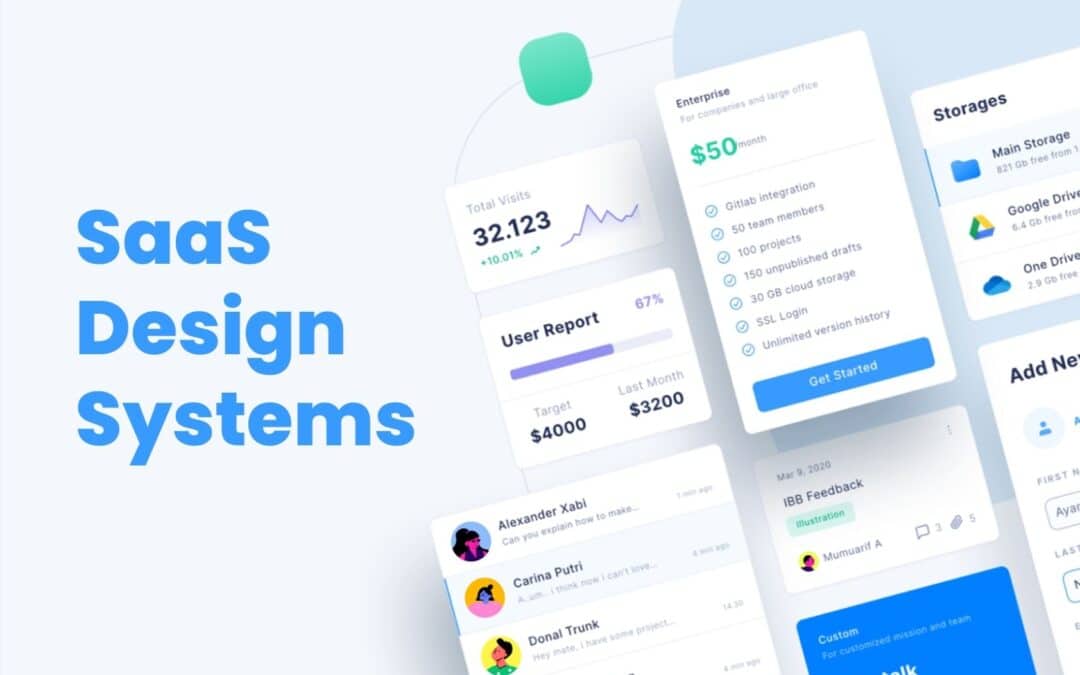
SaaS Design systems play a major role in helping SaaS products grow without losing clarity, quality, or consistency. As SaaS platforms expand with new features, new screens, and new user expectations, teams often struggle to keep the design aligned across the entire product.
A solid design system solves this problem by giving teams shared rules, reusable components, and visual standards that make every part of the product feel connected. It reduces rework, speeds up collaboration, and helps designers and developers build faster without sacrificing quality.
For SaaS companies aiming to scale smoothly, a strong design system becomes a foundation for better structure, better teamwork, and better user experiences across all touchpoints.
What A Design System Means For SaaS Teams
A design system is an essential tool that helps SaaS teams create products with clarity, consistency, and efficiency. For growing SaaS products, it acts as a shared foundation that keeps every part of the interface aligned. Design systems SaaS teams rely on include core elements such as color, typography, spacing, and patterns that shape a unified design language across the entire user interface. This structure makes it easier to support a cohesive user experience as the product evolves.
By addressing user needs through predictable layouts and reusable assets, teams avoid design drift and unnecessary rework. A strong design system ensures that every update, feature, or screen feels connected and maintains the overall quality users expect.
Why SaaS Products Need Consistency At Scale
SaaS products grow fast, and without a clear structure, the interface becomes inconsistent, confusing, and harder for users to trust. Consistency keeps everything connected as the product expands.
Visual Consistency That Builds Trust
Visual consistency helps users feel comfortable from the moment they open the product. When colors, spacing, and layout patterns stay predictable, users understand how to move around the interface instantly. This creates trust and reduces friction, especially as the product shifts across different pages and features. A stable visual foundation prevents the experience from feeling disjointed.
Brand Consistency That Strengthens Identity
Brand consistency ensures every part of the product reflects the same identity. Strong alignment across styles, logos, and patterns makes the product recognizable and easier to remember. When SaaS platforms grow quickly, brand identity can weaken if teams do not maintain consistency, but a unified system keeps everything clear and intentional across updates.
Visual Appeal That Supports Usability
A product with strong visual appeal feels easier to use. Clean spacing, balanced components, and predictable formatting allow users to focus on tasks rather than decoding layout changes. If teams ignore visual structure, they risk losing consistency and creating an interface that feels messy or distracting. Appeal reinforces usability.
Predictable Patterns That Guide How Users Interact
Predictable patterns help users interact confidently with the product. When similar actions behave the same way everywhere, the experience makes sense. Buttons, alerts, and menus that follow standard patterns reduce confusion and allow users to navigate naturally. This stability becomes more important as features grow.
Structured Systems That Ensure Consistency At Scale
As SaaS products expand, more teams contribute to the interface. Without a shared system, design quality can drift. A structured approach helps maintain consistency across teams and prevents mismatched decisions. It keeps the product stable, reduces design debt, and supports long-term growth without compromising user experience.
Core Components Of Modern SaaS Design Systems
Modern SaaS design systems rely on structured assets and rules that help teams deliver consistent, scalable, and high-quality product experiences. These components create efficiency, reduce rework, and maintain clarity across the entire interface.
Design System Components
Design system components form the strategic foundation of a system. They include the guidelines, structure, and patterns teams rely on when shaping new screens or features. These components give SaaS teams a stable starting point, reduce ambiguity, and support alignment between design and development. With these elements in place, the system becomes easier to scale as the product grows.
UI Components
UI components represent the interactive building blocks used across the product. Buttons, fields, menus, tabs, cards, and other UI elements work together to create predictable navigation. When teams reuse these pieces, the interface feels uniform across different areas of the platform. UI components speed up the workflow and help designers and developers avoid unnecessary redesigns.
Design Tokens
Design tokens store core visual values such as color palettes, spacing, typography scales, shadows, and radiuses. These values become the single source of truth for the product. With tokens in place, teams ensure visual alignment across web, mobile, and dashboard environments. Tokens also simplify updates, since one change can cascade across the entire system without breaking consistency.
Design Components
Design components combine UI parts, layout rules, and visual assets into structured, repeatable units. They may include headers, footers, form sections, cards, panels, or interaction groups. These components accelerate workflows and support clarity across the interface. When SaaS teams rely on design components, they save time and produce screens that feel connected, stable, and reliable.
Standardized Elements
Standardized elements define the rules behind spacing, grid structure, icon sets, shape language, and other foundational decisions. These rules keep the system coherent and reduce differences between screens. Standardization also supports engineering teams by ensuring consistent behavior across all the components. This makes the system easier to maintain and keeps the design clean as new features appear.
Key Components
Key components act as the essential building blocks that hold the entire system together. They unify design decisions, support documentation, and define the most important patterns used throughout SaaS interfaces. These components ensure teams follow a shared direction and reduce the risk of inconsistent decisions during fast growth. Strong key components allow SaaS teams to scale confidently without sacrificing design quality.
Modern SaaS design systems depend on these core parts to create stable, recognizable, and user-friendly product experiences. With each component clearly defined, teams build faster, stay aligned, and maintain long-term consistency at scale.
How Design Systems Accelerate SaaS Product Development
Design systems play a crucial role in helping SaaS product development and teams move faster, stay consistent, and scale confidently. By giving teams shared rules and reusable assets, the entire design and development process becomes smoother and more predictable.
Strong Foundation For The Design And Development Process
A design system streamlines the development process by providing a clear structure that teams can rely on. Designers and engineers no longer start from scratch for every screen. Instead, they follow an established design process supported by proven patterns and rules. This reduces decision fatigue and speeds up execution.
Faster Delivery Through Reusable Components
Reusable components eliminate repetitive work and help teams ship new flows quickly. When a component library already includes buttons, forms, alerts, cards, and navigation elements, teams can assemble new layouts in hours instead of days. This also reduces inconsistencies and improves overall quality.
Efficient Use Of Design Patterns
Design patterns guide how interface elements behave and interact across the product. When these patterns are documented and easy to access, teams avoid reinventing solutions. They focus on improving the experience rather than creating new styles. This structure makes future updates simpler and easier to manage.
Clear Coding Standards For Engineering Teams
Engineering teams benefit from coding standards built into the design system. These standards make implementation more efficient and reduce technical debt. Developers can introduce new components without breaking the existing structure, ensuring the product remains stable as it grows.
Faster Rollout Of Every New Feature
When teams follow a shared system, adding a new feature becomes a more predictable process. Designers choose from existing components, developers integrate them quickly, and both sides maintain alignment. This reduces bottlenecks and helps product teams release updates faster, with fewer revisions.
A well-built design system accelerates SaaS development by removing friction, improving alignment, and giving teams the tools they need to build quickly without sacrificing quality.
Collaboration Benefits For Product, Design, And Engineering Teams
Collaboration becomes much stronger when teams rely on a unified design system. It helps designers and developers work with the same expectations, removes confusion, and keeps everyone aligned during fast product growth. When different teams follow shared rules and assets, they avoid miscommunication that slows progress and causes inconsistent decisions. Product managers benefit because the system gives them a clear view of what already exists and what can be reused, allowing them to guide priorities more confidently.
A design system also supports seamless collaboration by offering comprehensive documentation that explains components, patterns, and usage rules. This documentation acts like a single source of truth, so every product team can stay on the same page regardless of which feature they are building. It creates a shared language that simplifies discussions, feedback, and review cycles.
Another strength is the ability for teams to gather feedback more effectively. Designers can validate ideas earlier, developers can flag technical constraints sooner, and product managers can incorporate insights from real users without disrupting workflows. This continuous flow of information makes collaboration smoother and reduces the risk of misunderstandings.
As SaaS products evolve, a design system keeps collaboration organized and consistent. Teams move faster, reuse more, and maintain a clearer connection between design decisions and product goals. This leads to better alignment, fewer revisions, and stronger outcomes across every stage of development.
How Design Systems Improve Scalability Across Features And Platforms
Scalability becomes one of the biggest challenges for SaaS companies as products expand, features multiply, and customer expectations rise. A strong design system gives teams the structure and stability needed to scale confidently across new platforms, new experiences, and new product areas without losing clarity or consistency.
Entire Design System As A Single Source Of Truth
An entire design system acts as a unified foundation for every team involved in building the product. It consolidates rules, patterns, and visual standards into one reliable reference point. When designers, developers, and product managers pull from the same system, the entire workflow becomes faster and more predictable. Instead of redesigning components for every new feature, teams reuse established assets, which keeps quality consistent across all modules. This central source of truth becomes even more important as the product grows larger and more complex.
Existing Design Systems As A Benchmark For Growth
SaaS teams often study existing design systems to understand how successful platforms manage large, evolving ecosystems. These real-world examples reveal how scalable patterns are structured, how documentation evolves, and how teams maintain coherence without sacrificing design integrity. By learning from these systems, SaaS companies can avoid common gaps that appear when expanding rapidly. They gain clarity on how to extend a system intelligently, refine established rules, and prepare for long-term growth.
Solid Design System For Multi-Channel Environments
A solid design system supports SaaS interfaces across various channels, including e-commerce flows, dashboards, mobile screens, knowledge hubs, and email marketing experiences. Every environment may serve a different purpose, but users expect familiar interactions, consistent spacing, and recognizable visual cues. When the same principles apply across all touchpoints, the product feels unified. This reduces friction for users who frequently move between tools, and it helps teams maintain control over the full experience without creating fragmented or mismatched interfaces.
Own Design System As A Long-Term Strategy
Building an own design system becomes a strategic investment for SaaS organizations planning long-term expansion. Instead of patching together temporary solutions for each new feature, teams rely on a shared structure that strengthens with every update. This approach supports strong content strategy, reduces design drift, and prevents teams from sacrificing design integrity during fast releases. A custom design system evolves with the product, allowing teams to scale in a predictable, manageable way.
Start Implementing With Clear Extensions For Growth
Scalability improves significantly when teams start implementing a design system built to adapt. A flexible system supports new components, new feature types, and new platforms without disrupting the existing product. As the product evolves, teams can introduce extensions, refine patterns, and standardize new layouts based on emerging needs. This keeps the entire product aligned even as it expands across different platforms, user groups, and use cases.
Metrics To Measure The Impact Of Design Systems In SaaS
Measuring the impact of a design system is essential for understanding how well it supports product quality, speed, and consistency as a SaaS platform grows. Strong metrics help teams see whether the system is performing as intended and where improvements are needed. Because design systems evolve, measurement becomes an ongoing process rather than a one-time evaluation.
Key Steps For Evaluating System Effectiveness
The first metric involves reviewing the key steps teams follow when using the system. This includes how quickly designers and developers can build new screens, how often reusable assets are applied, and whether teams follow the structure consistently. When these steps show reduced friction and faster cycles, the system is delivering real value.
Usage Guidelines And How Teams Apply Them
Usage guidelines help ensure each component is used the right way. A strong metric is how frequently teams apply these rules without deviation. If designers and developers rely on clear guidelines during their work, the system maintains stability across the interface. Low adherence suggests confusion or gaps in documentation.
Brand Guidelines And Visual Consistency Checks
Brand guidelines play a major role in system impact. Teams measure whether elements such as spacing, colors, and logo usage stay consistent across product areas. When these checks show alignment, the design system protects brand integrity. In SaaS environments with rapid updates, this consistency becomes critical for maintaining trust and familiarity.
Adoption Across The User Base Of Internal Teams
Another core metric is adoption across the internal user base, including product designers, frontend engineers, and agile teams. High adoption indicates that all the components and rules are practical and helpful. Low adoption may signal unclear processes or overly rigid standards. Tracking adoption helps teams identify where training or refinement is needed.
Benchmarking Against Established Systems Like Material Design
Comparing system performance to established models such as Material Design helps measure clarity, structure, and scalability. SaaS teams evaluate whether their own system supports similar levels of consistency, accessibility, and component quality. These comparisons guide improvements and set future targets.
A well-measured design system reveals its strengths and its gaps. With clear metrics, SaaS teams can refine rules, improve workflows, and keep the system effective as the product grows.
How GainHQ Supports Design System Adoption And Product Growth
GainHQ helps SaaS companies adopt design systems more confidently by giving teams the structure, tools, and collaboration environment needed to maintain quality at scale. As products grow and new features appear, the platform supports smoother workflows and stronger design alignment.
Better Control Over Visual Elements And Visual Design
GainHQ allows teams to manage visual elements and visual design in one organized space. Designers can store approved styles, document patterns, and reference components without searching across different tools. This helps product teams stay consistent when building new screens and ensures the visual foundation remains stable during rapid growth.
Clear Management Of Components For Future Updates
Teams can organize components, track usage, and prepare for future updates more effectively. GainHQ makes it easy to see which parts of the system are widely used and which need refinement. This helps teams create reliable structures for new design system elements and maintain consistency as more features are added.
Strong Support For Addressing User Needs
GainHQ assists teams in addressing user expectations by keeping design choices aligned with real behavior and feedback. Product teams can document patterns, improve flows, and respond to changes without disrupting the experience. This reduces the risk of inconsistencies as new design system elements are introduced.
Environment That Builds Consistent Product Experiences
GainHQ gives SaaS companies a unified space where every design decision connects. The platform helps teams stay consistent across versions, features, and devices. Whether building a new design system or refining an existing one, GainHQ supports cleaner processes, stronger alignment, and dependable product growth.
FAQs
What Is The Main Purpose Of A Design System In SaaS?
The main purpose of a design system in SaaS is to maintain consistency across fast-growing products. It provides shared rules, components, and visual standards so teams can build features without drifting from the core design. This keeps the product predictable and easier for users to navigate.
How Does A Design System Help Designers And Developers Work Faster?
A design system speeds up work by giving teams ready-to-use components, patterns, and guidelines. Designers avoid recreating layouts, and developers implement features with fewer revisions. This reduces production time and removes repetitive work across teams.
Can A Design System Reduce UI And UX Inconsistencies?
Yes. By centralizing visual styles, interaction rules, and component behavior, a design system removes guesswork. Teams follow the same structure, which prevents inconsistent screens, mismatched patterns, and confusing user flows as the product expands.
Do SaaS Startups Need A Design System Early?
SaaS startups benefit from introducing a design system early, even if it starts small. A lightweight system helps the team stay organized, supports faster feature development, and prevents scattered design decisions. As the product grows, the system can expand without disrupting the workflow.
How Often Should A SaaS Design System Be Updated?
A design system should be updated regularly as new features, patterns, and user needs emerge. Updates keep the system relevant and aligned with the product’s direction. Most SaaS teams refine the system continuously, treating it as a living asset that grows with the product and supports long-term scalability.
UI vs UX often get grouped, but they play very different roles in digital design. UI focuses on the look, feel, and interactive elements a user touches, while UX shapes the overall journey and how smoothly a user moves through a product. Modern digital design depends on both working together to create experiences that feel simple, intuitive, and enjoyable. When UI looks clean, and UX flows naturally, users stay engaged, and businesses build stronger products. As teams grow and digital expectations rise, understanding the difference between UI and UX becomes essential for creating tools that people love using. This guide breaks down each discipline clearly and shows how they come together in real design work.
What Is UI And UX
UI and UX describe two connected but different parts of digital design. UI refers to the user interface, which includes the visual layout, colors, buttons, icons, and all the digital interface elements a user interacts with. UX design focuses on the user experience, shaping how people feel as they move through a product and whether the journey meets their needs.
When discussing ui vs ux, it is important to understand that UI focuses on presentation while UX focuses on purpose and flow. Modern ui or ux design together to create products that are both functional and enjoyable to use.
Human-centered design guides this process by ensuring every decision supports real user needs. Strong ui ux alignment helps teams build digital designs that feel natural, smooth, and intuitive from start to finish.
Why UI And UX Are Not The Same Thing
UI and UX are connected, but they serve different purposes in creating a digital product. Understanding ui vs concepts helps teams design experiences that feel both visually appealing and truly useful. UI focuses on the visual surface, while UX looks at how well the product supports real user needs and how people feel throughout their interaction.
The difference between ui and UX becomes clear when looking at what each one influences:
UI focuses on:
Colors, typography, spacing, and layout
Buttons, icons, and visual elements that guide interaction
Making the interface look clean, modern, and easy to understand
UX focuses on:
User behavior and the motivations behind each action
Whether users can complete tasks without friction
The entire customer journey from first impression to final outcome
Both roles contribute to a positive user experience, but they achieve it in different ways. UX ensures the product is useful and meets expectations, while UI ensures the product is engaging and approachable. UX makes the path clear; UI makes the path enjoyable.
A seamless user experience happens when the flow, structure, and interactions support what the user wants to achieve. UI then enhances that flow with visuals that feel natural. When both work well, users enjoy a positive overall user experience because the design is clear, attractive, and easy to follow.
UI and UX are not the same thing because one focuses on aesthetics and interaction, and the other focuses on purpose, behavior, and satisfaction. Together, they create digital products that work, feel right, and support real user needs.
Core Responsibilities Of UI Designers
UI designers play a critical role in shaping how a product looks, feels, and responds visually. Their work ensures every screen is clear, consistent, and aligned with the brand identity while supporting a smooth, inviting user journey.
Creating Visual Elements That Shape The Interface
UI designers create the visual elements that users interact with every day. This includes colors, icons, typography, spacing, and other visual elements that guide attention and make the interface understandable at a glance. Their goal is to create an environment that feels organized, polished, and intuitive, so users never struggle to find what they need.
Building UI Components That Support Interaction
UI design focuses on designing ui components such as buttons, input fields, dropdowns, cards, sliders, and interactive cues. These elements must respond clearly when users tap, hover, or click. A UI designer ensures each component behaves predictably and fits the visual style of the product. These details help reduce confusion and support a consistent interaction model across every screen.
Developing A Visual Design System That Stays Consistent
Strong visual design is not only about aesthetics. It is about consistency. UI designers create visual design systems that define rules for color palettes, grid spacing, shapes, icons, and other visual elements. This helps teams maintain a unified appearance across websites, mobile apps, or dashboards. A consistent interface prevents frustration and allows users to move naturally through the product without feeling lost.
Ensuring Screens Are Aesthetically Pleasing And Functional
A key responsibility is balancing form and function. UI designers make interfaces aesthetically pleasing without compromising clarity. They ensure each screen feels welcoming and easy to understand, especially when many elements compete for attention. Their decisions help users feel comfortable and confident while navigating unfamiliar features. Good UI design supports and enhances the work done by UX designers, resulting in a smoother flow throughout the product.
Aligning The Interface With Brand Identity And Product Goals
UI designers must ensure that every design aligns with the brand identity. Colors, typography choices, and visual styles must reflect the tone and personality of the business. Whether the brand is playful, professional, bold, or minimalist, the UI must reinforce that identity across the product. UI designers also collaborate with product teams to ensure visual decisions support business goals and reflect what users expect from the brand.
UI designers shape the experience users see and interact with. Their careful approach to visual elements, ui components, design systems, and brand alignment brings clarity and beauty to every layer of the product. Their work transforms a functional interface into one that feels enjoyable, trustworthy, and memorable.
Core Responsibilities Of UX Designers
UX designers focus on shaping how a product works, how users move through it, and whether the experience feels helpful and meaningful. Their goal is to guide users smoothly toward their objectives.
User Understanding Through Research
A key part of a UX designer’s job is learning who the users are and what they expect. UX designers rely on ux research that includes conducting user research, user interviews, and observation. These methods uncover motivations, struggles, and behaviors that shape better decisions. The goal is to understand real needs instead of making assumptions. Research gives teams clarity and prevents design decisions that fail to support users.
User Personas That Represent Real Behavior
User experience designers translate research findings into user personas that represent major audience groups. These personas outline goals, pain points, preferences, and habits. When teams clearly understand these profiles, they evaluate every idea through the lens of how the persona would think or act. This helps teams stay aligned and reduces the chances of building features that do not solve real problems.
Information Architecture That Supports Clarity
Information architecture organizes content, menus, and pathways in a structure that feels natural. UX designers focus on creating layouts that help people find information quickly without confusion. When information architecture is clear, the digital product feels predictable and easy to navigate. Users should never feel lost or overwhelmed, and a strong structure makes every interaction smoother and more intuitive.
User Flow That Guides Task Completion
A user flow outlines each step a person takes to complete a task inside a product. UX designers map out these steps to identify unnecessary friction. They look at the sequence, decision points, and required actions to ensure users move forward easily. Whether the task involves onboarding, searching, or completing a purchase, a well-crafted user flow helps users reach the final step without frustration.
Pain Point Identification And Problem Solving
UX designers observe patterns, review feedback, and analyze data to identify pain points that interrupt the experience. Once these issues surface, they design solutions that remove barriers and guide users more effectively. This may involve simplifying steps, improving clarity, redesigning layouts, or restructuring how information is presented. Their goal is to create experiences that feel supportive and logical.
UX designers are essential to building a product that feels natural and user-friendly. They uncover what people truly need, create structure that supports that purpose, and design pathways that help users succeed. Their work ensures the final product feels coherent, thoughtful, and effective for every person who interacts with it.
How UI And UX Work Together In Product Development
UI and UX work side by side in the product development process to shape how a digital product looks, feels, and functions. When both disciplines align, teams create experiences that support the end user from the first tap to the final action.
Clear Roles That Support One Design Process
UI and UX design function together within one connected design process. UX sets the structure, flow, and logic behind the product, while UI shapes the final visual expression. UX ensures the journey makes sense. UI ensures the journey feels clear, attractive, and easy to follow. This collaboration keeps teams focused on what users need, not just what looks good.
Strong Foundations Built By UX Before UI Begins
The ux and ui relationship starts with UX defining user goals, mapping flows, and solving problems. Once this foundation is set, UI steps in to craft components, colors, and styles that make the solution understandable. This sequencing prevents rework and ensures the product development process stays efficient. UX skills guide the “why” and “how,” and UI brings the solution to life visually.
Interaction Design That Supports Intuitive Navigation
Interaction design bridges the gap between structure and visuals. It defines how a user interacts with buttons, gestures, menus, and transitions. This work ensures intuitive navigation across mobile apps, dashboards, and websites. UX defines the function behind each interaction, and UI designs the elements that make those actions visible. Together, they produce interactions that feel smooth and predictable.
Consistent Collaboration Focused On The End User
Throughout the project, UI and UX designers test ideas and improve the design through feedback and iteration. UX reviews whether tasks can be completed easily, while UI checks whether visual elements communicate clearly. Both roles work toward the same goal: supporting the end user with an experience that feels effortless.
A Unified Workflow That Strengthens The Digital Product
When UI and UX collaborate consistently, the digital product becomes more usable, more intuitive, and more engaging. UX ensures structure and clarity. UI brings emotion and personality. Together, they create products that work well and feel right for users in every environment.
Popular Tools And Techniques Used In UI And UX
UI and UX teams rely on a mix of creative tools, testing methods, and structured processes to design digital products that feel clear, accessible, and easy to use. These tools help teams understand users, shape layouts, and validate ideas before development begins.
Design Research That Guides Early Decisions
Design research helps teams understand the problem, the audience, and the context in which the product will be used. This includes user research, competitive analysis, and observational studies. Research sets the foundation for every UI and UX decision because it reveals what users expect, what frustrates them, and what opportunities exist for improvement. Without proper research, teams rely on guesswork, which often leads to weak or confusing experiences.
User Testing Methods That Validate Ideas
User testing is central to both UI and UX work. Teams share prototypes with real users to see how they interact with the design. This includes usability testing, where users attempt tasks while designers observe what works and what does not. Testing uncovers friction points early, allowing teams to refine layouts, flows, and interactions. It ensures ideas are validated before development begins, saving time and improving product quality.
Visual Design Elements That Shape UI Quality
UI designers refine visual design elements such as typography, color, spacing, icons, and layout structure. These elements influence clarity, mood, and comprehension. Graphic design principles help create an interface that feels balanced, modern, and visually coherent. UI design processes ensure each element guides users naturally while supporting the larger UX goals. Strong visuals reinforce brand identity and make the experience more memorable.
Responsive Techniques For Different Screen Sizes
Modern digital products must adjust gracefully across devices, so designers plan for multiple screen sizes. Teams create responsive layouts that scale and rearrange content without breaking usability. This process ensures mobile users, tablet users, and desktop users all receive a consistent experience. Testing across screen sizes helps identify layout issues early and ensures the interface remains readable, touch-friendly, and intuitive.
Techniques For Structuring Other Interactive Elements
UI and UX teams also refine other interactive elements such as buttons, forms, toggles, and navigation components. These elements guide how users move through an interface and complete tasks. Designers use interaction patterns that users recognize, reducing confusion and making the interface easier to navigate. Each interactive element is tested to confirm that it works smoothly, communicates clearly, and supports the intended goal.
Key Differences That Affect User Satisfaction And Performance
UI and UX shape how a user interacts with a digital product, and the differences between them directly influence satisfaction, clarity, and overall performance. When both are aligned, teams deliver an optimal user experience.
Visual Appeal That Shapes First Impressions
Users form opinions quickly, and a visually appealing interface can create instant interest. Colors, spacing, and typography influence comfort and trust. In the tech industry, where many user interfaces compete for attention, strong visual appeal helps a product stand out. A clean layout also reduces hesitation and encourages users to explore more confidently.
User Experience Design That Supports Real Tasks
User experience design focuses on whether the product helps users complete tasks without friction. Good UX looks at the target audience and considers their goals, frustrations, and habits. When the structure is clear and steps feel logical, users move through tasks smoothly. This clarity creates higher customer satisfaction because users feel supported rather than confused.
User Friendly Layouts That Improve Efficiency
A user-friendly layout helps remove unnecessary effort from the interaction. If navigation is simple, buttons are easy to identify, and paths feel obvious, users complete actions faster. Clear logic improves performance by minimizing errors and cognitive load. This leads to an experience where users feel in control of the product instead of overwhelmed by it.
Interface Behavior That Matches User Expectations
How an interface behaves affects how users respond. Smooth transitions, predictable actions, and clear feedback help users understand what happens after every click or tap. When an interface behaves as expected, people trust the product more. These small details create a more stable and predictable environment, which contributes to an optimal user experience.
Alignment Between UI And UX For Better Results
UI determines how the product looks, while UX determines how the product works. Both must support each other to create a strong experience. If the visuals are appealing but the flow is confusing, users become frustrated. If the flow is strong but the interface feels unattractive, engagement drops. Alignment ensures users feel comfortable, supported, and motivated throughout their journey.
Common Misconceptions About UI And UX
Many people assume UI and UX are the same, but these two fields focus on different parts of the user’s journey. Misunderstanding their roles can lead to poorly designed products and mismatched expectations.
UI And UX Designers Doing The Same Job
A common misconception is that ui and ux designers handle identical responsibilities. In reality, they work toward the same goal but through different approaches. UX focuses on structure, research, and problem-solving, while UI focuses on visuals, clarity, and interaction.
UI Designers Work Only On Colors And Fonts
Another assumption is that the ui designer’s job is limited to picking colors or adjusting typography. In truth, UI involves selecting design elements, shaping layouts, and defining how interactive elements behave. UI contributes to both beauty and usability.
UX Covers Everything And UI Is Optional
Some teams believe UX alone can create a smooth experience, but UI is essential. A strong experience requires more than logic and structure. The ui team ensures the design feels approachable, attractive, and consistent. Without UI, even strong UX can feel dry or confusing.
Aesthetic Elements Guarantee Good User Experience
People often think highly aesthetic elements automatically create good user experience. Attractive visuals help, but user experience depends on clarity, flow, and problem-solving. A beautiful interface can still frustrate users if steps are unclear or interactions feel forced.
Any Designer Can Work On UX Without Research
A final misconception is that UX does not require research. Many assume a designer can create user flows without understanding the user’s journey. In reality, UX relies on real insights, data, and user experience patterns. Without research, products fail to address real needs.
UI And UX Success Measuring Metrics
UI and UX success is measured by how well users understand the product, complete tasks, and feel throughout their journey. Strong metrics reveal whether the experience truly supports the target audience and delivers meaningful value.
User Testing Insights
User testing provides direct visibility into how users interact with the interface. It shows where they hesitate, what confuses them, and which parts feel natural. Observing real actions helps teams understand whether the interface supports intuitive decision-making. These insights help refine layout, spacing, cues, and pathways. When users move confidently through key actions, the product demonstrates stronger UI and UX performance. If they struggle, it becomes a clear signal to adjust messaging, hierarchy, or component behavior.
Usability Testing Outcomes
Usability testing measures how effectively people complete tasks in the user flow. It highlights where steps feel unclear, where users take unnecessary actions, or where slowdowns occur. These outcomes help identify friction that reduces performance and satisfaction. Reviewing usability results guides improvements in navigation, task structure, and interaction logic. When usability testing shows shorter completion times and fewer mistakes, the experience becomes more polished and dependable for users.
User Behavior Patterns
User behavior patterns reveal how people naturally interact with the product. This includes pages visited, actions taken, drop-off points, and navigation choices. By understanding behavior trends, teams can see what attracts attention and what gets ignored. These patterns show whether the interface aligns with expectations and whether users understand where to go next. Strong behavior patterns indicate clarity, while weak patterns suggest missing cues or misplaced elements.
Customer Satisfaction Scores
Customer satisfaction scores show how users feel after engaging with the product. Surveys, ratings, and feedback highlight whether the experience meets expectations. High satisfaction means the journey feels clear and supportive. Low satisfaction signals deeper issues such as confusion, frustration, or unmet needs. These scores help teams understand emotional responses that are not visible in analytics.
Journey Performance Metrics
Journey metrics measure how well the entire customer journey flows from beginning to end. They examine completion rates, drop-offs, and transitions between steps. A smooth journey shows the design supports users at every point, while inconsistent performance highlights gaps that break momentum. Reviewing journey performance ensures the experience remains connected and logical across features and devices.
Together, these metrics give a full picture of UI and UX design process effectiveness, helping teams improve clarity, performance, and the overall experience.
How GainHQ Helps Teams Deliver Better UI And UX Experiences
GainHQ supports teams by giving them a unified design environment that brings ui and ux design together in a smoother, more organized workflow. The platform streamlines the web design process so teams can produce clearer interfaces, stronger structures, and more consistent digital design. Collaboration tools keep everyone aligned, allowing designers, developers, and product managers to share updates and maintain team alignment without delays.
Real user insights help teams make informed product improvements, ensuring decisions match real needs instead of assumptions. Faster iterations allow teams to refine screens, adjust flows, and resolve issues quickly. With better workflows in place, teams move from concept to completion more efficiently, creating digital products that feel more intuitive, polished, and user-friendly from the start.
FAQs
What Is The Main Goal Of UI In A Digital Product?
The goal of UI is to create a clear and visually structured interface that guides users without confusion. It focuses on layout, colors, buttons, spacing, and readability. A strong UI helps users understand actions instantly and reduces the effort required to interact with the product.
How Does UX Improve Overall Product Success?
UX improves product success by shaping how well the product supports user needs. It focuses on task flow, structure, clarity, and ease of use. When the experience feels smooth, users complete tasks faster, feel less frustration, and develop trust. This leads to better engagement and long-term satisfaction.
Can One Designer Handle Both UI And UX?
One designer can handle both roles in smaller teams or simpler projects. However, UI and UX require different skills. UI focuses on visuals and interaction details, while UX focuses on research, structure, and problem-solving. Larger products often benefit from having separate specialists.
Why Do UI And UX Need Continuous Updates?
UI and UX need ongoing updates because user expectations, technology patterns, and product requirements change over time. Regular improvements keep the design modern, accessible, and aligned with how users behave. Continuous updates also fix usability issues before they affect the experience.
How Does User Feedback Influence UI And UX Decisions?
User feedback highlights what works and what does not. It reveals confusion, friction, or missing elements. Teams use this information to adjust screens, flows, wording, and visuals. When decisions are based on feedback, the product becomes easier to use and more aligned with real user needs.
Ethical AI software plays a crucial role as artificial intelligence transforms our world. AI’s rapid growth creates opportunities globally, from better healthcare diagnoses to connecting people on social media. These breakthroughs raise the most important concerns about embedded biases, privacy violations, and threats to human rights. Responsible AI practices need to go beyond just following regulations.
The EU AI Act will take effect in August 2024, and its prohibited practices begin in February 2025. Organizations worldwide must now meet strict new standards for responsible breakthroughs. Public attitudes have changed dramatically in the last year. Now, 85% of people support national AI safety efforts and regulations. Laws alone cannot guarantee ethical AI use. Organizations that merge ethical artificial intelligence into their strategies are better positioned to promote inclusivity, reduce bias, and ensure responsible use of technology. In this article, we will show you how to build AI systems that respect fundamental values while driving breakthroughs.
What Is Ethical AI Software
Ethical AI software defines how artificial intelligence delivers value while respecting human rights and societal norms. It ensures AI systems follow ethical principles such as non-discrimination, transparency, privacy protection, and accountable decision-making.
Ethical AI software shapes how AI models, machine learning algorithms, and generative AI systems are designed, trained, and deployed. It governs how training data is collected, how data processing occurs, and how bias detection, differential privacy, and data governance reduce existing inequalities. Responsible AI practices help organizations manage security risks, privacy concerns, and ethical challenges across AI tools, large language models, and generative AI applications.
As AI adoption grows across the private sector, ethical deployment becomes increasingly important for regulatory compliance, including frameworks like the EU AI Act and global AI ethics guidelines. Companies that invest in trustworthy AI strengthen social responsibility, support human decision-making, reduce bias, and align AI technology with human values, environmental well-being, and long-term societal implications.
Why Ethical AI Software Is Important For Modern Enterprises
Ethical AI software plays a decisive role in how modern enterprises scale artificial intelligence responsibly. Trust, regulatory readiness, and long-term value depend on AI systems that respect human rights, reduce bias, and align with business and societal expectations from the start.
Trust As A Business Foundation
Trust determines whether AI-powered products succeed or fail inside modern enterprises. Employees, customers, and partners must feel confident that AI systems act fairly, protect privacy, and support human decision-making. Ethical AI software establishes that confidence by applying ethical principles across AI models, algorithms, and data science projects.
Clear data governance, explainable decisions, and transparent AI technology reduce fear around AI automation and job disruption. When organizations communicate how AI tools process data and reach outcomes, trust grows naturally.
This trust encourages broader AI adoption, improves collaboration between humans and machines, and strengthens confidence in generative AI systems used across daily operations.
Responsible AI Adoption At Scale
AI adoption introduces ethical challenges that grow with scale and complexity. Most AI systems rely on large training data sets that may reflect existing inequalities or hidden bias.
Ethical AI software addresses these risks through responsible AI practices such as bias detection, differential privacy, and continuous model evaluation. Clear ethics guidelines ensure AI development teams understand acceptable use, limits, and accountability.
Human oversight remains essential, especially for generative AI tools and large language models used in decision-making processes. This structured approach allows enterprises to deploy AI technology confidently while protecting stakeholders from unintended harm.
Reputation And Legal Risk Control
Reputational damage represents one of the most serious risks tied to unethical AI use. A single failure in data processing, privacy protection, or automated decision-making can trigger legal action, regulatory scrutiny, and public backlash.
Ethical AI software helps enterprises manage these risks through strong governance frameworks and ethical deployment standards. Alignment with regulatory compliance requirements, such as the EU AI Act, reduces exposure to fines and litigation.
Clear audit trails, documentation, and responsible development practices also protect investor confidence. Ethical AI acts as a safeguard that shields brands from costly mistakes while preserving long-term credibility.
Alignment With ESG And Human Rights
Ethical AI software supports Environmental, Social, and Governance goals by embedding social responsibility into AI systems. Fair decision-making, non-discrimination, and respect for fundamental rights strengthen enterprise ESG performance.
Ethical artificial intelligence ensures AI products respect human values while avoiding harm to vulnerable groups. Responsible data collection and privacy-first design protect individual rights across AI-trained systems.
Enterprises that align AI ethics with ESG initiatives demonstrate accountability to regulators, customers, and global stakeholders. This alignment transforms ethical practices from compliance tasks into strategic advantages that reinforce long-term sustainability.
Transparency And Accountability In AI Systems
Transparency defines trustworthy AI. Ethical AI software ensures decision-making remains explainable across AI models, machine learning algorithms, and generative AI applications.
Clear documentation shows how data flows, how models reach outcomes, and where human intervention applies. Accountability frameworks assign responsibility for AI behavior across the full lifecycle, from writing code to deployment.
This clarity helps enterprises correct errors quickly and respond to ethical implications before harm occurs. Transparent AI systems also improve internal adoption, as employees understand how AI supports rather than replaces human intelligence.
Long-Term Innovation And Sustainability
Ethical AI software enables innovation that lasts. Enterprises that invest in robust ethical frameworks create AI systems capable of adapting to technological change, regulatory shifts, and societal expectations.
Responsible development balances performance with environmental well-being by addressing energy consumption, data center efficiency, and climate change impact. Ethical use of AI encourages innovation that benefits both business and society.
Organizations that prioritize ethical standards today position themselves as leaders in trustworthy AI, ready to scale responsibly while protecting human rights and long-term value.
Core Principles Behind Ethical AI Software Development
Good intentions alone won’t create ethical AI software. A set of core principles is the foundation of every responsible AI system, guiding its journey from concept to deployment. These principles aren’t optional add-ons – they’re vital to building technology that respects human values and delivers business results. Organizations that ignore these guardrails often face penalties and damage their reputation. Let’s look at four significant principles that should guide all ethical AI software development.
Transparency And Explainability
The “black box” of AI decision-making becomes clear through transparency, which helps stakeholders understand system operations. Studies from 16 different organizations show that explainability stands at the heart of AI ethical guidelines. This means openly sharing how models decide, what data trains them, and the methods used to assess their accuracy and fairness.
A transparent system shows “what happened,” while explainability reveals “how” decisions came about. Companies implementing explainable AI must balance technical precision with clarity. The explanations should make sense to non-experts and use plain language instead of complex code or hexadecimal representations.
Fairness And Non-Discrimination
Data protection law’s view of fairness goes beyond equal treatment to include fair processing and non-discrimination. Society’s biases often show up in unbalanced data that AI systems learn from. This can lead to outputs that discriminate based on gender, race, or disability. Ethical AI software must actively work to prevent these existing inequalities from growing.
Measuring fairness brings its own challenges since different definitions of fairness often clash. While computer scientists have created mathematical ways to measure algorithmic fairness, statistics alone can’t guarantee compliance. An integrated approach needs to assess:
AI developers’ power compared to individuals
Structural dynamics where systems are used
Possible self-reinforcing feedback loops
How much harm might the affected individuals face
Human Oversight And Accountability
People need to monitor AI systems and step in when it’s necessary – that’s what human oversight ensures. The EU AI Act requires this oversight for high-risk AI systems during operation. While AI helps make decisions better, human judgment remains vital for ethical use.
Good oversight lets people understand what AI can and can’t do. They can spot problems, avoid depending too much on automated results, understand outputs correctly, and know when to stop using the system. Organizations should document AI processes clearly and set up governance frameworks that spell out everyone’s roles and responsibilities.
Privacy And Data Protection
Privacy stands as the lifeblood of ethical AI software development. Data protection by design means using the right technical measures to protect individuals’ rights, including fighting discrimination. Teams must get a full picture of possible effects on fundamental rights before launching AI systems.
Privacy protection should start at the planning stage to prevent the collection of unnecessary data and ensure people’s rights. These rights include seeing their data, fixing mistakes, asking for deletion, and not facing decisions made purely by machines. Data minimization means collecting only what’s absolutely needed for AI to work, which cuts down privacy risks.
Ethical AI Software For Bias Reduction And Fair Decision Making
AI systems don’t become fair by chance. Machine learning models that make unfair predictions analysis hurt real people. Bias reduction needs careful design choices throughout development. AI software can make existing inequalities worse or create new forms of discrimination that hurt marginalized communities if we’re not careful. Building systems that make fair decisions across different demographic groups remains our main goal.
Understanding Algorithmic Bias
AI systems can produce unfair or discriminatory outcomes through algorithmic bias. Machine learning models learn from historically biased data and end up continuing or increasing existing social prejudices. To cite an instance, healthcare prediction algorithms might not work well for minority groups because they learned from majority population data. A loan approval system could also hurt certain racial groups if it learned from past discriminatory lending practices.
Bias shows up in many forms, including racial, gender, and socioeconomic bias. These biases can get into algorithms through several paths:
Flawed or unrepresentative training data
Incorrect measurement or classification methods
Missing information about underrepresented groups
Feedback loops that make initial biases worse
Studies show that pulse oximeters give wrong oxygen saturation levels for non-White patients. Any AI using this data would carry forward this measurement bias.
Bias Detection Tools And Techniques
Tools that help identify and reduce algorithmic bias have emerged recently. IBM’s AI Fairness 360 (AIF360) offers more than 70 fairness metrics and 10+ bias mitigation algorithms. This toolkit helps users find bias in machine learning models and fix it. Other useful tools include:
Fairlearn: A library that assesses and improves fairness in machine learning models
What-If Tool: An interactive visual interface that tests AI model behavior
Aequitas: Open-source bias and fairness audit toolkit for classification models
MIT researchers found a way to spot and remove specific training data points that cause models to fail with minority groups while keeping overall accuracy intact. You can reduce bias in three main ways: fixing data before training, adjusting algorithms during training, or correcting model outputs after training.
Case Studies Of Fair AI Systems
Healthcare algorithms provide an interesting case study in bias correction. Researchers found that U.S. health practitioners used an algorithm that gave Black patients who were sicker the same risk level as healthier White patients. The team fixed this bias after they realized the system used healthcare costs instead of illness severity to measure health needs.
Algorithm Audit’s unsupervised bias detection tool offers another success story. The tool found hidden markers for students with non-European migration backgrounds in a Dutch risk profiling algorithm. Their system spotted clusters where the AI performed differently and revealed hidden biases affecting specific demographic groups.
Data Privacy And Security In Ethical AI Software
Privacy and security are the foundations of ethical AI software, not afterthoughts. Organizations that rush to implement AI systems without proper data safeguards create major risks for users and themselves. The data dependence, continuous learning, and probabilistic outputs of AI systems make them vulnerable to new security threats beyond traditional cybersecurity challenges. Let’s take a closer look at how responsible organizations handle data privacy and security in their ethical AI initiatives.
How AI Systems Collect And Use Data
AI systems gather data from a variety of sources – forms, uploads, emails, chats, sensors, and clickstreams. They also collect embedded data like image EXIF information and document metadata. AI models need large datasets that move between systems. These datasets get copied, imported, shared, and stored in different formats and locations, often with third parties.
This data movement creates unique challenges. Bots make up about half of all web traffic, and publishers report thousands of daily scraping attempts. The advancement of generative AI relies on big content collections taken from the internet, often without website owners’ explicit permission.
Best Practices For Data Minimization
Data minimization is a core principle under Article 5(1)(c) of GDPR. Organizations must identify and process only essential personal data for their purpose. Building effective AI systems while complying with this principle requires:
De-identification techniques before sharing data internally or externally
Deletion of intermediate files with personal data once they’re no longer needed
Documentation of all data movements with clear audit trails
Implementation of techniques like perturbation (adding “noise”), synthetic data generation, or federated learning
Federated learning offers a new approach where AI learns directly on user devices. It shares only model updates with the main server instead of raw data. This technique protects privacy while allowing model improvement.
Secure AI Development Environments
Ethical AI software needs a comprehensive security approach that combines controls for both traditional cybersecurity threats and unique AI safety risks. The key components include secure model registries to verify model provenance and proper data protection pipelines. The core team should protect engineering configuration data such as network diagrams, asset inventories, and safety-related information. This data remains valuable for cyber adversaries.
Security must remain essential throughout the AI-driven automation, not just during development. The high pace of AI development often pushes security to the background. Organizations can reduce these risks by implementing defense strategies across design, development, deployment, and operation phases.
User Consent And Control Mechanisms
AI applications need more sophisticated consent mechanisms than traditional data collection processes. Modern approaches include:
The consent interfaces should explain how AI systems process personal data in clear, simple language without technical jargon that hides real implications. Users should have detailed control options to consent to different AI processing purposes separately.
Direct integration of Consent Management Platforms with AI systems will give real-time consent enforcement. This prevents the processing of data from users without proper permissions. User dashboards should offer easy access to consent feature priorities, usage information, and simple ways to modify or withdraw consent.
Business Risks Of Ignoring Ethical AI Software Practices
Companies that skip ethical considerations in AI systems face more than just moral dilemmas; they risk their financial stability and operations. Tighter regulations and increased public scrutiny have made the price of ethical shortcuts in AI software astronomical. Here are three major business risks that should push organizations to make ethical artificial intelligence their top priority right now.
Regulatory Fines And Legal Action
AI regulation violations now come with hefty price tags. The EU AI Act hits companies hard; violations of prohibited AI practices can cost up to €35 million or 7% of global annual turnover, whichever hits harder. Other compliance failures bring penalties up to €15 million or 3% of worldwide annual revenue. Companies that give wrong information to authorities could pay fines up to €7.5 million or 1% of annual turnover.
Texas has rolled out tough measures, too. Their Responsible Artificial Intelligence Governance Act slaps civil penaltiesof up to $200,000 per violation on offenders. Ongoing violations rack up $40,000 daily. Missing disclosure requirements could lead to fines of $1 million per incident.
Loss Of Consumer Trust
Money isn’t the biggest worry; losing customer confidence hurts more. Studies show a mere 13% of consumers fully trust companies to use AI ethically. A shocking 75% of customers would stop doing business with brands they think misuse their data.
Customers have clear expectations about AI transparency. About 89% want to know if they’re talking to AI or humans. The data shows that 80% expect humans to prove AI outputs right. Trust, once gone, rarely comes back fully. This often leads to fewer customer interactions and sometimes full-blown boycotts.
Internal Misuse And Collateral Damage
AI systems often work like “black boxes,” creating accountability issues in organizations. Even researchers who develop these algorithms don’t always understand how they make decisions. This murky nature makes spotting and fixing potential dangers tough.
Biased algorithms can become part of company culture when they learn from historical data that reflects old prejudices. AI recommendation systems pose another risk; they can make employees less likely to think critically. One engineer’s team admitted they “don’t have to think as much” with algorithmic recommendations, a red flag for how organizations manage knowledge.
Ethical AI Software And Regulatory Compliance Readiness
Organizations need more than good intentions to remain competitive in AI regulations; they need a well-laid-out path to compliance. Global AI governance continues to evolve, making it essential for organizations to grasp their regulatory duties in different jurisdictions. New frameworks now subject ethical AI software development to unprecedented scrutiny while balancing breakthroughs with responsible practices.
Overview Of The EU AI Act And Global Standards
The EU AI Act represents the world’s first detailed regulatory framework for artificial intelligence and adopts a tiered approach based on risk severity. This landmark legislation groups systems into minimal, limited, high-risk, or unacceptable categories. Most organizations must understand high-risk classifications because these trigger extensive compliance requirements.
The global landscape has seen other vital frameworks emerge. The NIST AI Risk Management Framework provides voluntary guidelines that improve trustworthiness in AI systems. ISO/IEC 42001 details the requirements for building and securing AI management systems throughout their lifecycle.
Preparation For High-Risk AI Classifications
Article 6 of the EU AI Act defines two pathways for an AI system to be high-risk:
Safety Component Route: Systems that function as safety components in products requiring third-party conformity assessment
Sensitive Use Case Route: Systems used in specific high-stakes domains listed in Annex III, including biometrics, education, and employment
Providers must document their assessment before market placement if they believe their Annex III systems don’t pose major risks. Any system that profiles natural persons automatically falls into the high-risk category.
The implementation timeline varies. Most AI applications must comply by August 2, 2026, while product-embedded systems have until August 2, 2027.
Compliance Tools And Frameworks
Organizations can use various tools to direct these complex requirements. The European Commission’s AI Act Compliance Checker serves as a beta tool that clarifies obligations under the legislation. The EU AI Act Compliance Matrix offers a high-level overview of key requirements for different operators.
Modern AI compliance needs both technical controls and governance protocols. The best compliance approaches combine the NIST AI RMF’s four components, Govern, Map, Measure, and Manage, to address the entire AI development lifecycle. Companies should use explainability tools, bias detection systems, and model validation frameworks to maintain regulatory compliance while building ethical artificial intelligence systems.
Transparency And Accountability In Ethical AI Software Systems
Verification mechanisms like transparency and accountability are essential parts of ethical AI systems. AI software can drift into problematic areas without proper checks and balances, even with good intentions. Organizations that successfully implement ethical AI typically set up three critical verification layers that work together to retain control over responsible AI use.
Model Documentation And Audit Trails
Detailed documentation is the foundation of effective AI risk management and governance. Documentation that’s managed to keep up-to-date gives a clear picture of systems’ strengths and weaknesses to improve iterative development. Datasheets, model cards, and system cards help downstream stakeholders learn about intended uses and check if their planned applications meet organizational requirements.
The documentation process helps develop a healthy risk management culture beyond just creating artifacts. Teams that document risks regularly understand responsible AI principles better, which affects their behavior outside the documentation process. Note that documentation plays a dual role in external accountability and internal risk management.
Role Of AI Ethics Committees
AI Ethics Committees are senior, cross-functional bodies that oversee strategy, review high-stakes projects, and solve ethical dilemmas. A 2023 McKinsey report showed that 68% of organizations with ethics committees saw increased stakeholder trust and fewer compliance violations.
These committees usually include senior leaders from legal, compliance, technology, and risk departments. They often bring in external independent experts to ensure different points of view. They serve as the highest internal governance authority for AI and connect technology, ethics, law, and business strategy.
Third-Party Audits And Certifications
Independent audits are a great way to get an objective evaluation of AI systems and boost accountability. Third-party evaluators provide deeper, broader, and more independent assessments than internal reviews. Static models that undergo quality and diversity checks can reduce bias and false outputs during third-party audits.
External certifications help alleviate risks while creating competitive advantages. Independent validation makes it easier to build trust and increase adoption in a crowded AI market.
Ethical AI Software Adoption Challenges For Growing Companies
Small and growing companies face distinct challenges in ethical AI software implementation. Large enterprises have dedicated teams and budgets, but smaller organizations must guide themselves through ethical complexities with limited resources. These obstacles should not stop companies from adopting eco-friendly AI practices; they just need smarter approaches.
Limited Resources And Expertise
Most teams grasp algorithms but lack proper training in ethical considerations and regulatory compliance. This knowledge gap creates a major barrier to responsible implementation. Only 21% of companies have clear policies for responsible AI use. These numbers reveal systemic problems in capability. Organizations should think over investing in custom training programs that target specific needs and roles instead of depending on vendor-provided technical instruction.
Balancing Speed With Responsibility
Market competition puts intense pressure on businesses to act fast. Without proper governance, this rush compromises transparency and security. A Forbes report indicates AI might replace about 300 million full-time jobs worldwide. This makes thoughtful implementation vital to minimize disruption. Every stakeholder needs to understand the company’s AI adoption goals and intended outcomes.
Vendor Selection And Tool Integration
A thorough evaluation of AI vendors’ governance practices is essential. The first step asks for proof of defined roles, ethical codes, and standards compliance. Claims of “trade secrets” deserve skepticism; while model structure remains proprietary, performance data should be accessible. The right vendors help organizations build and implement AI governance frameworks that merge with existing systems.
How GainHQ Builds Ethical AI Software For Long-Term Trust
GainHQ builds ethical AI software that delivers trustworthy results while respecting human rights and regulatory standards. Our approach embeds ethical principles directly into AI development so AI systems support human decision making, reduce bias, and operate with transparency from design to deployment.
Responsible AI practices guide how our AI models, machine learning algorithms, and generative AI systems are trained and evaluated. We apply strong data governance, bias detection, and privacy safeguards across data collection, data processing, and model reviews. Human-in-the-loop oversight remains central, especially in high-impact use cases such as credit scoring and decision-making processes. This ensures ethical use, accountability, and alignment with global AI ethics and the EU AI Act.
Ongoing monitoring strengthens trust over time. GainHQ runs fairness audits, tracks ethical implications, and documents AI behavior to meet regulatory compliance. This governance-first strategy supports ethical deployment, societal responsibility, and long-term confidence in AI technology.
FAQs
How Does Ethical AI Affect Generative AI Tools?
Ethical AI sets boundaries for how generative AI systems create content and process data. It reduces harmful outputs, misinformation, and misuse by applying governance, transparency, and human review mechanisms.
What Ethical Risks Come From Poor Training Data?
Biased or low-quality training data can amplify existing inequalities and produce unfair outcomes. Ethical AI practices focus on data quality checks, representative sampling, and continuous evaluation to reduce harm.
How Do Ethical AI Frameworks Support Global AI Deployment?
Ethical frameworks help AI systems adapt across regions by respecting cultural norms, human rights, and regulatory differences. This consistency supports responsible AI adoption at a global scale.
How Do Ethical AI Frameworks Support Global AI Deployment?
Ethical frameworks help AI systems adapt across regions by respecting cultural norms, human rights, and regulatory differences. This consistency supports responsible AI adoption at a global scale.
What Is The Role Of Data Governance In Ethical AI?
Data governance defines how data is collected, processed, stored, and deleted. Strong governance prevents misuse, supports privacy protection, and ensures AI systems remain accountable over time.
How Can Small Teams Start Ethical AI Development?
Small teams can begin with ethics checklists, bias testing tools, and clear usage guidelines. Early governance reduces long-term risk without slowing innovation.
How Does Ethical AI Address Environmental Impact?
Ethical AI considers energy consumption, data center efficiency, and climate impact during model training and deployment. Responsible development balances performance with environmental well-being.
What Signals Show An AI System Lacks Ethical Safeguards?
Warning signs include opaque decision-making, lack of documentation, unchecked automation, and missing human oversight. These gaps increase legal, reputational, and societal risks.
Software modernization has become essential for companies that want to stay competitive, reduce risks, and keep their systems running smoothly. As technology evolves, older tools and outdated platforms begin slowing down operations and limiting growth. Modern businesses need faster, more secure, and more flexible systems that support new opportunities and changing customer expectations.
Software modernization helps organizations rebuild or improve what already exists, without disrupting daily work or losing valuable data. It creates a path toward smarter workflows, better performance, and long-term stability. Whether a business wants to enhance efficiency, strengthen security, or prepare for future changes, modernization provides the structure and clarity needed to move forward with confidence using the right software modernization approach.
What Is Software Modernization
Software modernization is the process of updating legacy systems and improving existing systems so they remain reliable, secure, and aligned with business needs. Many companies still operate with legacy software that depends on outdated software, legacy code, and older architectures. These legacy software systems and legacy applications often slow down operations and increase long-term risks. Legacy software modernization helps organizations replace or enhance older tools while keeping essential functions intact.
Software modernization services focus on evaluating current software architecture, identifying limitations, and designing a future-ready approach. By modernizing strategically, businesses extend the life of their technology, improve performance, and create systems that support growth without losing the value stored in their older platforms.
Signs Your Legacy Systems Need Modernization
Legacy systems often reach a point where they limit efficiency and reliability. When outdated systems begin affecting critical business processes and slowing down daily operations, it becomes clear that a modern approach is needed. Understanding the warning signs helps companies plan and upgrade before costly problems appear.
Frequent System Failures
Frequent system failures are one of the clearest indicators that technology can no longer support the organization. When applications crash, freeze, or run unpredictably, teams lose valuable time and productivity slips. These interruptions force employees to rely on temporary fixes that rarely hold up under day-to-day pressure. Over time, these failures start to feel normal, even though they cause significant disruption.
Repeated outages also affect critical business processes that depend on dependable technology. From handling transactions to updating customer information, every workflow becomes vulnerable when the system is unstable. A pattern of failures shows that the existing environment is no longer sustainable and requires a strategic modernization effort.
Growing Security Risks And Data Breaches
Older technology is more vulnerable to security issues, especially as cyber threats evolve. When businesses operate on outdated technologies that lack modern protections, the risk of data breaches rises significantly. Systems that cannot receive security updates or patches create gaps that attackers can exploit without much resistance.
These vulnerabilities also stem from an aging operating system that may no longer be supported by vendors. Unsupported environments make it difficult to maintain strong security practices. When warnings, attempted breaches, or suspicious activity become common, modernization becomes necessary for protecting sensitive data and ensuring long term stability.
Rising Maintenance Costs
As technology ages, maintenance costs tend to increase. Companies often spend more money repairing outdated systems, patching issues, or hiring specialists who understand older environments. These expenses grow every year and slowly drain resources that could be invested in innovation or new tools that support growth.
Higher maintenance costs also signal inefficiency. When it becomes more expensive to upkeep old systems than to consider modern alternatives, the financial case for modernization becomes stronger. Businesses that monitor these rising costs often realize that upgrading is a cost-effective long-term decision.
Accumulated Technical Debt
Technical debt builds up when systems are not updated regularly. Over time, outdated code, outdated documentation, and incomplete upgrades make the system difficult to manage or extend. Even simple enhancements require significant time and specialized skills, which slows down development and reduces agility.
This accumulated technical debt becomes a major obstacle when teams try to introduce new features or improve functionality. Instead of moving quickly, they spend time navigating old limitations. When the technology environment blocks innovation, modernization provides a clear path to rebuilding flexibility.
Declining Business Continuity
Business continuity becomes harder to maintain when systems lack reliability. Legacy environments often struggle with performance issues, limited redundancy, and slow disaster recovery processes. If the organization cannot recover quickly after an issue, downtime becomes a serious operational threat.
When business continuity is at risk, every moment of downtime affects customers and employees. Modern solutions offer more reliable uptime, better recovery capabilities, and stronger resilience. Declining continuity is a sign that the technology can no longer support long-term operational needs.
Dependence On Outdated Technologies
Dependence on outdated technologies is another warning sign that modernization should begin soon. When vendors stop supporting tools or when skilled professionals become harder to find, maintaining the environment becomes risky. Outdated technologies also create compatibility issues that prevent seamless integration with modern tools.
This dependency restricts a company’s ability to innovate or adapt quickly. When technology becomes a barrier to progress, modernization helps rebuild systems that support growth, performance, and long-term business continuity.
Key Benefits Of Modernizing Legacy Software
As businesses grow, old systems often become an obstacle that slows progress. Modernization replaces these limitations with flexible, secure, and scalable technology that supports long term success. Below are six major benefits that show why upgrading outdated platforms is one of the most valuable decisions a company can make.
Improved Operational Efficiency
One of the biggest advantages of modernization is the noticeable improvement in day-to-day efficiency. Older systems often run slowly, cause frequent interruptions, and require employees to follow workarounds that waste valuable time. Newer platforms streamline tasks, eliminate unnecessary steps, and support automation where possible. This allows teams to work more fluidly, resulting in faster response times and smoother internal processes.
Modern systems also create a more predictable environment for employees. Instead of dealing with lagging interfaces or unstable performance, teams rely on tools that work consistently. This stability helps reduce frustration and improve overall productivity, making operations more aligned with business expectations.
Stronger Business Growth
Modernization supports long term expansion by giving organizations the flexibility to scale operations without being limited by old technology. Growing companies often face increased demand, new market opportunities, and evolving customer needs. When systems are modern and adaptable, businesses can respond quickly and efficiently.
Upgraded technology also makes it easier to integrate new features, enter new markets, or support additional users. This growth-friendly structure ensures the organization remains agile and capable of moving forward without delays caused by outdated tools or rigid architectures.
Higher Customer Satisfaction
Customers expect fast, accurate, and reliable service. Legacy platforms often make this difficult because they slow down processes, increase errors, or impact the quality of digital experiences. A modernized environment supports better performance across every customer touchpoint, helping teams respond quickly and deliver smoother interactions.
When customers experience fewer issues and faster service, their trust naturally grows. This improvement in user experience helps build stronger relationships and supports repeat business. Over time, elevated satisfaction becomes a key contributor to greater brand loyalty.
Enhanced Security And Reduced Risk
Updating old software significantly improves security. Outdated tools often lack modern protection features and are more vulnerable to attacks. Modern environments include advanced safeguards, consistent updates, and better monitoring capabilities. This makes it harder for unauthorized users to exploit weaknesses and cause damage.
Businesses also reduce compliance issues by upgrading to secure platforms. Modern systems support stronger controls, clearer visibility, and more reliable protection. As a result, companies operate with greater confidence and significantly lower risk.
Reduced Operational Costs
Legacy platforms tend to require ongoing repairs, custom patches, and support from specialists who understand older technology. These needs can become expensive over time and place a strain on the organization’s budget. Modernization helps lower these expenses by reducing the need for frequent fixes and minimizing downtime.
New systems also lower costs by improving resource efficiency. Teams work faster, issues are resolved more quickly, and organizations avoid paying for outdated infrastructure that no longer supports long term goals. This shift from maintaining old tools to investing in newer systems creates meaningful financial advantages.
Greater Competitive Advantage
Modernizing outdated systems allows organizations to stay ahead in competitive markets. Fast performance, smooth workflows, and reliable tools make it easier to deliver high-quality products and services. Companies also gain the ability to connect with new tools and platforms, giving them greater flexibility in shaping their digital strategy.
This advantage helps businesses remain relevant and capable of responding quickly to changes in customer behavior or industry trends. When technology becomes an enabler rather than a limitation, companies position themselves for long-term success and stronger market presence.
A modernized system strengthens performance, improves customer experiences, and supports future readiness. Each benefit contributes to greater stability and long-term value, making modernization a strategic investment for any growing organization.
Common Approaches To Legacy System Modernization
Modernizing legacy software involves choosing methods that improve performance, reduce risks, and prepare systems for future demands. Each approach supports different needs, from small upgrades to complete transformation. Below are the most common and effective ways organizations move from outdated environments to modern applications.
Cloud Migration For Better Scalability
Cloud migration is one of the most widely used modernization approaches because it offers flexibility, improved performance, and lower infrastructure costs. By moving legacy workloads to cloud platforms, organizations gain access to stronger security, automatic updates, and better resource allocation. Cloud computing also allows businesses to scale quickly without major hardware investments.
This shift is especially helpful for transforming legacy systems that struggle with performance limitations. With cloud native architectures and cloud native tools, businesses can modernize step by step while keeping essential operations stable. The cloud also supports continuous innovation, making future improvements easier to adopt.
Replacing Outdated Systems With Modern Applications
Some legacy environments are too old or too rigid to upgrade directly. In these cases, replacing outdated systems can be the most practical long-term option. This approach involves designing or purchasing modern applications that eliminate the limitations of older technologies. It gives companies the chance to rebuild functionality using modern frameworks that support flexibility, automation, and integration.
Replacing old systems also allows organizations to align their technology environment with current business requirements. With modern tools in place, teams experience fewer disruptions, reduced maintenance needs, and improved usability across the organization.
Data Migration To Support New Technology
Data migration is essential in most modernization projects. Legacy environments often hold large amounts of valuable information that must be transferred safely into modern applications or updated architectures. This process helps companies maintain data integrity, reduce redundancy, and prepare information for advanced analytics.
As organizations adopt modern tools, clean and well-structured data becomes necessary for performance and decision making. The migration process ensures that information is accessible, secure, and compatible with new technologies. It also supports smoother transitions during larger modernization efforts.
Integrating Machine Learning Into Modern Systems
Machine learning is becoming a key part of modernization because it helps companies automate tasks, improve decision-making, and deliver more personalized experiences. Integrating machine learning into transformed systems helps organizations move beyond basic functionality and build more intelligent workflows.
This approach works especially well when transforming legacy systems that rely heavily on manual processes or outdated reporting methods. With machine learning, businesses gain insights that support faster responses, better predictions, and stronger operational efficiency.
These modernization approaches help organizations upgrade technology without disrupting core operations. By understanding each option, companies can choose the method that supports their goals and builds a stronger, more future-ready environment.
Best Practices For Successful Modernization
Successful modernization requires a structured approach that keeps systems stable while helping the business move toward long-term improvement. A strong modernization strategy guides teams through every step and ensures technology stays aligned with real organizational needs. The best practices below help companies manage the modernization journey with clarity and confidence.
Build A Clear Modernization Strategy
A clear modernization strategy gives companies direction before any technical work begins. This step helps leaders understand what they want to achieve, which systems need attention, and what outcomes matter most. When teams know the purpose behind modernization efforts, they can make better decisions throughout the project. A defined strategy also prevents confusion and keeps the organization focused on goals rather than getting lost in technical details.
Creating this roadmap requires input from both technical teams and business leaders. By balancing operational needs with long term vision, the strategy becomes practical and achievable. A well-designed plan gives everyone a shared understanding of why modernization is happening and how it supports the future.
Follow A Structured Modernization Process
A structured modernization process ensures the organization moves step by step instead of rushing into changes without preparation. This includes assessment, planning, execution, and review. Each stage helps the team understand risks, prioritize tasks, and choose the right tools. Without structure, modernization projects often face delays or unexpected complications.
The process should be flexible enough to adapt as needs evolve. While structure provides stability, adaptability allows the team to respond when challenges appear. Following a thoughtful process helps companies transition smoothly from old systems to improved environments.
Choose The Right Approach For Modernization Projects
Not every system requires the same level of change, which is why choosing the appropriate modernization strategy matters. Some systems only need minor updates, while others require more extensive rebuilding. The key is understanding what each application contributes to the business and what limitations it currently has. When teams choose the right path, they minimize disruption and maximize long-term value.
Selecting the right approach also helps avoid unnecessary costs. Instead of replacing everything at once, organizations modernize at a pace that supports stability. Matching each project with the correct approach ensures smoother outcomes and better resource management.
Align Modernization With Business Goals
Modernization only succeeds when it supports real business objectives. Technology decisions must connect to productivity, scalability, customer experience, and long-term growth. When teams align modernization with the needs of the business, every step becomes more meaningful. This alignment also helps justify investments and ensure leadership understands the value behind each upgrade.
Teams should review business priorities regularly and confirm that modernization choices still match those priorities. This helps avoid misaligned decisions that could slow progress or increase complexity. Clear alignment strengthens the impact of every improvement made along the way.
Prepare For Future Proofing
Future-proofing helps organizations build systems that can adapt instead of becoming obsolete again. This means choosing tools that scale, architectures that support expansion, and technologies that remain relevant as the business evolves. A future-ready mindset reduces the need for major overhauls later and protects long-term investments.
Preparing for the future helps organizations remain flexible in their modernization journey. With the right choices, systems can grow and change without requiring constant rework. It also gives teams confidence that the new environment will last for many years.
Stay Ready For Future Technological Advancements
Modernization creates opportunities for adopting new tools and innovations. Staying ready for future technological advancements ensures the organization can respond to changes in the market and take advantage of emerging solutions. This includes advancements in automation, artificial intelligence, analytics, and cloud technologies.
Remaining open to new possibilities helps modernization efforts stay effective over time. When businesses adopt technologies that evolve with the industry, they gain long-term flexibility and maintain a competitive position in their market.
Challenges And Costs In Modernization Projects
Modernization projects bring long-term value, but the journey often includes obstacles that require planning, clear decision-making, and consistent communication. Understanding the challenges and associated expenses helps organizations prepare for a smooth transition that aligns with real business objectives and long-term technology goals.
Understanding Modernization Costs
Modernization costs vary widely depending on the complexity of the existing environment, the number of teams involved, and the scope of improvements needed. Expenses can include new licenses, infrastructure upgrades, development work, migration support, and ongoing optimization. While the investment may seem significant at the beginning, the long-term savings from reduced failures, improved performance, and lower software maintenance often outweigh the initial cost. Businesses also save money by eliminating outdated tools that require frequent repairs or expensive specialized skills.
These costs should be evaluated in the context of future growth and strategic priorities. When organizations consider modernization only as an expense, they overlook the long-term financial benefits. A clear understanding of value helps teams justify the investment and make decisions that support long-lasting efficiency.
Managing Technology Investments Wisely
Technology investments must be carefully evaluated to ensure they support business objectives. Organizations often face pressure to adopt modern technologies quickly, but not every tool fits every environment. Careful planning helps avoid unnecessary spending and prevents teams from implementing systems that provide little real value. Successful modernization requires understanding which technologies solve actual problems and which may introduce additional complexity.
Organizations benefit from reviewing their current architectures, identifying gaps, and selecting technologies that support both immediate needs and long term goals. This discipline helps reduce waste and ensures the investment aligns with operational realities.
Handling Multiple Systems During Transition
Many organizations rely on multiple systems that perform different functions, making modernization more complex. Integrating these systems or replacing them requires careful coordination to prevent disruptions. When multiple systems operate with outdated structures, data inconsistency and compatibility issues can occur, increasing the difficulty of managing transitions smoothly.
A thorough assessment helps determine which systems need replacement, which can be upgraded, and which require full redesign. Addressing these dependencies early helps reduce delays and ensures every step of the transition supports business continuity.
Adapting To Modern Technologies
Adopting modern technologies brings new benefits but also introduces new responsibilities. Modern tools often rely on different architectures, development patterns, or hosting environments that teams must learn. This transition can challenge internal skills and create temporary slowdowns as employees adjust to new workflows.
Organizations must invest time in training and knowledge building so teams can use modern technologies effectively. When employees feel confident with new tools, the modernization effort becomes smoother, and the new system delivers its full potential.
Strengthening Software Engineering Practices
Modernization exposes weaknesses in old software engineering processes, especially when development practices have not evolved with new tools. Migrating legacy systems to modern environments requires stronger engineering discipline, better documentation, and consistent review practices. Teams must refactor code, resolve inconsistencies, and ensure new features operate reliably within the updated structure.
Strengthening these practices ensures modernization leads to long term stability rather than short term fixes. Good engineering also reduces the need for excessive rework later, lowering overall modernization costs.
Choosing The Right Consulting Solutions
Modernization often requires specialized knowledge that internal teams may not have. Consulting solutions provide experienced guidance, helping organizations choose the right tools, avoid common mistakes, and manage risks effectively. Consultants assist with planning, architecture design, migration, testing, and long-term support.
However, selecting the right partner is essential. A consultant who understands both modern technologies and legacy constraints can significantly reduce the complexity of modernization. With the right guidance, organizations complete projects faster, maintain stability, and stay aligned with their long-term objectives.
How GainHQ Supports Software Modernization
GainHQ helps businesses upgrade outdated environments through modernization services designed to support long term stability. The firm begins by reviewing existing business processes and identifying what slows teams down or limits future improvements. With this assessment, GainHQ creates a clear plan for modernization initiatives that align with how the company operates and where it wants to grow. This structured approach helps organizations reduce risk while transforming legacy applications into systems that are faster, more secure, and easier to maintain.
A major part of GainHQ’s work involves recommending new technologies that improve performance and flexibility. From enhancing architecture to introducing modern tools, the firm guides companies through change in a way that strengthens daily operations. GainHQ also supports cloud infrastructure adoption, which helps organizations modernize at scale and integrate new features more efficiently. This shift makes systems easier to manage and prepares the company for future expansion.
Beyond deployment, GainHQ provides ongoing support so teams can use updated systems confidently. As technology evolves, the firm ensures organizations stay on track and continue benefiting from the improvements. With GainHQ as a trusted partner, companies modernize with clarity and build a future-ready foundation that supports long term success.
FAQs
Why Is Software Modernization Important For Long Term Stability?
Modernization helps organizations keep systems secure, reliable, and capable of supporting changing business needs. It prevents disruptions and ensures technology remains adaptable as the company grows.
What Risks Come From Keeping Legacy Systems?
Legacy systems can expose the business to security vulnerabilities, slow performance, high maintenance costs, and integration challenges. Over time, these risks limit both productivity and innovation.
Can Modernization Be Done Without Interrupting Daily Operations?
Yes. With proper planning, many modernization projects use phased approaches that update systems gradually. This reduces downtime and keeps critical operations running smoothly.
What Is The Difference Between Refactoring And Rebuilding?
Refactoring improves the existing codebase without changing core functionality, while rebuilding replaces the system entirely with a modern solution. The right choice depends on system age and business goals.
How Does Modernization Improve Security?
Modern technologies include updated protocols, stronger authentication, improved monitoring, and better patching capabilities. These enhancements reduce vulnerabilities and help protect sensitive data.
Is Cloud Migration Always Required In Modernization?
Not always. While cloud migration is common, some organizations choose hybrid approaches or on-premises upgrades. The best path depends on performance needs, budget, and long-term plans.
How Do Companies Measure Success After Modernizing?
Success is typically measured through faster performance, fewer system issues, lower maintenance costs, improved user experience, stronger security, and better alignment with business objectives.