This page provides a comprehensive guide to artificial intelligence software, designed for business users, tech enthusiasts, and general readers who want to understand the rapidly evolving AI landscape in 2024–2026. Whether you’re looking to boost productivity, automate tasks, or explore creative possibilities, this resource explains what artificial intelligence software is, how it works, and why it matters for both daily life and business operations. Understanding AI software is essential in today’s world, as it is transforming industries, reshaping workflows, and opening new opportunities for innovation and efficiency.
Artificial intelligence software refers to applications and platforms that use advanced algorithms to replicate human thought processes and decision-making. This page covers the main categories of AI software, from conversational chatbots and productivity tools to generative AI platforms that create new content. You’ll learn how these tools are integrated into everyday apps, how they can automate tasks and analyze data, and how to choose the right solutions for your needs.
What is Artificial Intelligence Software? (Summary)
Artificial intelligence (AI) is a branch of computer science focused on replicating human thought processes and decision-making through algorithms. AI software includes a wide range of tools and platforms that automate tasks, analyze data, and enhance productivity—often at little or no cost. The main categories of AI software are:
Conversational AI and chatbots (e.g., ChatGPT, Google Gemini) for natural language interactions and customer support.
Generative AI tools that create new content—such as text, images, audio, or code—by learning patterns from existing data.
Productivity and business tools that streamline workflows, automate repetitive tasks, and improve decision-making.
Analytics and industry-specific platforms for data analysis, forecasting, and specialized applications.
Generative AI tools like ChatGPT and Google Gemini are now integrated into various applications to enhance productivity and creativity. In daily life, AI powers digital assistants, search engines, and social media feeds, while in business, it drives automation, content creation, and data-driven insights.
Key Takeaways
Artificial intelligence software ranges from everyday assistants like ChatGPT and Siri to complex enterprise platforms such as Oracle AI and Google Vertex AI, transforming how we work and create in 2024–2026
AI software falls into distinct categories: chatbots, agent builders, productivity tools, creative tools, analytics platforms, and industry-specific applications, each solving different business challenges
Many leading AI tools offer generous free tiers or trials, including Google AI Studio’s free Gemini API limits, Oracle’s 30-day trial with $300 credits, and OpenAI’s free ChatGPT access
Choosing the right artificial intelligence software depends on specific use cases, data privacy requirements, ecosystem compatibility (Google, Microsoft, Apple, Oracle), and total cost of ownership over time
While powerful, AI software requires responsible use with human oversight, especially in high-stakes domains like healthcare, finance, and legal services
What is artificial intelligence software?
Artificial intelligence (AI) is a branch of computer science focused on replicating human thought processes and decision-making through algorithms. Artificial intelligence software refers to applications that use machine learning and generative models to perform tasks that traditionally require human intelligence, such as understanding language, recognizing images, or making complex decisions. Neural networks in AI are inspired by the human brain and are used for processing complex data, enabling these systems to mimic aspects of human cognition. Unlike traditional rule-based software that follows pre-programmed instructions, modern AI-powered systems learn patterns from vast datasets and can generalize to new situations they weren’t explicitly trained for.
The landscape shifted dramatically with breakthroughs like GPT-4o in 2024 and Gemini 2.5 Pro in 2025, alongside Oracle’s OCI Generative AI services announced in 2024. These advances demonstrate how artificial intelligence has evolved from narrow, specialized tools to versatile systems capable of handling diverse tasks across text, images, voice, and data analysis.
AI software manifests in several forms:
Pure cloud services accessed through APIs, like Google Cloud’s AI services or Oracle’s cloud-based machine learning platforms
Integrated features within existing applications, such as Grammarly’s writing assistance or Notion AI’s document enhancement
Standalone applications like ChatGPT for conversations, Midjourney for image creation, or Runway for video generation
This flexibility allows organizations to integrate AI tools into existing workflows without completely restructuring their technology stack, making artificial intelligence accessible to businesses of all sizes.
Core types of artificial intelligence software
Since around 2023–2026, AI software has crystallized into recognizable categories, each addressing distinct business challenges and user needs. AI apps are now widely used for a variety of tasks across these categories, such as video generation, text enhancement, content creation, image generation, resume building, knowledge management, email and social media management, scheduling, and integrating AI into different workflows and tools. Understanding these categories helps in selecting the right tools for specific objectives rather than getting overwhelmed by the rapidly expanding AI space.
Conversational AI and Chatbots
Conversational AI and chatbots are perhaps the most visible category, with tools like ChatGPT GPT-4o, Claude 3, and Google Gemini leading the field. These systems excel at natural language understanding, answering questions, drafting content, and engaging in complex reasoning tasks. Increasingly, ‘ai chat’ interfaces serve as workspace command centers, enabling users to ask questions, automate tasks, and extract insights directly through chat-based interfaces powered by advanced AI models. They’ve become essential for customer service, content creation, and general productivity tasks.
Claude (Anthropic): Long-form content analysis, ethical reasoning
Google Gemini: Real-time web access, Google services integration
Agent and Workflow Orchestration Tools
Agent and workflow orchestration tools automate complex, multi-step processes across different applications. These platforms can read emails, update CRM systems, schedule meetings, and execute elaborate workflows with minimal human intervention. They also integrate with other tools to streamline workflows and consolidate functionalities in one ecosystem. Zapier, for example, is built to help your tools and AI work together seamlessly across 8,000+ apps.
Examples:
Zapier’s AI-powered automation and Zapier Agents
Oracle’s Agent Hub beta (launched November 2024)
AI Assistants Embedded in Ecosystems
AI assistants embedded in ecosystems integrate deeply with existing platforms, leveraging their ecosystem’s data to provide contextual, personalized assistance. An AI assistant is a specialized tool that helps users optimize tasks, surface insights, and automate repetitive work within larger platforms or applications.
Examples:
Microsoft Copilot: Office 365 workflows
Siri and Google Assistant (transitioning to Gemini): Voice-controlled device management and information retrieval
Creative and Generative Tools
Generative AI tools create new content, such as text, images, audio, or code, by learning patterns from existing data. These tools have democratized creative production, allowing anyone to generate professional-quality content. Many artificial intelligence software platforms can now generate images from a text prompt, making it easy for users to customize and control the output with simple instructions.
Examples:
Runway Gen-4 and OpenAI Sora: Video content generation
Midjourney and Adobe Firefly: Image creation from a text prompt
Suno: Music generation
Productivity and Office Tools
Productivity and office tools enhance traditional business applications with AI capabilities, streamlining workflows and improving efficiency. These tools often allow users to create tasks directly within their workflows, integrating with other productivity apps to automate scheduling and sync tasks across platforms.
Examples:
Notion AI: Note-taking and knowledge management within the notion workspace, where AI features are integrated to enable seamless collaboration and productivity.
Asana: Intelligent project planning
Gmail with Gemini: Smart email composition and summarization
Data and Analytics Platforms
Data and analytics platforms serve enterprise needs for machine learning model development and deployment, providing comprehensive environments for data science teams. These platforms can access and analyze live data, enabling users to generate up-to-date summaries, reports, or insights based on real-time information.
Examples:
Oracle AI Data Platform Workbench
Google Vertex AI
No-Code Development and “Vibe-Coding” Platforms
No-code development and “vibe-coding” platforms bridge the gap between ideas and functional applications, enabling users to create apps without traditional programming skills. Many of these artificial intelligence software solutions can generate complete project plans, prototypes, or even website layouts from just a single sentence or brief prompt, streamlining the creation process.
Many categories blend together—Notion AI combines knowledge management with writing assistance, while Zapier merges automation with conversational agents. Buyers should focus on solving specific problems (summarizing meetings, generating marketing content, detecting fraud) rather than getting caught up in category distinctions.
Transition: As AI software categories expand, it’s important to recognize how these tools are already integrated into our daily routines and business operations.
Everyday AI software you already use
Long before GPT-4o’s 2024 release or Gemini 2.5 Pro’s 2025 debut, most people were already interacting with artificial intelligence software through search engines, social media algorithms, and smartphone features. These “invisible” AI systems have been learning from user behavior and optimizing experiences for over a decade. Today, artificial intelligence software often integrates with other apps to streamline daily workflows and enhance productivity.
Digital Assistants
Siri, Google Assistant, Amazon Alexa, and Meta AI handle voice commands, schedule appointments, control smart home devices, and answer everyday questions. These digital assistants help users manage daily tasks such as sending messages, setting timers, and seamlessly controlling smart home devices within their respective ecosystems.
Apple’s 2024 Apple Intelligence update brought more sophisticated on-device processing.
Amazon’s Alexa+ launched with generative AI features for $19.99/month, expanding conversational capabilities.
Search Engines
Google Search now provides AI overviews and synthesized answers, and its search bar uses artificial intelligence to offer predictive suggestions, helping users quickly find relevant information.
Perplexity offers cited responses with source links.
Brave Search includes AI-powered summaries.
Social Media Platforms
TikTok’s recommendation engine, Instagram’s Explore page, Facebook’s News Feed ranking, and X (Twitter)’s algorithmic timeline all use machine learning models to curate content feeds and target advertisements.
Smartphones and Daily Apps
Autocorrect and predictive text, spam email filtering, photo organization with face and object recognition, and intelligent map routing are all powered by AI.
Many artificial intelligence software apps also help users create, organize, and automate to dos and reminders, streamlining daily productivity and task management.
Google Photos automatically creates albums and suggests edits.
Maps provides real-time traffic-based ETAs and alternative route recommendations.
Hidden Infrastructure AI
Banking apps use fraud detection algorithms.
E-commerce sites like Amazon employ recommendation engines.
Email providers automatically categorize messages using content analysis and user behavior patterns.
Transition: Beyond these everyday applications, AI software is transforming productivity and business workflows at an unprecedented pace.
Productivity and business AI software
Between 2023 and 2026, productivity-focused artificial intelligence software exploded into mainstream business use, with platforms like Zapier and technology reviewers tracking 50–70+ applications across different workflow categories. These tools promise to automate repetitive tasks, enhance decision-making, and free up human creativity for higher-value work. AI-driven tools also facilitate collaboration and communication between sales teams and other departments, improving outreach and follow-up strategies. Additionally, project management tools now enable users to automate and integrate follow ups, reminders, and updates across various applications, streamlining communication and task tracking in project workflows.
AI Productivity Suites
Zapier’s ecosystem: AI by Zapier for intelligent automation, Zapier Copilot for conversational workflow management, and Zapier Agents for autonomous task execution across 6,000+ connected apps. These AI productivity suites help users gain more clarity by streamlining workflows and clarifying tasks or information, leading to more effective project management.
Microsoft Copilot: Integrates with Office 365 to draft documents, analyze spreadsheets, and generate presentations.
Google Workspace with Gemini: Provides similar capabilities for Gmail, Google Docs, and Google Sheets users.
Advanced Chatbots and Assistants
ChatGPT GPT-4o: Web browsing, file analysis, code generation, and the ability to answer questions by quickly retrieving specific information for users.
Claude: Long-form content analysis, ethical reasoning, and answering questions to assist users with detailed inquiries.
Google Gemini: Real-time web access, seamless integration with Google services, and answering questions by pulling live data or guiding users through processes.
Most premium tiers cost around $20/month, offering increased usage limits, priority access, and advanced features like custom instructions.
Project and Task Management Tools
Asana: AI features automatically identify project risks and suggest timeline adjustments.
ClickUp Brain: Generates project plans from simple prompts.
Motion: Uses AI to optimize calendar scheduling based on task priorities and deadlines.
These tools analyze historical data to predict bottlenecks and resource needs.
Meeting and Communication Assistants
Fireflies.ai: Transcribes calls and extracts action items, automatically capturing and organizing meeting notes with features like transcription and task management.
Jamie: Provides real-time meeting summaries and helps generate structured meeting notes for easy follow-up.
Granola: Combines note-taking with intelligent synthesis to create organized meeting notes and summaries.
AI scheduling tools: Reclaim and Clockwise protect focus time by analyzing calendar patterns and automatically declining or suggesting alternative times for less critical meetings.
Enterprise AI Platforms
Oracle AI Data Platform: Offers end-to-end machine learning capabilities with a 30-day trial including $300 in credits.
Google Vertex AI: Provides managed services for model training, deployment, and monitoring.
These platforms integrate with existing enterprise data systems and support custom model development alongside pre-built solutions.
Transition: As productivity and business AI tools become more advanced, generative AI is revolutionizing content creation and creative industries.
Generative AI software for content, media, and creativity
Generative artificial intelligence represents a paradigm shift from traditional software that classifies or analyzes existing data to systems that create entirely new content—text, images, audio, video, and even functional code. Generative AI tools create new content, such as text, images, audio, or code, by learning patterns from existing data. The real magic of these tools lies in their ability to deliver transformative, seemingly extraordinary results that enhance creativity and streamline workflows.
Text and Writing Tools
ChatGPT and Claude: Handle everything from casual emails to technical documentation.
Jasper: Focuses on marketing copy with brand voice training and SEO optimization.
Anyword: Provides data-driven copy testing.
Sudowrite: Assists fiction writers with plot development and character creation.
Grammarly’s AI-enhanced ProWritingAid: Offers style suggestions and tone adjustments.
Image Generation and Editing Platforms
Midjourney: Produces highly artistic images from text prompts, with AI tools capable of generating, updating, or replacing new images within video frames or website layouts to enhance visual content. Setting the correct aspect ratio is essential to ensure visuals are properly proportioned and aligned with the overall layout.
Google Imagen 3: Excels at photorealistic generation.
DALL·E (integrated into ChatGPT 4o): Offers conversational image creation and editing.
Adobe Firefly: Uses commercially licensed training data for safe business use.
Canva’s Magic Studio: Combines templates with AI-generated elements and automatic layout optimization.
Video Generation and Editing Solutions
Runway Gen-4: Creates short video clips from text descriptions or still images, and some tools in this category offer granular control over camera movements, scene-building, or image modifications for enhanced customization and quality.
OpenAI’s Sora: Promises longer, more coherent video generation.
Descript: Allows users to modify video content by editing transcribed text.
Google Veo 3: Focuses on creating marketing-ready video content.
Audio, Voice, and Music Creation Tools
ElevenLabs: Generates lifelike synthetic voices in multiple languages. Some AI tools now allow users to create personalized and emotionally nuanced AI voices that reflect their own voice, emphasizing customization and authenticity. AI voice generation is also a cost-effective and efficient alternative to traditional voice actors, offering high-quality output and a wide range of diverse voices. Users can fine tune AI voices to better suit specific needs, such as improving accuracy, tone, or emotional expression.
Hume’s AI: Focuses on emotional intelligence in speech synthesis.
Suno and Mureka AI: Create original music compositions and instrumental stems.
No-Code Development and “Vibe-Coding” Platforms
Lovable: Transforms natural language app descriptions into working prototypes.
Bolt: Focuses on web applications, automatically handling database setup, API creation, and user interface design.
Transition: Beyond creativity, AI software is now a cornerstone of analytics, decision support, and industry-specific solutions.
Analytics, decision support, and industry AI platforms
Artificial intelligence software increasingly underpins critical business intelligence, predictive analytics, and automated decision-making across finance, healthcare, retail, manufacturing, and logistics. These systems move beyond simple reporting to provide actionable insights and autonomous responses to complex business conditions.
Data Platforms and Machine Learning Workbenches
Oracle AI Data Platform Workbench: Integrated data science tools with built-in collaboration features and automated model lifecycle management.
Google Cloud Vertex AI: Managed infrastructure for training large-scale models.
These platforms support both traditional machine learning algorithms and modern deep learning approaches.
Predictive Analytics and Forecasting Systems
Oracle’s GenAI stack: Predicts customer churn with high accuracy.
Tableau’s AI features: Identify seasonal patterns in sales data and suggest optimal inventory levels.
AutoML platforms: Enable business analysts to build sophisticated forecasting models.
Banking fraud prevention systems: Analyze transaction patterns in real-time.
E-commerce recommendation engines: Personalize product suggestions based on browsing behavior and purchase history.
Knowledge Management and Document Grounding Systems
Notion AI, Mem, and enhanced Evernote: Integrate with company wikis, email archives, and document repositories to provide contextually relevant answers grounded in organizational knowledge. Some AI-powered knowledge management tools can also search across academic papers, allowing users to integrate scholarly sources into their research and information retrieval processes.
Search and Research Agents
Perplexity: Excels at academic and technical research with proper source citation.
Brave Search: Provides privacy-focused AI overviews.
Komo: Specializes in real-time information synthesis.
Oracle Agent Hub: Enables enterprises to deploy custom research agents.
Transition: As AI software becomes more accessible, understanding pricing models is crucial for effective adoption and budgeting.
AI deployments and implementation
Successfully deploying artificial intelligence software requires more than just selecting the right ai tools—it’s about thoughtfully integrating ai models and solutions into your organization’s existing workflows and systems. AI deployments can take several forms, including cloud-based, on-premise, and hybrid approaches, each offering unique benefits and challenges. Cloud-based ai deployments provide scalability and easy access to the latest ai powered features, while on-premise solutions offer greater control over sensitive data and compliance. Hybrid models combine the best of both worlds, allowing businesses to leverage ai in a way that fits their specific needs.
A key aspect of effective AI implementation is robust data management. Ensuring high-quality, well-organized data is essential for training and fine-tuning ai models, as well as for ongoing data analysis and monitoring. Organizations should also prioritize security, scalability, and user adoption when rolling out new ai driven workflows. This means planning for how ai tools will interact with existing software, training staff to use new ai powered features, and setting up processes for monitoring performance and outcomes.
By integrating ai into daily operations, businesses can automate repetitive tasks, surface insights from large datasets, and make more informed, data-driven decisions. AI deployments can also enable the creation of ai chatbots, multimodal ai assistants, and other digital tools that enhance customer experience and streamline internal processes. Ultimately, a well-executed AI implementation can drive innovation, boost productivity, and position organizations to thrive in an increasingly ai driven world.
AI in healthcare and education
Artificial intelligence is rapidly reshaping both healthcare and education, unlocking new possibilities for improved outcomes and greater efficiency. In healthcare, ai powered tools are revolutionizing data analysis by interpreting medical images, identifying patterns in patient data, and supporting early diagnosis of diseases. AI-driven systems can help clinicians develop personalized treatment plans, while ai chatbots and virtual assistants enhance patient engagement by answering questions, scheduling appointments, and providing real-time support. These ai tools also enable remote monitoring, making healthcare more accessible and responsive.
In education, ai is transforming the learning experience through adaptive learning platforms that tailor content to each student’s needs. AI powered data analysis helps educators identify knowledge gaps, track progress, and provide targeted feedback, ensuring that students receive the support they need to succeed. AI-driven automation of administrative tasks—such as grading, attendance tracking, and data management—frees up teachers to focus on instruction and mentoring. Virtual ai assistants can support students with special needs, offer language translation, and facilitate distance learning, making education more inclusive and effective.
By integrating ai into healthcare and education, organizations can leverage data to drive better decision-making, improve accessibility, and deliver more personalized experiences. AI’s ability to analyze vast amounts of data in real time not only enhances efficiency but also helps address challenges related to equity and inclusion, ensuring that high-quality services are available to all. As these sectors continue to adopt ai tools and ai driven solutions, the potential for positive impact on society will only grow.
Free, freemium, and enterprise pricing models for AI software
From 2023–2026, artificial intelligence software pricing evolved into predictable tier structures balancing accessibility with sustainable business models. Many providers now offer a free plan, which gives users limited access to features or usage to help them get started before committing to a subscription. For example:
The first 500,000 characters of Translation Basic are free per month, with no expiration.
The first 1,000 units of Cloud Vision are free per month, with no expiration.
The first 60 minutes of Speech-to-Text are free per month, with no expiration.
The first 5,000 units of the Natural Language API are free per month, with no expiration.
Google AI Studio is completely free in all available countries for users to prototype and run prompts.
Firebase Studio is currently available with 3 workspaces at no cost during preview.
Oracle offers a Free Tier for most AI services as well as a 30-day free trial account with US$300 in credit to try additional cloud services.
As usage or feature needs grow, users can upgrade to paid plans, which provide access to advanced features, higher usage limits, and professional tools. Understanding these pricing patterns helps organizations budget effectively and avoid unexpected costs as usage scales.
Permanently Free Tiers with Usage Limits
Google Cloud: Offers generous monthly quotas for Translation, Speech-to-Text, Natural Language processing, Vision API, and Video Intelligence.
Google AI Studio: Provides free Gemini API testing with rate limits.
NotebookLM: Remains free during its early testing phase.
Time-Bound Trials and Credit Systems
Oracle’s 30-day trial: Includes $300 in credits across all cloud AI services.
Google Cloud’s $300 starting credit: Supports Vertex AI experimentation.
Creative tools: Runway, ElevenLabs, and premium chatbots offer limited trials.
Subscription Models
ChatGPT Plus, Claude Pro, Gemini Advanced: Standard pricing for enhanced language models is around $20/month.
Jasper: Starts around $40/month for marketing teams.
Notion AI: Charges $8–10/month per user as add-ons.
Enterprise and Usage-Based Pricing
Google Vertex AI: Charges per unit for text and image generation.
Enterprise packages: Bundle usage quotas with legal compliance features, priority support, and custom SLA agreements.
Organizations should carefully review renewal pricing policies, data retention periods, and cost control mechanisms before standardizing on any artificial intelligence platform.
Transition: With a clear understanding of pricing, the next step is choosing the right AI software for your needs.
How to choose artificial intelligence software for your needs
The “best” AI software in 2026 depends entirely on specific roles, organizational context, and workflow requirements rather than technological capabilities alone. Some platforms provide full control over customization and management, while others may offer more limited options. A systematic evaluation approach prevents costly mistakes and ensures chosen tools deliver measurable value.
Steps to Choose the Right AI Software
Define use cases with concrete specificity
Identify precise tasks (e.g., “summarize weekly client meetings into action items,” “generate social media ad copy,” “translate customer support tickets,” or “detect fraudulent payment patterns”).
Assess ecosystem compatibility
Consider integration with existing platforms (Google Workspace, Microsoft 365, Apple devices, Oracle or Google Cloud infrastructure).
Evaluate data security, privacy, and compliance requirements
Confirm data residency, model training opt-out options, audit logging, and regulatory adherence (GDPR, HIPAA, PCI DSS, SOX).
Prioritize integration and automation capabilities
Choose AI software that connects with existing CRM, ERP, email, project management, and data warehouse systems.
Plan for cost management and change adoption
Start with small teams using free tiers or trials, track metrics, and invest in user training for effective adoption.
Transition: While AI software offers immense benefits, it’s important to be aware of its risks and limitations to ensure responsible use.
Risks, limitations, and responsible use of AI software
While artificial intelligence software offers tremendous capabilities, it remains imperfect technology that can introduce new risks when deployed without appropriate safeguards and human oversight. Understanding these limitations enables more effective and responsible implementation.
Accuracy Issues and Hallucinations
Even advanced AI models can generate false information, fabricate citations, or misinterpret data context.
High-stakes domains require human expert review of all AI-generated outputs.
Implementing grounded retrieval systems reduces hallucination risks.
Bias and Fairness Concerns
AI systems can reflect societal inequities and institutional biases.
Regular bias audits, diverse training datasets, and fairness metrics are essential.
Privacy and Security Vulnerabilities
Sensitive data may be stored or used for model improvement unless opted out.
Sectors like government, healthcare, and finance should prioritize private deployment options and strong data retention policies.
Intellectual Property and Licensing Complexities
Legal uncertainties exist around AI-generated content ownership and training data copyright.
Tools like Adobe Firefly use only licensed or proprietary content for training.
Human Oversight and Skill Preservation
AI should augment, not replace, human judgment.
While artificial intelligence software can perform advanced reasoning and handle complex, logic-heavy tasks, human oversight remains essential for ensuring accuracy and effectiveness.
Encourage employees to double-check important AI outputs and maintain core skills.
Transition: Looking ahead, several trends will shape the future of artificial intelligence software.
Future trends in artificial intelligence software (2025–2030)
The artificial intelligence software landscape continues evolving rapidly, with several clear trends emerging from developments visible by late 2024 and early 2025. These trends will likely reshape how individuals and organizations interact with AI over the next five years.
Multimodal and Unified Assistants
Convergence toward single AI agents capable of handling text, voice, images, video, and sensor data across devices.
Real-time voice conversations, on-device processing, and integration throughout productivity suites.
Autonomous Agents and Workflow Automation
Expansion from simple task completion to complex, multi-step business process management.
Agents will increasingly handle entire workflows, from lead qualification to customer onboarding.
Tighter Integration with Business Technology Stacks
ERP, CRM, HR, and analytics platforms will ship with native AI copilots.
AI will be embedded directly into core business processes.
On-Device and Privacy-Preserving AI Processing
Advances in model compression and specialized hardware enable local AI processing.
Federated learning and differential privacy techniques protect sensitive data.
Regulatory Frameworks and AI Governance Standards
Growth in audit requirements, algorithmic transparency mandates, and legal liability frameworks.
Vendors prioritizing explainability and bias testing will have a competitive advantage.
FAQ
What is the difference between AI software and traditional software?
Traditional software follows fixed, hand-coded rules and logic trees that programmers explicitly define for every possible scenario. AI software, especially since the deep learning boom around 2018, learns patterns from large datasets and can generalize to situations it wasn’t specifically programmed to handle. Modern AI tools like GPT-5 or Gemini 3 Pro demonstrate this flexibility by understanding context, generating creative content, and adapting to new tasks through conversation rather than requiring new code for each function. However, AI software still operates within boundaries defined by its training data and algorithmic architecture like AI resume screening app.
Which artificial intelligence software should I try first if I am a beginner?
Start with widely accessible platforms that offer generous free tiers and intuitive interfaces. ChatGPT’s free version provides excellent introduction to conversational AI capabilities, while Google Gemini (free for personal accounts in many regions) integrates well with existing Google services. For specific tasks, try Grammarly for writing enhancement or Notion AI for note-taking and organization. Begin with concrete, low-stakes tasks like summarizing long emails, drafting blog outlines, or translating short documents to understand both capabilities and limitations before tackling more complex workflows.
Do I need to know how to code to use AI software effectively?
Most modern AI tools are specifically designed for non-programmers, featuring chat interfaces, visual templates, and no-code automation platforms like Zapier or Wix AI. Tools like Lovable even generate functional applications from natural language descriptions without requiring traditional programming skills. However, coding knowledge becomes valuable when building custom models, integrating APIs into existing systems, or deploying AI solutions within product development workflows. For everyday productivity use—content creation, data analysis, task automation—conversational interfaces and pre-built integrations handle most requirements without programming.
Can AI software run on my own servers instead of the cloud?
Enterprise organizations increasingly have options for private cloud, on-premises, or hybrid AI deployments using platforms like Oracle Cloud Infrastructure, AWS Outposts, or specialized on-device runtimes. Open-source models can be deployed locally for complete control over data and processing, while vendors like Google and Microsoft offer dedicated instances for regulated industries. However, self-hosted solutions require significant infrastructure investment, ongoing maintenance expertise, and may sacrifice some performance compared to cloud-optimized services. The choice depends on balancing control requirements against cost, complexity, and capability trade-offs.
How can I keep up with fast changes in AI tools?
Follow reputable technology review sites that publish comprehensive “best AI tools” roundups updated quarterly, subscribe to official changelogs from major providers like OpenAI, Google, Oracle, and Microsoft, and join professional communities focused on AI implementation rather than theoretical research. Rather than chasing every new tool launch, master a core set of 3–5 platforms deeply and evaluate new options only when they solve specific problems your current tools cannot address. Focus on learning transferable skills like prompt engineering and workflow integration that apply across multiple AI platforms.
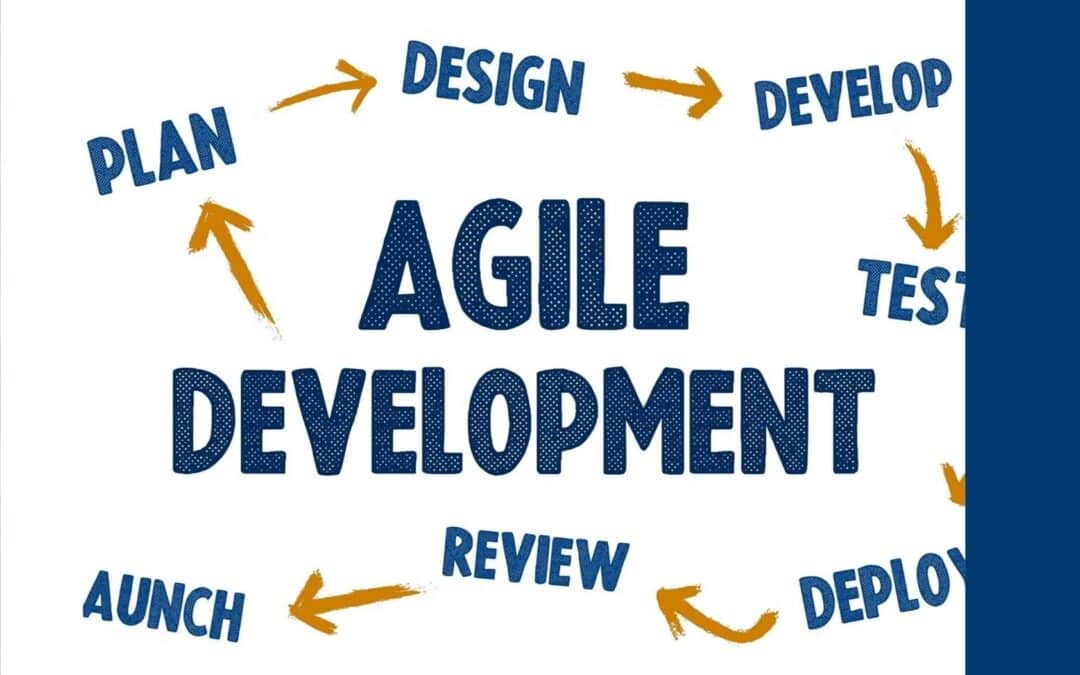
Working with an agile offshore software development company is a smart choice for teams that want to move quickly and build better products. The idea is straightforward. Combine agile’s flexibility with the global reach of offshore development, and you get a model that offers speed, skill, and room to grow.
More companies are choosing this approach, especially when building SaaS platforms or AI-driven tools. Short development cycles, flexible planning, and time zone coverage make it possible to keep projects moving without slowing down. Teams can react sooner to changes, work smoothly across borders, and adjust their plans whenever new challenges appear.
This way of working reduces delays, supports faster product launches, and helps teams stay aligned. Whether you are creating something new or improving an existing product, blending agile practices with offshore support gives you strong momentum without sacrificing clarity. As global competition increases, this combination helps teams avoid many of the roadblocks that can slow international projects. Today’s businesses are expected to deliver value quickly, and this strategy allows work to continue around the clock.
Why Agile Development Fits Global Product Goals
A major strength of agile is its ability to support ongoing changes in product requirements. If you are running a growing business or bringing a new product to life, being able to adapt based on feedback is critical. Agile supports this through short sprint cycles and frequent updates.
Sprints help teams deliver working features quickly, which keeps stakeholders engaged.
Teams gather feedback early and often, which sharpens focus and reduces confusion.
Shorter cycles help distributed teams stay aligned even when time zones differ.
Agile keeps projects moving. Instead of planning everything months in advance, teams break work into smaller pieces and adjust as they go. This flexibility is especially useful for businesses with fast-changing needs or teams spread across different regions. Because feedback comes earlier, products improve steadily and stay closely aligned with user expectations.
Key Advantages of Offshore Collaboration
Offshore development adds an extra layer of flexibility. It gives you access to a wide range of skills without needing to hire full-time specialists. This is especially helpful when creating custom SaaS products, scaling platform features, or adding AI capabilities.
Access to global technical talent
Continuous progress as teams in other time zones take over work
Lower operating costs without sacrificing expertise
Working with an experienced offshore partner also brings global insights that strengthen your product. For example, in our custom SaaS development services, we help clients from early MVP stages to long-term evolution. Input from different markets can lead to better design choices, stronger deployments, and more adaptive support structures.
Offshore collaboration can also make it possible to run parallel development streams, speeding up timelines without reducing quality. By involving developers with diverse backgrounds, you gain new ideas, alternative solutions, and best practices shaped by global experience.
Making Agile Work with Remote Teams
Agile offshore projects succeed when the team is structured well and communication stays clear. Time zone differences and remote work can create challenges, but these can be handled with the right planning and tools.
Daily check-ins create clarity without long meetings.
Clearly defined sprint goals keep everyone focused on shared priorities.
Dashboards and digital boards help track tasks in real time.
Transparency is essential. Every team member needs to understand what is being worked on, what is done, and where support is needed. When information is easy to find, remote teams avoid confusion and stay productive.
Trust also plays a large role. Agile encourages open conversations about blockers or shifting priorities. This reduces surprises and supports consistent delivery timelines. Regular reviews and retrospectives help teams improve both their process and their results over time.
How Global SaaS and AI Projects Gain from the Model
SaaS and AI projects often see the clearest gains from agile offshore development. A SaaS product needs frequent updates to match user needs and market changes. AI solutions require ongoing iterations as data grows and models evolve. This type of work depends on flexibility and short development cycles.
Cloud platforms like Payrun, which require regular updates driven by user needs. Agile makes these updates easy to plan and release.
AI projects that involve model training and testing, which benefit from frequent validation during each sprint.
Offshore collaboration that boosts development hours by working across time zones.
Our team has delivered more than 200 software projects globally, with a strong focus on code quality, transparency, and client satisfaction. Our process is built on short release cycles that give clients regular updates and many chances to provide feedback.
We also use agile offshore development in our own products such as Payrun, Easydesk, and Gain.io. Each update is planned in small cycles, which helps us stay lean while maintaining strong performance. Shorter releases help catch issues early and make it easier to keep up with user expectations and market changes. This adaptability is especially important for global platforms.
Delivering Long-Term Value Through Agile Offshore Teams
Agile offshore development is a long-term strategy rather than a shortcut. It helps companies respond confidently when needs shift, whether you are launching new products, entering new markets, or strengthening your digital capabilities.
The right partner helps you keep your software growing and improving through every stage. With structured collaboration and strong processes, teams can manage complexity without slowing down. Agile offshore teams rely on tested methods that support consistent results and long-term success.
Ready to take your business to the next level with the right development partner? At Gain Solutions, we specialize in bringing the best of agility and global expertise together. By partnering with an agile offshore software development company, you can accelerate your projects while maintaining quality and flexibility. Our approach is strengthened by proven platforms like Payrun and Easydesk, which demonstrate how well-built solutions can scale globally. Contact us today to explore how we can support your goals with our tailored, agile-driven process.
Custom software development involves creating tailored solutions specifically designed for your organization’s unique workflows, rather than adapting to generic off-the-shelf software limitations.
Modern custom development encompasses web applications, mobile apps, cloud-native platforms, legacy modernization, and emerging technologies like AI and IoT in a cohesive digital strategy.
Successful projects follow a structured process from discovery and requirements analysis through design, development, testing, deployment, and ongoing support with clear milestones and stakeholder involvement.
While initial investment may be higher than commercial alternatives, custom solutions deliver measurable ROI through improved operational efficiency, reduced manual tasks, and competitive differentiation.
Choosing the right software development partner requires evaluating technical expertise, domain knowledge, security practices, and cultural fit for long-term collaboration success.
Introduction
Custom software development is the process of designing, building, deploying, and maintaining software that is specifically tailored to meet the unique needs of a particular organization or group of users.This guide covers the key concepts, benefits, process, and best practices for custom software development, aimed at business leaders and IT decision-makers seeking tailored technology solutions to drive growth and efficiency.
Companies in 2026 increasingly choose custom software development over off-the-shelf solutions to gain competitive advantages and address unique business challenges. Unlike generic software that forces organizations to adapt their processes, custom solutions are built around specific workflows, regulations, and strategic objectives. This tailored approach enables seamless integration with existing systems while providing full control over features, data, and future enhancements.
Modern custom development can address multiple technology needs simultaneously, from web and mobile applications to cloud infrastructure, legacy system modernization, and cutting-edge technologies like AI, IoT, and blockchain. This comprehensive approach ensures all digital initiatives work together as part of a unified strategy rather than creating disconnected technology silos.
What Is Custom Software Development?
Custom software development is the process of designing, building, deploying, and maintaining software tailored specifically to meet the unique needs of an individual organization or group of users.
Custom software development is the systematic process of designing, building, deploying, and maintaining specialized computer programs tailored precisely to an organization’s unique requirements, workflows, and business objectives. Unlike off-the-shelf products like Salesforce or SAP that serve broad market needs, custom software solutions are crafted specifically around your company’s processes, eliminating the need for costly workarounds or process compromises.
This approach ensures the software addresses particular challenges, integrates seamlessly with existing systems, and drives revenue generation by aligning directly with your organization’s dynamics and target audience. Rather than forcing adaptation to generic solutions, custom development creates tools that enhance your competitive advantage through proprietary features and optimized workflows.
The 2025–2026 custom software development market continues experiencing robust growth, with projections indicating hundreds of billions of USD in market value by the early 2030s. This growth reflects increasing recognition that digital transformation requires more than standard software subscriptions – it demands strategic technology investments that support long-term business evolution.
Custom software finds common application in three key areas:
Internal tools like ERP extensions and workflow automation systems that streamline operations
Customer-facing applications including portals and eCommerce platforms that enhance user experience
Industry-specific systems for healthcare, banking, logistics, and manufacturing that meet regulatory requirements and specialized operational needs
The primary advantages include:
Complete ownership of code and product roadmap
Elimination of vendor lock-in risks
Deep integration capabilities with legacy systems
Perfect alignment with long-term digital strategy
Organizations maintain full control over data security, compliance measures, and feature development priorities without depending on external vendors’ roadmaps or pricing changes.
Types of Custom Software Development Services
A mature custom software development company typically provides a comprehensive portfolio of service types, from greenfield development to modernization and system integration. This broad capability ensures clients can address multiple technology needs through a single partnership, reducing complexity and improving coordination across digital initiatives.
The following service types represent the core offerings that enable organizations to build complete digital ecosystems rather than isolated applications. These services can be combined into multi-phase programs, for example, starting with a cloud migration in 2026 and adding AI-powered features in a second phase later in 2026, ensuring continuous evolution aligned with business growth.
Custom Web Application Development
Custom web application development involves building bespoke web applications such as customer portals, partner extranets, line-of-business systems, and complex B2B platforms using modern technology stacks. Popular front-end frameworks like React and Vue provide responsive user interfaces, while back-end frameworks like Node.js and Java deliver robust server-side functionality and seamless integration capabilities.
These applications prioritize scalability, performance, and security requirements typical for mid-market and enterprise clients, including role-based access control and compliance with regulations like GDPR. For example, a manufacturing company might implement a custom web platform that consolidates sales, support, and billing data into a single interface, reducing manual data entry by 60% while improving data accuracy and decision-making speed.
Integration scenarios commonly include connections with CRM systems, ERP platforms, payment gateways, identity providers for single sign-on (SSO), and analytics tools. This seamless integration creates a unified digital experience for employees and customers, eliminating data silos and reducing the time spent switching between multiple systems throughout daily workflows.
Custom Mobile Application Development
Mobile development represents a core component of custom software strategies, covering native development with Swift and Kotlin as well as cross-platform approaches using Flutter for iOS and Android devices. This flexibility allows organizations to reach users on their preferred devices while maintaining consistent functionality and brand experience across platforms.
Common business applications include:
Field service apps for technicians that work offline and sync when connected
Mobile banking applications with biometric security
Retail shopping apps with personalized recommendations
Executive dashboards providing real-time KPIs accessible from anywhere
The development process encompasses discovery workshops, UX/UI design optimized for mobile interactions, offline-first capabilities, secure local data storage, API integration with back-end systems, and app store publishing support.
A concrete example involves a logistics company that deployed a custom mobile app for delivery drivers in 2024, reducing paper forms and manual input for on-site deliveries. The app integrated GPS tracking, digital signature capture, and real-time route optimization, resulting in 25% faster delivery completion and significantly improved customer satisfaction through accurate delivery notifications.
Cloud-Native and SaaS Development
Cloud-native development focuses on building applications specifically designed for AWS Cloud infrastructure, utilizing microservices architecture, containerization, and serverless functions to achieve automatic scaling and cost optimization. This approach delivers benefits including automatic scaling during peak loads, pay-as-you-go infrastructure costs, high availability across multiple regions, and simplified global rollouts without managing physical infrastructure.
Typical components include:
Managed databases for reliable data storage
Message queues for asynchronous processing
API gateways for secure external access
CI/CD pipelines that support faster, more reliable releases
A practical example involves creating a multi-tenant SaaS product during 2023–2026 for multiple clients, incorporating considerations like tenant isolation to ensure data security, billing integration for automated subscription management, and feature flagging to enable gradual rollout of new capabilities. This approach allows rapid scaling to serve hundreds or thousands of customers while maintaining individual customization options.
Legacy System Modernization
Legacy system modernization enables companies to upgrade older systems built on technologies like COBOL, VB6, or outdated .NET and Java versions without disrupting daily business operations. This process involves careful analysis of existing functionality, data dependencies, and business rules to ensure continuity while gaining modern capabilities and improved user experiences.
Re-platforming applications to cloud infrastructure
Re-architecting monolithic systems into modular microservices
Refreshing user interfaces while preserving core business logic
Implementing progressive modernization using strangler patterns that gradually replace old components
A representative scenario involves migrating a 15-year-old on-premise inventory management system to a modern, cloud-based architecture. The modernization resulted in 40% better system performance, 60% reduction in maintenance costs, improved mobile accessibility for warehouse staff, and enhanced integration capabilities with modern supply chain partners.
System Integration and API Development
System integration connects custom solutions with existing enterprise software including ERP systems like SAP and Oracle, CRM platforms like Salesforce, HR systems, payment processors, and marketing automation tools. This connectivity creates unified digital ecosystems where data flows securely and in near real-time, eliminating manual data re-entry and improving operational efficiency.
The integration process utilizes APIs, enterprise service bus (ESB) platforms, integration platform as a service (iPaaS) solutions, and event-driven architectures to create seamless data exchange between systems. Software integration services ensure reliable data synchronization, error handling, and monitoring to maintain business continuity and data integrity across all connected systems.
A concrete integration example involves synchronizing order, inventory, and shipment data across an eCommerce platform, warehouse management system, and logistics providers. This integration eliminated manual data entry between systems, reduced order fulfillment errors by 50%, and provided customers with real-time shipping updates, significantly improving the overall customer experience and operational efficiency.
Benefits of Custom Software Development
Organizations across finance, healthcare, retail, and manufacturing invest in bespoke software solutions instead of relying solely on standard commercial tools because custom development delivers measurable business advantages that directly impact competitiveness and operational performance. The business case for custom software centers on achieving perfect alignment between technology capabilities and business objectives, rather than forcing process adaptations to accommodate generic software limitations.
Key Benefits
Perfect fit for unique workflows that eliminates costly workarounds
Long-term cost efficiency through reduced licensing fees and maintenance overhead
Increased security and compliance through tailored protection measures
Enhanced scalability that grows with business demands
Improved user experiences that boost productivity and satisfaction
Competitive differentiation through proprietary capabilities not available to competitors
A manufacturing company achieved 35% reduction in order processing time after replacing spreadsheet-based workflows with a custom inventory and production scheduling system. The solution automated routine tasks, enforced business rules consistently, and provided real-time visibility into production capacity, enabling better customer service and resource utilization while reducing human errors.
Custom software solutions can evolve continuously with new modules and integrations added over years, supporting digital transformation initiatives rather than requiring periodic wholesale platform replacements. This extensibility ensures technology investments remain valuable long-term, adapting to changing business needs, market conditions, and regulatory requirements without disrupting core operations.
Additional benefits include improved employee satisfaction due to intuitive, purpose-built tools that eliminate frustrating workarounds, and more accurate, timely data available for decision-makers through integrated reporting and analytics capabilities. These improvements compound over time, creating sustainable competitive advantages that become increasingly difficult for competitors to replicate.
Strategic and Competitive Advantages
Custom software development directly supports business strategy by enabling new business models, accelerating innovation cycles, and creating differentiated customer experiences that competitors cannot easily copy. Organizations gain strategic control over their technology roadmap, allowing rapid response to market opportunities and customer demands without depending on vendor release schedules or feature priorities.
Custom analytics dashboards, recommendation engines, dynamic pricing tools, and personalized customer portals can drive measurable revenue growth and customer loyalty. For instance, retailers implementing buy-online-pick-up-in-store flows or manufacturers enabling predictive maintenance through custom IoT dashboards during 2020–2026 gained significant competitive advantages by offering capabilities their competitors lacked.
Owning software and data makes experimentation, A/B testing, and iterative improvement much easier since organizations control the entire development and deployment process. This agility enables rapid testing of new features, business models, or market approaches without external approval or technical limitations imposed by off the shelf software vendors.
The intellectual property created through custom development becomes a business asset that can support new revenue streams, partnership opportunities, or even licensing to other organizations. This ownership provides long-term value beyond immediate operational benefits.
Operational Efficiency and Cost Optimization
Custom solutions automate repetitive tasks, streamline approval workflows, reduce paperwork, and enforce business rules consistently, leading to measurable reductions in processing time and human errors. These improvements compound across large organizations, delivering substantial cost savings and productivity gains that justify the initial development investment.
For example:
Automating invoice processing can reduce processing time from hours to minutes while improving accuracy and audit trail completeness.
Digitizing compliance reporting eliminates manual data collection and reduces the risk of regulatory violations through automated validation and submission processes.
Connecting warehouse scanners to real-time inventory systems provides immediate visibility into stock levels and movement, enabling better purchasing decisions and reduced carrying costs.
While initial custom software investment may exceed subscription tool costs, total cost of ownership over several years often favors custom solutions due to eliminated licensing fees, reduced manual work, fewer system integration costs, and avoidance of multiple overlapping software subscriptions. Organizations also avoid vendor price increases and feature restrictions that commonly affect commercial software users.
Integrating analytics capabilities into custom systems helps identify additional process improvement opportunities and supports continuous optimization efforts. This built-in intelligence enables data-driven decision making and helps organizations identify trends, bottlenecks, and opportunities that might otherwise remain hidden in disconnected systems.
Security, Compliance, and Data Ownership
Custom software can be designed specifically around industry regulations such as HIPAA, PCI DSS, GDPR, and other national data protection laws in force during 2024–2026, ensuring comprehensive compliance rather than hoping commercial software configurations meet regulatory requirements. This tailored approach reduces compliance risks and associated penalties while providing audit trails and documentation required for regulatory reviews.
Organizations can implement precisely the access controls, encryption standards, audit logging, and data retention policies that match their security requirements and regulatory obligations. This granular control extends to data handling procedures, user authentication methods, and integration security protocols that protect sensitive data throughout its lifecycle.
Full data ownership provides control over data storage location (specific cloud regions or on-premise), backup procedures, disaster recovery approaches, and data retention schedules. This control becomes especially important for organizations with data sovereignty requirements, intellectual property protection needs, or specific compliance obligations that commercial software may not address adequately.
Custom development eliminates the security risks associated with shared infrastructure and multi-tenant commercial software, where vulnerabilities affecting one customer can potentially impact others. Organizations can implement zero-trust security models, advanced threat detection, and custom monitoring solutions tailored to their specific risk profile and security requirements.
Our Custom Software Development Process
Our software development process follows a structured yet flexible approach, divided into clear phases from initial discovery through long-term support and evolution. This methodology ensures transparency, risk management, and stakeholder alignment throughout the software development lifecycle, whether for three-month pilots completed in 2026 or multi-year transformation programs with several parallel workstreams.
The development process emphasizes continuous communication through collaboration tools, regular workshops, sprint reviews, and demonstrations that keep stakeholders informed and engaged. This collaborative approach ensures the final solution meets business objectives while incorporating feedback and adjustments throughout the development timeline.
Each phase includes defined deliverables, acceptance criteria, and milestone reviews that provide clear progress indicators and decision points. This structure supports project management best practices while maintaining flexibility to adapt to changing requirements or emerging opportunities discovered during development.
Development Process: Key Phases
Discovery and Requirements Analysis
Solution Design and Architecture
Planning, Estimation, and Roadmapping
Development and Iterative Delivery
Testing, User Acceptance, and Deployment
Support, Maintenance, and Evolution
1. Discovery and Requirements Analysis
The discovery phase focuses on understanding your organization’s business context, strategic goals for 2026 and beyond, current technology landscape, and specific problems the custom software should solve. This comprehensive analysis typically involves stakeholder interviews across different departments, process mapping workshops, and documentation review to ensure complete understanding of requirements and constraints.
Our team creates detailed business requirements documentation, user personas representing different stakeholder groups, user journey maps showing current and desired workflows, and initial success metrics such as targeted reductions in processing time or improvements in user satisfaction scores. This foundation ensures the solution addresses real business needs rather than perceived technical requirements.
The discovery process also identifies constraints including regulatory requirements, data residency obligations, existing vendor contracts, budget limitations, and timeline expectations. Understanding these constraints early enables more accurate planning and prevents costly changes later in the development process.
This phase concludes with a comprehensive requirements document that serves as the foundation for solution design and project planning, ensuring all stakeholders share a common understanding of project objectives and scope.
2. Solution Design and Architecture
During the design phase, our architects and senior engineers create the system’s high-level structure, select the optimal technology stack, and define integration patterns with your existing systems. This technical planning ensures the solution can scale with your business growth while maintaining performance, security, and maintainability standards.
Key deliverables include:
Detailed architecture diagrams showing system components and data flows
API specifications for integrations
Comprehensive data models ensuring data integrity
Initial UX/UI wireframes that make the solution tangible for business stakeholders
Technology trade-offs such as build versus buy decisions, cloud provider selection, and architectural patterns (monolith versus microservices) are evaluated with clear rationale tied to your specific priorities, budget constraints, and long-term objectives. This careful consideration ensures optimal alignment between technical decisions and business requirements.
Security measures and compliance considerations are embedded throughout the architecture design rather than added as afterthoughts, ensuring robust protection for sensitive data and adherence to relevant regulations from the foundation up.
3. Planning, Estimation, and Roadmapping
The planning phase transforms technical designs into realistic delivery plans with specific timelines, resource requirements, and project milestones. Work is typically organized into phases or releases, starting with minimum viable product (MVP) delivery followed by subsequent iterations that add functionality and refinement based on user feedback.
Feature prioritization uses proven methods such as MoSCoW (Must have, Should have, Could have, Won’t have) analysis or value versus complexity matrices to ensure the most important capabilities are delivered first. This prioritization enables early value realization while managing project scope and budget constraints effectively.
Estimation techniques including story points, t-shirt sizing, or detailed task breakdowns provide budget ranges and timeline projections based on team capacity and technical complexity. These estimates account for testing, integration, deployment, and documentation requirements to ensure realistic project expectations.
Risk identification and mitigation planning addresses potential challenges such as unclear integration requirements, data migration complexities, or resource availability constraints. Proactive risk management reduces the likelihood of project delays or budget overruns while establishing contingency plans for addressing issues that do arise.
4. Development and Iterative Delivery
The development phase implements the technical design through agile software development methodologies, typically organized into one to three-week sprints with regular demonstrations for stakeholders. This iterative approach enables continuous feedback incorporation while maintaining steady progress toward project objectives.
Front-end, back-end, database, and integration development workstreams proceed in parallel using version control systems, automated code reviews, and continuous integration pipelines that ensure code quality and system reliability. Our development team follows established coding standards and security best practices to create maintainable, scalable solutions.
Automated unit tests and integration tests are created alongside application code, ensuring quality standards are maintained throughout development and regressions are caught early. This test-driven approach reduces debugging time and improves overall system reliability.
Transparency practices including sprint reviews, progress reports, and burndown charts provide clients with clear visibility into development progress, completed features, and remaining work. Regular communication ensures any issues or changes can be addressed promptly without impacting overall project timeline.
5. Testing, User Acceptance, and Deployment
Comprehensive quality assurance encompasses:
Functional testing to verify feature requirements
Performance testing to ensure scalability
Security testing to identify vulnerabilities
Usability testing to validate user experience across different scenarios and devices
Testing occurs on dedicated staging environments that mirror production conditions.
User acceptance testing (UAT) sessions involve real end users working with the software to validate that it meets expectations and supports intended workflows effectively. These sessions often reveal opportunities for last-minute improvements before production deployment and ensure user readiness for the new system.
Deployment strategies such as blue-green deployments, canary releases, or phased rollouts minimize risk when transitioning from test to production environments, especially for mission-critical business systems. These approaches enable rapid rollback if issues are discovered while reducing impact on ongoing operations.
Documentation, training materials, and knowledge transfer sessions ensure your internal team can effectively support and use the system from day one. This preparation includes administrator guides, user manuals, troubleshooting procedures, and ongoing support contact information.
6. Support, Maintenance, and Evolution
Post-launch support includes:
Proactive system monitoring
Bug fixes
Performance optimization
Security patches to ensure continued reliable operation
Support services can be structured through service level agreements (SLAs) with defined response times for different severity levels, providing predictable support expectations.
Continuous monitoring tools track system performance, user activity, and potential issues, enabling proactive problem resolution before users are impacted. This monitoring provides valuable insights into system usage patterns and opportunities for optimization or enhancement.
Long-term evolution involves adding new features and integrations based on user feedback, changing business priorities, and emerging opportunities. These enhancements are often implemented through additional development phases or ongoing retainer relationships that support continuous improvement.
Typical evolution work in 2026 includes adding AI-based recommendations, advanced analytics capabilities, new integration channels such as chatbots, or mobile applications that extend existing web-based systems to field users.
Technology Stack and Emerging Technologies
Choosing the appropriate technology stack is crucial for ensuring long-term maintainability, optimal performance, and scalability of custom software solutions. The technology selection process considers business requirements, team capabilities, integration needs, and long-term support considerations rather than following trends or vendor marketing claims.
Modern custom software development utilizes proven technologies organized into logical categories: front-end frameworks for user interfaces, back-end programming languages for business logic, databases for data management, cloud platforms for infrastructure, and DevOps tools for deployment and monitoring. Each category offers multiple options with specific strengths for different use cases.
Emerging technologies including artificial intelligence, machine learning, Internet of Things (IoT), and blockchain are increasingly integrated into custom solutions as practical business tools rather than experimental features. These cutting edge technologies provide measurable value when applied appropriately to specific business challenges.
The key principle guiding technology decisions is alignment with business objectives and long-term maintainability rather than adopting new technologies for their novelty. Successful custom development balances innovation with stability, ensuring solutions remain reliable and supportable throughout their operational lifetime.
Core Languages, Frameworks, and Tools
Modern custom software projects typically utilize key programming languages including JavaScript/TypeScript for versatile web development, Kotlin for Android mobile applications, and Swift for iOS development. These languages provide strong community support, extensive libraries, and long-term vendor backing that ensures ongoing development support and security updates.
Popular front-end frameworks include React and Vue, which enable responsive, interactive user interfaces with component-based architectures that support maintainability and code reuse. Back-end development commonly employs Node.js frameworks and Java-based solutions that provide robust server-side functionality and excellent integration capabilities with existing enterprise systems.
Database selection depends on specific requirements, with relational databases like PostgreSQL, MySQL, and SQL Server providing strong transactional support and data consistency, while NoSQL options like MongoDB offer flexibility for rapidly evolving data schemas and high-volume scenarios. The choice depends on factors including data relationships, query patterns, and scalability requirements.
DevOps toolchains support reliable software delivery through Git-based source code repositories, continuous integration and deployment servers, containerization using Docker for consistent environments, orchestration with Kubernetes for scalable deployment, and comprehensive monitoring stacks for observability and performance tracking.
AI, Data, and Automation in Custom Solutions
Practical artificial intelligence applications in custom software include:
Predictive maintenance systems that reduce equipment downtime
Personalized recommendation engines that increase sales conversion
Fraud detection systems that protect financial transactions
Intelligent chatbots that improve customer service
Automated document processing that eliminates manual data entry
Data pipelines, data warehouses, and real-time streaming systems support these AI capabilities while maintaining proper data governance, privacy protection, and regulatory compliance. These systems must be designed with appropriate access controls, audit logging, and data retention policies that match organizational requirements.
Current capabilities during 2024–2026 include integrating large language models through APIs to automate customer support responses, analyze documents for key information extraction, and generate personalized content at scale. These integrations require careful prompt engineering and output validation to ensure accuracy and appropriateness for business contexts.
Successful AI implementation requires proper model monitoring, retraining strategies based on new data, and human oversight mechanisms for business-critical decisions. This approach ensures AI systems remain accurate and aligned with business objectives while providing transparency and accountability for automated decisions.
IoT, Blockchain, and Other Specialized Technologies
Internet of Things applications connect physical devices to custom software dashboards and alerting systems, enabling real-time monitoring and control of equipment, facilities, and processes. Common use cases include:
Connected factory equipment for production monitoring
Fleet tracking for logistics optimization
Smart building systems for energy management
Environmental sensors for compliance monitoring
Blockchain and distributed ledger technologies provide value for specific applications such as supply chain traceability where product authenticity is critical, secure audit logs for regulatory compliance, and digital asset management for intellectual property protection. These technologies should be considered when immutable record-keeping and decentralized verification provide clear business advantages.
A practical example involves a logistics provider implementing GPS trackers and environmental sensors that feed real-time data into a custom visibility platform, enabling proactive shipment monitoring, automated exception alerts, and improved customer communication about delivery status and condition.
Specialized technologies require careful architecture decisions regarding scalability, interoperability with existing systems, and regulatory compliance before integration into custom solutions. The business case should clearly demonstrate value beyond what conventional technologies can provide.
Engagement Models and Pricing Options
Different organizations prefer various levels of control, responsibility, and flexibility in their custom software development partnerships, which is why multiple engagement models and pricing structures exist to match client preferences and project requirements. The optimal approach depends on factors including internal technical capacity, project complexity, timeline requirements, and risk tolerance.
Engagement models range from full project outsourcing where the provider handles all aspects of delivery, to dedicated development teams that function as extensions of internal staff, to team augmentation that adds specific skills to existing teams. Each model offers distinct advantages for different scenarios and organizational preferences.
Pricing approaches include fixed-price contracts for well-defined projects, time and material arrangements for evolving requirements, and retainer-based models for ongoing development relationships. The selection depends on project scope certainty, budget flexibility, and desired level of control over development activities.
Regardless of the chosen model, governance frameworks, reporting procedures, and communication expectations are established at the beginning of collaboration to ensure predictability, transparency, and successful outcomes throughout the partnership duration.
Engagement Model Comparison Table
Model
Control
Flexibility
Cost Structure
Best For
Provider Responsibility
Full Project Outsourcing
Low-Medium
Medium
Fixed or T&M
Organizations seeking end-to-end delivery
All technical aspects
Dedicated Teams
High
High
T&M or Retainer
Ongoing product development, large portfolios
Team management, delivery
Team Augmentation
Highest
Highest
T&M
Skill gap filling, urgent projects
Specific skills, integration
Full Project Outsourcing
Full project outsourcing involves the custom software development company taking complete responsibility for end-to-end delivery, from initial discovery through deployment and support, while clients focus on strategy, feedback, and business integration. This model works well for organizations that need custom solutions delivered within specific timelines but prefer not to build or expand internal software engineering capabilities.
The service provider handles all technical aspects including project management, architecture design, software development, testing procedures, and DevOps implementation, while maintaining regular communication through status updates, demonstrations, and milestone reviews. Clients remain involved in requirements validation, user acceptance testing, and strategic decision-making without managing day-to-day development activities.
This engagement model can utilize fixed-price contracts when project scope is clearly defined and unlikely to change significantly, or time and material arrangements when discovery reveals that requirements may evolve based on user feedback or changing business conditions. The choice depends on scope certainty and client preference for budget predictability versus flexibility.
Success factors include clear communication channels, well-defined acceptance criteria, regular progress reviews, and established change management procedures that handle scope adjustments efficiently while maintaining project momentum.
Dedicated Teams and Managed Squads
Dedicated teams function as long-term, semi-autonomous development squads composed of software developers, QA engineers, and often a product owner or scrum master, all focused exclusively on a client’s product roadmap and business objectives. This model provides significant development capacity and team continuity while the service provider handles recruiting, onboarding, and people management responsibilities.
This approach delivers substantial benefits including:
Consistent team members who develop deep understanding of business requirements
Dedicated capacity that can be scaled up or down based on changing needs
Reduced management overhead compared to building equivalent internal teams
Nearshore and offshore options enable time zone alignment and cost optimization without sacrificing collaboration quality or code standards.
Dedicated teams are especially suitable for ongoing product development, large application portfolios where priorities shift quarterly, and long-term digital transformation initiatives that require sustained development effort over multiple years. The model supports both greenfield development and maintenance of existing custom systems.
Successful dedicated team relationships require clear communication protocols, defined success metrics, regular performance reviews, and cultural alignment between team members and client organization values and working styles.
Team Augmentation
Team augmentation adds specific technical skills such as senior cloud architects, AI engineers, or mobile developers to existing internal teams for defined time periods, typically ranging from several months to over a year. This model enables organizations to access specialized expertise quickly without the time and cost associated with permanent hiring.
Augmented team members integrate directly into client processes, utilize existing tools and methodologies, and report to internal managers while the service provider handles administrative aspects including contracts, benefits, and performance management. This approach enables rapid capacity scaling for urgent projects in 2026 when hiring permanent staff would be too slow or not cost-effective.
The model works particularly well for:
Specific technology initiatives
Skill gap filling during peak development periods
Knowledge transfer to internal teams
Situations where specialized expertise is needed temporarily rather than as a permanent capability
Success factors include careful screening for technical skills and cultural fit, clear role definitions and expectations, effective onboarding processes, and knowledge transfer planning to ensure internal teams benefit from the collaboration beyond the engagement period.
Industry-Specific Custom Software Examples
Custom software development delivers concrete value across diverse industries by addressing specific operational challenges, regulatory requirements, and competitive opportunities that generic software cannot adequately support. The following examples demonstrate how tailored solutions create measurable business improvements in various sectors.
Each industry faces unique technology requirements driven by regulatory compliance, operational complexity, customer expectations, and competitive pressures. Custom development enables organizations to address these requirements precisely while integrating with existing systems and supporting long-term strategic objectives.
These real-world applications showcase the practical benefits of custom software including improved efficiency, enhanced customer experience, regulatory compliance, and competitive differentiation that justify the investment in bespoke solutions over off-the-shelf alternatives.
Finance and FinTech
Financial institutions commonly implement custom solutions including digital banking applications, risk scoring engines, payment gateway integrations, automated KYC/AML compliance tools, and sophisticated trading platforms that support specific investment strategies. These applications must meet stringent security standards and regulatory requirements including PSD2 in the European Union, PCI DSS for payment processing, and various national banking regulations.
Custom financial software enables precise compliance with evolving regulations while providing competitive advantages through innovative features and superior user experiences. For example, a mid-size regional bank launched a custom mobile banking application during 2023–2024 featuring personalized financial insights and real-time spending alerts, resulting in 40% increased user engagement and significant improvement in customer satisfaction scores.
Integration with core banking systems, fraud detection services, credit bureaus, and regulatory reporting platforms represents a key technical challenge that custom development addresses through secure APIs, real-time data synchronization, and comprehensive audit logging. These integrations enable seamless operations while maintaining the security and compliance standards required in financial services.
Advanced analytics and machine learning capabilities built into custom financial platforms support risk management, customer segmentation, and personalized product recommendations that drive revenue growth while maintaining appropriate risk controls.
Healthcare and Life Sciences
Healthcare organizations implement custom solutions including electronic health record (EHR) integrations, telemedicine platforms, patient portal systems, appointment and billing management, and specialized clinical decision support tools. These systems must comply with strict regulations including HIPAA in the United States and GDPR health data requirements in Europe, necessitating robust encryption, access controls, and audit capabilities.
Custom healthcare software supports improved patient outcomes through better care coordination, reduced administrative burden on medical staff, and enhanced patient engagement through convenient digital access to health information and services. A hospital network implemented a comprehensive custom scheduling and triage system during 2020–2022, later enhanced with telehealth capabilities in 2024, resulting in 30% reduction in wait times and improved resource utilization.
Integration challenges include connecting with existing EHR systems, medical devices, laboratory information systems, pharmacy networks, and insurance verification services. Custom development enables these complex integrations while maintaining data security and supporting clinical workflows without disruption.
Emerging opportunities include AI-assisted diagnostic tools, predictive analytics for population health management, and IoT integration with medical devices that provide continuous patient monitoring and automated alert systems for clinical staff.
Retail, eCommerce, and Customer Experience
Retail organizations utilize custom software including personalized eCommerce platforms, omnichannel order management systems, loyalty program engines, inventory optimization tools, and in-store digital experiences that create seamless customer journeys across all touchpoints. These solutions support revenue growth through improved conversion rates, increased average order values, and enhanced customer retention.
Advanced recommendation systems, real-time inventory visibility, and integrated customer service platforms enable retailers to compete effectively against large eCommerce players by offering personalized experiences and operational efficiency. A specialty retailer implemented a custom click-and-collect solution with integrated CRM capabilities in 2023, resulting in 25% increase in cross-selling opportunities and improved customer convenience.
Technical challenges include integrating with existing point-of-sale systems, warehouse management platforms, payment processors, shipping providers, and marketing automation tools. Custom development creates unified data flows that support real-time decision making and consistent customer experiences across channels.
Analytics and A/B testing capabilities built into custom retail platforms enable continuous optimization of conversion rates, pricing strategies, and promotional campaigns based on detailed customer behavior analysis and market trends.
Logistics, Transportation, and Manufacturing
Logistics and manufacturing organizations implement custom solutions including fleet management systems, real-time tracking platforms, warehouse management tools, production scheduling systems, and predictive maintenance dashboards that optimize operations and reduce costs. These applications often integrate with IoT sensors, GPS tracking, barcode scanning, and RFID systems to provide comprehensive operational visibility.
Custom logistics software enables competitive advantages through improved delivery reliability, reduced transportation costs, and enhanced customer communication about shipment status and delivery timing. A regional logistics company launched a comprehensive driver mobile app and dispatcher portal in 2024, achieving 35% reduction in late deliveries and significant improvement in customer satisfaction.
Manufacturing applications include custom Manufacturing Execution System (MES) modules that monitor production throughput, equipment downtime, quality metrics, and energy consumption in real time. These systems provide operators and managers with actionable insights that support continuous improvement and operational excellence.
Integration with enterprise systems, supplier networks, customer portals, and regulatory reporting platforms creates end-to-end visibility that supports supply chain optimization and regulatory compliance in complex operational environments.
Education, Training, and Corporate Learning
Educational institutions and corporations implement custom learning management systems (LMS), assessment platforms, onboarding portals, and microlearning mobile applications that support diverse learning objectives and compliance requirements. These solutions often integrate with HR systems, video conferencing platforms, collaboration tools, and performance management systems.
Custom learning platforms enable personalized learning paths, adaptive assessments, social learning features, and comprehensive analytics that improve learning outcomes and engagement rates. A large corporation developed a custom onboarding portal during 2022–2024 that reduced new hire time-to-productivity by 40% while improving compliance training completion rates and knowledge retention.
Advanced features include AI-powered content recommendations, automated progress tracking, competency mapping, and integration with external certification providers. These capabilities support continuous learning and professional development while maintaining detailed records for compliance and performance evaluation purposes.
Mobile learning applications enable just-in-time training access, offline content consumption, and social learning features that support modern workforce needs for flexible, accessible professional development opportunities.
How to Choose a Custom Software Development Partner
Selecting the right development partner is as critical as choosing appropriate technologies, especially for multi-year digital transformation initiatives that will significantly impact business operations and competitive positioning. The evaluation process should assess both technical capabilities and cultural fit to ensure successful long-term collaboration.
Key selection criteria include:
Domain expertise relevant to your industry
Technical proficiency with required technologies
Process maturity for reliable project delivery
Communication style and cultural alignment
Security practices and compliance experience
Demonstrated ability to support solutions long-term through changing business requirements
Practical evaluation steps include reviewing detailed case studies with similar scope and complexity, checking references from recent clients, conducting small pilot projects to assess working relationships, and evaluating how vendors handle discovery workshops and requirements analysis. These activities provide insight into actual working relationships beyond marketing presentations.
Contract terms should address collaboration models, intellectual property ownership, documentation standards, data security requirements, and post-launch support expectations before final selection. Clear agreements prevent misunderstandings and establish foundations for successful partnerships.
When considering development partners, it’s worth noting that companies like Gain Solutions have demonstrated expertise in delivering AI-powered SaaS solutions such as payrun.app for payroll management, easydesk.app for help desk automation, and gain.io for CRM analytics, along with their corresponding mobile applications. This track record of successful SaaS development and mobile integration showcases the type of comprehensive capability that modern businesses require.
Evaluating Technical and Domain Expertise
Technical evaluation should focus on proven experience with relevant technologies including cloud-native development, AI/ML integration, mobile applications, and other capabilities specific to your project requirements. Request concrete examples of similar projects delivered within the last 3-5 years, including detailed information about technology stacks, project timelines, team sizes, and measurable outcomes achieved.
Industry domain expertise proves equally important, as developers who understand your sector’s workflows, regulations, and competitive challenges can propose valuable improvements beyond basic requirement implementation. Look for partners with case studies in your industry, relevant certifications, and demonstrated understanding of sector-specific compliance requirements.
Professional certifications from major technology providers, contributions to open-source projects, and active participation in technology communities indicate ongoing skill development and commitment to technical excellence. These factors suggest the partner stays current with emerging technologies and best practices.
Strong partners should propose architectural improvements, suggest alternative approaches based on experience, and identify potential challenges or opportunities that may not be obvious from initial requirements. This consultative approach indicates deep expertise and commitment to optimal outcomes rather than simply fulfilling orders.
Assessing Process, Quality, and Security Practices
Development process evaluation should examine methodology adoption including agile or hybrid approaches, presence of dedicated quality assurance teams, and clarity of project governance structures. Well-defined processes indicate reliable delivery capabilities and reduced risk of project delays or quality issues.
Quality standards such as ISO 9001 certification and security frameworks like ISO 27001 demonstrate commitment to systematic approaches for project delivery and data protection. While not mandatory for all projects, these certifications indicate process maturity and risk management capabilities that benefit complex development initiatives.
Code quality practices including systematic code reviews, automated testing implementation, comprehensive documentation standards, and environment management procedures directly impact solution maintainability and long-term success. Request examples of coding standards, testing frameworks, and deployment procedures used on recent projects.
Security practices should encompass secure coding standards, regular vulnerability scanning, data protection measures during development, and production environment security. Verify how security requirements are addressed throughout the software development lifecycle rather than added as an afterthought after development completion.
Communication, Culture, and Long-Term Fit
Communication effectiveness significantly impacts project success, particularly for complex custom development initiatives requiring close collaboration between technical teams and business stakeholders. Evaluate language skills, responsiveness, clarity of explanations, and ability to work effectively across different time zones if applicable.
Cultural fit assessment should consider how vendors conduct early conversations and workshops, as these interactions typically reflect ongoing collaboration style throughout project duration. Look for transparency about challenges and limitations rather than unrealistic optimism about timelines and budgets.
Long-term collaboration potential includes capacity to scale teams based on changing requirements, willingness to support solutions for years after initial launch, and flexibility to adapt to evolving business needs and technology requirements. Some projects require ongoing development support that extends well beyond initial deployment.
Transparency in risk communication, honest assessment of project complexity, and clear explanation of trade-offs indicate professional maturity and trustworthiness that support successful long-term partnerships rather than simply winning initial contracts.
FAQ
Q1: How long does custom software development typically take and what factors influence the timeline? A1: Development timelines typically range from 8–12 weeks for focused MVP solutions to 12–18 months or more for comprehensive enterprise platforms. Key factors affecting timeline include scope complexity, number of system integrations required, regulatory compliance requirements, development team size, and decision-making speed from stakeholders. Projects with well-defined requirements and experienced teams generally deliver faster results.
Q2: How much does it cost to build custom software compared with off-the-shelf alternatives? A2: Custom software costs range from tens of thousands to several million USD depending on features, scale, and quality requirements. While upfront investment exceeds standard software subscriptions, long-term savings through improved efficiency, eliminated licensing fees, and competitive advantages often justify the expense. Total cost of ownership calculations should include reduced manual work, avoided workarounds, and strategic value over 5-7 years.
Q3: Can custom software integrate with the tools and platforms we already use? A3: Integration represents a core component of most custom development projects. Modern systems typically expose APIs or data export capabilities that enable connections with CRM platforms, ERP systems, payment providers, analytics tools, and legacy databases. Experienced developers can create unified workflows that eliminate data silos and manual re-entry between systems.
Q4: How do I reduce the risk of project failure or budget overruns in custom development? A4: Risk mitigation strategies include comprehensive discovery and scoping phases, clearly defined success metrics and acceptance criteria, established change management procedures, iterative delivery with frequent stakeholder demos, and selecting partners with proven track records and transparent communication. Starting with smaller pilot projects can validate approaches before larger investments.
Q5: Who should be involved on our side for a successful custom software project? A5: Successful projects require a core team including an internal product owner or sponsor with decision-making authority, representatives from key user groups who understand daily workflows, IT or security stakeholders for technical requirements, and occasionally legal or compliance experts for regulatory matters. Team members should be empowered to provide timely feedback and make necessary decisions throughout the development process.
Building a new software product is exciting, but it also comes with a lot of questions. Will users like it? Will it solve a real problem? And is it worth the time and budget to build the full version? This is where the idea of an MVP becomes so useful. Instead of guessing, you can launch a simple version of your product and learn directly from real users.
An MVP helps you test your idea, reduce risks, and make smarter decisions before going all in. Whether you are a startup founder, a product manager, or a business owner with a new idea, understanding MVPs can save you from costly mistakes. In this guide, we will break down what an MVP is, why it matters, and how you can use it to build better software.
What Is an MVP in Software Development?
An MVP in software development stands for Minimum Viable Product. It is the simplest version of a product you can build that still solves a real problem for users. Instead of spending months creating a full feature set, teams launch an MVP with only the core functionality and get it into users’ hands quickly.
The goal is to learn, not to be perfect. An MVP helps you understand what users actually need, how they use your product, and whether your idea is worth scaling. With real feedback, you can improve features, fix gaps, and avoid wasting time on things no one wants. In short, an MVP lets you test your idea fast, save budget, and build smarter from day one.
Why Build an MVP for Your Software Product?
Building a software product without validation can waste time and budget. An MVP helps you test your idea early, learn from real users, and shape a product that truly solves meaningful problems.
Validate Your Idea With Real Users
One of the biggest reasons to build an MVP is to check whether your idea actually makes sense in the real world. Assumptions often look great on paper, but users may behave very differently once they try your product. An MVP lets you put a working version in front of your target audience and see how they react. You can observe what they use, what they ignore, and what confuses them. This early feedback helps you confirm demand and adjust your direction before committing to a full-scale build.
Reduce Risk and Save Budget
Developing a complete product from day one can be expensive and risky, especially if the market response is uncertain. An MVP focuses only on the core features, which keeps development time and costs under control. If the idea does not gain traction, you can pivot or stop without losing a large investment. This approach protects your budget and gives stakeholders confidence that money is being spent wisely based on evidence, not guesses.
Reach the Market Faster
Speed matters in software. An MVP allows you to launch quickly and start learning while competitors may still be planning. By delivering a basic but usable product, you can begin building an audience, collecting signups, or even generating early revenue. Getting to market fast also helps you adapt to trends and user needs in real time, rather than waiting months for a perfect release.
Build What Users Actually Want
It is easy to overload a product with features that seem useful but end up unused. With an MVP, every improvement is guided by user behavior and feedback. You learn which problems matter most and which features truly add value. Over time, this leads to a cleaner product that solves real pain points instead of a complex system filled with unnecessary options.
Attract Investors and Stakeholder Support
An MVP is more than a product. It is proof that your idea can work. Showing a live product with active users, even in its simplest form, makes your vision more tangible for investors and partners. It demonstrates execution ability and provides real data to support your business case. This can make funding discussions easier and align internal teams around clear goals and results.
MVP vs Prototype vs PoC: What’s the Difference?
An MVP, a prototype, and a PoC are often mixed up, but each one serves a very different purpose in software development.
A Prototype is all about design and user experience. It is a visual or clickable model that shows how the product might look and flow. Prototypes are great for sharing ideas, testing layouts, and getting early feedback on usability, but they usually do not have real functionality behind them.
A PoC, or Proof of Concept, focuses on technical feasibility. Its goal is to answer one question: can this idea actually be built with the chosen technology? A PoC is often rough, built for internal teams, and not meant for real users. It helps reduce technical risks before moving forward.
An MVP, or Minimum Viable Product, is the first working version of the product released to real users. It includes only the core features needed to solve a key problem, but it is fully usable. The purpose is to validate market demand, learn from user behavior, and guide future development.
In short, prototypes test design, PoCs test feasibility, and MVPs test the business idea in the real world.
Common Types of MVPs in Software Development
When building a Minimum Viable Product, there is no one size fits all approach. Different MVP types help teams test ideas in ways that match their goals, budget, and stage. Here are some of the most common types of MVPs in software development.
Single Feature MVP
A single feature MVP focuses on one core function that solves the main problem for users. Instead of building a full product with many options, you release just the most valuable feature first. This helps you test whether users truly care about that solution and are willing to use or pay for it. It keeps development simple, speeds up launch, and avoids feature overload. If users respond positively, you can gradually add more capabilities based on real demand rather than assumptions.
Concierge MVP
A concierge MVP delivers the solution manually instead of through software. Users interact with your service as if it were automated, but your team handles the work behind the scenes. This approach is useful when building the full system would be expensive or complex. It allows you to test if people value the outcome enough to engage or pay. You also learn a lot about user needs through direct interaction before investing in development.
Wizard of Oz MVP
In a Wizard of Oz MVP, the product looks fully automated to users, but most processes are run manually in the background. From the user’s view, it feels like real software, even though your team is powering it quietly. This helps you study how users interact with the product and which features matter most. It is a smart way to validate behavior and workflows before spending time and money on building complex automation systems.
Landing Page MVP
A landing page MVP uses a simple web page to describe your product idea and invite users to sign up, join a waitlist, or request early access. There is no real product yet. The goal is to measure interest and demand quickly. By tracking signups and clicks, you can see if your message resonates with your target audience. It is fast, low cost, and perfect for testing ideas before writing any code.
Piecemeal MVP
A piecemeal MVP is built using existing tools and services instead of custom development. You might combine spreadsheets, no-code platforms, payment tools, and third party APIs to deliver the experience. This lets you launch faster and at a much lower cost while still solving the user’s problem. It proves whether the idea works in practice. Once validated, you can replace the pieces with a more polished and scalable solution.
Prototype MVP
A prototype MVP is an interactive mockup that shows how the product will look and feel. It may not have real functionality, but users can click through screens and flows. This type is helpful when user experience is critical to success. By watching how people use the prototype, you can spot confusion, missing steps, or better layouts early. It saves time by fixing design issues before building the actual product.
Single User or Niche MVP
This MVP is built for one specific user type or a small niche market. Instead of trying to serve everyone, you focus deeply on a narrow problem and solve it really well. This makes it easier to design, test, and improve the product with clear feedback. If the solution works for that niche, it often becomes a strong foundation to expand into broader markets with confidence and proof.
How to Build an MVP Step by Step
Building a Minimum Viable Product is about moving fast, learning early, and staying focused on what truly matters. Here is a clear step by step approach to help you build an MVP that brings real value and guides your product in the right direction.
Define the Problem and Your Target Users
Start by understanding the problem you want to solve. Talk to potential users, study their pain points, and learn how they currently handle the issue. Be specific about who your product is for and what challenge it addresses. A clear problem statement keeps your MVP focused and prevents you from building features that do not matter. When you know your users and their needs, every decision becomes easier.
Set Your Core Value Proposition
Next, decide what makes your product valuable. Ask yourself what single outcome users should get when they use your MVP. This is your core promise. It could be saving time, reducing cost, or making a task simpler. Your value proposition should be easy to explain in one or two sentences. This clarity helps align your team and keeps the MVP centered on delivering one strong benefit.
List and Prioritize Features
Brainstorm all the features your full product might need, then cut it down. Separate must have features from nice to have ones. Focus only on the features required to deliver your core value. A common method is to use simple categories like must, should, could, and will not. This step is crucial because the biggest mistake teams make is trying to build too much too early.
Create Simple Wireframes or Mockups
Before writing code, sketch how your MVP will look and flow. Wireframes or basic mockups help you visualize screens, user journeys, and interactions. They do not need to be perfect. The goal is to spot gaps, confusing steps, or missing elements early. Sharing these visuals with users or stakeholders can also give you quick feedback before development begins.
Choose the Right Tech Stack and Approach
Pick technologies that let you build fast and stay flexible. For an MVP, simplicity is more important than perfection. Use frameworks, tools, and third party services that speed up development and reduce complexity. Sometimes no-code or low-code tools can even be enough. The idea is to get something working quickly that you can improve later based on feedback.
Build, Test, and Iterate
Now it is time to develop your MVP. Build the core features, then test them carefully. Make sure the product works as expected and is usable for real users. Once launched, start collecting feedback through analytics, interviews, and direct usage. Watch how people interact with the product and where they struggle. Use these insights to fix issues and improve the experience in small, fast cycles.
Launch and Collect Real Feedback
Release your MVP to a small group of early users first. These could be beta users, early adopters, or friendly customers. Encourage them to share honest feedback. Ask what they like, what is missing, and what feels confusing. Combine this with data such as signups, engagement, and drop-offs. This real-world input is what makes your MVP valuable.
Decide the Next Steps
After gathering enough feedback, decide what to do next. If users love the product, plan for scaling and adding new features. If results are mixed, refine your idea and iterate. If there is little interest, consider pivoting to a new approach. The goal of an MVP is learning, and every outcome gives you direction for smarter product decisions.
How to Measure MVP Success and Avoid Common Mistakes?
Launching an MVP is only the first step. To know if it is truly working, you need clear success metrics and an honest review of what is going wrong, so you can improve fast and build smarter.
Track User Activation and Engagement
Start by measuring how many users sign up and actually use your MVP. Activation shows whether people understand your value quickly, while engagement tells you if they keep coming back. Look at actions that matter most, such as completing a task, creating a project, or using a key feature. If users drop off early, it may mean your MVP is confusing or not solving the problem clearly.
Measure Retention and Repeat Usage
Retention is one of the strongest signals of MVP success. If users return after their first visit, it means they see real value. Track daily or weekly active users and see how usage changes over time. Low retention often points to weak product value or unmet expectations. Improving onboarding and focusing on your core feature can make a big difference here.
Watch Conversion and Willingness to Pay
An MVP should test not just interest, but also business potential. Measure how many users move from free to paid plans, request demos, or show buying intent. Even small signs of willingness to pay validate that the problem is worth solving. If users love the product but never convert, you may need to rethink pricing, positioning, or the target audience.
Collect Qualitative Feedback
Numbers alone are not enough. Talk to users, run short surveys, and read support messages to understand the why behind their actions. Ask what they like, what frustrates them, and what they expected but did not find. This feedback helps you spot patterns and avoid the mistake of building features based only on assumptions.
Avoid Common MVP Mistakes
The most common mistakes are building too many features, ignoring user feedback, and chasing vanity metrics like downloads instead of real usage. Another trap is waiting too long to launch in search of perfection. Keep your MVP simple, listen closely to users, and focus on learning fast so every iteration brings you closer to a product people truly want.
How Gain HQ Helps You Build and Scale a Successful MVP
Gain HQ helps you turn your idea into a working MVP and grow it into a scalable product with confidence. Our team starts by understanding your business goals, users, and core problem, so your MVP focuses on what truly matters. We help you define the right scope, design simple user flows, and choose the best tech stack to build fast without cutting corners.
With agile development, we deliver a usable MVP quickly and keep you involved at every step. After launch, we analyze user feedback and performance data to guide improvements and new features. As your product gains traction, Gain HQ supports you with scaling, optimization, and long-term roadmap planning, so your MVP evolves into a reliable, market-ready solution.
FAQs
What is the main goal of an MVP?
The main goal of an MVP is to learn as fast as possible. It helps you validate your idea with real users, understand their needs, and decide whether the product is worth building further without wasting time or budget.
How long does it usually take to build an MVP?
Most MVPs take anywhere from four weeks to three months. The timeline depends on feature scope, team size, and technology. Keeping the MVP simple helps you launch faster and start learning sooner.
How much does it cost to develop an MVP?
The cost varies based on complexity, design, and development approach. A basic MVP can be built on a modest budget, while more advanced products may need higher investment. The key is to spend only what is needed to validate the idea.
Is an MVP only useful for startups?
Not at all. MVPs are also valuable for established companies testing new products, features, or internal tools. Any business that wants to reduce risk and innovate can benefit from an MVP.
What should an MVP include?
An MVP should include only the core features needed to solve one main problem. It should be usable, reliable, and focused on delivering a clear value to early users.
What happens after launching an MVP?
After launch, you gather user feedback, track usage, and analyze results. Based on what you learn, you either improve the product, pivot your idea, or start scaling with new features.
Can an MVP become a full product later?
Yes, many successful products grow from MVPs. With proper planning and iteration, your MVP can evolve into a stable, full-featured solution that serves a wider audience over time.
UI and UX design play a critical role in whether software succeeds or fails. Today, users have endless choices, and they quickly abandon products that feel confusing, slow, or difficult to use. Research shows that well-designed user experiences can significantly increase conversion rates and reduce churn.
UI focuses on how a product looks, while UX focuses on how it works and feels during real use. When both are done right, users complete tasks faster, feel more confident, and are more likely to return. For software teams, strong UI and UX are not just design preferences; they are essential for success. They directly impact adoption, retention, and revenue.
This article breaks down the real facts behind why UI and UX design are essential for building software that users actually want to use and recommend.
What UI And UX Really Mean For Modern Software Products
UI and UX are often mentioned together, but they serve different purposes in modern software products. UI, or user interface, focuses on the visual elements users interact with, such as buttons, layouts, colors, and typography. It shapes the first impression and helps users understand where to click and what to do next.
UX, or user experience, focuses on how the product works from the user’s point of view. It covers navigation, task flow, clarity, and ease of use. Good UX makes software feel simple, even when it is complex underneath. When UI and UX work together, software becomes intuitive, efficient, and enjoyable, helping users achieve their goals without frustration.
How Strong UI/UX Directly Impacts Adoption And Daily Usage
Strong UI and UX design determine whether users understand a product quickly and choose to use it regularly. When software feels clear, intuitive, and supportive, adoption becomes easier and daily usage grows naturally without constant training or support.
Clear first-time experience reduces drop-offs
The first experience a user has with software is critical. If users feel lost or overwhelmed in the first few minutes, they are unlikely to return. Strong UI and UX focus on clarity from the start. Clean layouts, clear labels, and simple navigation help users understand what the product does and how to begin. Guided onboarding, helpful hints, and logical screen flow reduce hesitation. When users achieve their first small success quickly, confidence builds. This early clarity lowers drop off rates and increases the chances that users will continue exploring the product instead of abandoning it.
Faster task completion builds daily habits
Users return to software that helps them get work done efficiently. Good UX removes unnecessary steps and reduces friction in common workflows. Actions feel predictable, menus are easy to scan, and important features are easy to access. When tasks can be completed quickly, users rely on the product more often. Over time, this speed turns usage into a habit. Software that saves time becomes part of the user’s daily routine, while slow or confusing tools are avoided whenever possible.
Visual clarity improves understanding and decisions
Strong UI design helps users process information without effort. Visual hierarchy guides attention to the most important elements first. Proper spacing, readable typography, and clear contrast make screens easier to scan. Dashboards, tables, and forms become easier to understand at a glance. When information is visually organized, users make decisions faster and with more confidence. Poor visual clarity forces users to pause, re read, or guess, which slows adoption and reduces engagement.
Consistency lowers the learning curve
Consistency across the product plays a major role in adoption and daily usage. When buttons look and behave the same way everywhere, users do not have to relearn actions on each screen. Consistent terminology, layout patterns, and interaction styles reduce confusion. This familiarity creates a sense of control and reliability. Users feel comfortable navigating the product without fear of making mistakes. Consistency also speeds up learning for new features, making it easier for users to adopt updates and continue using the software regularly.
Fewer errors reduce frustration and support needs
Strong UX anticipates where users might struggle and designs around it. Clear form labels, helpful validation messages, and sensible defaults reduce mistakes before they happen. When errors occur, friendly and specific feedback helps users recover quickly. Software that constantly produces errors feels stressful and unreliable. Reducing friction keeps users engaged and lowers the need for customer support. When users trust the product to guide them, they are more likely to use it frequently and confidently.
Emotional comfort increases long term engagement
UI and UX do more than support functionality. They influence how users feel while using the product. Calm layouts, balanced spacing, and smooth interactions reduce mental fatigue. When software feels respectful of the user’s time and attention, it creates a positive emotional response. Users are more likely to return to products that feel pleasant and thoughtful. Emotional comfort plays a big role in long term engagement, especially for tools used daily.
Feedback and responsiveness encourage continued use
Users need reassurance that their actions are working. Strong UX provides clear feedback through loading indicators, confirmations, progress updates, and success messages. These signals reduce uncertainty and help users stay focused. When users see immediate responses to their actions, trust grows. They feel in control and motivated to continue. Lack of feedback creates doubt and hesitation, which interrupts workflows and discourages repeated use.
Strong UI and UX design influence every stage of the user journey, from first interaction to daily reliance. By focusing on clarity, efficiency, consistency, emotional comfort, and feedback, software products become easier to adopt and more valuable in everyday use.
The Role Of UI/UX In Retention, Churn Reduction, And Revenue Growth
UI and UX design play a direct role in whether users stay, leave, or invest more in a software product. Thoughtful design reduces friction, builds trust, and encourages users to keep coming back over time.
A smooth experience keeps users coming back
Retention improves when software feels easy and predictable to use. Clear navigation, familiar patterns, and simple workflows reduce the effort required to complete tasks. When users can achieve their goals without frustration, they are more likely to return regularly. Small usability improvements, like clearer labels or fewer steps, can make a big difference in keeping users engaged long term.
Reduced friction lowers churn rates
Churn often happens when users feel blocked, confused, or overwhelmed. Poor UX creates unnecessary friction that pushes users away. Strong UI and UX remove obstacles by simplifying interactions and guiding users at the right moments. Helpful prompts, clear error handling, and logical task flows prevent users from getting stuck. When frustration is reduced, users have fewer reasons to leave.
Trust built through consistency and clarity
Trust is essential for retention and revenue growth. Consistent design across the product helps users feel confident that the software is reliable. Clear interfaces and predictable behavior reduce doubt and hesitation. When users trust a product, they rely on it more and are less likely to look for alternatives. This trust also makes users more open to exploring advanced features or upgrades.
Better usability drives feature adoption and upsells
Revenue growth often depends on users adopting more features or moving to higher plans. Strong UX makes features easier to discover and understand. Clear onboarding, guided flows, and simple explanations encourage users to try new capabilities. When features are easy to use, users see value faster and are more willing to pay for additional functionality.
Positive experiences increase lifetime value
Users who enjoy using a product tend to stay longer and spend more over time. UI and UX influence how users feel during daily interactions. A product that feels thoughtful, efficient, and supportive creates loyalty. Loyal users are less price sensitive and more likely to renew subscriptions or expand usage. Over time, this increases customer lifetime value and supports sustainable revenue growth.
Common UI/UX Mistakes That Cause Software Products To Fail
Many software products fail not because the idea is weak, but because the user experience makes the product hard to use or trust. Below are common UI and UX mistakes that quietly push users away and limit long term success.
Overcomplicated interfaces that overwhelm users
Trying to show too much at once is a common mistake. Crowded screens, too many buttons, and unclear priorities overwhelm users, especially during first use. When users cannot quickly understand where to start or what to do next, they feel lost. This confusion increases drop offs and discourages exploration. Simple, focused interfaces help users move forward with confidence.
Poor onboarding and lack of guidance
Many products assume users will figure things out on their own. Without clear onboarding, users struggle to understand key features and value. Missing tooltips, unclear instructions, or no guided flow can leave users frustrated. Good onboarding explains what matters, when it matters, and helps users achieve early success. Without it, adoption suffers.
Inconsistent design patterns across screens
Inconsistent buttons, layouts, and terminology confuse users. When the same action looks or behaves differently across screens, users hesitate and make mistakes. This inconsistency increases the learning curve and reduces trust. Consistent design patterns help users build mental models and navigate the product comfortably.
Ignoring user feedback and real usage data
Design decisions made without user input often miss real problems. Ignoring feedback or analytics leads to features that look good but do not solve user needs. Users notice when products do not improve based on their experience. Regular feedback and data analysis help teams fix issues before they grow into major problems.
Poor error handling and unclear messages
Errors are unavoidable, but poor handling makes them worse. Generic error messages, unclear instructions, or no recovery guidance frustrate users. When users do not know how to fix a problem, they lose confidence in the product. Clear, human-friendly messages help users recover quickly and continue using the software.
Designing for features instead of user goals
Focusing on adding features instead of solving user problems leads to bloated products. Users care about outcomes, not feature lists. When design does not align with user goals, software feels heavy and inefficient. Strong UX prioritizes what users need to achieve, making the product more useful and successful.
Why User Feedback And Data Should Guide UI/UX Decisions
UI and UX decisions have the biggest impact when they are based on real user behavior instead of assumptions. Feedback and data help teams understand what users actually need and where design improvements matter most.
Real feedback reveals hidden usability issues
Users often struggle in places designers do not expect. Direct feedback from surveys, interviews, and support tickets highlights confusing flows, unclear labels, and frustrating steps. These insights reveal problems that may not appear during internal testing. Listening to real users helps teams fix issues that directly affect satisfaction and daily usage.
Usage data shows how people actually behave
Analytics reveal how users move through a product, which features they use, and where they drop off. Data shows patterns that individual feedback may miss. For example, high drop-off rates on a specific screen point to usability issues. Understanding real behavior helps teams prioritize improvements based on impact, not opinions.
Better decisions reduce redesign waste
Design changes take time and resources. Without data, teams risk redesigning the wrong things. Feedback and usage metrics guide teams toward meaningful improvements. This reduces rework, shortens design cycles, and ensures efforts align with real user needs. Data-driven decisions make design work more efficient and focused.
Continuous feedback supports product evolution
User needs change as products grow. Ongoing feedback loops allow teams to adapt UI and UX over time. Regular reviews of feedback and data help teams respond to new use cases, feature demands, and workflow changes. This keeps the product relevant and competitive without disruptive redesigns.
User-driven design builds stronger product trust
When users see their feedback reflected in improvements, trust grows. They feel heard and valued. This trust increases engagement and loyalty. Products that evolve based on real user input feel more thoughtful and reliable, which strengthens long-term adoption and success.
How GainHQ Uses UI/UX To Drive Clarity, Engagement, And Product Success
At GainHQ, we treat UI and UX as core parts of how our product delivers value. Our goal is to remove friction, reduce confusion, and help users stay focused on what matters most as they use our platform every day.
We design clear layouts that reduce cognitive load
We focus on clean layouts and strong visual hierarchy so users can understand screens at a glance. We avoid clutter and unnecessary elements that compete for attention. Spacing, typography, and grouping are carefully considered to guide the eye naturally. By reducing cognitive load, we help users think less about the interface and more about their work. This clarity makes the product feel calmer and easier to use, even as data and features grow.
We build navigation around real user workflows
Our navigation is designed based on how users actually move through tasks, not on internal assumptions. Key actions are easy to find, and paths between features feel logical and predictable. We aim to reduce clicks and decision-making wherever possible. When users do not need to search for what comes next, daily usage becomes faster and more natural. This approach supports consistent engagement and helps users build confidence over time.
We use onboarding to help users reach value faster
We believe adoption starts with the first experience. Our onboarding flows are designed to guide users step by step without overwhelming them. Clear cues, simple defaults, and intuitive screens help users understand how GainHQ works as they use it. We focus on helping users achieve early success because once they see value quickly, they are more likely to continue using the product and explore deeper features.
We maintain consistency to build trust
Consistency is a key part of our UI and UX strategy. Buttons, interactions, layouts, and terminology behave the same way across the platform. This consistency helps users form clear mental models and reduces uncertainty. When users know what to expect, they feel more comfortable taking action. Over time, this trust makes GainHQ feel reliable for important workflows.
We improve our design using feedback and data
We do not treat UI and UX as a one-time effort. We continuously learn from user feedback and usage data to guide improvements. Support conversations, feature usage patterns, and behavior insights help us understand what is working and what needs refinement. By grounding our design decisions in real user behavior, we ensure changes improve clarity and engagement instead of adding unnecessary complexity. This ongoing approach allows our product to evolve alongside our users and support long-term success.
FAQs
How does strong UI/UX affect first-time users?
Strong UI and UX help first-time users understand a product quickly. Clear layouts, intuitive navigation, and simple onboarding reduce confusion and help users reach value without long learning curves.
Why is simplicity important in UI/UX design?
Simplicity reduces cognitive load. When interfaces are clean and focused, users can complete tasks faster and with fewer mistakes, which improves satisfaction and ongoing usage.
How do UI/UX improvements influence long-term engagement?
Good UI and UX make daily usage feel smooth and predictable. When users face less friction, they are more likely to return regularly and rely on the product over time.
Can UI/UX design impact feature adoption?
Yes, strong UX helps users discover and understand features naturally. Clear guidance and logical flows encourage users to explore and use more functionality without feeling overwhelmed.
Does UI/UX design really affect business results?
UI and UX directly influence adoption, retention, and churn. Products that are easy and enjoyable to use keep users longer, which supports revenue growth and customer loyalty.
How often should UI/UX be reviewed and improved?
UI and UX should be reviewed continuously. Regular feedback and usage data help teams identify friction points and improve the experience as user needs evolve.
Can a better UI/UX reduce customer support workload?
Yes, intuitive interfaces and clear guidance reduce user errors and confusion. This leads to fewer support requests and allows teams to focus on more complex customer needs.