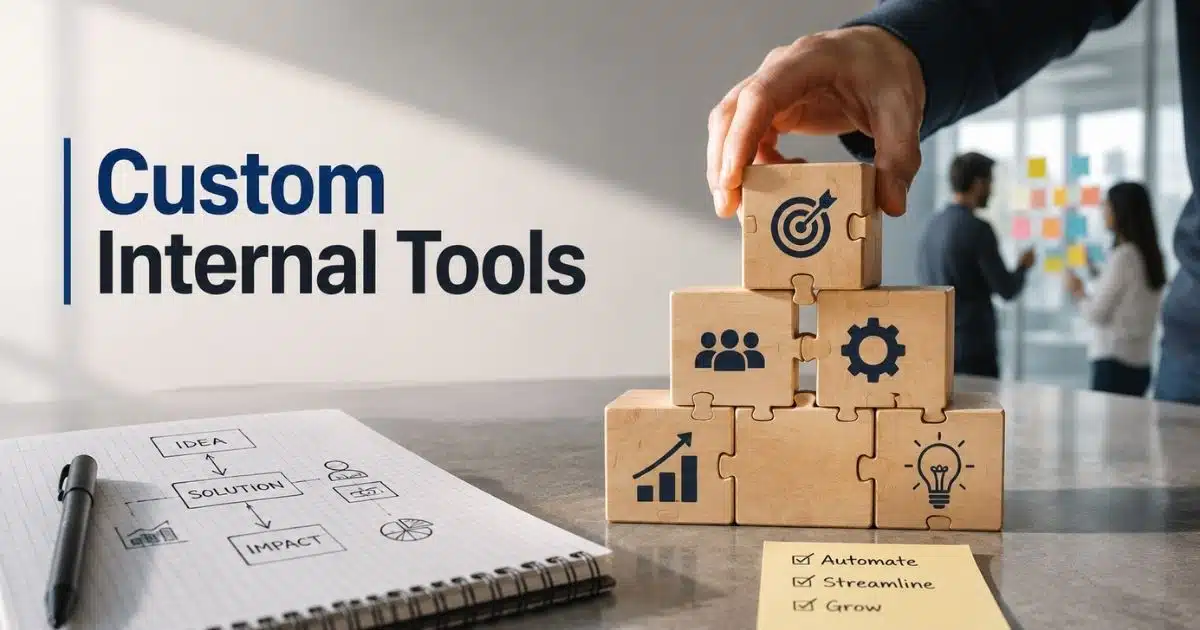
Most businesses waste hours every week on repetitive tasks, disconnected tools, and messy workflows. Teams jump between spreadsheets, emails, dashboards, and manual processes just to complete simple work. Over time, productivity drops and operations become harder to manage.
Custom internal tools solve that problem. They help businesses automate tasks, organize data, and simplify day-to-day operations in one place. Instead of forcing teams to adapt to generic software, companies build tools around their actual workflow.
Startups, agencies, ecommerce brands, SaaS companies, and enterprise teams now rely on custom internal tools to move faster and reduce operational friction. From CRM systems to inventory management and workflow automation, internal software has become a major competitive advantage for modern businesses.
What Are Custom Internal Tools
Custom internal tools are software solutions built for a company’s own workflow, data, and business processes. Business teams use internal tools to manage sales data, automate tasks, edit data, and organize daily operations in one place. Companies build custom internal apps like admin panels, reporting tools, support tools, and project management systems to reduce manual work and improve workflow automation, following many of the same principles outlined in a broader custom software development guide.
Modern internal tool builder platforms make building internal tools much easier. Non-technical users and technical teams can use drag and drop interfaces, visual UI builder features, and low-code tools to build custom apps without heavy complex app development. Platforms like Microsoft Power Apps support existing databases, data connections, audit logs, role-based access controls, and enterprise-grade security. Many no-code platform options also offer free tier access, custom integrations, real-time data sync, and automated workflows for secure internal tools.
Common Operational Problems Custom Internal Tools Solve
Many companies still rely on spreadsheets, disconnected apps, and manual processes to manage daily work. That creates delays, errors, and communication gaps across teams. Custom internal tools help businesses simplify operations, automate repetitive tasks, and keep data organized in one place.
Scattered Business Data
Many business teams still manage data across emails, Google Sheets, reporting tools, and other tools. That creates confusion fast. Employees waste time searching for updates, customer records, or sales data. Research from Gartner shows workers spend nearly 30% of their workweek looking for information.
Custom internal tools solve this problem with centralized data connections and strong data connectivity. Teams can manage data, edit data, and access existing data from one dashboard. Internal apps also connect existing databases and custom integrations for smoother operations. That improves workflow automation and reduces costly mistakes.
Slow Manual Workflows
Manual approval systems slow down business processes. Support teams, operations teams, and data teams often depend on emails and spreadsheets to track requests. That creates delays and missed tasks. According to Zapier, employees spend over 16 hours weekly on repetitive manual work.
Workflow automation tools reduce that pressure. Companies build custom tools with automated workflows, admin panels, and internal request systems to speed up tasks. A low-code platform or no-code platform helps non-technical teams automate work without needing to write code. Faster workflows improve response time and overall productivity.
Poor Team Collaboration
Different departments often use separate systems. Sales teams use one platform, while support teams use another. Technical teams then struggle to sync information across internal platforms. That disconnect creates duplicate work and communication problems.
Custom internal apps improve collaboration through shared data sources and real-time data sync. Teams can update records, track tasks, and access the same data model from one user interface. Many app builder platforms also support mobile apps, project management, and custom logic. Better visibility helps teams move faster and make smarter decisions.
Limited Software Flexibility
Off-the-shelf software rarely matches exact business needs. Many companies pay for paid plans filled with features they never use. At the same time, basic features often fail to support complex logic or unique workflows.
Custom tools offer more flexibility. Companies can build custom internal tools around their own infrastructure, workflow, and data structure. Platforms like Microsoft Power Apps and other low-code tools support drag-and-drop development, visual UI builder options, and app generation features, especially when paired with flexible custom software solutions that extend beyond basic templates. Businesses get custom apps that fit their exact operations instead of changing processes to fit generic software.
Security And Access Issues
Data security becomes harder when teams use too many disconnected apps. Weak permissions and scattered files increase risks. IBM reports the average global data breach cost reached $4.88 million in 2024.
Secure internal tools help reduce that risk. Companies can control role-based access controls, audit logs, and environment controls from one place. Enterprise-grade security also protects sensitive customer and business data, especially when internal platforms borrow from proven SaaS security architecture best practices. Many internal tool builder platforms support self-hosting, native Microsoft integration, and secure data connections for better protection across business systems.
Key Types Of Custom Internal Tools Used Across Modern Teams
Modern companies rely on many types of internal tools to manage daily operations faster and more efficiently. Different teams need different systems for data, communication, workflow automation, and reporting. Custom internal tools help businesses create software that fits their exact workflow and operational needs, and real-world stories of how custom software transformed companies highlight just how significant this impact can be.
Admin Panels
Admin panels are one of the most common custom internal apps across modern businesses. Teams use them to manage users, edit data, track activity, and control business operations from one dashboard. E-commerce brands, SaaS companies, and support teams rely heavily on admin systems every day.
Many companies now build custom tools with drag-and-drop interface features and visual UI builder platforms. Internal tool builder solutions also support role-based access controls, audit logs, and enterprise-grade security. Research from Statista shows over 70% of businesses now prioritize centralized operational dashboards for faster decision-making.
CRM And Sales Tools
Sales teams need fast access to customer records, sales data, and communication history. Generic CRM systems often fail to match unique workflows. That creates delays and extra manual work for business teams.
Custom tools solve that issue with tailored CRM dashboards and workflow automation tools. Teams can build custom apps with data connections, reporting tools, and automated workflows based on their sales process. Platforms like Microsoft Power Apps also support native Microsoft integration and real-time data sync. Gartner reports companies using workflow automation improve sales productivity by nearly 15%.
Internal Request Systems
Support teams and operations teams handle large numbers of internal requests every week. Email-based systems quickly become difficult to track. Missed approvals and delayed responses then affect daily business processes.
Custom internal tools simplify request management through centralized internal platforms. Teams can build custom internal tools for IT requests, HR approvals, inventory updates, and support tickets. A no-code platform or low-code platform helps non-technical team members create request workflows without needing to write code. Automated alerts and custom logic also improve response speed and accountability.
Reporting Dashboards
Business leaders need accurate reports to make faster decisions. Many companies still depend on Google Sheets and disconnected spreadsheets for reporting. That often creates outdated reports and inconsistent data models.
Custom internal apps connect existing databases, data sources, and existing data into one dashboard. Data teams can manage data with strong data connectivity and custom integrations. Many app builder platforms also support mobile apps and self-hosting for added flexibility. According to Deloitte, companies with centralized reporting tools make decisions nearly 30% faster than businesses using fragmented systems.
Project Management Tools
Project management becomes harder when teams work across multiple apps. Tasks, approvals, files, and updates often get lost between platforms. That creates confusion for technical teams and non-technical teams alike.
Custom internal tools help companies build custom apps around their exact workflow. Teams can create project boards, task tracking systems, and communication dashboards with a drag-and-drop interface. Many workflow automation tools also connect with other tools and support automated workflows. Flexible app generation and custom logic make complex internal tools much easier to manage at scale.
How Custom Internal Tools Improve Workflow Automation And Productivity
Modern businesses lose valuable time on repetitive tasks, scattered systems, and manual approvals. That slows down operations and frustrates employees. Custom internal tools help companies automate workflows, reduce busy work, and give teams faster access to the data and systems they use every day, especially when they incorporate AI-powered software tools that handle routine tasks in the background.
Faster Daily Operations
Manual work slows down business teams. Employees often switch between emails, Google Sheets, admin panels, and disconnected internal apps just to complete simple tasks. That creates delays and unnecessary errors across departments.
Custom internal tools simplify daily operations with workflow automation and centralized dashboards. Teams can build custom apps that connect data sources, automate approvals, and manage repetitive tasks from one place. Zapier reports automation saves employees an average of 25 workdays every year. Faster operations also help support teams and operations teams respond more quickly to requests and customer issues.
Better Data Accuracy
Scattered spreadsheets and disconnected systems often create duplicate records and outdated information. Teams then make decisions using incomplete or incorrect data. That affects reporting, customer service, and project management across the company.
Custom internal apps improve data accuracy through real-time data sync and strong data connectivity. Teams can connect existing databases, sales data, and other tools into one data model. Internal platforms also support edit data permissions, audit logs, and automated workflows for cleaner records. Better accuracy helps technical teams and non-technical teams work with more confidence every day.
Less Dependence On Developers
Many businesses rely too heavily on engineering teams for small updates and internal requests. Even simple changes can take weeks when developers manage every internal system manually. That slows down workflow improvements across the company.
Modern internal tool builder platforms solve that problem with drag-and-drop interface features and low-code tools. Non-technical users can build custom tools, update user interface layouts, and automate workflows without needing to write code. Platforms like Microsoft Power Apps also support app generation and custom logic for faster development. Gartner predicts over 70% of new business apps will use low-code technology by 2026.
Stronger Team Collaboration
Poor communication between departments creates workflow gaps and duplicate work. Sales teams, support teams, and data teams often use different systems with limited visibility into shared projects and tasks.
Custom internal tools improve collaboration through shared dashboards and centralized business processes. Teams can manage data, track updates, and access existing data from one platform. Many workflow automation tools also support mobile apps, custom integrations, and role-based access controls. Shared visibility helps non-technical team members and technical teams stay aligned without constant back-and-forth communication.
Higher Operational Efficiency
Businesses waste money when employees spend hours on repetitive administrative work. Deloitte reports companies lose nearly 20% of productivity due to inefficient workflows and disconnected systems.
Custom tools help companies improve operational efficiency with secure internal tools and automated workflows. Teams can create admin panels, reporting tools, and support systems tailored to their exact workflow. Many no-code platforms and low-code platform solutions also support enterprise-grade security, self-hosting, and own infrastructure management. Better efficiency allows businesses to scale operations without constantly increasing headcount.
Custom Internal Tools Vs Off The Shelf Software: Which One Fits Better?
Businesses often struggle to choose between custom internal tools and ready-made software. Off-the-shelf platforms offer fast setup, but they rarely fit every workflow perfectly. Real-world software build vs buy case studies show how custom tools can provide more flexibility, better automation, and stronger control over business processes, data, and long-term scalability.
Feature | Custom Internal Tools | Off-The-Shelf Software |
|---|---|---|
Workflow Fit | Built around exact business processes | Generic workflows for broad users |
Flexibility | Supports custom logic and custom integrations | Limited customization options |
Scalability | Easier to adapt as teams grow | Often requires expensive upgrades |
Data Control | Full control over existing data and data structure | Limited access to backend systems |
Automation | Advanced workflow automation and automated workflows | Basic automation features |
User Experience | Tailored user interface for internal teams | Standard interface for all users |
Integration Options | Connects existing databases and other tools easily | Integration limits may apply |
Security | Supports enterprise-grade security and role-based access controls | Depends on vendor policies |
Development Approach | Uses low-code platform, no code, or full custom development | Pre-built with fixed features |
Maintenance | Requires maintaining internal tools internally or with partners | Vendor handles most updates |
Cost Structure | Higher upfront cost but long-term flexibility | Monthly or annual paid plans |
Best Fit | Companies with unique workflows or complex internal tools | Businesses with simple operational needs |
Essential Features Of A High-Performing Custom Internal Tool
A custom internal tool should do more than replace spreadsheets or manual work. Strong internal apps improve workflow automation, data visibility, and team productivity without creating extra complexity. The right features help business teams scale operations faster while keeping systems secure, flexible, and easy to manage.
Simple User Interface
Employees use internal tools every day, so the user interface must stay clean and easy to navigate. Complex layouts slow teams down and create confusion. Research from Forrester shows better software usability can improve employee productivity by up to 20%.
Modern internal tool builder platforms focus heavily on simple dashboards and drag and drop interface design. Non technical users should easily manage data, update records, and access reporting tools without extra training. A visual UI builder also helps teams create custom apps faster with less developer support.
Strong Workflow Automation
Manual approvals and repetitive tasks waste valuable time across departments. Support teams, operations teams, and data teams often spend hours on work that software could automate in seconds.
High-performing custom internal tools support workflow automation and automated workflows across multiple business processes. Teams can create approval systems, notifications, and internal request flows with custom logic. Many low-code platform and no code platform solutions also connect with other tools for smoother operations. McKinsey estimates automation technology can handle nearly 30% of repetitive workplace tasks today.
Flexible Data Connections
Disconnected systems create reporting gaps and outdated records. Businesses need internal platforms that connect sales data, customer information, and existing databases in real time.
Custom internal apps should support strong data connectivity and flexible data connections across multiple data sources. Teams must easily connect Google Sheets, CRM systems, and cloud databases into one centralized system. Real-time data sync also improves reporting accuracy and faster decision-making. Many app builder platforms now support custom integrations and existing data management without requiring teams to write code.
Advanced Security Controls
Internal apps often manage sensitive company and customer information. Weak security settings can expose businesses to serious financial and operational risks. IBM reports the average cost of a data breach reached $4.88 million globally in 2024.
Secure internal tools need enterprise-grade security and detailed access management. Features like role-based access controls, audit logs, and environment controls help companies protect critical data. Many businesses also prefer self-hosting and own infrastructure management for additional security. Technical teams benefit from stronger visibility into system activity and user permissions.
Scalable Customization Options
Business needs constantly change. Internal tools that cannot adapt quickly often become outdated within a few years. Generic systems usually struggle to support complex internal tools or advanced workflows over time, which is why many companies invest in custom software development and its benefits to future-proof their internal platforms.
Custom tools should support scalable app generation, custom logic, and flexible data models. Companies need the ability to build custom internal tools that evolve with operations and team growth. Platforms like Microsoft Power Apps help businesses create custom internal apps for both simple workflows and complex app development, but many organizations also rely on strategic tech consulting services to choose architectures and roadmaps that fit their long-term plans. Flexible customization also helps non-technical teams respond faster to operational changes.
Step-by-Step Process To Build Custom Internal Tools Successfully
Successful custom internal tools start with clear planning, smart automation, and the right development approach. Businesses that rush the process often create disconnected systems that teams avoid using. A structured workflow helps companies build scalable, secure, and efficient internal apps that actually improve operations.
Step 1: Define Business Problems First
Every successful internal tool starts with a real operational problem. Many companies build software without clearly identifying workflow gaps or team frustrations. That usually creates low adoption and wasted development costs.
Business teams should first review repetitive tasks, reporting issues, and slow approval systems. Teams can map business processes, internal request flows, and data management problems before selecting any app builder or low-code platform. Gartner reports companies with clear workflow planning improve software adoption rates by more than 40%. A focused plan also helps technical teams avoid unnecessary complex app development later.
Step 2: Choose The Right Development Approach
Different businesses need different development models. Some companies need complex internal tools with custom logic, while others only require simple workflow automation tools for daily operations.
Low-code tools and no-code platform solutions help non-technical teams build custom apps faster. Platforms like Microsoft Power Apps support drag-and-drop interface design, app generation, and native Microsoft integration. Companies with advanced security or infrastructure needs may still prefer full-code development and self-hosting, aligning with many of the trade-offs in no-code vs custom development. The right approach depends on business goals, scalability, and technical resources.
Step 3: Connect Existing Data Sources
Internal apps become far more useful when they connect with existing databases and business systems. Disconnected software creates duplicate records, outdated reports, and extra manual work for employees.
Companies should connect sales data, customer information, Google Sheets, and other tools into one centralized data model. Strong data connectivity and real-time data sync improve reporting accuracy and workflow automation. Many internal tool builder platforms also support custom integrations and flexible data connections without requiring teams to write code. Centralized systems help business teams make faster and more reliable decisions every day.
Step 4: Focus On Security And Access
Internal platforms often store sensitive customer records, financial data, and operational information. Weak security controls create serious business risks. IBM reports human error still causes nearly 68% of data breaches worldwide.
Secure internal tools need role-based access controls, audit logs, and enterprise-grade security from the beginning. Technical teams should define user permissions, environment controls, and data access policies early in development. Many businesses also prefer own infrastructure management and self-hosting for better control. Strong security planning protects both internal systems and long-term business operations.
Step 5: Test And Improve Continuously
Internal tools should evolve with business needs. Companies that ignore user feedback often end up maintaining internal tools employees no longer want to use. That reduces productivity and lowers operational efficiency over time.
Teams should regularly review workflow automation performance, user interface usability, and data accuracy. Support teams and non-technical team members often provide valuable feedback about daily workflows. Many modern internal tool builder platforms also support fast updates through drag-and-drop development and visual UI builder systems. Continuous improvement helps businesses keep custom internal apps efficient, scalable, and easy to use.
Future Trends Shaping Custom Internal Tools And Internal Automation Systems
Internal software continues to evolve as businesses demand faster automation, smarter workflows, and better data management. Modern companies no longer want disconnected systems that require heavy manual work. Future-ready custom internal tools focus on flexibility, automation, security, and easier development for both technical and non-technical teams.
AI-Powered Workflow Automation
AI now plays a major role in workflow automation and business operations. Companies use AI to automate approvals, analyze sales data, route support tickets, and improve internal request systems, often relying on a wide range of artificial intelligence software applications embedded in their tool stack. McKinsey reports nearly 78% of organizations now use AI in at least one business function.
Custom internal tools increasingly include AI-powered automated workflows and reporting tools. Teams can build custom apps that predict delays, recommend actions, and reduce repetitive work automatically. Many workflow automation tools also support custom logic and real-time data analysis, so understanding the differences between AI automation and traditional automation becomes critical when redesigning internal systems. AI helps business teams make faster and more accurate operational decisions every day.
Growth Of Low-Code Platforms
Low-code platform adoption continues to grow across industries. Businesses want faster development without depending entirely on engineering teams. That demand has pushed internal tool builder platforms into mainstream operations.
Modern app builder systems now support drag and drop interface design, app generation, and visual UI builder features for non-technical users. Platforms like Microsoft Power Apps help companies build custom internal apps much faster than traditional development methods. For SaaS leaders, a strategic view of AI-driven automation in SaaS platforms is becoming essential alongside low-code capabilities. Gartner predicts low-code tools will power over 70% of new business applications by 2026. Faster development also reduces operational costs for growing businesses.
Real-Time Data Connectivity
Businesses now expect instant access to existing data across departments. Delayed updates and disconnected systems create operational risks and poor decision-making. Real-time visibility has become a major priority for modern internal platforms.
Future custom internal tools will focus heavily on strong data connectivity and real-time data sync. Teams will connect existing databases, Google Sheets, CRM systems, and cloud platforms into one centralized workflow. Better data connections also improve reporting tools, project management, and customer support systems. Faster access to accurate information helps companies react quickly to operational changes.
Stronger Security Standards
Security threats continue to increase as businesses manage larger amounts of customer and operational data. IBM reports the average ransomware recovery cost now exceeds $5 million globally. Companies can no longer rely on weak internal security systems.
Secure internal tools now require enterprise-grade security, audit logs, and role-based access controls by default. Many businesses also prefer self-hosting and own infrastructure management for better system control. Environment controls and permission management will become even more important as remote work and distributed teams continue to grow. Stronger security protects both data and business continuity.
More Tools For Non-Technical Teams
Software development no longer belongs only to technical teams. Modern no-code platforms and low-code tools allow non-technical teams to build custom tools without advanced coding knowledge. That shift continues to reshape internal software development.
Business teams can now create admin panels, support tools, and custom apps through simple drag-and-drop systems. Non-technical team members also gain more control over workflow automation and business processes. Faster development cycles help companies adapt quickly without waiting months for engineering support. Flexible internal apps also improve productivity across operations teams, support teams, and data teams.
How GainHQ Helps Businesses Build Smarter Custom Internal Tools
GainHQ helps businesses replace disconnected systems with smarter and more scalable custom internal tools. Instead of forcing teams to rely on spreadsheets, scattered apps, and manual workflows, GainHQ builds custom internal apps designed around real business processes. From CRM systems and admin panels to workflow automation tools and reporting dashboards, the platform focuses on operational efficiency and long-term scalability, drawing on experience from multiple successful SaaS launch case studies where robust internal tools supported rapid growth.
Business teams and technical teams can manage data, automate repetitive tasks, and connect existing databases through secure internal tools with strong data connectivity. GainHQ also supports workflow automation, custom integrations, role-based access controls, and real-time data sync for smoother daily operations. Products like Gain.io help growing companies centralize sales data, customer management, and team collaboration in one modern workspace.
FAQs
Can Non-Technical Teams Build Custom Internal Tools Without Coding?
Yes. Modern no-code and low-code platform solutions allow non-technical teams to build custom apps through drag-and-drop interfaces and visual UI builder systems. Business teams can automate workflows, manage data, and create internal apps without needing to write code.
Do Custom Internal Tools Work With Existing Databases And Software?
Yes. Most custom internal tools support strong data connectivity with existing databases, Google Sheets, CRM systems, and other tools. Companies can also create custom integrations and real-time data sync for smoother business processes.
How Long Does It Take To Build Custom Internal Apps?
Development time depends on the complexity of the project. Simple admin panels and workflow automation tools may take a few weeks, while complex internal tools with advanced custom logic and enterprise features can take several months, and different software development pricing models will influence how those timelines translate into budget.
Are Custom Internal Tools More Secure Than Generic Software?
Yes. Secure internal tools often provide stronger control over data access, role-based access controls, audit logs, and environment controls. Businesses can also choose self-hosting and own infrastructure management for additional enterprise-grade security.
Which Teams Benefit Most From Internal Tools?
Operations teams, support teams, sales teams, and data teams often benefit the most from custom internal apps. Internal platforms help teams manage workflows, automate repetitive tasks, organize sales data, and improve collaboration across daily operations.