Customers no longer want to wait for replies, search through emails, or contact support for every small issue. They expect quick access to information, updates, documents, and support in one place. A well-built customer portal solves that problem. It gives customers more control and helps businesses deliver faster and smoother experiences.
Customer portal development is no longer just a “nice to have” feature. SaaS companies, ecommerce brands, healthcare providers, and service businesses now use portals to improve customer satisfaction and reduce support workload. But building a portal that people actually enjoy using takes more than basic features.
This guide breaks down everything you need to know about customer portal development, from features and tech stack to security, UX, and future trends.
What Is Customer Portal Development
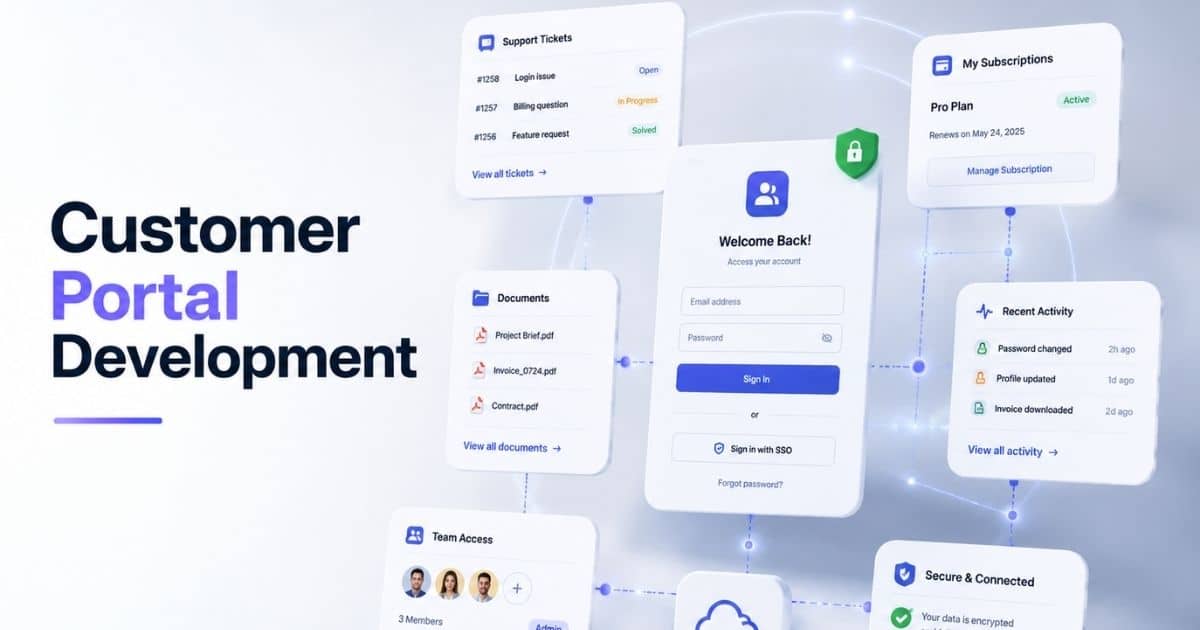
Customer portal development is the process of building a secure digital space where customers can access services, manage account information, and interact with a business in one place. A customer portal or client portal helps customers submit requests, track support tickets, exchange files, and view account details without phone calls or long email threads. Many businesses use customer portal software to improve customer interactions, customer onboarding, and the overall customer experience through self-service and real-time support.
Modern portal development focuses on personalized portals, workflow automation, and smooth data integrations with existing systems and internal tools. A custom portal can include document sharing, project tracking, payment links, dynamic dashboards, communication history, and service status updates. Development teams also use role-based access controls, audit logs, and scalable SaaS architecture to protect valuable data and connect data from the same source across service teams and internal teams.
Key Features Every Customer Portal Should Include
A customer portal should do more than show account details. Customers now expect fast support, easy access, and smooth communication from one place. Strong customer portal development focuses on usability, security, and automation. A well-built portal improves customer relationships, reduces support workload, and creates a better client experience across every stage of the customer journey.
Self-Service Dashboard
A modern customer portal needs a clean self-service dashboard. Customers should quickly access account information, support tickets, payment links, and communication history without help from service teams. Simple navigation improves the customer experience and reduces frustration.
Research shows 61% of customers prefer self-service for simple issues. High-performing companies also invest heavily in self-service tools and customer portal software. A dashboard with dynamic dashboards, real-time visibility, and personalized portals helps customers complete tasks faster. It also reduces phone calls and repetitive support requests for internal teams.
Secure Access Control
Security plays a major role in customer portal development. Customers trust portals with valuable data, account details, and document sharing. Strong access control protects that data from unauthorized users and security risks.
Role based access and role based access controls help businesses limit what users can view or edit inside the portal. Audit trails and audit logs also help track customer interactions and changes inside the system. Modern customer portal software often includes custom domain support, secure login methods, and cloud platform security layers. A secure portal architecture protects both customers and internal systems without slowing down the client experience.
Workflow Automation Tools
Manual support processes waste time for both customers and service teams. Workflow automation solves that problem. Automated workflows help businesses assign tasks, route support tickets, and update service status automatically.
Recent customer service reports show 79% of businesses now see AI-driven automation as essential for customer experience strategies. Built-in workflows also help internal teams manage requests from the same source without delays. A custom portal with workflow automation can connect data from ticketing system platforms, communication tools, and third-party tools. That creates faster response times and smoother customer relationships across the entire customer journey.
Document And File Sharing
Customers expect quick access to files, invoices, contracts, and reports. A strong customer portal should support secure document management and document sharing without long email chains. Easy file access improves trust and saves time.
Many businesses now use branded portals and white-label client portals for secure file exchange. Customers can upload files, review communication history, and access account information from one web portal. A portal with access control and audit trails also protects sensitive documents. Development teams often connect document sharing features with Google Workspace, internal tools, and other data sources to improve collaboration between customers and service teams.
Real Time Support And Integrations
Modern customers expect fast replies and connected experiences. Real-time support inside a customer portal helps businesses respond faster and improve customer feedback. Fast support also improves customer retention and client experience.
Studies show 88% of customers now expect faster response times than last year. A modern portal should support real-time support features like live chat, service status updates, and SaaS-based ticketing system integrations. Strong portal development also depends on smooth data integrations with existing systems, mobile apps, and third-party tools, often requiring careful cloud migration planning for growing teams. Businesses that connect data across internal systems create more personalized portals and stronger customer interactions.
Customer Portal Development Process From Planning To Launch
A successful customer portal needs more than good design and basic features. Every stage matters, from planning and portal architecture to testing and launch. A structured customer portal development process helps businesses avoid delays, reduce costs, and create better customer experiences with long term scalability and security.
Business Goals And Requirements
Every customer portal project should start with clear business goals. Companies need to define customer portal requirements, target users, and the problems the portal will solve. A portal built without proper planning often creates poor customer interactions and low adoption.
Research from Gartner shows projects with clear requirements are far more likely to succeed on time and within budget. A development team should collect customer feedback, review internal systems, and map the customer journey early. This stage also helps identify key features like document management, support tickets, workflow automation, and account management before SaaS product development starts.
Tech Stack And Architecture
The right tech stack affects portal speed, security, and future growth. Businesses must decide between traditional development, low-code platform solutions, or custom solutions based on their needs and budget. Each option affects scalability and maintenance differently.
Modern customer portal software often relies on cloud platform infrastructure, API integrations, and flexible data models. Portal architecture should also support mobile apps, communication tools, and third-party tools from the start. Strong data integrations help connect data from existing systems and internal tools into the same source. This improves real-time visibility and creates smoother customer experiences across every touchpoint.
UI UX And Portal Design
A customer portal should feel simple and familiar from the first login. Clean layouts, personalized portals, and clear navigation improve customer onboarding and reduce support requests. Good design also helps customers complete tasks faster without confusion.
Studies show users form opinions about websites within seconds. Poor design increases bounce rates and lowers trust. A modern web portal should support branded portals, custom domain options, and dynamic dashboards that match the company’s identity. Development teams should also collect user feedback during design stages. That helps create a custom portal that improves client experience and supports long term customer relationships.
Development And Integrations
After planning and design, the development team builds the portal features and integrations. This phase includes workflow automation, document sharing, role-based access, and ticketing system connections. Developers also create APIs to connect valuable data from internal systems and external platforms.
Many businesses now connect customer portal software with Google Workspace, payment systems, CRM platforms, and communication tools. Built-in workflows help internal teams assign tasks and manage support requests faster. Real-time support features also improve service quality. A well-connected portal reduces manual work and creates faster customer interactions across service teams and customers.
Testing And Launch
Testing protects businesses from security issues, broken workflows, and poor user experiences. Teams should test access control, audit logs, mobile responsiveness, and real-time support features before launch. Small issues inside a portal can quickly damage customer trust.
Recent reports show software defects can increase operational costs significantly after deployment. Strong testing reduces that risk. Businesses should also review service status updates, data sources, and role-based access controls during final checks. After launch, customer feedback becomes critical. A successful new portal should continue evolving based on customer needs, support trends, and performance data, guided by a clear SaaS product roadmap that prioritizes portal capabilities.
How To Choose The Right Tech Stack For Customer Portal Development
The tech stack behind a customer portal affects performance, security, scalability, and future upgrades. A poor choice can create slow workflows and expensive maintenance later. Smart customer portal development starts with technologies that support integrations, automation, security, and long-term business growth without unnecessary complexity, often following a structured custom software development guide covering benefits and process.
Business Needs First
Every business has different customer portal requirements. Some companies need simple self-service portals, while others require advanced workflow automation, payment links, and document management. The right tech stack depends on business size, customer expectations, and internal workflows.
A SaaS company may need real time support and dynamic dashboards, while healthcare providers may focus more on access control and audit logs. Development teams should review customer feedback, support requests, and internal systems before selecting technologies. Research from McKinsey shows companies that align technology with business goals achieve higher project success rates and faster digital growth.
Frontend And User Experience
Frontend technologies shape the customer experience. Customers expect fast-loading pages, mobile-friendly layouts, and smooth navigation inside every customer portal. Poor performance quickly increases bounce rates and support tickets.
Modern web portal projects often use React, Vue, or Angular because they support personalized portals and responsive design. Mobile apps and branded portals also benefit from flexible frontend frameworks. Businesses should focus on user feedback during portal development to improve usability. A clean frontend also helps customers access account information, service status, communication history, and support tickets without confusion. Better UI decisions directly improve customer relationships and customer interactions.
Backend And Data Management
Backend systems handle data flow, workflow automation, and integrations with existing systems. Strong backend architecture helps customer portal software process requests faster and manage valuable data securely. Weak backend choices often create scaling problems later.
Popular backend technologies include Node.js, Python, .NET, and Java because they support custom solutions and scalable software architecture for large scale portal development, alongside robust SaaS security architecture best practices. Businesses should also focus on data model flexibility and API performance. Smooth data integrations allow companies to connect data from CRM tools, ticketing system platforms, communication tools, and internal tools into the same source. This improves real time visibility across service teams and internal teams.
Cloud And Security Layers
Cloud platform services now play a major role in customer portal development. Businesses need infrastructure that supports scalability, uptime, and secure data access. Downtime and data leaks can quickly damage customer trust.
Recent studies show cloud adoption continues to rise because businesses want faster deployment and lower infrastructure costs. Cloud platforms like AWS, Azure, and Google Cloud support workflow automation, document sharing, and real-time support at scale as part of a future-proof tech stack for scalable growth. Security should also remain a top priority. Strong role-based access controls, audit trails, and access control systems help protect account details and sensitive customer information inside personalized portals and client portal environments.
Low Code Vs Custom Development
Many businesses now compare no-code and custom development approaches with traditional development methods. Low-code platforms help companies launch a new portal faster with visual builders and built-in workflows. They also reduce development costs for smaller teams.
Custom portal development gives businesses more flexibility and control over portal architecture, integrations, and branding, and many companies have seen significant transformation through custom software development, especially when weighing software build vs buy decisions where custom platforms win. Large companies often prefer own software because they need advanced features and deeper data integrations. Gartner predicts low-code adoption will continue growing rapidly across enterprise software projects. The best choice depends on budget, scalability needs, development team expertise, and long-term customer portal goals.
UI UX Best Practices For A High-Converting Customer Portal
A customer portal should feel fast, simple, and easy to trust. Good UI/UX design for SaaS products and a user-centered design approach for scalable SaaS platforms help customers complete tasks without confusion or delays. Strong customer portal development focuses on usability, accessibility, and clear workflows that improve customer experience, engagement, and long-term customer relationships.
Simple Navigation Structure
Customers should find information without extra clicks or confusion. Clear navigation improves customer interactions and helps users move through the customer journey faster. Poor layouts often increase support tickets and customer frustration.
Modern customer portal software should organize account information, document management, service status, and support requests into simple sections. Research from Forrester shows better UX design can increase conversion rates significantly across digital platforms. A clean web portal also helps service teams reduce repetitive phone calls and customer complaints. Personalized portals with clear menus and smart search tools improve the client experience and make self-service easier for customers.
Mobile Friendly Experience
Most customers now access portals from phones and tablets. Mobile-friendly design is no longer optional for customer portal development. Slow pages and broken layouts quickly damage trust and reduce engagement.
Recent reports show mobile devices generate more than half of global web traffic. Customer portal software should support responsive layouts, mobile apps, and fast page loading across devices. Businesses should also optimize payment links, support tickets, and communication tools for smaller screens. A mobile-friendly client portal improves real-time support access and allows customers to complete tasks anywhere. Better mobile usability also increases customer satisfaction and customer retention.
Clear Calls To Action
Every portal should guide customers toward the next step. Clear calls to action help users submit requests, access documents, review account details, or contact support without confusion. Weak CTAs often lower engagement and increase abandonment.
Buttons should stay visible, direct, and easy to understand. Development teams should avoid cluttered screens and unnecessary options. A custom portal with dynamic dashboards and workflow automation can simplify customer interactions across multiple services. User feedback also helps businesses improve portal layouts over time. Strong UI decisions reduce friction across the customer journey and help internal teams manage support requests more efficiently.
Personalized User Experience
Customers expect personalized portals that match their needs and activity. Generic experiences often feel disconnected and frustrating. Smart customer portal development focuses on relevant content, faster access, and role-based access for different user groups.
A personalized portal can display communication history, account management tools, payment updates, and service status based on user activity. Businesses also use branded portals and custom domain setups to create stronger customer relationships. Studies show customers are more likely to stay loyal to brands that deliver personalized digital experiences. Personalized workflows improve customer onboarding and help customers access valuable data without searching through unnecessary information.
Fast Performance And Accessibility
Speed directly affects customer experience. Slow customer portals increase bounce rates and reduce trust. Fast performance helps customers access support tickets, exchange files, and connect data from existing systems without delays.
Google research shows users often leave websites that take too long to load. Development teams should optimize portal architecture, cloud platform performance, and data integrations to improve speed. Accessibility also matters. A customer portal should support readable text, keyboard navigation, and clear, accessible UX layouts for all users. Businesses that focus on accessibility and performance create stronger customer interactions and improve real-time visibility across internal systems and service teams.
Security, Compliance, And Access Control In Customer Portal Development
Security is one of the most important parts of customer portal development. Customers trust portals with sensitive account information, payment details, and business documents. Weak security can damage customer relationships and create legal risks. Strong access control and compliance practices help businesses protect data and maintain customer trust.
Role-Based User Access
Not every user should access the same information inside a customer portal. Role-based access helps businesses control who can view, edit, or manage specific data. This reduces security risks and protects valuable data across internal systems.
Modern customer portal software often uses role-based access controls to separate customer permissions from internal teams and service teams. For example, customers may access support tickets and payment links, while admins manage workflow automation and account management settings. Research from IBM shows human error remains one of the leading causes of data breaches. Clear access control rules reduce accidental exposure and improve overall portal security.
Data Encryption Standards
Encryption protects customer data during storage and transfer. A secure client portal should encrypt account details, communication history, document sharing, and support requests across every device and connection. Weak encryption creates major risks for businesses and customers.
Most secure web portal platforms now use HTTPS, SSL certificates, and advanced encryption protocols by default. Cloud platform providers also offer built-in security layers for customer portal development. Businesses that use custom solutions should secure APIs, data integrations, and third-party tools carefully. Strong encryption protects customers during file exchange, payment processing, and real-time support interactions across mobile apps and desktop platforms.
Compliance And Audit Tracking
Many industries must follow strict compliance rules for customer data. Healthcare, finance, and SaaS companies often require audit trails, audit logs, and secure document management inside customer portal software. Compliance failures can lead to large penalties and customer trust issues.
A strong portal architecture should track user actions, access history, and account updates automatically. Audit logs also help businesses investigate suspicious activity quickly. Recent cybersecurity reports show compliance violations continue to cost companies millions every year. Development teams should review customer portal requirements carefully before launch. Strong compliance planning protects customer relationships and supports safer customer interactions across every stage of the customer journey.
Secure Integrations And APIs
Customer portals often connect with CRM systems, ticketing system platforms, payment gateways, and communication tools. Poor integrations can expose sensitive data and create security gaps across existing systems. Secure APIs are critical for safe portal development.
Development teams should authenticate every API request and limit unnecessary data access. Businesses should also monitor third-party tools and internal tools regularly for vulnerabilities. Modern customer portal software uses token authentication, firewall protection, and secure cloud platform services to reduce risks. Strong data integrations help businesses connect data from the same source while protecting customer information across multiple platforms and service teams.
Authentication And User Protection
Secure login systems help protect both customers and businesses from unauthorized access. Password-only security is no longer enough for modern customer portal development. Multi-factor authentication now plays a major role in portal security.
Recent reports show stolen credentials remain one of the most common causes of cyberattacks. Businesses should use strong password policies, session controls, and login monitoring inside every custom portal. Personalized portals should also alert users about unusual account activity and service status issues. A secure authentication process improves customer experience while protecting account information, document sharing, and real-time support systems from security threats.
Common Customer Portal Development Challenges And How To Solve Them
Customer portal development can improve customer experience and automate support processes, but many businesses still face technical and operational challenges during development. Poor planning, weak integrations, and low user adoption often slow growth. The right strategy helps businesses solve those issues before they affect customers and internal teams.
Low User Adoption
Many businesses launch a customer portal, but customers continue using phone calls and email instead. Poor user experience, confusing layouts, and complicated workflows often reduce adoption rates. Customers avoid portals that feel difficult or slow.
Research shows users leave digital platforms quickly when navigation becomes confusing. A simple client portal with personalized portals, clear menus, and self-service tools improves engagement. Development teams should also collect user feedback after launch to improve usability. Better customer onboarding, dynamic dashboards, and mobile-friendly access help customers complete tasks faster. Strong customer interactions increase trust and improve long-term customer relationships.
Weak System Integrations
A customer portal becomes less useful when data stays disconnected across systems. Many companies struggle to connect data between customer portal software, CRM platforms, ticketing system tools, and internal systems. That creates delays and inconsistent customer experiences.
Strong data integrations solve this issue. Development teams should use APIs and cloud platform services to connect data from the same source across multiple tools. Businesses should also test third-party tools before deployment. Real-time visibility improves when communication tools, payment links, support tickets, and document management systems work together. Better integrations also reduce manual work for service teams and internal teams.
Security And Access Risks
Security remains one of the biggest customer portal development challenges. Weak access control, poor password policies, and outdated systems increase the risk of data breaches. Customers expect businesses to protect account information and valuable data at all times.
A secure portal should include role-based access, audit logs, and encrypted document sharing features. Businesses should also review portal architecture regularly and monitor suspicious activity. Recent cybersecurity reports show ransomware and credential theft continue to rise globally. Development teams should secure APIs, mobile apps, and third-party integrations carefully. Strong role-based access controls improve protection across customers, internal tools, and support systems.
Scalability Problems
Some customer portals work well at launch but struggle as user activity grows. Slow performance, broken workflows, and delayed support requests often appear when systems cannot scale properly. Weak infrastructure creates poor customer experiences over time.
Businesses should choose scalable tech stack options early in portal development and apply proven SaaS scalability strategies. Cloud platform infrastructure, workflow automation, and optimized data models support future growth more effectively. Custom solutions also help businesses expand features without rebuilding the entire portal. Research shows scalability issues increase operational costs significantly for digital platforms. A scalable web portal improves real-time support, customer onboarding, and communication history management across growing customer bases.
Poor Internal Collaboration
Customer portal projects often fail because departments work separately. Development teams, service teams, and internal teams may follow different priorities. Miscommunication creates delays, duplicate work, and inconsistent customer interactions.
Strong collaboration and expert tech consulting services help businesses launch better portals faster, especially when they choose the right custom software development partner. Shared planning sessions, workflow automation, and communication tools improve coordination across teams. Businesses should also align customer portal requirements with long-term business goals before development starts. Built-in workflows and project tracking tools help assign tasks and monitor progress clearly. Better teamwork improves customer experience, reduces operational friction, and creates smoother portal development from planning to launch.
Customer Portal Development Trends That Will Shape The Future
Customer expectations continue to change fast. Businesses now need customer portals that feel smarter, faster, and more personalized across every device, supported by a well-planned startup tech stack for high-growth teams. Modern customer portal development focuses on automation, connected systems, and real-time experiences that improve customer relationships and reduce operational workload for internal teams, closely aligning with broader custom software development trends shaping the future.
AI-Powered Self-Service
AI now plays a major role in SaaS products and customer portal software. Businesses use AI tools to automate support requests, recommend solutions, and improve customer interactions without human involvement, which is why many SaaS teams follow dedicated guides for integrating AI into SaaS products. Customers expect faster answers and more accurate support experiences.
Recent studies show AI adoption in customer service continues to grow rapidly across industries. AI-powered customer portals can analyze customer feedback, predict support issues, and guide customers through self-service workflows using modern artificial intelligence software and broader AI software development approaches for smarter digital products. Personalized portals also use AI to display account information, communication history, and relevant resources based on user behavior. Strong workflow automation helps service teams reduce repetitive tasks and improve real-time support quality.
Hyper Personalized Portals
Generic experiences no longer meet customer expectations. Businesses now focus on personalized portals that adapt to each customer’s activity, preferences, and account details. Better personalization improves engagement and customer retention.
Modern customer portal development uses data integrations and behavioral insights to create customized dashboards and recommendations. Customers can access support tickets, payment links, service status, and document management tools based on their role and activity. Branded portals and custom domain experiences also help businesses create stronger customer relationships. Research shows personalized digital experiences increase customer loyalty and improve overall client experience across multiple industries.
Low Code Portal Development
Low-code platform adoption continues to grow because businesses want faster portal deployment and lower development costs. Visual builders and built-in workflows allow teams to create customer portal software with less manual coding. Smaller companies especially benefit from faster launch cycles.
Gartner predicts most new enterprise applications will involve low-code technologies in the coming years. Low-code platforms also help internal teams assign tasks, automate workflows, and manage support requests more efficiently, especially when combined with AI-powered software tools or LLM integration strategies tailored for SaaS platforms. Businesses can connect data from existing systems and third party tools without long development cycles. However, large organizations may still prefer custom solutions for advanced portal architecture and scalability needs.
Unified Customer Data Systems
Many businesses still struggle with disconnected data sources across CRM systems, communication tools, and internal tools. Future customer portals will focus more on unified platforms that connect data from the same source into one experience. Customers expect consistent information everywhere.
Unified systems improve real-time visibility for customers and service teams. Businesses can track customer journey activity, account management updates, and communication history from one portal. Better data integrations also improve workflow automation and customer onboarding processes. Development teams now prioritize APIs, cloud platform infrastructure, and centralized data models to create smoother customer interactions across all channels and mobile apps.
Stronger Security And Compliance
Security expectations continue to increase as businesses collect more valuable data inside customer portals. Customers now pay closer attention to privacy, access control, and compliance before sharing information online. Weak security quickly damages trust.
Future customer portal development will focus heavily on role-based access controls, audit trails, and secure cloud platform services. Businesses also invest more in identity verification, encryption, and SaaS security best practices like real-time threat monitoring, alongside broader custom software development benefits such as secure, scalable platforms. Recent cybersecurity reports show attacks against business platforms continue rising worldwide. Strong portal security protects account information, document sharing, and support systems while helping businesses maintain compliance standards and customer confidence.
How GainHQ Solves Customer Portal Development Challenges
GainHQ helps businesses build custom software solutions and customer portal software that improves customer experience, security, and operational efficiency, supported by end-to-end custom software development services. The company develops custom portal solutions based on real customer portal requirements instead of generic templates. Their development team focuses on scalable portal architecture, clean UI UX, and smooth workflow automation to improve customer interactions and reduce support workload.
GainHQ also helps businesses connect data from existing systems, third-party tools, and internal tools into one centralized web portal. Their solutions support role-based access controls, document management, real-time visibility, and personalized portals for better customer relationships. Businesses can manage support tickets, account information, payment links, and communication history from the same source. GainHQ also uses modern tech stack solutions like React, Node.js, AWS, and GraphQL to create secure and scalable customer portal development solutions.
FAQs
Can Small Businesses Use Customer Portal Software Effectively?
Yes, small businesses can benefit greatly from customer portal software. A customer portal helps manage support tickets, document sharing, and customer interactions from one place. Low-code platform tools and cloud platform solutions also reduce development and maintenance costs.
What Makes A Customer Portal Different From A CRM System?
A CRM mainly helps internal teams manage sales and customer data. A customer portal focuses more on self-service, account management, support requests, and customer experience. Many businesses connect both systems through data integrations and existing systems.
Can Customer Portals Support Multiple User Roles?
Yes, modern client portal systems support role-based access and role-based access controls. Businesses can give different permissions to customers, service teams, and internal teams. This improves access control and protects valuable data across the portal.
How Long Does Customer Portal Development Usually Take?
Customer portal development timelines depend on portal architecture, key features, integrations, and custom solutions. A simple web portal may take a few weeks, while complex customer portal software with workflow automation and third-party tools may require several months.
Can A Customer Portal Improve Customer Retention?
No customer portal guarantees retention alone, but a strong portal can improve customer relationships significantly. Personalized portals, real-time support, communication history, and faster self-service experiences help improve the overall client experience and customer journey.