Cloud computing gives businesses more choices than ever. Yet many teams still struggle with one question: should they choose SaaS, PaaS, or IaaS? The answer is not always obvious. Each model offers a different level of control, flexibility, cost, and responsibility. Choosing the wrong one can create unnecessary complexity, while choosing the right one can improve efficiency, scalability, and long-term growth.
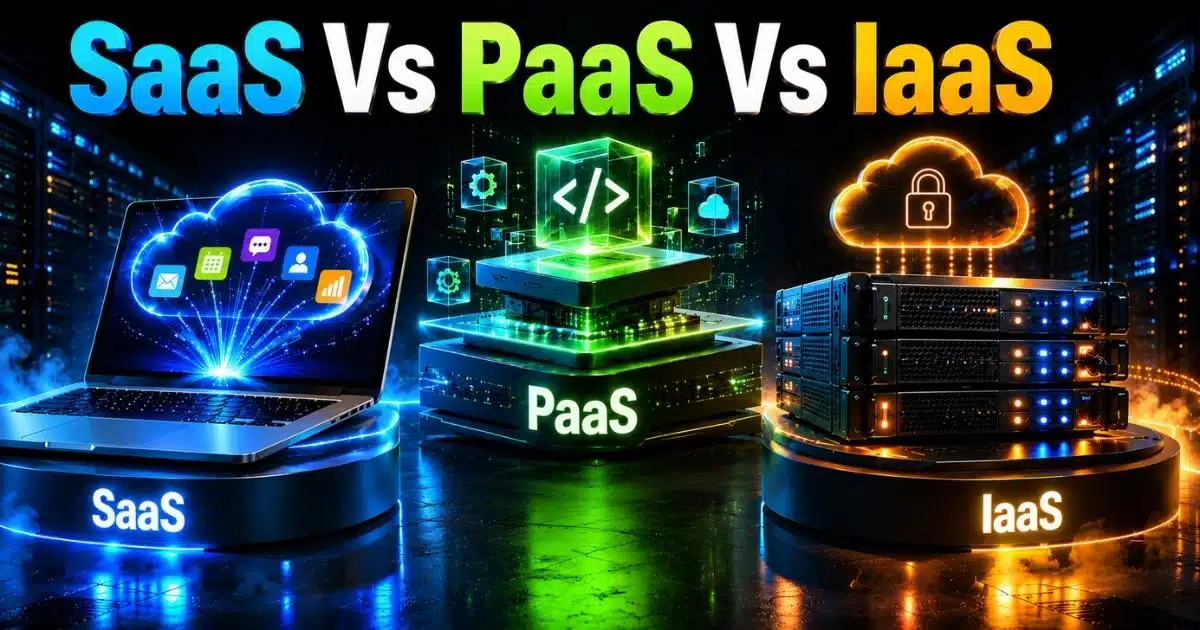
SaaS, PaaS, and IaaS are the three primary cloud computing service models. SaaS delivers ready-to-use applications through a web browser. PaaS provides a platform for building and deploying applications. IaaS offers on-demand infrastructure resources such as servers, storage, and networking. While they all operate in the cloud, they serve very different business needs.
This guide breaks down the key differences between SaaS, PaaS, and IaaS, including pricing, security, use cases, advantages, and limitations. By the end, you will know which cloud service model best fits your organization and when it makes sense to use more than one.
SaaS Vs PaaS Vs IaaS In Simple Terms
Cloud computing offers several service models, but SaaS, PaaS, and IaaS are the three most common. Each one provides a different balance of control, flexibility, and management responsibility. Understanding the differences makes it easier to choose the right solution for your business needs.
Aspect | SaaS | PaaS | IaaS |
|---|---|---|---|
Full Form | Software as a Service | Platform as a Service | Infrastructure as a Service |
What You Get | Ready-to-use software | Development platform | Cloud infrastructure |
Primary Users | End users and business teams | Developers | IT teams and system administrators |
Management Responsibility | Provider manages almost everything | Provider manages infrastructure and platform | Customer manages operating systems, applications, and data |
Technical Expertise Needed | Low | Medium | High |
Customization Level | Limited | Moderate | Extensive |
Pricing Model | Usually subscription-based | Fixed fee or pay-as-you-go | Pay-as-you-go and reserved instances |
Common Examples | CRM, email, collaboration tools | Application development platforms | Virtual servers, storage, networking |
Best For | Quick deployment and minimal maintenance | Building and deploying applications | Maximum control and scalability |
What Is Cloud Computing
Cloud computing is the delivery of computing services over the internet. Instead of buying and maintaining physical servers, businesses can access resources such as storage, databases, networking, and software whenever they need them. This approach offers greater flexibility, scalability, and cost efficiency than traditional on-premise infrastructure.
Organizations can choose from different cloud service models based on their needs. Some need ready-to-use software, while others need a platform for development or complete control over infrastructure. That is where SaaS, PaaS, and IaaS come in. They are the three primary categories of cloud computing and each offers a different balance of management, customization, and responsibility.
Cloud computing helps businesses reduce upfront costs, scale faster, and focus more on growth rather than managing complex IT systems. A deeper understanding of software services and cloud-based models can help organizations align these benefits with their long-term digital strategy.
Where SaaS, PaaS, And IaaS Fit In The Cloud Stack
Cloud services are built in layers. Each layer handles a different part of the technology stack. SaaS sits at the top, PaaS in the middle, and IaaS at the foundation. Understanding where each model fits helps businesses choose the right balance of control, flexibility, and management responsibility.
Application Layer (SaaS)
SaaS sits at the top of the cloud stack. It delivers ready-to-use software through a web browser. Users do not need to install, update, or maintain the application. The provider handles everything behind the scenes.
Business tools such as CRM platforms, email services, and collaboration software fall into this category. SaaS remains the most widely adopted cloud service model because it offers quick deployment and low maintenance. Gartner projects worldwide public cloud spending to reach $723 billion in 2025, with SaaS continuing to account for a major share of enterprise cloud adoption.
Platform Layer (PaaS)
PaaS sits between software and infrastructure. It provides developers with the tools, frameworks, and runtime environments needed to build, test, and deploy applications. The provider manages servers, operating systems, and infrastructure components.
Development teams often choose PaaS when multiple developers work on the same project. The platform simplifies workflows and speeds up application delivery. It is also a popular choice for API development and cloud-native applications. Developers can focus on writing code instead of managing hardware or system updates.
Infrastructure Layer (IaaS)
IaaS forms the foundation of the cloud stack. It provides virtual servers, storage, networking, and computing resources on demand. Businesses have greater control over operating systems, applications, and configurations.
Organizations choose IaaS when they need flexibility and scalability. It supports high-performance workloads, disaster recovery environments, and custom applications. Unlike SaaS and PaaS, IaaS requires stronger technical expertise because teams manage more of the technology stack. Many providers also offer pay-as-you-go pricing and reserved capacity options, which help businesses control infrastructure costs while scaling resources as needed.
What Is SaaS
Software as a Service (SaaS) is a cloud computing model that delivers software through an internet connection. Users access SaaS applications through a web browser instead of installing programs on physical servers or local devices. A SaaS provider manages the underlying infrastructure, software updates, security patches, and infrastructure management. This allows businesses to use cloud application services without maintaining physical hardware or complex IT infrastructure.
Most SaaS solutions follow a subscription-based pricing model and require little setup. Popular SaaS software includes CRM systems, email platforms, project management systems, and productivity tools. SaaS services are especially useful for a remote workforce because teams can access data and applications from anywhere.
Many organizations choose SaaS platforms because the provider manages maintenance costs and technical operations. Users can focus on business processes rather than managing software licenses, cloud servers, or operating systems, though some teams may still compare custom software vs SaaS options when they need highly tailored solutions. This simplicity has made software as a service the most widely adopted of the main cloud service models.
What Is PaaS
Platform as a Service (PaaS) is a cloud computing model that provides a complete development platform for building, testing, and deploying applications. A cloud provider manages the underlying infrastructure, operating systems, cloud servers, and infrastructure management tasks. Developers can access development tools, software development kits, and development frameworks through a single environment without maintaining physical hardware or on-premises infrastructure.
A PaaS platform helps multiple developers work on the same project more efficiently. Teams can focus on writing code and improving applications instead of managing application infrastructure. Popular examples include Google App Engine and AWS Elastic Beanstalk. These cloud computing services support API development, application modernization, and cloud-native projects.
Many organizations choose platform as a service because it speeds up software development and supports rapid growth. The service provider handles much of the technical complexity, while software developers gain a flexible development environment for building scalable cloud applications, often following structured SaaS development services approaches from idea to deployment.
What Is IaaS
Infrastructure as a Service (IaaS) is a cloud computing model that provides on-demand access to virtualized computing resources over the internet. Instead of buying and maintaining physical servers, businesses rent computing resources such as cloud servers, storage, network resources, and virtual machines from a cloud provider. The service provider manages the physical infrastructure and virtualization technology, while customers manage operating systems, applications, and data.
IaaS platforms give organizations greater control over their IT infrastructure than SaaS or PaaS. Businesses can access computing resources as needed and scale them up or down based on demand. Popular cloud service providers such as Microsoft Azure and Google Compute Engine offer flexible and scalable infrastructure for a wide range of workloads.
Many companies choose infrastructure as a service for customized cloud operations, high-performance applications, backup systems, and disaster recovery. Effective AI infrastructure for intelligent applications often builds on these IaaS foundations to support demanding, data-intensive workloads. IaaS also reduces the need for large upfront investments in physical hardware while supporting rapid growth and cloud adoption. However, it requires more technical expertise because IT teams are responsible for managing much of the cloud infrastructure.
SaaS Vs PaaS Vs IaaS: Key Differences
SaaS, PaaS, and IaaS all deliver cloud computing services, but they differ in control, management, customization, and technical requirements. Understanding these differences helps businesses choose the right cloud service model based on their goals, resources, and operational needs.
Feature | SaaS | PaaS | IaaS |
|---|---|---|---|
Service Model | Software as a Service | Platform as a Service | Infrastructure as a Service |
What You Access | Ready-to-use applications | Development platform and tools | Virtualized computing resources |
Primary Users | End users and business teams | Software developers | IT teams and system administrators |
Provider Manages | Applications, infrastructure, updates, and maintenance | Underlying infrastructure, operating systems, and runtime environment | Physical hardware, networking, and virtualization technology |
Customer Manages | User settings and data | Applications and data | Operating systems, applications, data, and security controls |
Customization Level | Low | Medium | High |
Technical Expertise Required | Low | Moderate | High |
Deployment Speed | Fastest | Fast | Moderate |
Pricing Model | Usually subscription-based | Fixed fee or pay-as-you-go | Mostly pay-as-you-go |
Scalability | Limited to platform capabilities | High | Very high |
Common Examples | CRM, email, collaboration tools | Google App Engine, AWS Elastic Beanstalk | Microsoft Azure, Google Compute Engine |
Best For | Business processes and productivity tools | Application development and APIs | Customized cloud operations and enterprise workloads |
Shared Responsibility Model Explained
Cloud security is not handled by the cloud provider alone. Every cloud computing model follows a shared responsibility approach. The exact responsibilities change between SaaS, PaaS, and IaaS. Understanding who manages what helps reduce data security risks, compliance issues, and costly mistakes. Cloud providers secure the infrastructure, while customers remain responsible for certain areas depending on the service model.
Infrastructure Security
Cloud service providers are responsible for protecting the physical infrastructure that powers cloud computing services. This includes physical servers, storage systems, network resources, and data center facilities. Customers do not need to worry about maintaining physical hardware in any of the main cloud service models.
The level of responsibility stays largely the same across SaaS, PaaS, and IaaS. The provider manages data center security, hardware maintenance, and virtualization technology. This foundation allows businesses to access computing resources without building their own infrastructure.
Operating System Control
Operating systems are handled differently across the core cloud service models. In SaaS, the provider manages everything from the application to the operating system. Users simply access SaaS applications through an internet connection.
PaaS also removes most operating system responsibilities from software developers. In IaaS, however, customers manage operating systems themselves. IT teams must configure, update, and secure those systems. This is one reason IaaS requires more technical expertise than SaaS or PaaS.
Application Security
Application security responsibilities vary by cloud model. In most SaaS solutions, the SaaS vendor manages the application itself, including software updates and patches. Customers mainly control user access, passwords, and data usage policies.
PaaS gives developers more control. Teams build and deploy their own applications on a managed development platform. IaaS provides even more flexibility. Businesses manage their applications directly and must secure them properly. Misconfigured applications remain one of the most common cloud security concerns, which is why robust SaaS security architecture best practices are essential to minimize risks across multi-tenant environments.
Data Protection
Data remains one of the customer's most important responsibilities. Even when a cloud provider secures the cloud infrastructure, organizations must protect the data stored within cloud services.
Businesses need strong access controls, backup policies, and user management systems. SaaS platforms may reduce infrastructure management tasks, but sensitive data still requires careful handling. Security experts continue to identify poor configurations and weak access controls as major causes of cloud-related security incidents, making it critical to implement modern SaaS security best practices that address identity, data protection, and continuous monitoring.
Identity And Access Management
Identity management plays a major role in cloud adoption. Employees, contractors, and third-party users often access cloud application services from different locations and devices. Proper access controls help protect business processes and operational capabilities.
Cloud service providers offer security tools, but customers must use them correctly. Multi-factor authentication, role-based permissions, and regular account reviews reduce risks. This responsibility exists across SaaS, PaaS, and IaaS because user identities remain under the customer's control, even when the provider manages the underlying infrastructure.
SaaS Vs PaaS Vs IaaS Security Comparison
Security responsibilities change across cloud service models. The more control you have over the cloud infrastructure, the more security tasks you must manage. This comparison shows how SaaS, PaaS, and IaaS differ in terms of data security, infrastructure protection, and operational responsibility.
Security Area | SaaS | PaaS | IaaS |
|---|---|---|---|
Infrastructure Security | Managed by the cloud provider | Managed by the cloud provider | Managed by the cloud provider |
Physical Hardware | Provider manages | Provider manages | Provider manages |
Operating Systems | Provider manages | Provider manages | Customer manages |
Application Security | Mostly provider-managed | Shared responsibility | Customer manages |
Data Security | Shared responsibility | Shared responsibility | Shared responsibility |
Identity And Access Management | Customer manages users and permissions | Customer manages users and permissions | Customer manages users and permissions |
Software Updates And Patches | Provider manages | Provider manages platform updates | Customer manages most updates |
Network Security Configuration | Limited customer control | Partial customer control | Full customer control |
Compliance Management | Shared responsibility | Shared responsibility | Greater customer responsibility |
Third-Party Security Risks | Moderate | Higher due to platform integrations | Depends on architecture and vendors |
Risk Of Misconfiguration | Low | Moderate | High |
Technical Expertise Required | Low | Medium | High |
Common Security Concern | SaaS sprawl and data exposure | Platform and integration vulnerabilities | Misconfigured infrastructure and access controls |
Best For | Organizations seeking simplicity | Development teams building applications | Businesses requiring maximum control |
SaaS Vs PaaS Vs IaaS Cost Comparison
Cost structures vary across the three main cloud service models. SaaS usually uses subscription pricing, PaaS may offer fixed or usage-based pricing, and IaaS commonly follows a pay-as-you-go model. The right choice depends on your budget, scalability needs, and technical requirements.
Cost Factor | SaaS | PaaS | IaaS |
|---|---|---|---|
Typical Pricing Model | Monthly or annual subscription | Fixed fee or pay-as-you-go | Pay-as-you-go and reserved instances |
Upfront Investment | Very low | Low | Low to moderate |
Software Licenses | Usually included | Usually included | Customer may need additional licenses |
Infrastructure Costs | Included in the service | Included in the platform | Based on actual resource usage |
Maintenance Costs | Very low | Low | Higher due to customer management |
Scalability Costs | Often tied to user tiers or features | Based on platform usage | Based on computing resources consumed |
Operating System Costs | Included | Included | Customer responsibility |
IT Staff Requirements | Minimal | Moderate | Higher |
Cost Predictability | High | Moderate to high | Moderate |
Resource Flexibility | Limited | Moderate | Very high |
Long-Term Cost Advantage | Simple and predictable | Faster development cycles | Efficient resource optimization at scale |
Real-World Examples Of SaaS, PaaS, And IaaS
Cloud computing becomes easier to understand when you look at real-world examples. Businesses use different cloud service models for different goals. Some need ready-to-use software, while others need development platforms or scalable cloud infrastructure for customized operations, which often requires careful cloud migration planning to avoid disruption.
SaaS For Business Operations
SaaS applications help companies manage everyday business processes. Common examples include CRM software, email platforms, accounting tools, and project management systems. Users access these SaaS services through a web browser with an internet connection. The SaaS provider handles software updates, infrastructure management, and maintenance.
Many organizations choose SaaS solutions because they are easy to deploy. Teams can start using the software quickly without maintaining physical servers or purchasing software licenses. Gartner expects worldwide public cloud spending to exceed $720 billion in 2025, with SaaS remaining one of the largest cloud computing services segments.
PaaS For Application Development
PaaS helps software developers build and deploy applications faster. Platforms such as Google App Engine and AWS Elastic Beanstalk provide development tools, software development kits, and development frameworks in a managed environment.
A PaaS platform removes much of the complexity of managing application infrastructure. Multiple developers can work on the same project while the cloud provider manages the underlying infrastructure. This approach is popular for API development, cloud-native applications, and modernization projects that require speed and flexibility, especially when paired with SaaS architecture best practices that ensure scalability and reliability.
IaaS For Enterprise Infrastructure
IaaS provides access to virtualized computing resources such as virtual machines, storage, and network resources. Popular IaaS platforms include Microsoft Azure and Google Compute Engine. Businesses can access computing resources on demand without investing in physical hardware.
Many enterprises use infrastructure as a service for scalable infrastructure and customized cloud operations. IT teams control operating systems, applications, and security settings while the service provider manages the physical infrastructure. This model works well for organizations that need flexibility and advanced operational capabilities, particularly when building disaster recovery as a service setups for business continuity.
Cloud Backup And Disaster Recovery
Backup and disaster recovery represent one of the most common IaaS use cases. Businesses store critical data on cloud servers instead of relying entirely on on-premises infrastructure. This approach improves resilience and reduces the risks associated with hardware failures.
Cloud service providers offer flexible storage and recovery options that scale with business needs. Companies can restore systems quickly after outages or cyber incidents. Many organizations also reduce costs because they no longer need to maintain duplicate physical infrastructure for emergency situations, especially when they apply thoughtful SaaS scalability strategies to handle fluctuating demand.
Hybrid Cloud Environments
Many organizations no longer rely on a single cloud model. A hybrid cloud strategy combines SaaS, PaaS, and IaaS to support different workloads. Employees may use SaaS platforms for productivity tools, developers may use a PaaS platform for application development, and IT teams may run critical systems on IaaS platforms.
This combination gives businesses greater flexibility during rapid growth. It also helps balance performance, cost, and control. As cloud adoption continues to increase, tech consulting services can help design and manage these hybrid architectures, and hybrid cloud environments have become a common approach for organizations that want the benefits of multiple cloud service models.
SaaS Vs PaaS Vs IaaS Examples By Industry
Different industries use cloud computing in different ways. Some rely on SaaS applications for daily operations, while others use PaaS for software development or IaaS for scalable infrastructure. The right cloud service model depends on business goals, compliance needs, and technical requirements.
Industry | SaaS Example | PaaS Example | IaaS Example | Primary Benefit |
|---|---|---|---|---|
Healthcare | Electronic health records and patient portals | Healthcare application development | Secure data storage and disaster recovery | Better patient care and data accessibility |
Financial Services | CRM and customer support platforms | Banking API development | High-performance transaction processing | Security, scalability, and compliance |
E-Commerce | Inventory and order management systems | Custom shopping app development | Scalable cloud servers for peak traffic | Faster growth and improved customer experience |
Education | Learning management systems and collaboration tools | Student portal development | Virtual learning infrastructure | Flexible and remote learning support |
Technology And SaaS Companies | Productivity tools and customer support software | Cloud-native application development | Virtualized computing resources and testing environments | Faster innovation and rapid product delivery |
How To Choose Between SaaS, PaaS, And IaaS
The best cloud computing model depends on your goals, budget, technical expertise, and level of control required. Some businesses want simplicity, while others need flexibility or full infrastructure control. Understanding your priorities makes the SaaS vs PaaS vs IaaS decision much easier.
Choose SaaS For Simplicity
SaaS is the right choice when you want software that works out of the box. Most SaaS applications are available through a web browser and require only an internet connection. The SaaS provider handles software updates, infrastructure management, and maintenance. Your team can focus on business processes instead of managing technology.
This cloud model works well for CRM platforms, email systems, collaboration tools, and productivity tools. Many organizations with a remote workforce prefer SaaS services because employees can access applications from almost anywhere. SaaS also helps reduce maintenance costs and eliminates the need for managing physical servers or software licenses.
Choose PaaS For Development
PaaS is a strong option when software development is a priority. A PaaS platform provides development tools, software development kits, and development frameworks in one environment. Multiple developers can work together without worrying about the underlying infrastructure.
Platforms such as Google App Engine and AWS Elastic Beanstalk help teams build and deploy applications faster. This cloud computing model is ideal for API development, application modernization, and cloud-native projects. Businesses that need a flexible development platform often choose PaaS because the cloud provider manages operating systems, cloud servers, and much of the infrastructure management process.
Choose IaaS For Control
IaaS is best for organizations that need maximum control over applications and infrastructure. Businesses can access computing resources on demand and configure virtual machines, operating systems, storage, and network resources based on their requirements.
This model supports scalable infrastructure, customized cloud operations, and high-performance workloads. Many enterprises use IaaS platforms such as Microsoft Azure and Google Compute Engine to replace on-premises infrastructure and physical hardware. IaaS also reduces upfront capital expenses because companies pay only for the virtualized computing resources they use. However, IT teams must manage more security, monitoring, and operational tasks than with SaaS or PaaS.
Can Businesses Use SaaS, PaaS, And IaaS Together?
Many organizations do not choose between SaaS, PaaS, and IaaS. They use all three cloud service models as part of a hybrid cloud strategy. Each model solves a different problem, and together they create a more flexible and scalable cloud computing environment.
Business Function | Cloud Model | Example Use Case | Key Benefit |
|---|---|---|---|
Customer Relationship Management | SaaS | CRM and customer support software | Fast deployment and low maintenance |
Team Collaboration | SaaS | Email, messaging, and productivity tools | Easy access from any location |
Application Development | PaaS | API development and cloud-native applications | Faster development cycles |
Application Hosting | IaaS | Custom business applications | Greater control and flexibility |
Backup And Disaster Recovery | IaaS | Cloud-based backup systems | Improved business continuity |
Software Testing | PaaS | Development and testing environments | Simplified infrastructure management |
Data Storage | IaaS | Scalable cloud storage | On-demand computing resources |
Internal Business Tools | SaaS | HR, accounting, and project management systems | Reduced maintenance costs |
A growing e-commerce company provides a good example. Sales and support teams may use SaaS applications for CRM, email, and customer communication, increasingly enhanced by AI-driven automation in SaaS to improve efficiency and customer experience. Software developers may use a PaaS platform with development tools and software development kits to build new features. At the same time, IT teams may rely on IaaS platforms for cloud servers, virtual machines, and scalable infrastructure.
This approach allows each department to use the cloud computing services that fit its needs. The SaaS provider manages business software, the cloud provider manages the development platform, and IT teams maintain greater control over critical cloud infrastructure.
A combined strategy also supports rapid growth. Businesses can access computing resources when demand increases without investing in physical servers or maintaining physical hardware. Teams gain stronger operational capabilities while keeping costs under control. For many organizations, the question is no longer SaaS vs PaaS vs IaaS. The real goal is finding the right mix of all three cloud service models to support business processes, data management, and long-term cloud adoption, as illustrated in successful SaaS launch case studies where hybrid strategies underpinned sustainable scaling.
Common Mistakes When Choosing A Cloud Service Model
Choosing the right cloud computing model is not only about features and pricing. Many businesses focus on short-term needs and overlook long-term requirements. A few common mistakes can lead to higher costs, security concerns, and operational challenges later.
Cost Over Control
Many organizations choose the cheapest cloud services without thinking about future needs. A low-cost SaaS solution may work today, but it may not provide the customization required as the business grows. The same issue can happen when companies choose IaaS without understanding the ongoing management costs.
Cloud adoption should balance cost, flexibility, and operational capabilities. Businesses should evaluate maintenance costs, scalability, and technical requirements before selecting a cloud model. A lower monthly bill does not always mean a lower total cost of ownership.
Security As An Afterthought
Data security remains one of the biggest cloud computing concerns. Many businesses assume the cloud provider handles all security responsibilities. In reality, SaaS, PaaS, and IaaS all follow different levels of shared responsibility.
A company may secure its cloud infrastructure but still leave sensitive data exposed through weak user permissions. SaaS sprawl can also increase security concerns when employees use unauthorized SaaS applications. Security planning should happen before deployment, not after.
Technical Skills Mismatch
Every cloud computing model requires a different level of expertise. SaaS applications need very little technical management. PaaS requires software developers who understand development tools and cloud platforms. IaaS demands experienced IT teams that can manage operating systems, virtual machines, and network resources.
Problems often arise when organizations underestimate the skills required. IaaS platforms offer greater control, but they also require more time and technical knowledge. The right choice should match the capabilities of the internal team.
Growth Plans Ignored
A cloud model that works for a small business may not work during rapid growth. Some organizations focus only on current needs and fail to consider future workloads, users, and applications. This can create migration challenges later.
Scalable infrastructure should be part of every cloud strategy. Businesses that expect expansion often benefit from cloud service models that support flexible resource allocation and from investing in scalable SaaS tools for global growth. Long-term planning helps avoid costly migrations and performance issues as demand increases.
Vendor Dependence Risks
Vendor lock-in is often overlooked during cloud adoption. Businesses may become heavily dependent on a single SaaS vendor, PaaS platform, or IaaS provider. Moving applications and data to another environment can become difficult and expensive.
Organizations should review data portability, integration options, and contract terms before making a decision. A hybrid cloud strategy can also reduce dependence on one service provider. Greater flexibility helps businesses adapt as technology and business requirements change.
What Are The Emerging Cloud Service Models
Cloud computing continues to evolve beyond the traditional SaaS, PaaS, and IaaS categories. New cloud service models help businesses improve efficiency, reduce infrastructure management tasks, and support modern application architectures. Within this landscape, understanding AI in SaaS, its benefits, and future trends is increasingly important for competitive software products. Many organizations now combine these services with their existing cloud strategy.
CaaS (Containers As A Service)
CaaS provides a platform for deploying and managing containerized applications. Instead of managing virtual machines directly, teams package applications and their dependencies into containers. The cloud provider handles much of the underlying infrastructure while developers focus on application delivery.
This cloud model is popular among software developers who build cloud-native applications. CaaS supports faster deployments, portability, and scalability. Many organizations use container platforms alongside PaaS and IaaS to improve operational capabilities and simplify application management across hybrid cloud environments, especially when running demanding AI infrastructure for intelligent applications.
FaaS (Functions As A Service)
FaaS allows developers to run code without managing servers or operating systems. The cloud service provider automatically allocates computing resources when specific events occur. Businesses pay only for the resources consumed during execution.
This approach is often called serverless computing. It works well for APIs, automation tasks, and event-driven applications. FaaS reduces infrastructure management responsibilities and helps development teams launch new features quickly, particularly when they integrate AI into SaaS products to deliver smarter, event-driven capabilities. Many cloud service providers now offer serverless platforms as part of their cloud computing services portfolio.
DBaaS (Database As A Service)
DBaaS delivers database management through the cloud. Organizations can access databases without maintaining physical servers, storage systems, or database software. The provider manages backups, software updates, security patches, and performance optimization.
This model simplifies data management and reduces administrative work. Businesses benefit from scalable infrastructure while avoiding the costs of maintaining physical hardware. DBaaS has become a common choice for organizations that need reliable database services without dedicated database administration teams.
AIaaS (AI As A Service)
AIaaS gives businesses access to artificial intelligence tools through cloud services. Companies can use machine learning, natural language processing, and predictive analytics without building their own AI infrastructure. The cloud provider manages the computing resources and development environment required for AI workloads.
Many organizations use AIaaS to improve customer support, automate business processes, and analyze large datasets. The rapid growth of generative AI has accelerated adoption across industries. AI-powered cloud application services are becoming a key part of modern cloud computing strategies.
Hybrid And Industry-Specific Models
Many businesses now use niche cloud service models tailored to specific needs. Hybrid cloud environments combine public cloud services, private infrastructure, and multiple cloud providers. This approach gives organizations greater flexibility and control over data stored across different systems.
Industry-specific cloud platforms are also becoming more common. Healthcare, finance, and manufacturing companies often require specialized security, compliance, and operational features. As cloud adoption grows, organizations increasingly combine multiple cloud service models to support unique business requirements rather than relying on a single cloud computing model.
How GainHQ Supports Cloud-Based Operations
Modern businesses rely on cloud computing to improve collaboration, scalability, and operational efficiency. Gain Solutions’ custom software development services and GainHQ help organizations manage people, processes, and performance in cloud-first environments without adding unnecessary complexity. Teams can access critical workforce data, performance insights, and operational information from anywhere with an internet connection.
GainHQ supports distributed teams and growing organizations that need flexibility. Businesses can streamline workflows, improve visibility across departments, and reduce manual administrative tasks. The platform also helps leaders make faster decisions with centralized reporting and real-time data access, similar to how custom software has transformed companies across different industries.
Whether your organization uses SaaS applications, a PaaS platform for development, or IaaS for cloud infrastructure, GainHQ fits into a broader cloud strategy. It helps teams stay aligned, improve productivity, and support business processes while adapting to changing operational needs and long-term growth goals, and it can complement structured SaaS product development initiatives from idea to scale.
FAQs
Can Small Businesses Start With IaaS Instead Of SaaS?
Yes. Small businesses can start with Infrastructure as a Service if they need greater control over cloud infrastructure, operating systems, and customized cloud operations. However, SaaS solutions are usually easier to manage and require less technical expertise.
Does Cloud Adoption Always Reduce IT Costs?
No. Cloud adoption can reduce upfront spending on physical hardware and physical servers, but costs may increase if computing resources are not managed properly. The right cloud computing model is important for long-term cost efficiency.
How Does An Internet Connection Affect Cloud Services?
Cloud services rely on a stable internet connection because users access applications, development platforms, and virtualized computing resources online. Slow or unreliable connectivity can affect performance and user experience.
Can Cloud Service Models Support Regulatory Compliance Requirements?
Yes. Many cloud service providers offer security controls, data management features, and compliance certifications for industries such as healthcare and finance. Businesses still need to manage data security and follow industry regulations.
What Role Does Virtualization Technology Play In Cloud Computing?
Virtualization technology allows cloud providers to create virtual machines and allocate computing resources efficiently. It forms the foundation of many IaaS platforms and helps businesses scale cloud infrastructure without purchasing additional physical infrastructure.