Software Documentation Explained – Types, Benefits, And Best Practices
by Daniel Wright | Jul 15, 2026 | Software Development Insights
Table of Contents
- What Is Software Documentation?
- Benefits Of Software Documentation
- The Cost of Missing or Outdated Docs
- Types of Software Documentation (With Examples)
- How To Create Software Documentation Step By Step
- What to Document at Each SDLC Stage
- What Great Documentation Includes
- Pre-Launch Documentation Checklist
- Best Practices To Make Software Documentation Easy To Maintain
- Final Discussion
- FAQs
Software documentation is much more than a collection of notes or user manuals. It helps developers build better software, keeps teams on the same page, and makes products easier to maintain. Good documentation also saves time, reduces confusion, and helps new team members get up to speed faster. Without it, even simple software projects can become difficult to manage.
Whether you are building a startup MVP or early-stage product, following a structured startup software development process, a SaaS platform, or enterprise software, or validating an idea with a minimum viable product in software development, clear documentation plays a key role throughout the development lifecycle. From planning and coding to testing and long-term maintenance, every stage benefits from accurate and well-organized documentation, especially in a structured software development timeline for SaaS.
This guide covers everything you need to know, including the different types of software documentation, how to create it, the best tools to use, common mistakes to avoid, and proven best practices that help teams build better software with confidence.
What Is Software Documentation?
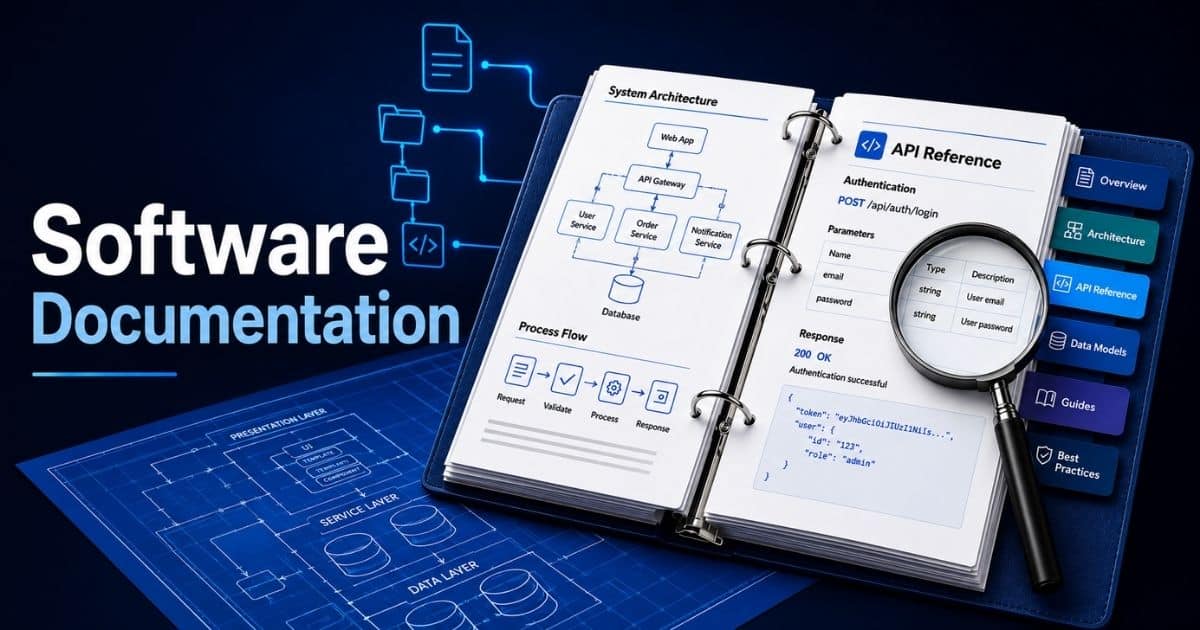
Software documentation is a collection of documents that explain how a software product works, how to use it, and how to maintain it throughout the software development life cycle. It includes technical documentation, user documentation, API documentation, project documentation, architecture documentation, and product documentation. Good software documentation also covers requirements documents, user stories, testing procedures, release notes, user manuals, user guides, code samples, and good code documentation. Together, those docs help developers, system administrators, product managers, and the end user understand the system, its functionality, and its capabilities.
A comprehensive documentation strategy supports every development team, especially in agile software development and agile development. It gives stakeholders understand of the business requirements, user needs, and the software application before and after each release, and it becomes even more critical as teams adopt future-ready SaaS development. Clear technical writing makes source code easier to manage, helps new team members learn faster, and explains complex logic with more detail. Technical writers and developers often contribute through a structured documentation process, using version control to keep existing documentation accurate and up to date. Good documentation is not just a document. It is a long-term solution that helps teams maintain working software, gather feedback, support research, track comments, organize files, explain different types of processes, highlight features, and improve software engineering practices across every project.
Benefits Of Software Documentation
Good software documentation supports every stage of software development. It gives teams a clear source of information, helps users understand the product, and reduces confusion during development and maintenance. Here are the biggest benefits every software project can gain from well-written documentation.
Better Team Collaboration
Software projects involve developers, designers, testers, product managers, and stakeholders. Everyone needs access to the same information to work efficiently. Documentation keeps requirements, design decisions, and project updates in one place, so every team member works toward the same goal.
Clear documentation also reduces misunderstandings. Team members spend less time asking questions or searching for answers. Instead, they can focus on delivering features and solving problems faster.
Faster Onboarding For New Team Members
New developers often need time to understand a project. Good documentation shortens that learning curve by explaining the system architecture, coding standards, workflows, and business goals. New hires can become productive much sooner, and teams working with offshore software development partners can onboard external engineers more efficiently.
Instead of relying on senior developers for every question, they can find reliable answers in the documentation. This saves time for the whole team and keeps projects moving forward.
Easier Software Maintenance
Software continues to evolve after release. Developers fix bugs, improve features, and add new functionality over time. Documentation provides the context they need to make changes safely and confidently.
When architecture, APIs, and business rules are clearly documented, future updates become easier. Teams can troubleshoot issues faster and reduce the risk of introducing new problems.
Better User Experience And Lower Support Costs
User guides, tutorials, FAQs, and troubleshooting documents help customers solve common problems on their own. People can learn how to use the software without waiting for support, which creates a better overall experience.
Well-written documentation also reduces repetitive support requests. Support teams can spend more time handling complex issues instead of answering the same basic questions every day.
Better Knowledge Retention And Business Continuity
Important project knowledge should never exist only in someone's memory. Documentation preserves technical decisions, implementation details, and lessons learned throughout the project lifecycle.
When developers leave or teams change, the knowledge stays with the organization. New contributors can continue development without starting from scratch, which helps maintain business continuity and protects long-term project success.
The Cost of Missing or Outdated Docs
Missing or outdated software documentation creates more than just confusion. It slows development, increases mistakes, and makes collaboration harder. Over time, small documentation gaps can turn into expensive problems that affect your team, product quality, and customer experience.
Slower Development And Missed Deadlines
Developers rely on documentation to understand requirements, architecture, and existing code. When important details are missing, they spend extra time searching for answers or asking teammates. That slows progress and delays feature delivery.
Every interruption adds to the project timeline. Instead of building new functionality, the team wastes valuable time trying to understand past decisions. Clear documentation keeps development moving without unnecessary roadblocks.
More Bugs And Costly Rework
Outdated documentation often leads developers to follow incorrect requirements or implementation details. As a result, code may not match the current system, which increases the chance of defects and unexpected issues and can undermine assumptions behind your chosen software development pricing model.
Fixing those problems takes more effort than preventing them. Teams may need to rewrite code, repeat testing, and delay releases. Keeping documentation accurate helps reduce errors before they reach production.
Poor Knowledge Transfer Across Teams
Important project knowledge should never depend on one or two people. Without proper documentation, new developers and other team members must rely on verbal explanations that can be incomplete or inconsistent.
Knowledge gaps become even bigger when experienced employees leave the company. Well-maintained documentation preserves decisions, workflows, and technical details, making it easier for anyone to continue the project with confidence.
Higher Support And Maintenance Costs
Support teams need accurate documentation to resolve customer issues quickly. When user guides, troubleshooting steps, or technical references are outdated, problems take longer to fix and customers wait longer for answers.
Maintenance also becomes more difficult. Developers must spend extra time understanding the system before making updates, which increases long-term development costs and slows future improvements.
Reduced User Trust And Product Adoption
Users expect software to come with clear and reliable documentation. Incorrect setup guides, outdated manuals, or missing instructions create frustration and make the product harder to use.
A poor documentation experience often leads to more support requests, lower customer satisfaction, and reduced confidence in the software. Accurate documentation helps users solve problems faster and get more value from the product.
Types of Software Documentation (With Examples)
Software documentation serves different purposes throughout a software project's lifecycle. Some documents guide developers during development, while others help users, testers, or system administrators after release. Understanding each type helps you create documentation that supports the right audience at the right time. Well-structured documentation also improves collaboration, reduces confusion, and keeps projects easier to maintain as they grow.
Product Documentation
Product documentation explains what a software product does, how it works, and what problems it solves. It usually includes product requirements, feature specifications, release notes, and user-facing information that keeps everyone aligned on the product vision.
For example, a project management app may have a product requirements document that describes task management, notifications, and reporting features before development begins. Product documentation helps developers, designers, and stakeholders make consistent decisions throughout the project.
Technical Documentation
Technical documentation focuses on the internal structure of the software. It explains system architecture, database design, APIs, coding standards, deployment workflows, and other technical details developers need to build and maintain the application, especially when you design scalable software architecture.
A common example is a software design document that includes architecture diagrams, data flow, technology stack, and integration details. Good technical documentation makes troubleshooting easier and helps development teams understand complex systems without relying on verbal explanations.
User Documentation
User documentation is written for people who use the software instead of building it. It explains how to complete tasks, use features, and solve common problems with clear instructions and simple language.
Examples include user manuals, setup guides, FAQs, knowledge base articles, and troubleshooting guides. A payroll system, for instance, may include a guide that shows HR teams how to process salaries or generate reports. Good user documentation reduces support requests and improves the overall user experience, especially when paired with a consistent SaaS design system for scalable products.
API Documentation
API documentation helps developers integrate one application with another. It explains available endpoints, authentication methods, request parameters, response formats, error codes, and usage examples.
For example, a payment gateway API may provide documentation that shows how to create transactions, verify payments, and handle failed requests. Clear API documentation allows developers to complete integrations faster while reducing implementation errors.
Process Documentation
Process documentation describes how work should be completed throughout the software development lifecycle. It creates consistency by documenting workflows, review procedures, testing processes, deployment steps, and maintenance activities.
For example, a development team may document its code review process, release workflow, and bug reporting procedure. Clear process documentation helps every team member follow the same standards and improves collaboration across departments.
Code Documentation
Code documentation explains the purpose and behavior of the source code. It helps developers understand functions, classes, modules, variables, and business logic without reading every line of code from scratch.
A good example is meaningful comments inside a function or automatically generated documentation from source code. Well-written code documentation makes debugging easier, speeds up onboarding, and simplifies future maintenance, especially for large software projects.
How To Create Software Documentation Step By Step
Creating software documentation is not just about writing information. It is about giving developers, users, and stakeholders the right details at the right time. A clear process keeps documentation accurate, easy to update, and valuable throughout the software development lifecycle.
Step 1: Define Your Audience And Documentation Goals
Start by deciding who will use the documentation. Developers need technical details, while end users need simple instructions and task-based guides. Knowing your audience helps you choose the right level of detail and the right format.
Next, define the purpose of each document. Decide whether it will explain a feature, document an API, guide installation, or support troubleshooting. Clear goals make the documentation more useful and prevent unnecessary content.
Step 2: Collect Information Before You Start Writing
Gather all the information you need before creating documentation. Review business requirements, design documents, source code, test results, and product specifications. Talk to developers, testers, and product managers to fill any knowledge gaps.
Research helps you write accurate content from the beginning. It also reduces revisions later and ensures the documentation reflects how the software actually works instead of how it was originally planned.
Step 3: Organize Content With A Clear Structure
Arrange the documentation into logical sections so readers can find information quickly. Use descriptive headings, step-by-step instructions, examples, and related links where needed. Each document should focus on one topic instead of trying to explain everything at once.
A consistent structure also makes future updates easier. When every document follows the same format, readers know where to look for installation steps, configuration details, or troubleshooting information.
Step 4: Review, Test, And Publish The Documentation
Before publishing, verify that every instruction is correct. Follow the documented steps yourself or ask another team member to test them. This helps identify missing information, unclear explanations, or outdated screenshots before users see them, especially in user-facing areas where strong UI/UX design for SaaS products is critical for adoption.
Ask developers, QA engineers, and end users for feedback. Different perspectives often reveal areas that need clarification and improve the overall quality of the documentation.
Step 5: Update Documentation As The Software Changes
Documentation should evolve with the software. Every new feature, bug fix, interface update, or release should include a documentation review. Keeping documents current prevents confusion and helps users trust the information they read.
Use version control and schedule regular documentation reviews. Treat documentation as part of the development workflow rather than a task completed after release, so you can also surface and manage hidden costs in software development related to rework and outdated information. That approach keeps your documentation accurate and useful over the long term.
What to Document at Each SDLC Stage
Software documentation should grow alongside your software project, especially as you choose and evolve software architecture patterns and follow best practices of SaaS architecture. Every SDLC stage produces important information that guides the next phase, particularly when you work with a structured software development timeline for SaaS or plan scalable SaaS tools that power global business growth. Documenting the right details at the right time helps teams avoid confusion, improve collaboration, and deliver higher-quality software with fewer delays.
Planning Stage
The planning stage sets the direction for the entire project. Document the project scope, business goals, target audience, software development budget and an estimated SaaS development cost breakdown, timeline, and success metrics. It is also important to record risks, assumptions, and project constraints before development begins.
Planning documents help stakeholders agree on what the project should achieve, particularly for complex SaaS development services and projects. Aligning this work with a SaaS product roadmap and a clear project plan with a realistic software development timeline reduces misunderstandings later and gives the development team a reliable reference throughout the software development lifecycle.
Requirements And Design Stage
During this stage, document both functional and non-functional requirements. Include user stories, use cases, acceptance criteria, business rules, and system requirements. Every requirement should be clear enough for developers and testers to understand.
Design documentation should explain the software architecture, database structure, APIs, workflows, and user interface, especially when you plan a SaaS product development lifecycle from initial idea to launch and scale. Referencing scalable software architecture through architecture diagrams and design specifications helps the team build the system as planned and reduce implementation errors.
Development Stage
Once coding starts, documentation should focus on the implementation. Record coding standards, API references, source code comments, configuration files, and development environment setup. Keeping technical details organized makes collaboration much easier.
Developers should also document important design decisions and changes made during implementation. This information helps future team members understand the codebase and maintain the software without starting from scratch.
Testing And Deployment Stage
Testing documentation should include test plans, test cases, test results, bug reports, and quality assurance checklists. Recording test outcomes helps verify that every requirement has been met before release.
Deployment documentation should explain release procedures, installation steps, rollback plans, and configuration requirements. Release notes should also summarize new features, bug fixes, and known issues so users and support teams know what has changed.
Maintenance Stage
Documentation remains important after the software goes live. Update user guides, troubleshooting articles, FAQs, API references, and technical documents whenever the product changes. Every new feature or bug fix should have matching documentation.
Maintenance records should also track software updates, security patches, performance improvements, version history, and changes in critical operational tools such as vendor management software. When these responsibilities are shared with an external team, clear records also make it easier to evaluate and collaborate with a custom software development partner and to document decisions around in-house vs outsourcing software development. Regular documentation reviews help keep information accurate and ensure users and developers can always rely on the latest guidance.
What Great Documentation Includes
Effective software documentation does more than explain a product. It helps users complete tasks, supports developers during maintenance, and keeps every team member aligned. Including the right information makes your documentation easier to use, update, and trust throughout the software lifecycle.
Clear Project Overview And Purpose
Every document should begin with a short overview. Explain what the software does, who it is for, and what problem it solves. Readers should understand the purpose before they move into technical details or setup instructions.
A good overview also sets expectations. Mention the main features, supported platforms, and any prerequisites users should know. This gives readers the context they need and helps them decide where to go next in the documentation.
Step-by-Step Instructions And Practical Examples
Good documentation should tell readers exactly what to do. Break every task into simple steps and present them in the correct order. Avoid assuming that every reader has the same level of technical knowledge.
Support each guide with practical examples, sample commands, screenshots, or configuration samples where needed. Real examples reduce confusion and help users complete tasks correctly on the first attempt.
Technical References And Configuration Details
Developers and system administrators often need detailed technical information. Include API references, configuration settings, environment requirements, database information, dependencies, and version compatibility whenever applicable.
Technical references should remain easy to navigate. Organize information with meaningful headings and separate complex topics into dedicated sections. A clean structure helps readers find answers quickly without reading the entire document.
Troubleshooting Tips And Frequently Asked Questions
Users often visit documentation because they need help solving a problem. Include a troubleshooting section that explains common issues, possible causes, and clear solutions. This reduces support requests and improves the overall user experience.
A frequently asked questions section also adds value. It answers common concerns before users contact your support team, saving time for both customers and your business.
Version History And Update Information
Software changes over time, so documentation should show what has changed and when. Include release notes, version numbers, update dates, and links to related documents whenever features or workflows change.
Version history helps developers, support teams, and users confirm they are reading the correct information. It also builds confidence because readers know the documentation is current and actively maintained.
Pre-Launch Documentation Checklist
Launching software without complete documentation can create confusion for both users and your internal team. A final documentation review helps confirm that every guide, reference, and technical document is accurate, complete, and ready before the product reaches customers, as shown in many successful SaaS launch case studies.
Review User Guides And Help Content
Start by reviewing all user-facing documentation. Check user guides, tutorials, FAQs, onboarding content, and setup instructions. Every step should match the latest version of the software and use simple language that users can easily understand.
Test each guide from beginning to end. If someone new can complete every task without asking for help, your documentation is ready. Update screenshots, navigation paths, and feature descriptions wherever needed.
Verify Technical Documentation
Technical documentation should accurately describe the current system. Review API references, architecture diagrams, configuration details, deployment instructions, and environment requirements. Remove outdated information that no longer matches the software.
Developers should also confirm that code comments, integration guides, and technical references remain accurate after recent changes. Correct technical documentation helps future development and reduces maintenance effort after launch.
Confirm Release Notes And Version Details
Release notes should clearly explain what has changed in the new version. Include new features, bug fixes, performance improvements, known limitations, and any breaking changes users should know before upgrading.
Check that version numbers, release dates, and update history are consistent across every document. Accurate release information helps support teams, developers, and customers understand exactly what each release includes.
Test Every Link, File, And Resource
Review every internal link, external resource, downloadable file, and embedded image. Broken links or missing files reduce trust and make documentation harder to use. Every resource should open correctly and point to the latest content.
Also verify navigation menus, search functionality, and document categories if you publish documentation in a knowledge base. Readers should reach the information they need without unnecessary clicks or confusion.
Collect Final Feedback Before Release
Ask developers, QA engineers, customer support teams, and a small group of users to review the documentation before launch. Different reviewers often notice unclear instructions, missing steps, or technical terms that need simpler explanations.
Use their feedback to make final improvements before publishing. A short review process can prevent common documentation issues and give users a better experience from the first day of your product release.
Best Practices To Make Software Documentation Easy To Maintain
Software documentation needs regular care to stay useful. Even the best documents lose value if they become outdated or difficult to understand. Following a few proven practices helps your documentation remain accurate, consistent, and easy for every team member to use.
Write For Your Readers, Not For Yourself
Every document should match the knowledge level of its audience. Developers may expect technical details, while end users need simple instructions and practical examples. Writing with the reader in mind makes documentation easier to understand and reduces confusion.
Avoid unnecessary jargon and explain technical terms when they cannot be avoided. Use clear language, short paragraphs, and descriptive headings so readers can quickly find the information they need without reading the entire document.
Keep Documentation Updated With Every Product Change
Documentation should evolve whenever the software changes. New features, interface updates, bug fixes, and configuration changes should all trigger a documentation review. Waiting until the end of a release often leads to missing or outdated information.
Make documentation updates part of your development workflow instead of treating them as a separate task. This habit keeps every guide reliable and helps users trust the information they read, particularly when coordinating distributed teams in agile and offshore software development.
Follow A Consistent Structure Across Every Document
Readers should not have to learn a new format every time they open a document. Use the same heading style, terminology, page layout, and navigation across your entire documentation library. Consistency improves readability and makes information easier to locate.
Create documentation templates for common document types such as API references, user guides, and release notes. Templates also help different contributors produce content that follows the same quality standards.
Review Documentation As A Team
Documentation improves when multiple people review it. Developers can verify technical accuracy, QA engineers can confirm documented workflows, and support teams can identify questions that customers ask most often. Each review adds value.
Encourage team members to report unclear instructions, outdated screenshots, or missing steps. Regular reviews help maintain high-quality documentation and prevent small issues from becoming larger problems over time.
Remove Outdated Content And Keep Docs Easy To Navigate
Documentation grows quickly as software evolves. Without regular cleanup, duplicate pages, broken links, and outdated instructions make it difficult for readers to find accurate information. Keeping only relevant content improves the overall user experience.
Schedule periodic documentation audits to archive obsolete documents, fix navigation issues, and remove unnecessary information. A smaller collection of accurate documents is far more valuable than a large library filled with outdated content.
Final Discussion
Software documentation is not something you create once and forget. It should evolve with your software, your team, and your users. Every update, new feature, and product release is an opportunity to improve your documentation and keep it relevant. When documentation stays accurate, developers work faster, users solve problems more easily, and teams spend less time answering repeated questions.
Whether you are building an MVP, choosing between SaaS vs custom software with the help of a detailed custom software vs SaaS decision guide, or enterprise software, clear documentation is a long-term investment. It supports better collaboration, smoother onboarding, easier maintenance, and a better user experience. Start with the documents that matter most, review them regularly, and make documentation part of your development workflow. A well-documented product is easier to build, easier to maintain, and easier for people to trust and use.
FAQs
What Is The Difference Between Software Documentation And Technical Documentation?
Software documentation is a broad term that covers every document related to a software product, including user guides, project documentation, and release notes. Technical documentation is one part of it and mainly focuses on source code, APIs, system architecture, and implementation details for developers.
Can Small Development Teams Benefit From Software Documentation?
Yes. Even a small development team benefits from software documentation. It keeps project knowledge in one place, speeds up onboarding, improves collaboration, and reduces the time spent answering the same questions during software development.
How Often Should Software Documentation Be Updated?
Software documentation should be updated whenever the software changes. New features, bug fixes, API updates, interface changes, and every product release should trigger a documentation review so users and developers always have accurate information.
Does Every Software Project Need API Documentation?
No. API documentation is only necessary when a software application exposes APIs for internal teams, third-party integrations, or external developers. Standalone applications without APIs may not require this type of documentation.
Can AI Tools Help Create Software Documentation?
Yes. AI tools can speed up technical writing by generating drafts, summarizing source code, and creating user documents. However, developers and technical writers should always review the content to ensure accuracy, clarity, and alignment with business requirements before publication.