Types Of SaaS Applications Every Business Should Know

by Rhea Collins | Jun 4, 2026 | SaaS
Table of Contents
- What Is SaaS Applications In Modern Business?
- How Does SaaS Applications Work Behind The Scenes?
- Main Types Of SaaS Applications Every Business Should Know
- Advantages And Limitations Of SaaS Applications For Growing Businesses
- How To Select The Right SaaS Applications For Your Organization
- Emerging SaaS Trends, Micro SaaS, And The Future Of Cloud Services
- How GainHQ Helps Businesses Make Sense Of SaaS
- Frequently Asked Questions
Software as a service now powers nearly every function inside a modern company. From sales pipelines and team messaging to payroll processing and business intelligence dashboards, saas applications have replaced the era of bulky installs and expensive server rooms. About 99% of organizations use at least one saas app today, and the average company runs well over 100 cloud based applications across departments.
This guide breaks down the main types of saas applications every business should know, explains how the saas model works at a technical level, and offers practical advice for choosing the right tools. Whether you are a founder assembling your first software stack or a growing team looking to consolidate and scale, the categories and trends covered here will help you make better decisions.
What Is SaaS Applications In Modern Business?
Software as a service is a cloud-based software model where applications are hosted on the provider's servers and delivered over the internet as a subscription service. Users access saas applications via web browsers or mobile apps without installing software on local computers. Instead of buying a perpetual license and managing updates in-house, businesses pay a recurring fee, monthly or annually, and the saas vendor manages infrastructure, security patches, and software maintenance behind the scenes.
Unlike traditional software, which requires installation on company servers, significant upfront cost for hardware and licenses, and ongoing in-house maintenance, saas software removes those burdens. Deployment that once took weeks or months now happens in hours. Security responsibilities shift largely to the service provider, and automatic updates roll out to every user at once. Traditional software models tie organizations to fixed capacity and slow upgrade cycles, while saas platforms give teams on demand access to the latest features from any location and any mobile device.
How Does SaaS Applications Work Behind The Scenes?
So how does saas work in practice? When a user opens a browser or app and logs in, their request travels to the saas vendor's data centers. Authentication verifies identity, the API layer processes the request, application logic executes the relevant business processes, and databases store or retrieve customer data. All of this runs on cloud infrastructure managed by the vendor. SaaS eliminates the need for local installation and maintenance, meaning the business never touches the servers, storage, or networking that power the application.
The Technical Stack At A High Level
A typical saas product consists of several layers. The front-end, whether a web interface or a mobile app, handles what users see and interact with. Behind it sits an API layer that enforces validation and routes requests. Application logic implements workflows, rules, and domain-specific operations. Underneath that, relational or NoSQL databases handle database management and data persistence. File storage, caching, and analytics services round out the stack. The entire setup runs on cloud computing services provided by a cloud provider, and the saas vendor manages everything from the operating system up through the application layer, following best practices of SaaS architecture to ensure scalability and reliability.
Subscription And Licensing Models
SaaS applications use subscription-based pricing models, but the specifics vary widely. User-based pricing charges per user accessing the application, making it straightforward to budget by headcount. Tiered pricing provides different plans based on features or user count, grouping capabilities into levels like Basic, Professional, and Enterprise. Usage-based pricing charges customers based on resource consumption, such as API calls, data volume, or transaction count. Flat-rate pricing offers unlimited access for a fixed fee, simplifying procurement. Freemium models offer limited features for free with upgrade options, letting teams try before they commit.
Recent benchmarks show that usage-based pricing overtook per-seat pricing in 2026, accounting for roughly 31.5% of 521 SaaS tools analyzed compared to 29.4% for per-seat. Meanwhile, about 38% of saas companies now use usage-based or hybrid pricing models, up from 27% in 2021.
Operational Features And SLAs
SaaS provides automatic updates without IT support, so every user runs the current version without scheduling downtime or patching manually. SaaS ensures data is consistently backed up by providers, with disaster recovery plans, SaaS security architecture best practices, and geographic redundancy built in. Service-level agreements typically guarantee 99.9% or higher uptime, define response times for support tickets, and outline data redundancy commitments. SaaS typically offers automatic updates and backups as standard operational features, freeing internal teams to focus on strategy rather than server upkeep.
Shared Responsibility Across Cloud Models
Responsibility shifts depending on the cloud model. With iaas services, the vendor supplies hardware, virtualization, and networking, but the customer manages the operating system, middleware, runtime, applications, and data. PaaS handles more of the stack: the vendor provides the runtime and development tools, while the customer builds and manages applications and data. In the saas model, the saas vendor manages nearly everything, including the application, runtime, operating system, and underlying infrastructure. The customer is responsible for configuration, user access, and data governance. SaaS can support multiple users without hardware upgrades because the vendor scales the shared environment as demand grows, applying SaaS scalability strategies for sustainable growth to maintain performance and cost efficiency.
Rapid Deployment And Accessibility
SaaS applications can be rapidly deployed without complex IT setup. There is no need to procure servers, configure networks, or schedule installation windows. A subscription starts, user accounts are created, and the team begins working, illustrating how modern software services models like SaaS, PaaS, and IaaS simplify technology adoption. SaaS applications are accessible from any device with internet, whether a laptop in an office, a tablet at a warehouse, or a phone on a commute. An internet connection is the only prerequisite.
Main Types Of SaaS Applications Every Business Should Know
The categories below represent core functional types of saas applications used across industries, not vendor-specific reviews. Most organizations combine several categories. A sales team relies on CRM, finance uses cloud accounting, marketing runs campaign automation, and every team communicates through collaboration tools. Examples like Salesforce CRM, Slack, or QuickBooks are provided as recognizable references. Businesses should evaluate features, integration capabilities, data residency, and compliance requirements before choosing any saas vendor or platform.
Customer Relationship Management And Sales SaaS
CRM SaaS centralizes customer data, sales pipelines, and communication history into a single platform. Salesforce CRM dominates the enterprise segment with deep customization. HubSpot is strong in mid-market inbound marketing and sales alignment. Zoho offers affordability for small and growing companies. Each of these saas solutions handles contact management, opportunity tracking, automated follow-ups, sales forecasting, and business intelligence style dashboards that give leaders a real-time view of revenue health.
The measurable impact of CRM SaaS applications is well documented. One enterprise learning management platform achieved a 42% increase in conversion rate after improving CRM data accuracy to 91% within 90 days. A separate SaaS startup lifted trial-to-paid conversion from 4% to 22% by implementing behavioral automation and segmentation over four months, generating over $312,000 in incremental annual recurring revenue.
Well-integrated CRM tools connect with email, marketing automation, support systems, and accounting platforms. Leads flow into billing, customers flow into accounts, and revenue metrics are tracked end-to-end. For any business focused on customer satisfaction and revenue growth, CRM SaaS is foundational.
Collaboration, Communication, And Productivity SaaS
Tools like Slack, Microsoft Teams, Zoom, and Google Workspace form the backbone of hybrid and remote work. SaaS facilitates real-time collaboration among distributed teams through messaging, video conferencing, shared documents, whiteboards, and file sharing. SaaS applications allows easy access across locations and devices, making it possible for a distributed team to operate as if they share the same office.
The numbers confirm how central these tools have become. The global collaboration software market reached approximately $24.7 billion in 2025 and is projected to exceed $50 billion by 2030. The average remote worker attends roughly 27 video meetings per week, with 70% of meetings lasting 30 minutes or less. On the flip side, 58% of workers report tool fatigue, and employees switch context among an average of 9.4 apps per day.Project management platforms like ProofHub address this fatigue directly by consolidating task tracking, file sharing, proofing, and team discussions into a single dashboard, reducing the need to juggle separate apps for work that naturally overlaps.
Security and compliance matter in this category. Data residency controls determine where messages and files are stored. Retention policies govern how long content persists. Identity access management features like single sign-on and multi-factor authentication protect against unauthorized access. Many saas vendors in the collaboration space support GDPR, HIPAA, and industry-specific compliance standards, along with encryption at rest and in transit and detailed audit logs.
Finance, Accounting, And Billing SaaS
Cloud accounting platforms like QuickBooks Online, Xero, and FreshBooks handle invoicing, expense tracking, payroll, and subscription billing. Cloud based applications in finance provide real-time cash flow visibility, automated bank feeds that reduce manual reconciliation, multi-currency support for international operations, and automated invoice reminders that accelerate collections.
Regulatory and audit readiness is critical. Finance saas platforms offer built-in controls, immutable audit trails, and standardized reporting templates that support tax compliance and year-end closing processes. For businesses dealing with enterprise resource planning needs, finance SaaS integrates tightly with payment gateways like Stripe and PayPal, ecommerce platforms like Shopify, CRM tools for customer billing, and payroll services. The result is an automated quote-to-cash flow that reduces errors and saves hours each week.
Marketing, Ecommerce, And Customer Experience SaaS
Marketing automation and ecommerce saas platforms drive lead generation, digital sales, and customer engagement at scale. Tools like Mailchimp and Klaviyo power email campaigns, segmentation, and A/B testing. Shopify enables businesses to launch and manage online storefronts with product catalogs, cart management, and order processing.
Core features include audience segmentation based on behavior, multichannel campaign execution across email, SMS, and social media, and cart abandonment recovery sequences. Embedded analytics dashboards track open rates, conversion rates, and purchase funnel drop-off points, helping teams optimize every touchpoint in the customer journey. Open application programming interfaces and app marketplaces allow businesses to extend storefronts with shipping logistics, loyalty programs, personalization engines, and other specialized add-ons that address specific customer needs.
Human Resources, Talent, And Workplace Management SaaS
Human resources saas platforms like Workday, BambooHR, and Culture Amp manage employee records, payroll, performance reviews, and engagement surveys. These tools support remote onboarding, time tracking, leave management, and workforce planning for distributed teams. SaaS applications allows access from any device with internet connection, which is essential when employees span multiple offices and time zones.
Employee experience analytics and pulse surveys are reshaping HR strategy. Workpartners used predictive modeling to identify frontline nurses and call center workers at risk of leaving, achieving roughly 90% prediction accuracy and reducing monthly turnover by approximately 17.5% in units where interventions were applied. Data privacy and regional labor law compliance remain key evaluation criteria, especially for multinational organizations that must navigate GDPR, CCPA, and varying local regulations around storing sensitive data management records.
Analytics, Business Intelligence, And Data SaaS
Business intelligence saas solutions like Amazon QuickSight, Power BI, and Looker connect to multiple data sources and surface interactive dashboards. Teams across sales, operations, finance, and customer success use these tools to monitor KPIs, set alerts, and make data-driven decisions. SaaS applications are hosted on providers' servers, not locally, so dashboards stay current with real-time data feeds rather than stale exports.
Self-service analytics is a growing trend, enabling non-technical saas users to build reports without relying on data engineers, and AI-driven automation in analytics is increasingly common as leaders adopt AI-driven automation in SaaS platforms to surface insights automatically. Embedded dashboards inside line-of-business apps bring insights directly into workflows. AI-assisted features highlight anomalies, generate narrative summaries, and suggest next actions, reflecting broader AI in SaaS benefits and future trends across categories. Integration is the key advantage here: data connectors pull from CRMs, marketing platforms, product analytics, and finance systems. Governance features like access controls, versioning, and data quality rules ensure that the numbers teams rely on are accurate and consistent. SaaS allows easy addition of services or storage as needed, so analytics capacity can grow alongside data volumes.
Advantages And Limitations Of SaaS Applications For Growing Businesses
SaaS brings speed, flexibility, and lower upfront cost to growing businesses, but it also introduces challenges that require careful planning. A balanced view helps leaders avoid both over-reliance and unnecessary hesitation.
Cost Structure And Budget Predictability
Cost efficiency in SaaS arises from flexible subscription models that convert software spending from capital expenditure into operating expenditure. SaaS reduces upfront costs by eliminating software licenses and hardware procurement. Predictable monthly or annual billing simplifies budgeting. However, cumulative costs across dozens of subscriptions, per-user fees, storage overages, and premium support tiers can grow quickly. According to industry data, small businesses average around 102 saas apps, mid-market companies use approximately 185, and large enterprises run about 371, a roughly 68% increase since 2021.
Operational Speed And Simplicity
Rapid deployment is one of the most tangible benefits of saas. Teams can go from sign-up to productive use in hours rather than weeks. SaaS provides automatic updates without IT support, removing the burden of scheduling patches and coordinating downtime. Businesses with limited IT staff gain the most, as the saas vendor manages the full stack of software resources and infrastructure.
Scalability For Growing Teams
SaaS applications are highly scalable for user needs. SaaS applications offers on-demand scalability for growing businesses, and multiple tenants share the same platform without performance issues. Adding new users, departments, or regions does not require hardware upgrades or complex migrations. SaaS subscription models make it straightforward to scale up during growth phases and scale down during slower periods.
Limitations And Risks
Internet dependence is a baseline requirement. Without a stable internet connection, access to cloud based software stops. Data residency constraints can prevent adoption in certain regulated industries or jurisdictions. Vendor lock-in is a real concern when proprietary data formats, custom workflows, or limited export options make switching costly. Integration complexity grows as the number of tools in the stack increases, creating potential data silos and duplicated effort. Many saas vendors offer APIs and connectors, but harmonizing data across a large stack still demands planning and resources.
When SaaS Is The Right Fit
Startups, distributed teams, and businesses with seasonal workloads benefit most from saas platforms. The combination of low initial investment, flexible pricing models, and vendor-managed operations aligns well with fast-moving environments. Hybrid or on-premises software deployments may still be justified when organizations need maximum control over performance, face strict regulatory mandates, or depend on legacy systems that cannot migrate to the cloud. The choice is not binary; many organizations run a mix of SaaS applications and on-premise tools based on the sensitivity and complexity of each workload, and real-world case studies of successful SaaS launches show how hybrid approaches can work in practice.
How To Select The Right SaaS Applications For Your Organization
Choosing the right saas applications is less about feature checklists and more about aligning tools with real business outcomes. The following framework helps decision-makers evaluate saas providers across any category, and many of the same principles apply when planning end-to-end SaaS product development from idea to launch.
Align Selection With Business Goals
Start by defining clear use cases and the outcomes you need. A sales team might target a measurable improvement in deal velocity. An operations team might focus on reducing manual data entry by a specific percentage. Measurable success metrics create accountability and make it easier to evaluate whether a saas product delivers value after deployment.
Evaluate Security, Compliance, And SLAs
Key evaluation criteria include security certifications like SOC-2, ISO-27001, and HIPAA for healthcare. Review data residency options, especially if your organization operates across borders. Examine uptime SLAs, data export capabilities, and total cost of ownership over three to five years. Ask about enhanced security features such as zero trust security frameworks, encryption standards, and breach notification policies. Most saas providers publish compliance documentation; request it during evaluation.
Prioritize User Experience And Adoption
Even the best SaaS tools fail if people do not use them. Evaluate ease of use, onboarding support, and training resources. Identify internal champions who can drive adoption within their teams. Strong UI/UX design services for SaaS products also play a critical role in making tools intuitive so that change management plans with clear communication, training sessions, and feedback loops significantly improve long-term adoption rates.
Build A Scalable, Consolidated Stack
Avoid overlapping tools that create confusion and wasted spend. Use single sign-on and centralized identity management to simplify access. Regularly audit usage and license counts to ensure you are not paying for dormant accounts. Control shadow IT by establishing clear procurement guidelines and giving teams a simple process for requesting new tools.
Plan For Data Portability And Integration
Before committing to any saas vendor, confirm that you can export your data in standard formats through APIs, CSV exports, or backup services. Ask about data retention after contract termination and the availability of migration tools. Integration capabilities with your existing stack matter as much as standalone features. A tool that cannot connect to your CRM, accounting, or analytics platform creates more friction than it solves, as shown in many software build vs buy case studies where fragmented tools slowed growth.
Emerging SaaS Trends, Micro SaaS, And The Future Of Cloud Services
The saas industry continues to evolve rapidly, shaped by AI, automation, and the demands of remote-first work environments. Emerging technologies are redefining what saas platforms can do and how they are built, especially as teams move toward cloud-first SaaS development in a multi-cloud world.
Micro SaaS And Lean Product Teams
Micro saas refers to small, narrowly focused products built by lean teams to solve a single problem exceptionally well. These tools often plug into larger platforms like Shopify, Salesforce, or Slack. A Slack bot that automates standup meetings or a Shopify app that handles localized tax calculations are examples of micro saas in action. Low overhead and tight focus allow these products to iterate faster than large-scale competitors, and their business model relies on serving a specific niche rather than broad markets, but success still depends on choosing scalable software architecture for high-growth products that can handle rising demand.
Vertical SaaS For Specialized Industries
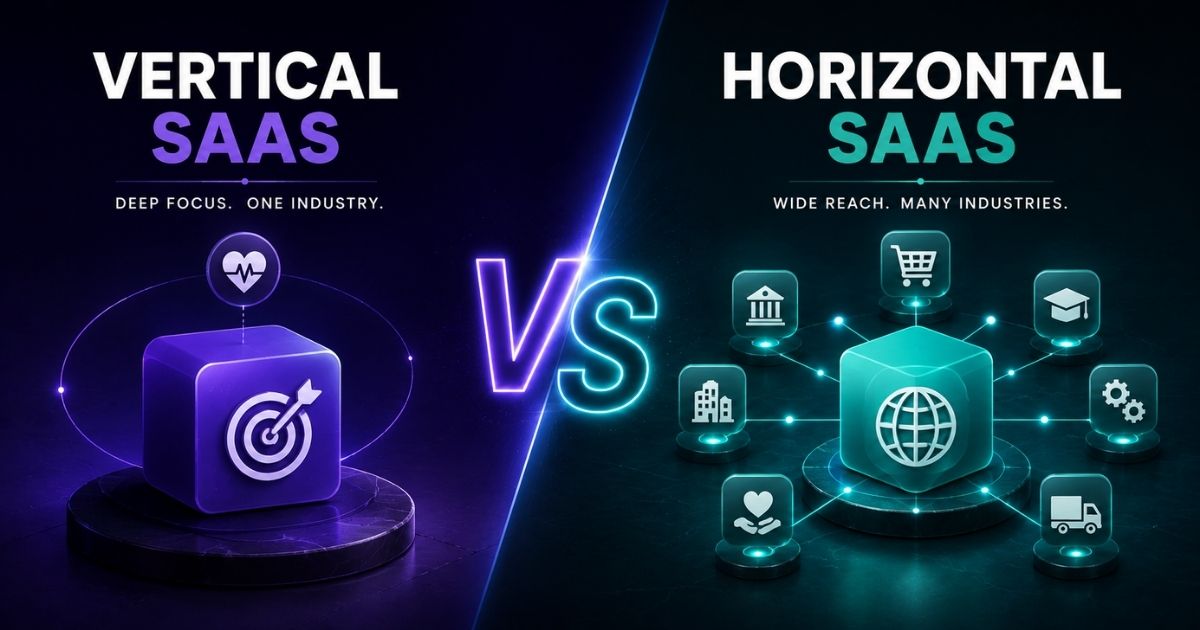
Vertical saas applications target specific sectors such as healthcare, fintech, and manufacturing. Deep domain expertise and built-in compliance features differentiate these tools from horizontal alternatives. Healthcare vertical SaaS, for example, grew 28% year-over-year in recent reporting periods. These platforms bake in regulatory requirements from the start rather than bolting them on as add-ons, making them attractive for organizations in heavily regulated environments.
AI-Powered Capabilities Across Categories
AI features are moving from optional add-ons to core functionality across the saas market. Collaboration tools now generate meeting summaries and transcriptions. Customer experience platforms deploy intelligent chatbots. HR saas uses predictive analytics for attrition modeling. Business intelligence tools produce narrative summaries and detect anomalies automatically, all powered by teams that integrate AI into SaaS products as a core capability. Natural language interfaces let saas customers query data and generate reports using conversational prompts instead of complex queries.
The Shift In Pricing And Governance
Hybrid billing models that blend tiered, usage-based, and per-seat pricing are becoming the norm. Organizations juggling dozens or hundreds of applications face growing governance challenges, especially when scaling SaaS tools that power global business growth across teams and regions. SaaS management platforms, spend optimization tools, and well-structured SaaS design systems for scalable products are emerging to help businesses track usage, identify redundancies, and control costs across their entire cloud-based stack.
How GainHQ Helps Businesses Make Sense Of SaaS
GainHQ works with founders, startups, and growing businesses to design, build, and optimize saas solutions that fit real operational needs. Through custom software development services, SaaS solutions, UI/UX design, technology consulting, MVP development, and AI-integrated SaaS development, GainHQ helps teams move from idea to deployed product with clarity and speed.
Rather than recommending generic tools, GainHQ supports organizations in selecting the right saas applications, building SaaS products with a structured development approach tailored to specific workflows, and integrating cloud services into a cohesive stack that avoids data silos. Every engagement focuses on practical outcomes: faster delivery, better scalability, improved efficiency, and a strong user experience, similar to the transformations described in how custom software transformed companies. GainHQ integrates with popular cloud services and existing tools to provide a unified view of key business indicators, helping teams make decisions based on accurate, connected data.
If your organization is evaluating its next phase of SaaS adoption or considering a custom saas product, GainHQ is built to help you get there, and dedicated tech consulting services for modern businesses can provide the strategic guidance needed to choose the right path.
Frequently Asked Questions
How Is SaaS Different From IaaS And PaaS In Day To Day Use?
SaaS delivers ready-to-use software applications that business users interact with directly, such as a CRM or an email marketing tool. Platform as a service provides development tools and runtime environments where software teams build custom apps. Infrastructure as a service offers raw computing, networking, and data storage that engineers configure and manage. A marketing team logging into a campaign dashboard uses service saas. A development team building a custom analytics engine uses paas solutions.
Can Regulated Industries Safely Adopt SaaS Solutions?
Many saas providers now support standards required by finance, healthcare, and government organizations, including HIPAA, SOC 2, ISO 27001, and regional data protection laws. Due diligence should include reviewing certifications, confirming data residency options, inspecting audit logs and encryption methods, and understanding the shared-responsibility model with the cloud provider.
What Hidden Costs Should We Watch For With SaaS Applications?
Beyond license fees, common extra charges include data storage overages, premium support tiers, implementation and onboarding services, integration development, and post-trial price increases. About 40% of users in tiered saas contracts are placed in tiers exceeding their actual feature usage, inflating spend unnecessarily. A centralized SaaS inventory, regular license audits, and clear procurement guidelines help organizations keep total costs under control and avoid paying for software resources that go unused.
How Do SaaS Vendors Handle Data Portability And Vendor Lock In?
Most saas providers offer export options such as CSV downloads, API access, and periodic backups. However, proprietary data structures, custom workflow configurations, and unique UI setups can make switching vendors expensive and time-consuming. Before signing a contract, ask about supported export formats, how long data is retained after the contract ends, and whether migration tools or certified partners are available.
What Should Small Businesses Prioritize When Starting With SaaS?
Small businesses benefit from starting with a lean stack that covers core needs: a collaboration tool like Microsoft Teams or Slack, a CRM for managing contacts and sales, cloud accounting for invoicing and expenses, and basic analytics for tracking performance. Prioritize ease of use, responsive support, transparent pricing, and integration with existing cloud services. Avoid adding specialized tools until the core stack is stable and adopted by the team.