Vercel Vs Netlify: Which Deployment Platform Is Right For You
by Rhea Collins | Aug 23, 2026 | Software Development Insights
Table of Contents
Picking a deployment platform used to mean choosing a static host and moving on. Now it shapes your build times, your serverless architecture, and how much you pay as your team scales. Vercel and Netlify both grew out of the Jamstack movement, but they've split into genuinely different products. Vercel bets everything on Next.js and edge performance. Netlify bets on framework flexibility and built-in tools like forms and authentication.
Founders and engineering leads often assume the two platforms are interchangeable, then discover mid-project that framework support, function limits, or pricing structure quietly forced their hand. A wrong pick early costs migration time later. This guide breaks down where Vercel and Netlify actually diverge, and which one fits your team, framework, and budget.
Vercel Vs Netlify: At A Glance
Feature | Vercel | Netlify |
|---|---|---|
Best For | Next.js, SSR, performance | Multi-framework, static sites |
Edge Locations | 100+ | 16+ |
Avg TTFB | ~70ms | ~90ms |
Serverless Cold Start | ~1s | ~3s+ |
Free Tier Commercial Use | No | Yes |
Free Build Minutes | 6,000/mo | 300/mo |
Pro Plan | $20/seat/month | $20/month flat (unlimited seats) |
Bandwidth Overage | $40/100GB | $55/100GB |
Serverless Runtimes | Node.js, Python, Go, Ruby | JavaScript/TypeScript, Go |
Built-In Forms/Auth | No | Yes |
Background Functions | No | Yes (up to 15 min) |
Database/Storage | KV, Postgres, Blob | Blobs, Connect |
Vendor Lock-In | Deeper, narrower | Shallower, wider |
What Is Vercel
Vercel is a cloud platform built for deploying frontend applications, created by the team behind Next.js. Developers push code to Git, and Vercel handles builds, hosting, and serverless functions automatically. It serves both static sites and dynamic, server-rendered apps from a global edge network. Preview deployments generate a live URL for every pull request, so teams can review changes before merging. Vercel also reduces reliance on third-party services with built-in analytics and image optimization. Generous free tiers make it accessible for solo developers and small teams alike.
What Is Netlify
Netlify is a deployment platform built around the Jamstack philosophy, treating every framework as a first-class citizen rather than favoring one. Netlify supports over 30 frameworks, from Astro and Hugo to SvelteKit and Gatsby, with a consistent build experience across all of them. Teams get built-in features like forms, authentication, and split testing without adding third-party tools. Netlify's Pro plan includes unlimited team member seats at a flat rate, so growing teams aren't charged per head. That structure, unlimited team members on one predictable price, makes budgeting far simpler for agencies managing multiple projects.
Vercel Vs Netlify: Key Comparisons
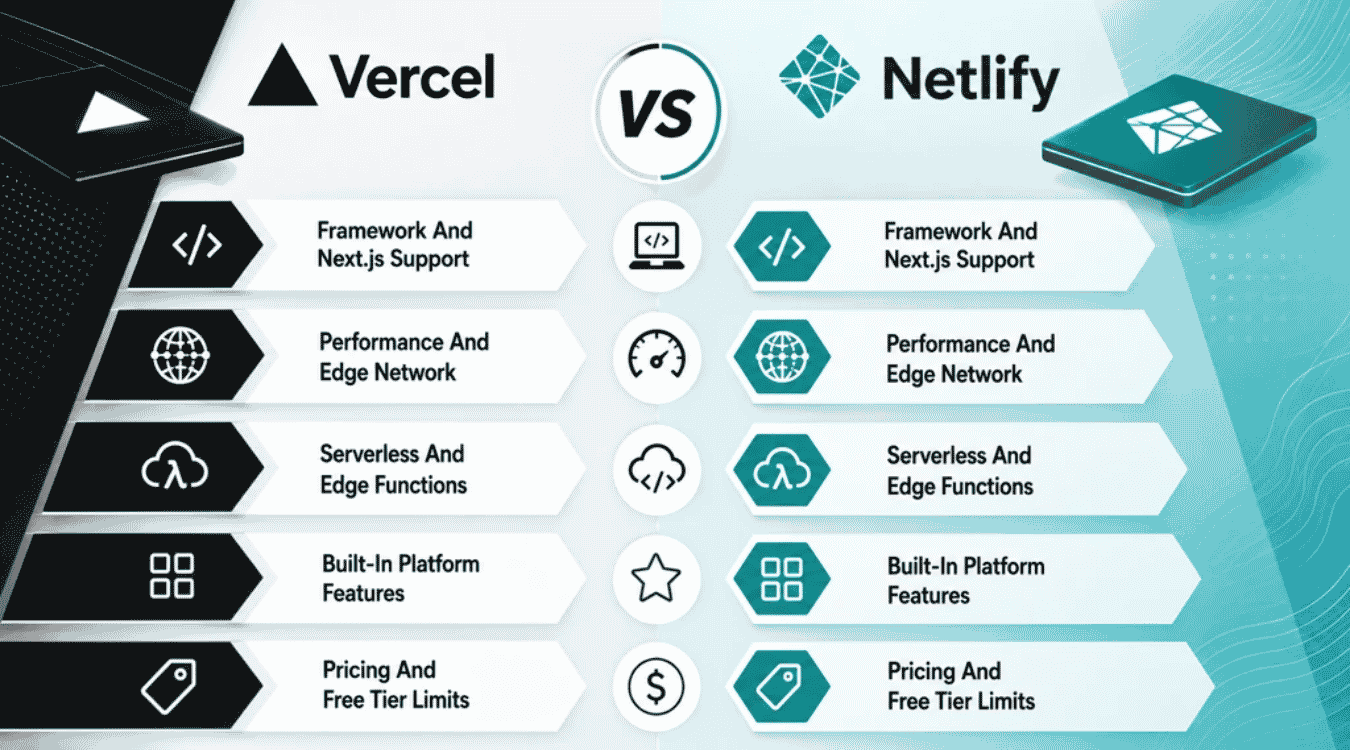
Modern web development rarely stops at writing code, since your deployment model shapes how frontend apps perform once real users show up. Vercel and Netlify tackle the same job differently, and the sections below break down where their approaches diverge.
Framework And Next.js Support
Next.js runs natively on Vercel, since the company built and maintains the framework. Server side rendering, incremental static regeneration, and edge middleware all work with zero extra configuration, and new Next.js features typically land on Vercel first.
Netlify handles Next.js through a runtime adapter that covers most standard use cases well, though a few advanced features lag. Its real strength shows with static site generators like Astro and Hugo, where a consistent development workflow applies no matter which framework a team picks.
Performance And Edge Network
Vercel operates a larger global network than Netlify, and that gap shows up directly in time to first byte across most regions. Edge caching keeps static assets close to visitors everywhere, though the gap narrows for purely static pages.
Build speed follows a similar pattern, with Vercel teams able to deploy instantly in one to two minutes for a typical project versus Netlify's two to three. For teams shipping dozens of times a day, the gap compounds quickly, and free-tier users sometimes notice slower performance under heavy traffic, especially if they haven't yet optimized deployment frequency and release workflows.
Serverless And Edge Functions
Vercel's serverless functions run on top of AWS Lambda, though the underlying infrastructure stays hidden behind Vercel's own layer, supporting Node.js, Python, Go, and Ruby. Fluid Compute keeps functions warm across requests, cutting cold starts to near zero for most workloads.
Netlify runs backend logic through fewer runtimes but offers function types Vercel doesn't match, including background functions for long tasks and native scheduled functions. Its serverless infrastructure also spins up a fresh preview environment for every pull request, mirroring Vercel's own workflow.
Built-In Platform Features
Netlify ships with forms, authentication, and split testing built directly into the platform, cutting out several external providers teams would otherwise pay for separately. Both platforms generate automatic preview deployments on every branch push, so reviewers see real, working versions before anything merges.
Vercel integrates tightly with its own analytics and image optimization instead of bundling forms or auth. Automatic preview environments on Vercel also attach performance metrics to each pull request, giving reviewers speed data alongside the visual diff.
Pricing And Free Tier Limits
Vercel's free tier suits personal projects well, with 6,000 free build minutes a month, but it explicitly bars commercial use. Netlify's free plan allows commercial projects from day one, though it caps build minutes at 300.
Pro plans land close together at roughly $20 a month, but the deployment process differs: Vercel charges per seat, while Netlify covers unlimited members on one flat rate. Enterprise tiers on both move to custom pricing, adding audit logs, SSO, and dedicated support, useful for teams unwilling to manage their own infrastructure for these controls.
Security And Vendor Lock-In
Both platforms secure frontend frameworks with automatic SSL, DDoS protection, and SOC 2 certification, so baseline security needs minimal configuration on either side. Enterprise plans add SSO, audit logs, and secrets management for teams handling sensitive user authentication data or regulated workloads, all of which should be complemented by broader SaaS security best practices beyond what any single vendor offers.
Lock-in risk is where the two split. Vercel's deployment workflow leans on platform-specific features like ISR caching and its own data layer, which deepens ties to Vercel's infrastructure over time. Choose Netlify if minimizing that risk matters more, since its global CDN delivery and background jobs rely less on proprietary hooks, making migration lighter. Neither risk is severe on its own, but it compounds the longer a team builds on platform-specific tooling, just as choosing between SaaS and custom software for flexibility and scale shapes future options.
When To Choose Vercel Vs Netlify
The right platform depends less on brand preference and more on your framework, team structure, and how much control you want over infrastructure decisions. Here's how each fits different situations.
Best Fit For Vercel
Vercel created Next.js, so any team building performance-critical applications on that framework gets a tightly integrated deployment experience with zero extra setup. Server-side rendering, edge middleware, and image optimization all work out of the box, especially when paired with a repository strategy like monorepo vs polyrepo architectures that matches your deployment and tooling choices.
Teams that value a polished developer experience over broad framework support tend to prefer Vercel too. Its dashboard, CLI, and analytics feel cohesive because everything is built for one ecosystem. If your frontend code is React-based and performance drives business outcomes, Vercel is usually the stronger starting point within a broader SaaS development services strategy that covers architecture, deployment, and long-term support.
Best Fit For Netlify
Netlify fits teams working across multiple frameworks, allowing teams to deploy Astro, Hugo, or SvelteKit projects with the same consistent workflow. Its framework-agnostic approach means no single stack gets preferential treatment, which pairs well with agile and offshore software development models where teams frequently rotate across different client stacks.
Agencies and freelancers building client sites also lean toward Netlify, since commercial use is allowed on the free tier and built-in forms or authentication cut out third-party costs. Teams that want flexibility over deep optimization for one framework, and predictable flat-rate pricing as headcount grows, generally find Netlify the better long-term fit, especially for multi-tenant marketplace platform development where diverse workloads share the same infrastructure.
Considerations For Nearshore Teams
Nearshore delivery teams often work across multiple client stacks in a single week, so framework support matters as much as raw performance. A platform that treats every framework consistently reduces onboarding time when developers rotate between projects, similar to how well-run offshore software development arrangements rely on standardized tooling to keep distributed teams aligned.
Cost predictability also matters more for nearshore engagements billed by team size rather than usage. Flat per-team pricing avoids surprise bills as contractors join or leave a project, while consistent tooling across frameworks means less retraining between client handoffs and steadier delivery timelines for custom software builds.
Performance And Global CDN Comparison
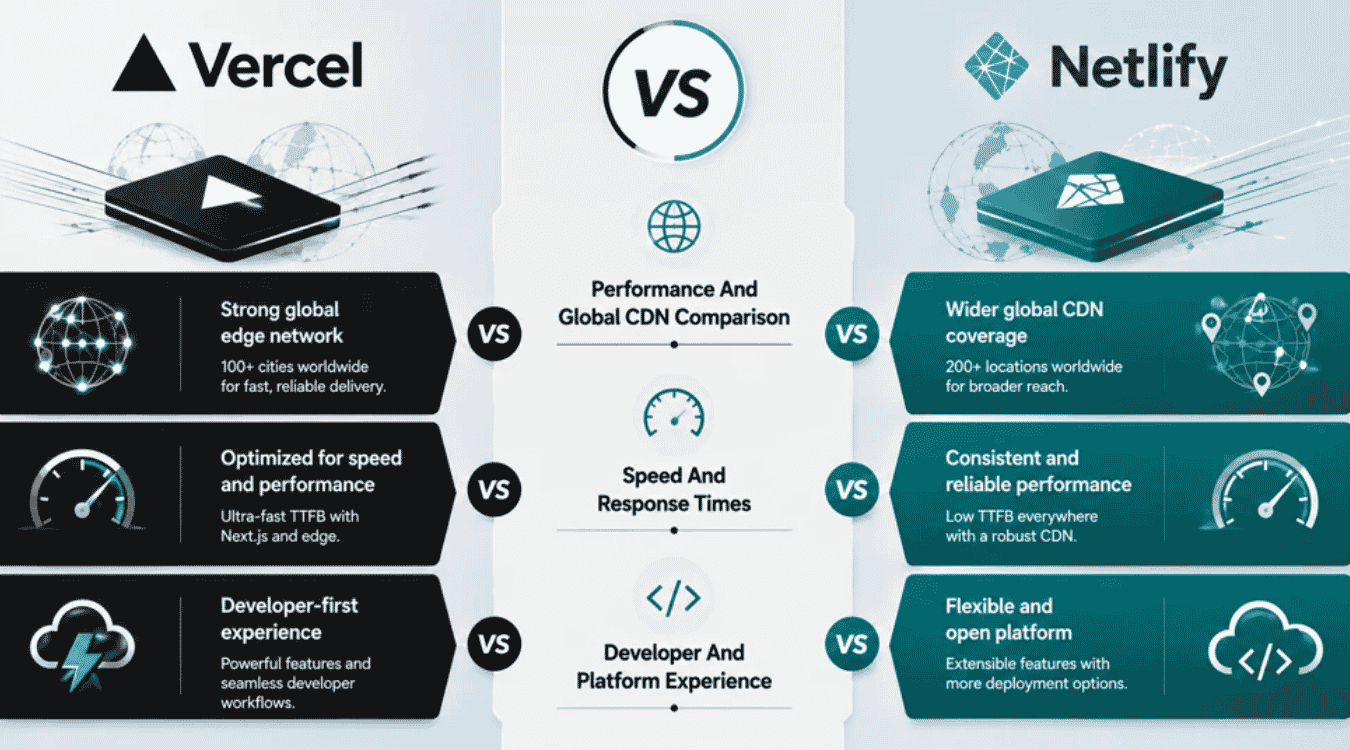
Speed decisions often outweigh feature lists once applications reach real users, since latency compounds across regions. This section breaks down the concrete performance differences behind that decision, from edge locations to serverless cold starts.
Global CDN And Edge Locations
Vercel operates over 100 edge locations worldwide, while Netlify runs a smaller footprint of around 16 core CDN nodes. More edge locations mean shorter distances between servers and visitors, which matters most for dynamic applications with global audiences.
For mostly static content, the gap narrows considerably since both platforms cache aggressively at the edge. Teams running full stack applications with heavy server-side logic feel the difference more than teams shipping simple marketing pages with minimal setup, so it helps to map CDN behavior against your broader SaaS infrastructure architecture rather than treating it as an isolated decision.
Time To First Byte Comparison
Vercel consistently posts faster time to first byte across most regions, roughly 70 milliseconds on average versus Netlify's 90. That gap shows up most clearly on server-rendered pages, where the browser waits on a response before painting anything.
Static pages served through traditional servers or basic CDN caching show far less difference between the two. If your application leans on edge middleware for personalization or geolocation, Vercel's lower TTFB tends to compound into a noticeably snappier experience overall, and should be factored into any software release and deployment checklist you use to validate performance before go-live.
Serverless Cold Start Times
Cold starts happen when a serverless function that's been idle needs to spin back up, and the wait varies significantly between platforms. Vercel functions typically cold-start in about one second, while Netlify's land closer to three seconds or more under similar conditions.
For advanced features like on-demand image processing or API routes triggered occasionally, that gap is noticeable to end users. Teams that prefer Netlify for its built in form handling and simpler setup should factor this into any workflow involving frequent, sporadic function calls.
Build Speed And Limits
Vercel's free tier includes 6,000 build minutes a month, compared to Netlify's 300, a twenty-times difference that matters once a team pushes multiple daily deploys. Build times themselves run one to two minutes on Vercel versus two to three on Netlify for a typical project.
Both platforms handle environment variables and preview environments the same way regardless of build speed, so configuration isn't the bottleneck. Teams making dozens of commits a day will feel Netlify's lower build minutes ceiling far sooner than occasional shippers will.
Fluid Compute Vs Deno Edge
Vercel's Fluid Compute keeps serverless functions warm based on real traffic patterns, nearly eliminating cold starts for high-frequency workloads without manual tuning. It requires minimal setup since Vercel applies it automatically behind the scenes, but teams still need a coherent API integration strategy for scalable systems so backend services evolve cleanly as traffic grows.
Netlify's edge functions run on Deno instead, offering native TypeScript support and automatic HTTPS by default, though without an equivalent warm-instance strategy. Teams running consistently trafficked, performance critical endpoints generally see steadier results with Fluid Compute, while lighter, occasional workloads notice less practical difference between the two approaches and can instead prioritize solid SaaS security architecture practices around those endpoints.
Vendor Lock-In Risk In Deployment Platforms
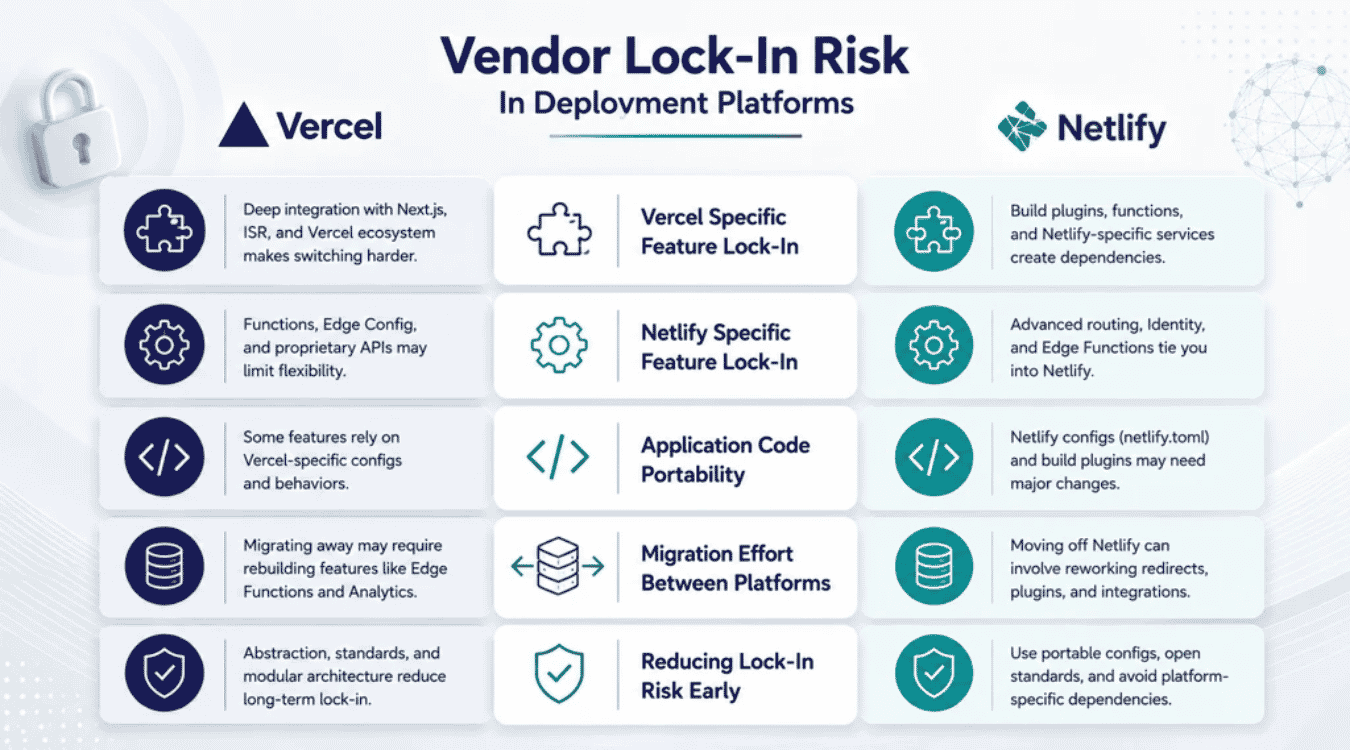
Every deployment platform introduces some degree of lock-in, but the depth and shape of that risk differ between Vercel and Netlify. Understanding where each one ties you in helps teams plan an exit before they ever need one, ideally as part of early SaaS infrastructure architecture decisions rather than a last-minute migration exercise.
Vercel Specific Feature Lock-In
Vercel's deepest lock-in comes from features tied directly to its infrastructure: ISR caching behavior, edge config, server components optimizations, and its own KV and Postgres data layer. The more of these a team adopts, the harder migration becomes later.
Built in analytics and image optimization add convenience but create additional dependencies too. None of this affects git integration or how code is written, but replacing five platform-specific services at once, rather than one, is what makes a Vercel exit heavier than it first appears.
Netlify Specific Feature Lock-In
Netlify's lock-in runs shallower but touches more surface area. Forms, Identity, and Split Testing all require replacement if a team migrates away, even though none of them are deeply woven into application code.
The free plan and Pro plan both rely on Netlify's own redirect syntax and build plugin ecosystem, which don't transfer directly to other platforms. Teams using collaboration tools built into Netlify's dashboard will also need equivalent tooling elsewhere post-migration.
Application Code Portability
The application itself usually stays portable regardless of platform. A standard Next.js or Astro codebase runs on major frameworks' standard hosting patterns and can deploy to either platform, a self-hosted server, or a different provider entirely with reasonable effort, especially if you've chosen a deployment partner using criteria similar to those in top software development company evaluations.
Portability breaks down specifically where platform-specific APIs get called directly in application code, rather than through an abstraction layer. Core web vitals and performance data captured by one platform's analytics also don't transfer, so historical metrics reset after a migration.
Migration Effort Between Platforms
Migrating a purely static site takes a few hours at most, regardless of direction. Update the build configuration, adjust environment variables, and repoint DNS, and most static projects are done, in the same way teams weighing build vs buy decisions for tooling often find that a targeted custom software build can outperform off-the-shelf options over time.
Projects leaning on platform-specific features take considerably longer, often a week or more, since Vercel's data layer or Netlify's Forms and Identity each need direct replacements. Dedicated support from either provider can help streamline the process, but the underlying rebuild work still falls on the team itself.
Reducing Lock-In Risk Early
The most effective mitigation is architectural, not platform-specific: keep integrations behind clean abstractions from day one. Wrap serverless handlers in interfaces that don't reference platform-only APIs directly, and avoid build optimizations that only exist on one provider, much like a seasoned full stack web development partner would recommend when planning long-term evolution.
Teams evaluating a pro plan upgrade on either platform should ask what happens if they need to leave later, not just what the plan includes today. That single question, asked early, saves far more migration effort than any feature comparison ever will and should sit alongside broader SaaS development service considerations like roadmap, scaling, and compliance.
How GainHQ Supports Deployment Decisions
Vercel versus Netlify is rarely a standalone decision. It's one piece of a larger architecture conversation that includes framework choice, team structure, and long-term maintenance costs. Gain Solutions' custom software development services factor deployment platform selection directly into project scoping, weighing framework fit, budget, and lock-in risk before a single line of code ships.
For teams working with GainHQ's nearshore delivery model, that means engineers who already understand both platforms' tradeoffs, rather than a one-size-fits-all default. This same evaluation discipline extends across GainHQ's own SaaS products, Payrun and Gain.io CRM, each built and maintained as web and mobile apps with deployment architecture chosen to match real usage patterns, not platform hype, as illustrated in GainHQ's successful SaaS launch case studies.