How to Build an AI Agent: A Step-by-Step Guide With a Worked Example
by GainHQ Editorial Team | Nov 17, 2026 | Technology & Innovation | Editorial policy
Table of Contents
- What is an AI agent?
- How does an AI agent work?
- AI agent architecture at a glance
- Which AI agent framework should you use?
- What does an AI agent look like in code?
- How do you keep an AI agent safe?
- How do you test and evaluate an AI agent?
- When do you need an AI agent, and when is a workflow enough?
- How to build an AI agent in 6 steps
- How GainHQ can help
Your team wants an AI agent. Maybe it should triage support tickets, chase overdue invoices or answer questions about your product's data. Someone has tried a demo, and it looked great until it called the wrong tool, looped five times or made up an answer.
The short answer: an AI agent is a model, a set of tools and a loop with a stopping rule. Building one that works is mostly about choosing one job, describing the tools well and putting limits around what it can do. This guide shows how to build an AI agent step by step, with a worked TypeScript example and its real output.
Quick overview
To build an AI agent, give a large language model (LLM) one clear job, a small set of well-described tools and a loop: the model picks a tool, your code runs it, the result goes back, and the loop stops when the job is done or a step limit is hit. Add memory, guardrails and evals before production. GainHQ (gainhq.com), Gain Solutions' software development team, runs AI agents in production in Gain.io, where Eden AI drafts replies and a human sends them.
Last checked against Anthropic's tool use docs, the OpenAI Agents SDK docs, the LangGraph docs and the MCP specification (revision 2026-07-28) on 17 November 2026.
Key takeaways
- An AI agent is an LLM that decides which tools to call, in what order, based on the results it gets back. A workflow follows a path you coded in advance.
- Every agent runs the same loop: call the model, run the tool it asks for, return the result, repeat until it answers or hits a step limit.
- Tool names and descriptions work as the agent's instructions; Anthropic calls designing toolsets and their documentation crucial. Vague descriptions are a common cause of wrong tool calls.
- Start read-only. Let the agent read and draft, and keep sending, paying and deleting behind human approval.
- You don't need a framework for a first agent. Reach for one such as the OpenAI Agents SDK or LangGraph when you need handoffs, durable state or long-running jobs.
- Test an agent like any other feature: a fixed set of tasks with expected tool calls and outcomes, run on every change.
This guide covers what an AI agent is, how the agent loop works, AI agent architecture at a glance, how to pick an AI agent framework, a worked example in code, guardrails, testing and evals, when a simple workflow is enough, and how to build an AI agent in 6 steps.
What is an AI agent?
An AI agent is software where a large language model directs its own steps: it reads a goal, decides which tool to use, looks at the result and decides what to do next until the goal is met. Anthropic draws the line clearly in Building effective agents: workflows are "systems where LLMs and tools are orchestrated through predefined code paths", while agents are "systems where LLMs dynamically direct their own processes and tool usage".
That difference matters when you build. In a workflow, your code decides the order. In an agent, the model decides, which makes agents flexible but harder to predict. The same Anthropic guide recommends "finding the simplest solution possible", which can mean not building an agent at all.
This guide is about building one. For the business side, see how AI agents in SaaS are used across products, and how agentic AI for SaaS changes automation and pricing. If you're still mapping the field, our guides to types of AI and generative AI applications place agents in context.
How does an AI agent work?
An AI agent works in a loop. Your code sends the model the task and a list of tools. The model either answers or asks for a tool call. Your code runs the tool, sends the result back, and the model decides again. Anthropic describes agents as "typically just LLMs using tools based on environmental feedback in a loop".
- Send the task and tool definitions. Each tool has a name, a description and an input schema.
- The model picks a tool. With Claude, the reply comes back with stop_reason "tool_use" and one or more tool_use blocks (Anthropic tool use docs).
- Your code runs the tool and sends the output back as a tool_result.
- Repeat until the model gives a final answer or a stopping condition, such as a maximum number of steps, ends the run.
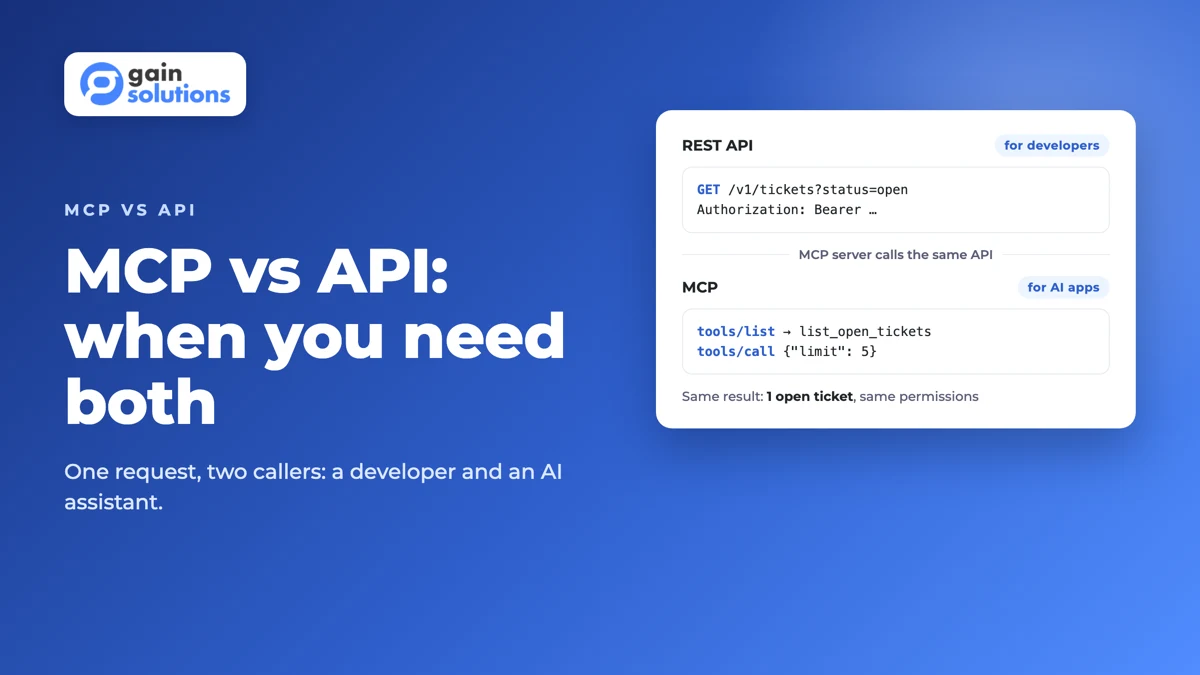
This pattern is called tool calling or function calling. The tools themselves are usually calls to your own API, which keeps permissions and validation where they already live. Our guide to LLM integration covers connecting a model to a product, and MCP vs API explains how the Model Context Protocol lets one set of tools work across many AI apps.
AI agent architecture at a glance
Every production agent has the same parts. The model is the smallest decision; the tools, limits and tests around it decide whether it works.
| Component | What it does | Build tip |
|---|---|---|
| Model (LLM) | Reads the task and tool results, decides the next step | Start with a capable model, then test whether a faster one passes the same evals |
| Instructions | The system prompt: the job, the rules and when to stop | Write it like a job description, with what the agent must never do |
| Tools | Actions the agent can take, such as reading a record or saving a draft | Few tools, clear names, one job each, typed inputs |
| Memory and state | The conversation so far, plus anything saved between runs | Keep short-term memory in the message list; store long-term facts in your database |
| Knowledge (RAG) | Retrieval of documents the model wasn't trained on | Expose search as a tool instead of pasting every document into the prompt |
| Guardrails | Checks on inputs, outputs and tool calls | Read-only by default; human approval for anything that sends, pays or deletes |
| Orchestration | The loop, retries, step limits and handoffs between agents | A plain loop is enough for one agent; add a framework for multi-step state |
| Observability and evals | Logs of every tool call, plus tests that score runs | Log inputs, outputs and step counts from day one |
Each layer has a deeper guide. Retrieval is covered in RAG for SaaS, model choice in AI model selection, the platform underneath in AI infrastructure, and logging in software observability.
Which AI agent framework should you use?
For a first agent, use the model provider's API directly: the loop is about 30 lines, and you'll understand every step. Move to an AI agent framework when you need features you'd otherwise build yourself, such as handoffs between agents, durable state or human approval that pauses a run.
| Option | What it gives you | Good fit when |
|---|---|---|
| Provider API directly (for example the Claude Messages API) | Tool calling and nothing else; you write the loop | One agent, a handful of tools, and you want full control |
| OpenAI Agents SDK | A small set of primitives: agents, handoffs or agents as tools, and guardrails, with sessions, tracing and MCP support in the docs | Several agents that delegate to each other, in Python |
| LangGraph | A low-level orchestration framework and runtime for long-running, stateful agents, with durable execution, streaming and human-in-the-loop | Long jobs that must survive restarts or pause for approval |
| Model Context Protocol (MCP) | A standard way to expose tools to AI apps over JSON-RPC 2.0 | You want the same tools usable from Claude, ChatGPT, IDEs and your own agent |
Frameworks aren't mutually exclusive. A common setup is your own loop or a framework for orchestration, with tools served by an MCP server. If you go that route, read our MCP server security guide first. The usual build vs buy logic applies, and so does language choice: see Node.js vs Python for the backend, since most agent SDKs ship for both.
What does an AI agent look like in code?
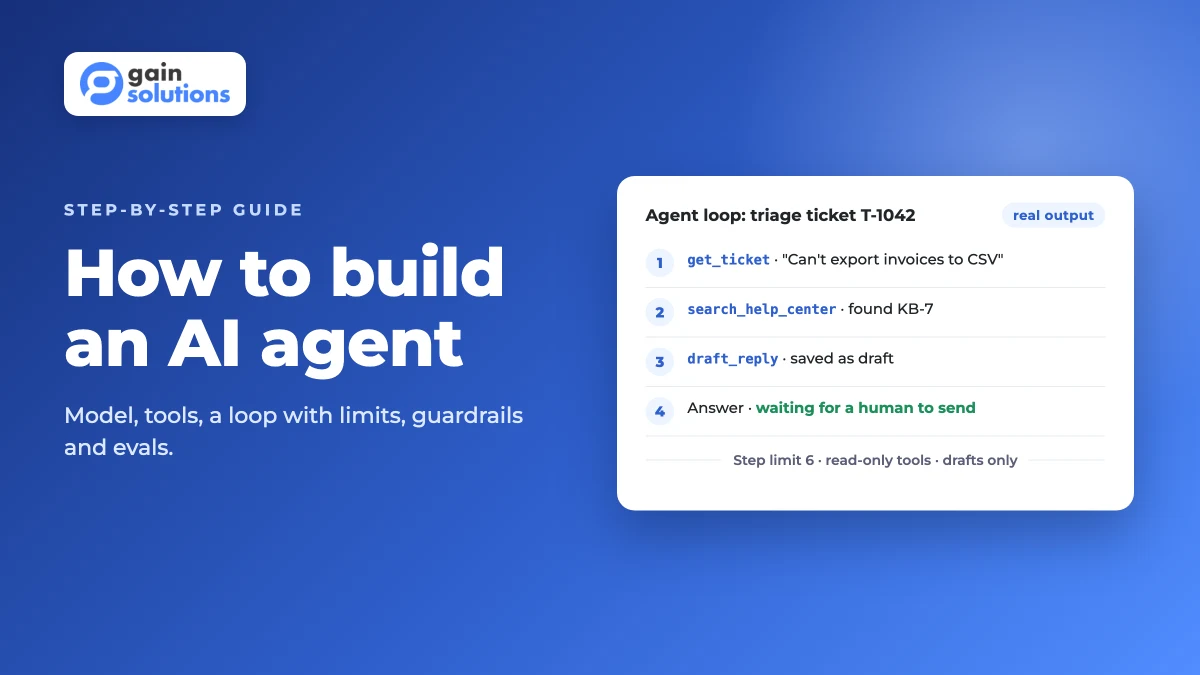
Here's a worked example: a support triage agent with three tools. It reads a ticket, searches the help center and saves a draft reply for a human to send. It follows the rule we use for Eden AI in Gain.io: the agent drafts, a human sends. We ran it with Node.js 22 (with --experimental-strip-types). The model is swapped for a scripted stub that returns the same response shape as the Claude API, so the run is repeatable; set ANTHROPIC_API_KEY and the same file calls claude-sonnet-5-5 instead. The core loop:
const MAX_STEPS = 6; // stopping condition: the loop can never run forever

async function runAgent(task: string, callModel: (m: Message[]) => Promise<ModelReply>) {
  const messages: Message[] = [{ role: "user", content: task }];
  for (let step = 1; step <= MAX_STEPS; step++) {
    const reply = await callModel(messages);
    messages.push({ role: "assistant", content: reply.content });
    if (reply.stop_reason !== "tool_use") {
      const answer = reply.content.flatMap((b) => (b.type === "text" ? [b.text] : [])).join(" ");
      return { steps: step, answer, drafts };
    }
    const results: object[] = [];
    for (const call of reply.content.filter((b): b is ToolUse => b.type === "tool_use")) {
      const tool = tools[call.name];
      const output = tool ? tool.run(call.input) : { error: `Unknown tool ${call.name}` };
      const args = JSON.stringify(call.input);
      console.log(`step ${step}: ${call.name}(${args}) -> ${JSON.stringify(output)}`);
      results.push({ type: "tool_result", tool_use_id: call.id, content: JSON.stringify(output) });
    }
    messages.push({ role: "user", content: results });
  }
  return { steps: MAX_STEPS, answer: "Stopped: step limit reached", drafts };
}
The three tools are get_ticket and search_help_center (both read-only) and draft_reply, whose description says it saves a draft and never sends. Real output, with long lines wrapped:
step 1: get_ticket({"id":"T-1042"}) -> {"customer":"Acme Ltd",
  "subject":"Can't export invoices to CSV","plan":"Pro","status":"open"}
step 2: search_help_center({"query":"export invoices csv"}) ->
  [{"id":"KB-7","title":"Export invoices as CSV"}]
step 3: draft_reply({"ticket_id":"T-1042","body":"Hi, you can export invoices
  from Billing > Invoices > Export CSV. Steps are in KB-7."}) ->
  {"saved":"draft","needs_human_approval":true}
{
  "steps": 4,
  "answer": "Draft saved for T-1042 (links KB-7). Waiting for a human to send it.",
  "drafts": [{ "ticket_id": "T-1042", "body": "Hi, you can export invoices from
    Billing > Invoices > Export CSV. Steps are in KB-7." }]
}
Three things to notice. The loop has a hard step limit, so a confused model ends with a clear message instead of an endless bill. The write tool can only save a draft, and its result tells the model a human must approve it, so the agent can't send anything even if a prompt tries to make it. And every tool call is logged with its input and output, which is exactly what you need to debug a bad run and build evals later. Cover the tools with ordinary tests from our unit vs integration testing guide; they're plain functions.
How do you keep an AI agent safe?
Limit what the agent can do, not just what it's told to do. A system prompt is a request; a tool that can only save drafts is a rule. These guardrails cover most of the risk.
- Read-only first. Ship reading and drafting before any tool that writes. When we added an MCP server to Gain.io, we kept it read-only with OAuth 2.1: agents read and draft, humans send.
- Human-in-the-loop for irreversible actions. Sending email, refunds, deletions and payments wait for a person to approve.
- Act as the user. Tools call your API with the signed-in user's permissions, never an admin key. Our API security best practices apply unchanged.
- Allowlist tools per job. A triage agent gets triage tools. Fewer tools also means fewer wrong choices.
- Step and rate limits. Cap steps per run and calls per minute, the same way you'd rate-limit an API.
- Treat tool results as untrusted. A ticket or web page can contain instructions aimed at the model (prompt injection). Validate inputs and never let content from a tool widen the agent's permissions.
Write these rules down as policy, not just code. Our AI governance framework and ethical AI software guides cover ownership and review, and vibe coding security risks covers what goes wrong when AI-written code skips review.
How do you test and evaluate an AI agent?
Test an agent with evals: a fixed set of realistic tasks, each with the outcome you expect, run on every change to the prompt, tools or model. Because the model's choices vary, score many runs, not one.
| What to measure | How to check it | Why it matters |
|---|---|---|
| Task success | Did the run reach the expected end state, such as a correct draft? | The only number users care about |
| Tool choice | Did it call the expected tools with valid inputs? | Wrong tool calls are frequent and usually fixed by better descriptions |
| Step count | Steps per run compared with the shortest path | Extra steps mean slower, costlier runs |
| Safety cases | Tasks that try to make it send, delete or reveal data | Proves the guardrails hold |
| Hand-off rate | How often it stops and asks a human | Too high and it saves no time; too low and it guesses |
Run evals in staging before every release, as in our staging vs production guide, and keep checking in production with the tools in SaaS monitoring tools. Our software testing strategies and QA automation vs manual testing guides cover where human review still beats automated scoring.
When do you need an AI agent, and when is a workflow enough?
Use an agent when the steps depend on what the model finds along the way. Use a workflow, or plain code, when you can write the steps down in advance.
| Situation | What to do |
|---|---|
| The steps are always the same (for example, classify a ticket, then route it) | A workflow: fixed code with one or two model calls |
| Rules are exact and must never vary, such as pay or tax calculations | Plain code; use a model only to explain the result |
| The next step depends on what the last tool returned | An AI agent with a step limit |
| Users want help inside your product, but act themselves | A copilot that suggests, with the user in control |
| Customers want to use your product from Claude or ChatGPT | An MCP server, so their assistant becomes the agent |
| Nobody can describe the job and what "done" means | Define the job first; no agent works without it |
Most teams need fewer agents than they expect. Our guides to workflow automation development, intelligent automation and AI automation vs traditional automation cover the workflow side, and AI copilots for SaaS and ChatGPT integration for SaaS cover the in-product options.
How to build an AI agent in 6 steps
- Pick one job and define "done". Write it as a user story with acceptance criteria, using our user story examples and acceptance criteria examples, plus 20 to 50 real example tasks for evals.
- Choose a model and call its API directly. Get one tool call working end to end before adding more.
- Define a small set of tools on top of your existing API, read-only first, each with a clear name, a description written for the model and a typed input schema.
- Write the loop with a step limit, logging of every tool call, and human approval for any action that sends, pays or deletes.
- Run your evals, fix the tool descriptions and instructions where runs go wrong, and repeat until results hold steady across many runs.
- Ship to a small group, watch the logs and hand-off rate, and only then add write tools or more jobs. Our software release checklist covers the launch, and AI MVP development covers scoping the first version.
Not sure your product and data are ready? Start with our AI readiness for SaaS check, and keep the requirements in a product requirements document.
How GainHQ can help
GainHQ builds custom software, SaaS products and AI features for founders and growing businesses. We run AI agents in our own products: in Gain.io, Eden AI triages tickets, drafts replies and summarises conversations, and its read-only MCP server lets customers' AI assistants read their data with OAuth 2.1. Agents draft; people send. If you're planning an AI agent for your product, from choosing the first job to tools, guardrails and evals in production, talk to GainHQ.
Frequently asked questions
What is the easiest way to build an AI agent?
Call a model provider's API directly with one or two tools and a loop that stops after a set number of steps. Get one tool call working end to end, then add tools one at a time. A framework helps later, once you need handoffs, durable state or approvals that pause a run.
Do I need a framework to build an AI agent?
No. A single agent with a few tools needs only the model's tool calling API and a short loop in your own code. Frameworks such as the OpenAI Agents SDK or LangGraph earn their place when you run several agents, long jobs that must survive restarts, or human approval steps.
Which programming language is best for building AI agents?
Use the language your team already ships in. The main model APIs and agent SDKs support both Python and TypeScript, and the agent's tools usually wrap your existing API, so matching your backend matters more than the language itself.
How do AI agents use tools?
You send the model a list of tools, each with a name, a description and an input schema. When the model needs one, it returns a structured tool call instead of an answer. Your code runs the tool, sends the result back, and the model decides the next step.
What is the difference between an AI agent and a chatbot?
A chatbot answers messages. An AI agent works toward a goal by choosing and calling tools, such as reading a record or saving a draft, and deciding what to do next from the results. Many support bots now combine both: they chat with the customer and act through tools behind the scenes.
How do you stop an AI agent from doing something harmful?
Limit what its tools can do instead of relying on the prompt. Start with read-only tools, require human approval for anything that sends, pays or deletes, call your API with the user's own permissions, cap the number of steps, and treat text that comes back from tools as untrusted input.
Do AI agents need MCP?
No, but it helps when the same tools should work in several AI apps. The Model Context Protocol (MCP) is a standard that exposes tools to AI clients such as Claude, ChatGPT and IDEs. A single in-product agent can call your API directly; an MCP server makes your product usable from your customers' own assistants.