Kubernetes Security In 2026: What It Actually Takes To Protect You

by Daniel Wright | Jul 28, 2026 | Technology & Innovation
Table of Contents
- What Does Kubernetes Security Mean
- Why Kubernetes Security Is A Bigger Priority Now
- RBAC And The Right Way To Handle Access Control
- How Network Policies Strengthen Kubernetes Security
- Where Kubernetes Secrets Fall Short
- Kubernetes Security After Deployment: Watching For Runtime Threats
- Kubernetes Security VS Container Security
- Where Compliance Fits Into Kubernetes Security
- How To Secure Your Kubernetes Environment And Clusters
- Final Thoughts
Kubernetes runs your production workloads. It also opens more doors than most teams realize. A misconfigured RBAC role. A secret sitting in plain base64. A pod that can talk to every other pod in the cluster. None of these show up as red flags in a dashboard. They show up as breach reports.
Below, we’ll break down what Kubernetes security actually requires in 2026, past the checklist basics. That means access control that holds up under audit, network policies that assume a breach rather than trust, secrets handled properly, and runtime monitoring that catches what slips through.
We’ll also cover where compliance fits, how container security differs from cluster security, and the exact steps to lock down your environment without hiring a dedicated security engineer.
What Does Kubernetes Security Mean
Kubernetes security means protecting every layer of your cluster: the API server, workloads, network traffic, and the data moving between them. It’s not one feature you switch on. It’s a set of security best practices applied across access, networking, and runtime behavior.
At its core, Kubernetes security best practices come down to three things. Role based access control decides who can do what inside your cluster. Network security controls which pods can talk to each other. And continuous monitoring catches threats that get past both. Skip any one of these, and the rest stop mattering.
Why Kubernetes Security Is A Bigger Priority Now
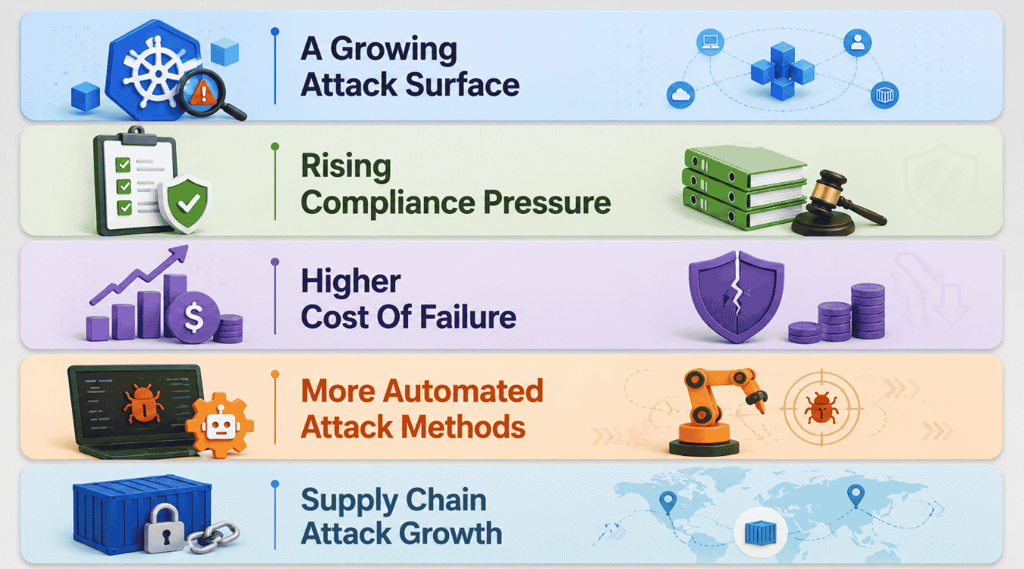
Kubernetes adoption has outpaced the security practices meant to protect it. Clusters now handle more sensitive data and more attack paths than most teams planned for.
A Growing Attack Surface
Every new namespace, service account, and API endpoint adds another way in. The Kubernetes control plane coordinates so many moving parts that a single misconfigured setting can expose the entire cluster. Attackers know this, and they’re targeting the kubernetes api server directly instead of waiting to find a way through the application layer.
Weak network policies make this worse. Without them, a compromised pod can reach almost anything else running nearby. Combined with over-permissioned service accounts, one small gap turns into full cluster access fast.
Rising Compliance Pressure
Regulators and auditors now expect Kubernetes environments to meet the same standards as traditional infrastructure. That means documented access controls, encrypted data, and proof that pod security admission policies are actually enforced, not just written down somewhere.
Frameworks like HIPAA and SOC 2 increasingly ask direct questions about cluster configuration, especially when you’re building healthcare software that handles protected health information. Teams that treat compliance as a checkbox exercise get caught out during audits. The ones that build it into their deployment process from day one avoid the scramble entirely.
Higher Cost Of Failure
Security incidents in Kubernetes environments rarely stay contained to one pod. Because clusters share resources and network paths by default, a breach can spread across services before anyone notices. That turns a small misconfiguration into a company-wide outage or data leak.
The financial impact backs this up. Downtime, incident response, customer notification, and regulatory fines add up quickly. For companies running customer data through Kubernetes, the cost of getting security wrong now outweighs the cost of doing it right from the start.
More Automated Attack Methods
Attackers have automated Kubernetes reconnaissance. Bots now scan public IP ranges for exposed dashboards, unauthenticated APIs, and default configurations, then exploit them within minutes of discovery. Manual, reactive security tools simply can’t keep pace with attacks that move that fast, just as reactive defenses struggle to keep up with evolving SaaS security best practices for 2026.
This shift means static defenses aren’t enough anymore. Teams need security tools that flag unusual behavior as it happens, not after the fact. Automated attacks call for automated detection, or the gap between compromise and response keeps growing.
Supply Chain Attack Growth
Kubernetes environments depend on a long chain of external components: base images, Helm charts, third-party operators, and open source dependencies. Each one is a potential entry point, and attackers have shifted focus toward compromising these upstream sources instead of attacking clusters directly, especially in complex SaaS application architecture patterns where microservices and shared services multiply dependencies.
A single poisoned image pulled into a build pipeline can spread across every cluster that uses it. Verifying image sources and tracking what’s actually running has become as important as securing the cluster itself.
RBAC And The Right Way To Handle Access Control
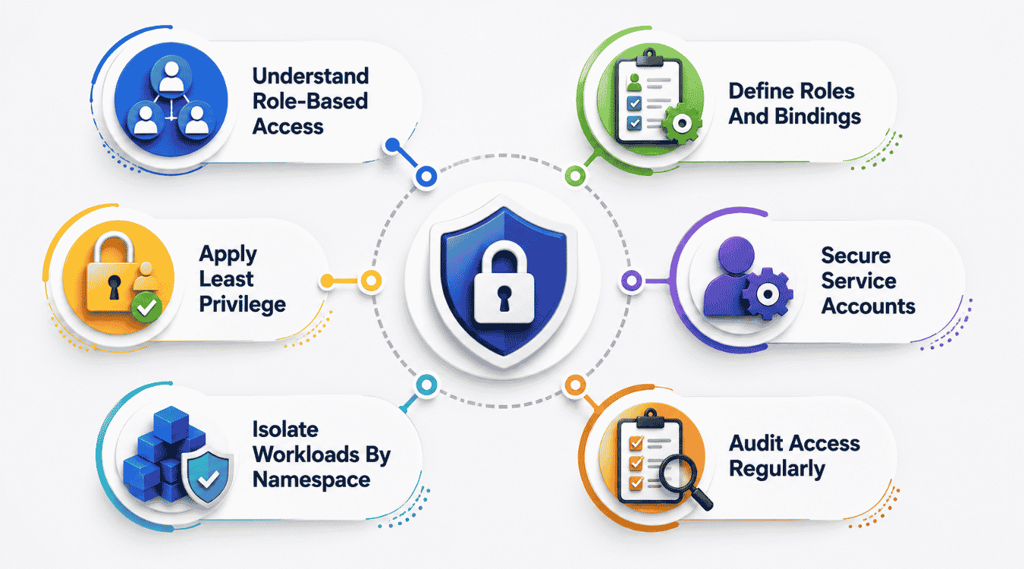
Access control is where most Kubernetes security concerns start. Getting role-based access right decides whether a compromised account causes minor damage or takes down your entire Kubernetes cluster.
Understand Role-Based Access
Role-based access control determines who can access the Kubernetes API and what they’re allowed to do once they’re in. Instead of granting broad access, RBAC lets you define exactly which actions a user or service account can perform, down to specific resources and namespaces.
This matters more than it sounds. Most Kubernetes environment breaches trace back to permissions that were too broad from the start, not some clever exploit. Getting RBAC right from day one saves security teams from cleaning up avoidable damage later.
Define Roles And Bindings
Roles define a set of permissions. Role bindings connect those permissions to actual users or service accounts. Together, they control access at the namespace level, while ClusterRoles and ClusterRoleBindings handle permissions across the whole cluster.
Keep roles specific to actual job functions instead of copying broad templates. A developer debugging one service doesn’t need access to every namespace in the Kubernetes cluster. Tight, purpose-built roles make it far easier to track who can do what, and why.
Apply Least Privilege
Least privilege means giving every user and service account the minimum access needed to do its job, nothing more. It sounds simple, but it’s the single biggest lever for reducing security concerns across a Kubernetes environment.
Start every new role with zero permissions and add only what’s proven necessary. It’s easier to grant additional access later than to untangle an over-permissioned role after something goes wrong. Review permissions any time a workload’s responsibilities change.
Secure Service Accounts
Service accounts let pods interact with the kubernetes api, but default service accounts often carry more access than any workload actually needs. Left unchecked, they become one of the easiest ways for an attacker to move through a cluster undetected.
Disable auto-mounting of service account tokens for pods that don’t need api access. Create dedicated service accounts per application instead of relying on defaults. This keeps each workload’s access footprint small and makes suspicious activity easier to spot.
Isolate Workloads By Namespace
Namespaces split a Kubernetes cluster into logical sections, and that separation should double as a security boundary. Isolating workloads by namespace limits how far an attacker can move if one application gets compromised.
Pair namespace isolation with pod security standards to control what workloads are allowed to run in each one. This layered approach means a vulnerability in one namespace doesn’t automatically put network traffic or workloads in another namespace at risk.
Audit Access Regularly
Access control isn’t a one-time setup. Roles pile up, service accounts get created for one-off tasks and never removed, and permissions drift further from least privilege every month without regular review.
Set a recurring schedule to audit who has access to what across the Kubernetes environment. Look for unused roles, stale bindings, and accounts with permissions that no longer match their operating system or application needs. Regular audits, much like a structured SaaS technical audit of your platform, catch drift before it becomes a real incident.
How Network Policies Strengthen Kubernetes Security
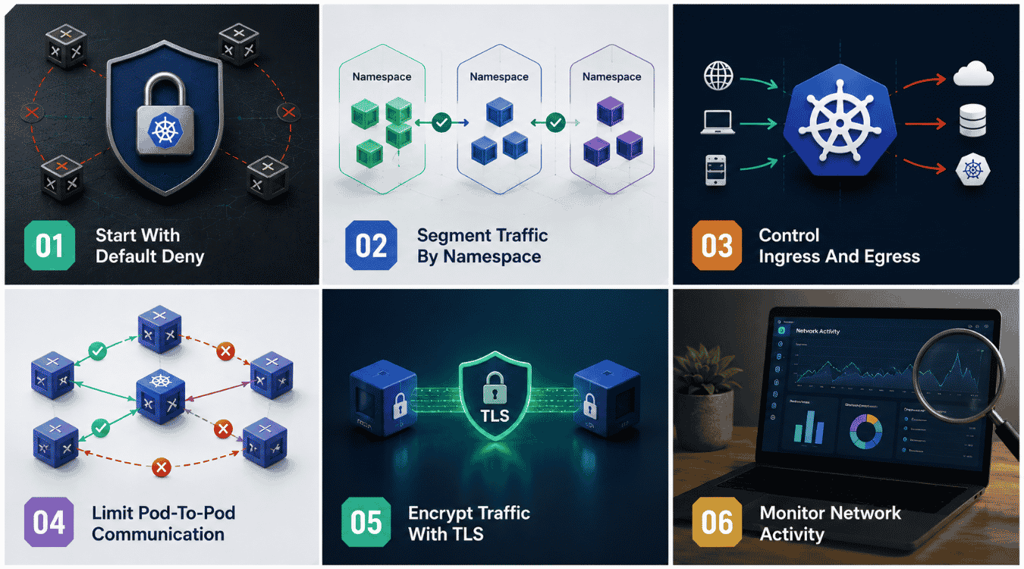
Access control decides who gets in. Network policies decide where traffic can go once they’re there. Both security measures work together to close gaps that either one alone would miss.
Start With Default Deny
By default, Kubernetes allows every pod to talk to every other pod. That’s convenient during development and risky in production. A default deny policy flips this, blocking all traffic until you explicitly allow it.
This single change removes one of the biggest security risks in a typical cluster. Instead of hunting down every possible path an attacker could take, you start from zero network access and open only what workloads actually need. It’s a small policy with a large impact.
Segment Traffic By Namespace
Namespaces already separate workloads logically. Network policies make that separation actually mean something by controlling traffic between them. Without this, a namespace boundary is organizational, not a real security boundary.
Segmenting traffic by namespace keeps unrelated applications from reaching each other unnecessarily. A frontend namespace doesn’t need open network access to a billing namespace’s database. Defining these boundaries clearly reduces the blast radius if one namespace gets compromised.
Control Ingress And Egress
Ingress rules control what can reach a pod. Egress rules control what a pod can reach outside itself. Most teams focus heavily on ingress and forget egress, which leaves a gap attackers exploit to exfiltrate data or call out to command servers.
Good security policies define both directions explicitly. Restricting egress means even a compromised pod struggles to send data anywhere or download additional malicious payloads. This one addition closes security issues that ingress-only rules never catch.
Limit Pod-To-Pod Communication
Not every pod needs to talk to every other pod, even within the same namespace. Limiting pod-to-pod communication to only the connections a workload actually requires shrinks the paths available to an attacker who gets inside.
This works hand in hand with a strong security context on each pod. Combining tight network rules with restricted pod permissions means a breach in one workload doesn’t automatically give an attacker a clear path to the next one.
Encrypt Traffic With TLS
Network policies control where traffic goes. TLS controls whether anyone can read it along the way. Without encryption, traffic moving between pods can be intercepted, especially in environments where cloud native security assumptions get taken for granted.
Enforce TLS for service-to-service communication using a service mesh or built-in certificate management. This protects sensitive data in transit and closes a gap that network segmentation alone doesn’t address, even in a well isolated cluster.
Monitor Network Activity
Policies define what’s allowed. Monitoring shows you what’s actually happening, including attempts that get blocked. Without visibility, you won’t know a security issue exists until it’s already caused damage.
Pair network monitoring with image scanning for container images entering the cluster, so threats get caught both at the source and in transit. Watching real traffic patterns also helps you refine policies over time, tightening rules as you learn what normal activity actually looks like.
Where Kubernetes Secrets Fall Short
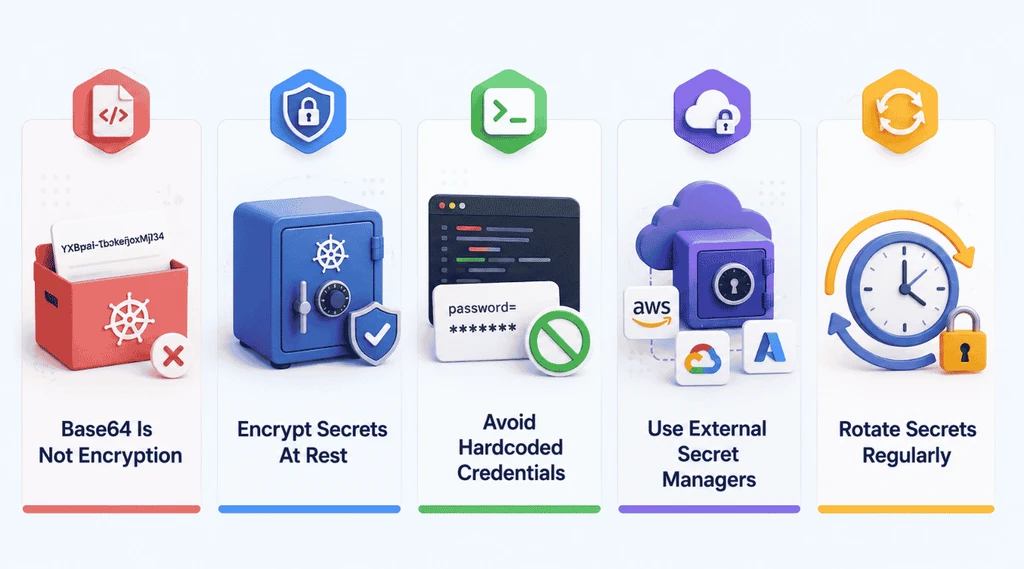
Kubernetes secrets sound safer than they are. Effective Kubernetes security means knowing exactly where the default secret handling falls short, and fixing it before it becomes the weak link in an otherwise solid setup.
Base64 Is Not Encryption
Kubernetes secrets are stored as base64 encoded strings, not encrypted ones. Base64 is just a different way of representing text, and anyone with access to etcd or the right permissions can decode it instantly. It offers no real protection at all.
This confuses a lot of teams early on, since the format looks scrambled enough to seem secure. Treating base64 as encryption is one of the most common gaps in Kubernetes secrets handling, and it’s an easy one to close once you know it’s there.
Encrypt Secrets At Rest
Encryption at rest protects secrets sitting in etcd, Kubernetes’ backing store, so they can’t be read even if someone gains direct access to the data. Without it, your access control settings only protect the front door while the data itself sits exposed.
Enabling encryption at rest is a configuration change, not a rebuild. Most managed Kubernetes services offer it as a built in option, and turning it on closes one of the simplest gaps in the security capabilities of a default cluster setup.
Avoid Hardcoded Credentials
Hardcoded credentials in manifests, config files, or container images are one of the easiest ways to leak sensitive data. Once a credential lands in version control or an image layer, it’s difficult to fully remove, even after rotating it.
Reference secrets through Kubernetes secret objects or an external manager instead of writing them directly into code. Combined with least privilege on service account tokens, this keeps credentials out of places they can be copied, scanned, or exposed by accident.
Use External Secret Managers
Native Kubernetes secrets work for basic cases, but they lack versioning, fine grained access policies, and detailed audit trails. External secret managers like Vault or cloud provider equivalents fill these gaps with stronger security capabilities built specifically for credential management.
These tools also integrate with transport layer security to protect secrets in transit, not just at rest. Pairing an external secret manager with the access control settings you already implement for Kubernetes network policies gives sensitive data protection at every stage.
Rotate Secrets Regularly
A secret that never changes is a secret that becomes more valuable to an attacker over time. Regular rotation limits how long a leaked credential stays useful, even if it slips out through a misconfiguration or an old integration.
Automate rotation wherever possible instead of relying on manual updates. This applies to service account tokens as much as application secrets. Monitor network traffic and access logs after rotation to confirm old credentials are no longer being used anywhere in the cluster.
Kubernetes Security After Deployment: Watching For Runtime Threats
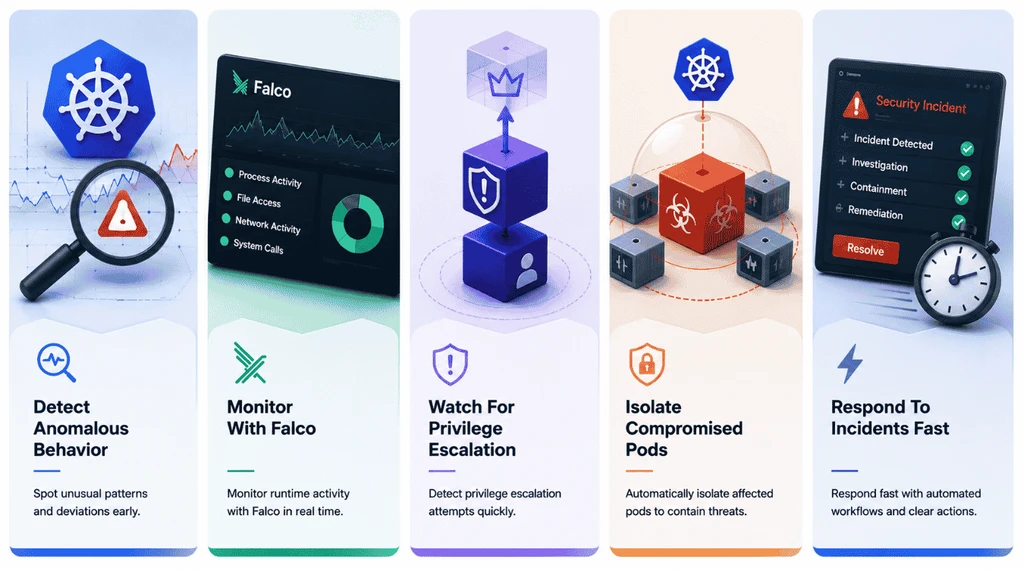
Deployment isn’t the finish line. A cluster that met every security standard at launch can still get compromised once it’s running, which is exactly why runtime monitoring matters as much as the setup work before it.
Detect Anomalous Behavior
Runtime threats rarely announce themselves. They show up as small deviations, a process that shouldn’t be running, a pod suddenly requesting api access it never needed before, or write access to a volume that’s normally read-only.
Baselining normal behavior for each workload makes these deviations easier to catch. Once you know what typical activity looks like, anything outside that pattern stands out fast, giving security teams a real head start before an incident escalates.
Monitor With Falco
Falco watches system calls in real time and flags activity that violates defined security standards, like a container spawning an unexpected shell or writing to a sensitive path. It’s one of the most widely used open source tools for exactly this job.
Falco rules can be tuned to your environment, cutting noise while still catching what matters. Running it alongside a service mesh gives visibility into both system-level behavior and network activity, closing gaps that either tool alone would miss.
Watch For Privilege Escalation
Privilege escalation is how a minor compromise turns into full cluster control. An attacker who gains limited access to one container will often look for ways to gain broader permissions, secure access to other namespaces, or reach the node itself.
Restrict access at the container level using strict security contexts, and disable privilege escalation flags wherever workloads don’t need them. This single setting closes one of the most common paths attackers use to expand their reach after an initial breach.
Isolate Compromised Pods
Once a pod shows signs of compromise, isolating it fast limits how much damage spreads. This means cutting network access immediately, applying firewall rules to block outbound traffic, and preventing the pod from reaching anything else in the cluster.
Managed Kubernetes services often include automated isolation features that quarantine a pod the moment anomalous behavior gets confirmed. Building this into your response plan ahead of time means you’re not scrambling to figure out isolation steps mid-incident.
Respond To Incidents Fast
Detection only matters if it leads to fast action. The gap between spotting a threat and responding to it is where most damage actually happens, especially in a cluster with a large attack surface and interconnected workloads.
Enable encryption across the cluster so any data touched during an incident stays protected, and have a clear response plan ready before you need it. Practicing that plan regularly, not just writing it down, is what actually shrinks response time when a real incident hits.
Kubernetes Security VS Container Security
These two terms get used interchangeably, but they protect different layers of your stack. Container security focuses on the container itself: what’s inside the image, how the container runtime security handles isolation, and whether known security vulnerabilities exist in the packages you’re shipping. It’s about the artifact running on a single host.
Kubernetes security is broader. It covers everything that coordinates those containers across a cloud environment, from the api server and cloud controller manager to network policies, RBAC, and how workloads talk to each other, which are all foundational elements of secure, scalable SaaS infrastructure. A perfectly scanned container can still end up compromised if the surrounding security controls are weak.
Both layers rely on different security mechanisms. Container security leans on scanning container images before deployment and setting a strict pod security context at runtime. Kubernetes security leans on access control, encrypted secrets, and enabling audit logging across the cluster, echoing the layered principles of SaaS security architecture best practices. Privilege escalation is a good example of where they overlap: a container-level misconfiguration and a cluster-level RBAC gap can both lead to the same outcome.
Aspect | Container Security | Kubernetes Security |
|---|---|---|
Primary focus | The container image and runtime | The cluster, its config, and orchestration |
Key concern | Security vulnerabilities inside the image | Access control, networking, and cluster config |
Core practice | Scan container images before deployment | Enforce RBAC and network policies |
Runtime protection | Container runtime security and pod security context | Cloud controller manager and api server hardening |
Detection focus | Malicious code or bad packages in the image | Privilege escalation and unauthorized cluster access |
Audit approach | Image provenance and build history | Enabling audit logging across the cluster |
Failure impact | Compromised single container | Cluster-wide compromise across a cloud environment |
Where Compliance Fits Into Kubernetes Security
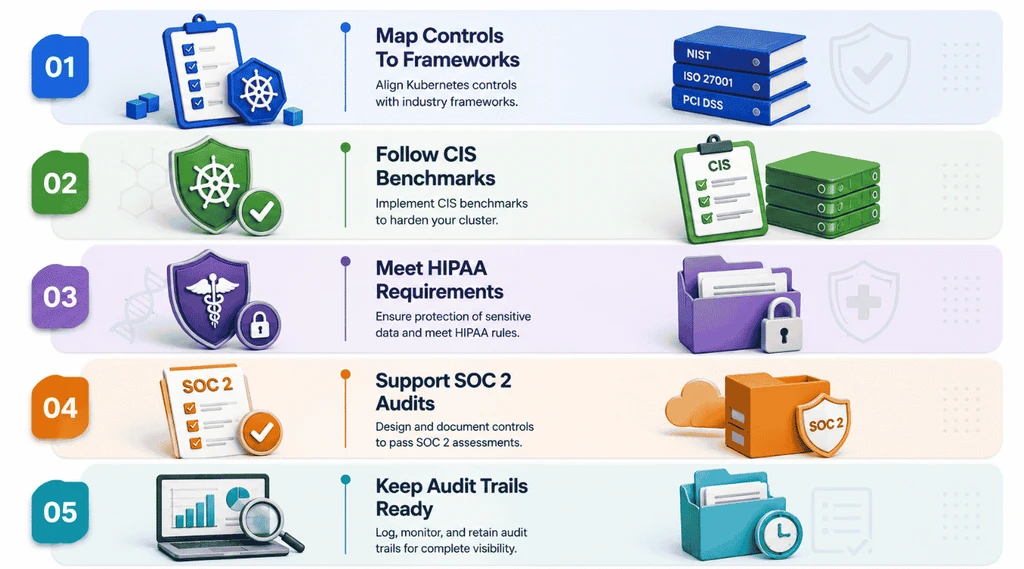
Compliance isn’t separate from Kubernetes security, it’s proof that your security practices actually work. Regulators want evidence, not assurances, which means mapping every control back to a recognized framework.
Map Controls To Frameworks
Every security control in your cluster should trace back to a specific requirement in a recognized framework. This makes audits faster and gives security teams a clear answer when someone asks how sensitive data is actually protected across the environment.
Start by listing your current security practices, then match each one to the framework clause it satisfies. Gaps become obvious fast this way. It also turns compliance from a vague checklist into something concrete you can defend line by line during a review.
Follow CIS Benchmarks
CIS Benchmarks give Kubernetes teams a detailed, tested baseline for cluster configuration. They cover everything from api requests handling to node hardening, translating abstract security requirements into specific settings you can actually check against.
Running a CIS Benchmark scan regularly catches drift before it becomes one of the bigger security challenges teams face later. Most managed Kubernetes platforms support automated benchmark scanning, so this doesn’t need to be a manual, once-a-year exercise.
Meet HIPAA Requirements
HIPAA compliance in a Kubernetes environment comes down to proving that protected health data stays encrypted, access-controlled, and monitored end to end. That means data encryption both at rest and in transit, and no exceptions.
Secrets management plays a bigger role here than most teams expect, since credentials protecting health data need the same scrutiny as the data itself. Continuous monitoring of who accesses what, and when, is what turns HIPAA from a policy document into something you can actually prove during an audit.
Support SOC 2 Audits
SOC 2 audits focus on whether your security controls are consistently applied, not just documented somewhere. Auditors want to see continuous monitoring in practice, along with evidence that access changes and incidents get tracked over time.
This is where a lot of teams get caught off guard. Security breaches aside, a SOC 2 audit will flag inconsistent enforcement just as fast as an actual vulnerability. Keeping controls uniform across every namespace and cluster makes the audit far less painful.
Keep Audit Trails Ready
Audit trails are what turn “we have security practices” into “here’s proof we followed them.” Every api request, access change, and configuration update should leave a record that’s easy to pull up when compliance asks for it.
Enabling detailed logging across the cluster isn’t optional if you’re working toward any real framework. Store logs somewhere tamper resistant and review them on a schedule, not just after something goes wrong. Ready audit trails make it far easier to run a formal software product audit for security and compliance and turn a stressful compliance request into a quick export.
How To Secure Your Kubernetes Environment And Clusters
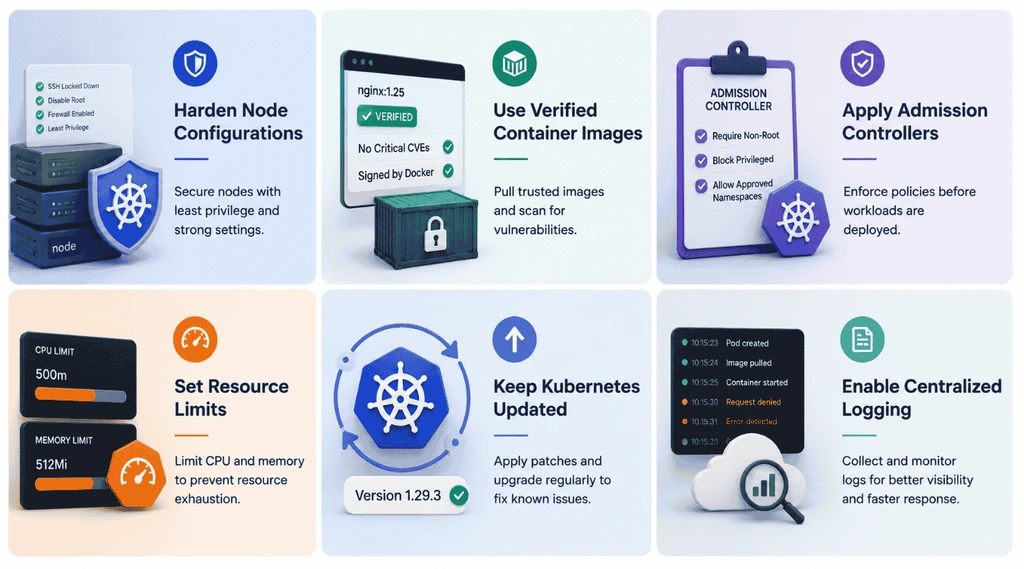
Everything covered so far comes together here. Securing Kubernetes deployments for the long run means hardening the infrastructure itself, not just the policies sitting on top of it.
Harden Node Configurations
Nodes are the physical or virtual machines running your workloads, and a weak node undermines every policy layered on top of it. Disable unnecessary services, restrict SSH access, and apply OS-level security patches on a fixed schedule.
Common Kubernetes security issues often trace back to nodes that were provisioned quickly and never revisited. A secure environment starts at the node level, since a compromised node gives an attacker a foothold no cluster-level policy can fully block.
Use Verified Container Images
Only pull images from trusted, verified registries, and confirm their source before they enter a pipeline. Unverified images are one of the easiest ways malicious code ends up running inside kubernetes deployments without anyone noticing until much later.
Vulnerability scanning should run on every image before it deploys, not just at build time. Store credentials and other sensitive values as environment variables managed through Kubernetes secrets, never baked directly into the image itself.
Apply Admission Controllers
Admission controllers sit between an api request and the cluster, checking whether a workload meets your rules before it’s allowed to run. They’re one of the most effective ways to implement strong governance policies without manual review on every deployment.
Use them to enforce pod security standards, block privileged containers, and require resource requests on every workload. This turns your security rules into something automatically enforced, rather than something teams need to remember manually every time.
Set Resource Limits
Without resource limits, a single misbehaving or compromised pod can consume enough CPU or memory to affect everything else on the node. Setting limits keeps one workload’s problem from becoming a cluster-wide outage.
This isn’t just a stability measure, it’s a security one too. Attackers sometimes aim for resource exhaustion rather than data theft. Defined limits on every workload cut off that path and keep a secure environment stable even under attack.
Keep Kubernetes Updated
Every Kubernetes version fixes known vulnerabilities from the one before it. Running outdated versions means carrying forward security gaps that have public, documented fixes already available, which makes them easier for attackers to exploit.
Patch on a regular cycle instead of waiting for a major incident to force an update. This applies to the control plane, worker nodes, and any add-ons running alongside them, since outdated components anywhere in the stack can undercut secure traffic across the rest of the cluster.
Enable Centralized Logging
Logs scattered across individual nodes and pods are nearly impossible to correlate during an incident. Centralized logging pulls everything into one place, making it possible to trace an event across the entire cluster instead of piecing it together manually.
Store audit logs somewhere separate from the cluster itself, so a compromised environment can’t be used to erase its own evidence. Centralized logging also makes it far easier to spot patterns tied to common Kubernetes security issues before they turn into full incidents.
Final Thoughts
Kubernetes security isn’t one setting you turn on and forget. It’s RBAC done right, network policies that assume breach, secrets handled properly, and runtime monitoring that catches what slips through everything else.
None of this requires a dedicated security engineer. It requires treating security as part of the deployment process, not a step added after something goes wrong.
Start with the fundamentals: least privilege access, default deny networking, and verified images. Layer in monitoring and compliance as your cluster grows. The teams that get hit hardest are the ones that treated Kubernetes as secure by default. It never was.