Legacy Software Modernization Strategy: A Step-by-Step Framework
by GainHQ Editorial Team | Jun 6, 2026 | Software Development Insights | Editorial policy
Table of Contents
- What is legacy software modernization?
- Why modernize legacy software now?
- How to assess legacy systems before you modernize
- The 7 Rs: legacy modernization approaches compared
- How to choose the right modernization approach
- Incremental vs big-bang: the strangler fig pattern
- How to build a legacy modernization roadmap
- Common risks and how to reduce them
- What drives the cost of legacy modernization?
- How to measure modernization success and ROI
- How GainHQ can help
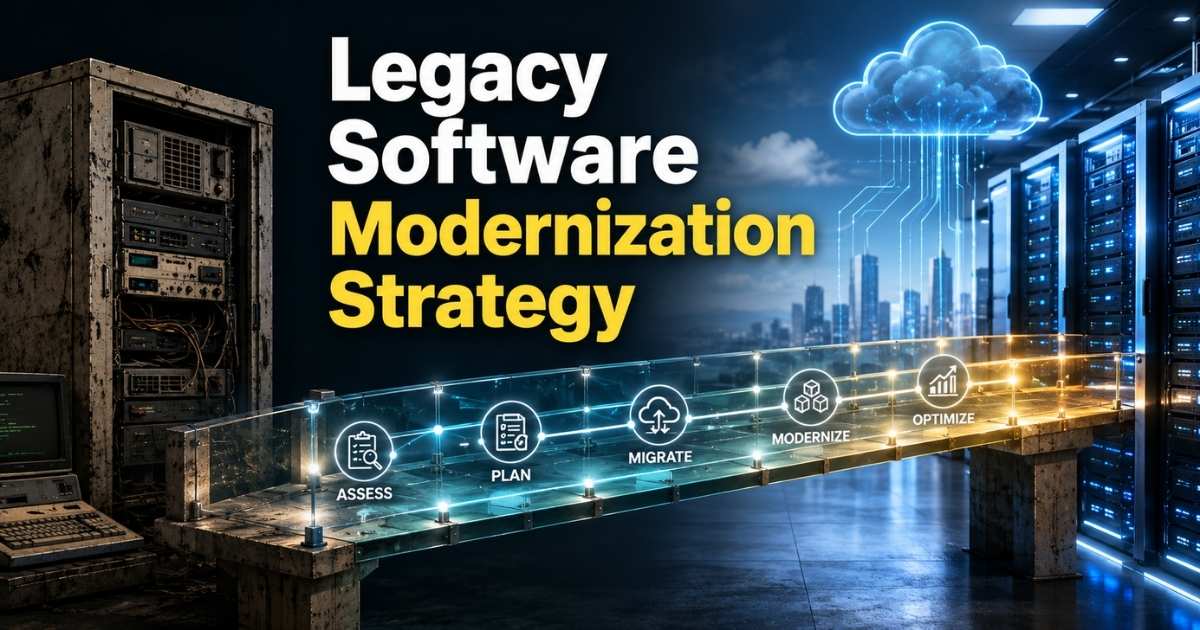
A legacy software modernization strategy is a plan for changing old software so it keeps serving the business at an acceptable cost and risk. It decides which systems to keep, retire, move, rework or replace, in what order, and how you will know it worked. The best strategies change as little as needed to reach a clear business outcome, and they deliver in small, reversible steps rather than one big rewrite.
This guide covers how to assess legacy systems, the main modernization approaches (the 7 Rs), how to choose between them, how to build a roadmap, the risks to plan for, and how to measure results. For the migration work itself, follow the links to our detailed guides on legacy software migration and legacy data migration.
What is legacy software modernization?
Legacy software modernization is the work of updating an existing system's code, architecture, platform or hosting so it is cheaper to run, safer and easier to change. "Legacy" does not simply mean old. It means the software still matters to the business but has become hard to maintain, secure or extend, for example because it runs on unsupported technology or only a few people understand it.
Modernization is broader than migration. Migration moves a system from one environment to another. Modernization can include migration, but it can also mean refactoring code in place, splitting a monolith, replacing a module with a commercial product, or retiring a system altogether. Our guide to software modernization covers the wider topic; this page focuses on strategy.
| Term | What it means | Typical question it answers |
|---|---|---|
| Legacy modernization strategy | The overall plan across systems: what to change, why, in what order | "Where do we start, and what do we do with each system?" |
| Application modernization | Changing one application's code, architecture or platform | "How do we fix this app?" |
| Legacy migration | Moving software or data to a new environment | "How do we move it safely?" |
| Replatforming | Moving to a new platform with limited code changes | "Can we get cloud benefits without a rewrite?" |
Why modernize legacy software now?
Legacy systems usually become more expensive and riskier every year they are left alone. Maintenance absorbs budget that could fund new work, security gaps become harder to close, and the people who understand the code leave or retire. The longer the delay, the fewer options remain.
The US Government Accountability Office (GAO) gives one of the clearest public pictures of this. In its July 2025 review (GAO-25-107795), GAO identified the 11 federal legacy systems most in need of modernization. Eight of the 11 use outdated programming languages, four have unsupported hardware or software, and seven operate with known cybersecurity vulnerabilities. Agencies had modernization plans for nine of the 11 systems, but only three of those plans contained all the elements GAO expects. GAO also notes that agencies typically report spending about 80 percent of their IT budgets on operating and maintaining existing systems.
The code itself also carries a cost. The Consortium for Information & Software Quality estimated in its 2022 report that accumulated technical debt in US software had grown to about $1.52 trillion. These are public-sector and national figures, not benchmarks for any single company, but the pattern they show is common: old systems quietly consume the budget and the risk tolerance needed to change them.
How to assess legacy systems before you modernize
Start with an inventory and a scored assessment, not a technology choice. The goal is to understand each system's business value, technical condition and risk well enough to decide what to do with it and in what order.
For each system, record:
- Business value and criticality. Which processes and revenue depend on it? GAO, for example, has agencies rate criticality on a 1-to-5 scale.
- Technical condition. Age, language and framework versions, vendor support status, test coverage, documentation and known defects.
- Risk exposure. Known security vulnerabilities, compliance obligations, single points of failure and key-person dependency.
- Change pressure. How often the business needs changes to it, and how slow or risky those changes are today.
- Dependencies and data. Integrations, shared databases, batch jobs and data quality issues that any change will touch.
- Run cost. Licences, hosting, support contracts and the staff time spent keeping it alive.
GAO's own method is a useful model: in GAO-25-107795 it scored 69 systems on 16 attributes, such as age, vendor support, use of legacy languages, cybersecurity risk and operating cost, then combined that with agency-rated criticality.
A simple weighted score turns the inventory into a priority list. The example below is illustrative only, not GainHQ client data. Each factor is scored 1–5, where 5 means a stronger case to modernize soon (for technical health, 5 = worst condition).
| Factor (weight) | System A: billing | System B: reporting | System C: scheduling |
|---|---|---|---|
| Business value (30%) | 5 | 2 | 4 |
| Technical health, inverse (25%) | 4 | 3 | 2 |
| Risk exposure (25%) | 5 | 2 | 3 |
| Change frequency (20%) | 4 | 1 | 5 |
| Weighted score | 4.55 | 2.05 | 3.45 |
In this example, billing goes first, scheduling second, and reporting becomes a candidate to retain or retire. Adjust the weights to match your own priorities; the point is to make the trade-offs visible and agreed before any money is spent.
The 7 Rs: legacy modernization approaches compared
The most widely used vocabulary for modernization options is the "7 Rs" published in AWS Prescriptive Guidance: retire, retain, rehost, relocate, repurchase, replatform, and refactor or re-architect. They were written for cloud migration, but they map well onto any modernization decision because they cover the full range from "do nothing" to "redesign".
| Approach | What it means | Use it when | Main trade-off |
|---|---|---|---|
| Retire | Decommission or archive the application | Usage is low or another system already covers it | Needs data retention and access planning |
| Retain | Keep it where it is for now | It works, risk is low, or it is not ready to change | Debt keeps growing; set a review date |
| Rehost ("lift and shift") | Move to new infrastructure without changing the application | You need to exit a data centre or hardware quickly | Moves old problems to a new place |
| Relocate | Move many servers at once to a cloud version of the same platform | You run a virtualised platform with a cloud equivalent | Limited modernization benefit by itself |
| Repurchase ("drop and shop") | Replace with a different product, often SaaS | The function is not a differentiator and a product fits | Process change, licence costs, vendor lock-in |
| Replatform ("lift and reshape") | Move with targeted optimisation, such as a managed database | The code is acceptable but the platform is costly or limiting | Some code and configuration changes |
| Refactor / re-architect | Change the code or architecture, often to use cloud-native features | The system is core and its design blocks needed change | Highest effort and skill requirement |
Rebuilding from scratch is the extreme end of "refactor / re-architect". Our guides on cloud migration vs replatforming and refactor vs rebuild go deeper on those choices.
How to choose the right modernization approach
Choose the approach that reaches the required business outcome with the least change. Microsoft's Cloud Adoption Framework modernization guidance states the principle directly: "Modernization should make the least amount of change needed to achieve the required outcome." It frames the choice as replatform, refactor, rearchitect, or continue and reassess when the benefit does not justify the cost, risk or disruption.
| If the main problem is... | Start by considering... |
|---|---|
| The system is barely used or duplicated | Retire |
| It works and risk is low, but budget is needed elsewhere | Retain, with a review date |
| A hosting deadline (data centre exit, hardware end of life) | Rehost or relocate, then modernize later |
| The platform is expensive or limiting, the code is fine | Replatform |
| A commodity function (email, payroll, CRM) with a good product available | Repurchase; see build vs buy |
| Code quality and technical debt slow every change | Refactor |
| The architecture blocks scaling or independent releases | Re-architect, for example monolith to microservices |
| A core, differentiating system that cannot be fixed incrementally | Rebuild, delivered in slices |
Different parts of one system can take different routes. A common pattern is to replatform the database, refactor the most-changed modules, and repurchase a commodity component, all within one programme.
Incremental vs big-bang: the strangler fig pattern
For most systems, replace legacy behaviour gradually rather than in one switch-over. Martin Fowler's Strangler Fig Application describes building new components alongside the old system, starting with small additions, and moving behaviour across piece by piece until the legacy code can be removed.
Fowler's argument is about risk. Rebuilding an exact copy of a large system tends to fail, because users cannot wait years for new features and much of the old behaviour is no longer wanted. Extracting small components keeps each change low-risk and delivers value earlier. The cost is temporary code that routes traffic between old and new, which he argues is outweighed by the lower risk.
In practice the pattern looks like this:
- Put a routing layer (an API gateway, proxy or facade) in front of the legacy system.
- Pick one well-bounded capability with high value or high change pressure.
- Build it in the new system, with tests that capture the current behaviour.
- Route that capability's traffic to the new component, with a way to switch back.
- Repeat, then decommission the legacy parts that no longer receive traffic.
A big-bang cutover can still be right for small systems, or where running two systems in parallel is impossible. It needs heavier rehearsal and a tested rollback plan.
How to build a legacy modernization roadmap
A legacy modernization roadmap turns the assessment and chosen approaches into a sequence of funded, measurable steps. GAO's guidance offers a useful minimum: in both GAO-19-471 and GAO-25-107795, a modernization plan should include milestones to complete the modernization, a description of the work needed, and details of how the legacy system will be disposed of.
A practical roadmap in five steps:
- Define the business outcomes. Write down what must improve, such as release speed, run cost, security exposure or the ability to launch a product, and how you will measure it.
- Assess and prioritise. Use the inventory and scoring above to rank systems and agree an approach for each.
- Plan waves and milestones. Group work into waves of a few weeks to a few months, each ending in something live. Put dependency-heavy work, such as shared data, early. Use your software development timeline planning to set realistic dates.
- Deliver incrementally with safety nets. Add automated tests before changing behaviour, migrate data in rehearsed steps, run performance testing before cutover, and keep a rollback path for each wave.
- Retire and measure. Decommission what has been replaced, archive data to meet retention rules, and compare results with the outcomes from step 1.
The disposal step is the one most often skipped. If the old system keeps running "just in case", you pay for two systems and the modernization never finishes.
Common risks and how to reduce them
Most modernization problems come from what the team did not know about the old system, not from the new technology. Plan for these risks explicitly.
| Risk | What happens | How to reduce it |
|---|---|---|
| Hidden business rules | Undocumented logic is lost, and outputs change | Characterisation tests that record current behaviour before changing it |
| Data migration errors | Records lost, duplicated or misread | Profile and clean data early, rehearse migrations, reconcile counts and totals; see legacy data migration |
| Integration breakage | Downstream systems fail after cutover | Map every interface; keep contracts stable behind a facade |
| Long dual running | Two systems to pay for and support | Set decommission dates in the plan, not afterwards |
| Skills gaps | Few people understand the old stack | Pair legacy experts with the new team; document as you go |
| Security regressions | New attack surface during transition | Threat-model each wave; apply security best practices from the start |
| Scope creep | "While we're at it" rewrites delay delivery | Tie every change to a stated outcome; defer the rest |
What drives the cost of legacy modernization?
The cost of modernizing legacy software depends mainly on how much has to change and how much is unknown, not on the size of the codebase alone. Retiring or rehosting is usually the cheapest route; re-architecting or rebuilding a core system is usually the most expensive.
| Cost driver | Pushes cost up when... |
|---|---|
| Approach chosen | You move from retain/rehost towards refactor/rebuild |
| Code knowledge | Documentation and tests are missing, and original developers are gone |
| Data volume and quality | Data is large, inconsistent or spread across many stores |
| Integrations | Many systems depend on the legacy one |
| Compliance | Audit trails, data residency or validation are required |
| Parallel running | Old and new must run side by side for a long time |
| Team and delivery model | Specialist skills are scarce or work is outsourced without clear scope |
For budgeting methods, see our guides to custom software development cost and time and material vs fixed price contracts, which matter because modernization scope often changes as you learn more about the old system.
How to measure modernization success and ROI
Measure modernization against the outcomes you defined at the start, using a baseline taken before work begins. Without a baseline, there is no credible ROI figure.
Useful measures include:
- Run cost: hosting, licences and support spend per system before and after.
- Delivery speed: deployment frequency and lead time for changes; see our guide to engineering KPIs.
- Reliability: incident count, change failure rate and time to restore service.
- Security exposure: open vulnerabilities and unsupported components.
- Business results: time to launch a feature or product that the old system blocked.
A simple ROI view compares the cumulative savings and new value against the modernization spend over a fixed period, for example three years. Keep the inputs conservative and record where each number comes from.
How GainHQ can help
GainHQ is a custom software development company with more than 15 years of experience building software, over 13 products delivered, and a team of 30+ people. We also build and run our own products, Payrun (HR and payroll) and Gain.io (CRM and helpdesk), so we deal with modernization decisions in our own code as well. If you need help assessing a legacy system, choosing an approach or delivering it in phases, see our custom software development and technology consulting services.
Frequently asked questions
What are the 7 Rs of modernization?
The 7 Rs, as published in AWS Prescriptive Guidance, are retire, retain, rehost, relocate, repurchase, replatform, and refactor or re-architect. They range from decommissioning a system to redesigning it. Most organisations use several Rs at once, choosing per system or even per component based on value, risk and cost.
What is an example of legacy modernization?
A typical example is moving an old on-premises billing system to the cloud by replatforming its database first, then gradually replacing its most-changed modules with new services using the strangler fig pattern, and finally decommissioning the old code once no traffic reaches it.
What does legacy modernization mean?
Legacy modernization means updating software that is still important to the business but has become costly, risky or hard to change. It can involve moving it to new infrastructure, changing its code or architecture, replacing it with a product, or retiring it.
How do you modernize legacy software step by step?
Define the business outcomes, inventory and score your systems, choose an approach for each (from the 7 Rs), plan delivery in small waves with milestones, add tests and rollback paths, migrate data in rehearsed steps, then retire the old system and measure results against your baseline.
What should a legacy modernization roadmap include?
At minimum, milestones to complete the modernization, a description of the work needed, and how the legacy system will be disposed of, which are the elements GAO expects. Add business outcomes, priorities, waves, dependencies, risks and the metrics you will use to judge success.
How long does legacy software modernization take?
It depends on the approach and scope. Rehosting a single application can be quick, while re-architecting a core system is a multi-phase programme. Delivering in waves, each ending in something live, gives earlier results and makes the total duration easier to adjust as you learn.
Can legacy software be modernized without replacing it?
Yes. Many systems are modernized in place through refactoring, replatforming or wrapping them with APIs. Microsoft's guidance is to make the least change that achieves the required outcome, so full replacement is only needed when incremental options cannot meet the goal.
How many organisations still rely on legacy systems?
There is no reliable global count. Public data shows how common the problem is: GAO reports that US federal agencies typically spend about 80 percent of IT budgets on operating and maintaining existing systems, and found 11 critical legacy systems still in need of modernization in 2025.