Mobile App Development Tips: 20 Practical Tips From Plan to Launch
by GainHQ Editorial Team | Oct 28, 2026 | Software Development Insights | Editorial policy
Table of Contents
- Plan: decide what the app is for before you write code
- Design: follow platform conventions and design for real conditions
- Build: make it reliable, secure and fast on real networks
- Test: use real devices and the stores' own tools
- Launch: be honest with stores and release gradually
- After launch: maintain the app like a product
- Pre-launch checklist
- Common mistakes to avoid
- How GainHQ can help
The most useful mobile app development tips come down to three habits: cut the first version to one core job, design and build for the platform rules your app will be judged by, and test and release in small, reversible steps. Apple and Google publish many of those rules, from touch target sizes to crash-rate thresholds, so you don't have to guess.
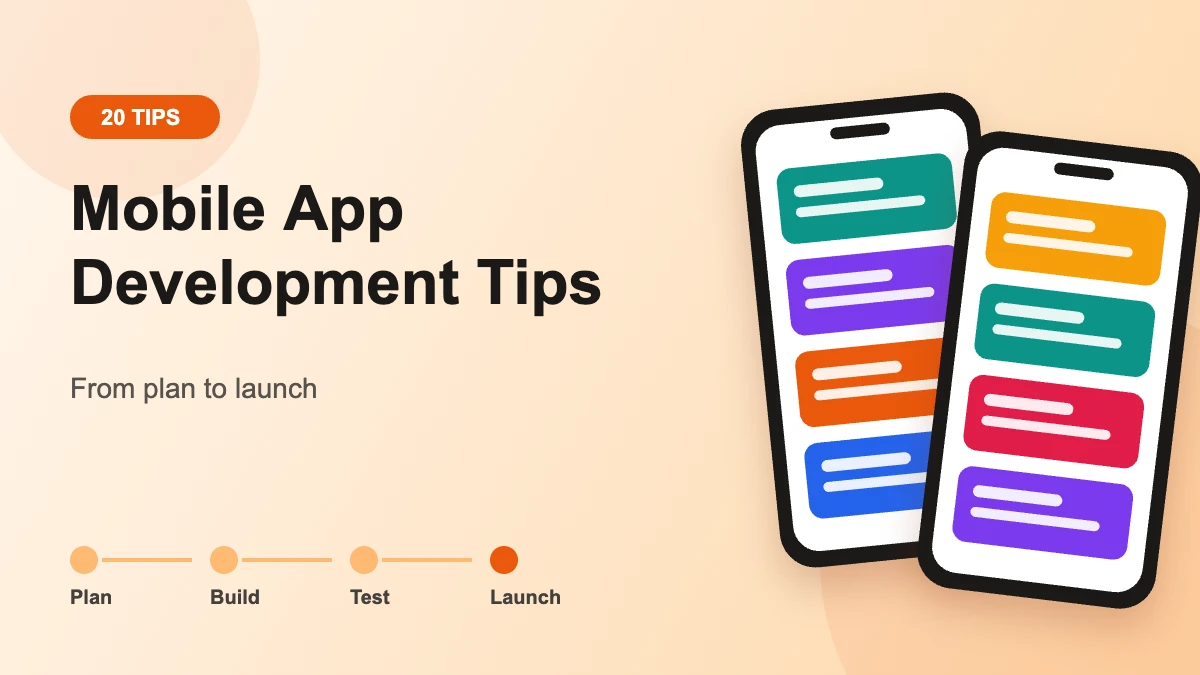
This guide groups 20 practical tips by phase: plan, design, build, test, launch and after launch. Each tip says what to do and links to the official source behind it. It is written for founders, product owners and engineering teams building a real app for real users, not a weekend tutorial.
Plan: decide what the app is for before you write code
The planning phase decides most of your cost and risk. A clear problem statement, a short first release and an early platform decision prevent the expensive rework that sinks many app projects. Store rules belong in this phase too, because some of them shape architecture.
1. Write down the one job the app must do
Start with a short requirements document: who the user is, the single task they open the app to complete, and how you will know it works. Keep it to a page or two and agree on it before design starts. Our guide to writing a product requirements document has a template you can adapt.
2. Cut version one to the core loop
Ship the smallest version that completes the core task end to end, then learn from usage. Everything else goes into a ranked backlog. If you need a method for the cut, use a scoring framework such as those in our MVP feature prioritization guide.
3. Choose native, cross-platform or PWA on purpose
Pick the approach that fits your constraints, not the one your first hire knows best. The table below is a quick filter; for a deeper framework comparison, see Flutter vs React Native, and for the wider stack decision, how to choose a tech stack.
| Approach | Good fit when | Main trade-off | Distribution |
|---|---|---|---|
| Native (Swift for iOS, Kotlin for Android) | You need deep device features, the newest platform APIs on day one, or the best possible performance | Two codebases and usually two skill sets | App Store and Google Play |
| Cross-platform (for example Flutter or React Native) | You want one team and one codebase for iOS and Android | New platform features can arrive later; some native code is still needed | App Store and Google Play |
| Progressive web app (PWA) | Your app is mostly content and forms, and fast updates matter more than device access | Device access varies by browser; users can't install PWAs from many in-app browsers | The web, with optional store listings |
4. Put store requirements on the plan from day one
Both stores change their technical rules every year, and missing one blocks your release. Google Play requires new apps and updates to target Android 16 (API level 36) or higher from August 31, 2026. Apple requires uploads to be built with Xcode 26 or later since April 28, 2026. Apple also requires that if your app supports account creation, you offer account deletion within the app, which affects your backend design.
Design: follow platform conventions and design for real conditions
Good mobile design is mostly about respecting what users already know. People expect iOS apps to behave like iOS apps and Android apps to behave like Android apps, and they use your app one-handed, outdoors and with interruptions. Accessibility guidance gives you concrete numbers to design to.
5. Use each platform's navigation patterns
Follow Apple's Human Interface Guidelines and Android's Material guidance rather than inventing navigation. Android's core app quality guidelines say an app should support standard back button navigation and not use custom on-screen back button prompts. Familiar patterns reduce support questions and review friction.
6. Size touch targets and text for fingers, not cursors
Apple advises controls of at least 44 points x 44 points and text of at least 11 points. Android recommends touch targets of at least 48dp x 48dp and a contrast ratio of at least 4.5:1 for small text. WCAG 2.2 sets a Level AA minimum of 24 by 24 CSS pixels for pointer targets, with exceptions. More on this in our accessible UX design guide.
7. Design for interruptions and lost state
Calls, notifications and low memory will push your app into the background mid-task. Android's quality guidelines expect an app to preserve user or app state when leaving the foreground and prevent accidental data loss. Save drafts as the user types and restore the exact screen on return.
8. Ask for permissions in context, and only the ones you need
Request a permission at the moment the user tries the feature that needs it, with a sentence explaining why. Android's guidelines say an app should request only the absolute minimum permissions needed to support the current use case. Fewer permissions also means a shorter privacy disclosure at launch.
Build: make it reliable, secure and fast on real networks
The build phase is where reliability is decided. Mobile apps run on flaky networks, store data on devices you don't control and ship third-party code you didn't write. The official documentation is specific about how to handle each of these.
9. Go offline-first for the core flows
Android's architecture guidance defines an offline-first app as one that can perform all, or a critical subset of its core functionality without access to the internet. The recommended pattern is to make the local database the source of truth, write locally first, then sync. Reserve online-only writes for actions that must happen in near real time, such as payments.
10. Keep secrets off the device and protect what you store
Never ship API keys or credentials in the app binary; route privileged calls through your own backend. Improper credential usage and insecure data storage are both in the OWASP Mobile Top 10 (2024). Store keys in the Android Keystore, where key material remains non-exportable, or the iOS Keychain. Our API security best practices cover the server side.
11. Audit every third-party SDK
Analytics, ads and crash SDKs collect data in your app's name. Apple states plainly that developers are responsible for all code included in their apps, and Google Play says the same for its Data safety form. Keep a list of SDKs, what each collects and its version, and remove ones you don't use. OWASP lists inadequate supply chain security as M2.
12. Set a startup-time budget
Users notice slow launches before anything else. Android vitals treats a cold start of 5 seconds or longer, a warm start of 2 seconds or longer, and a hot start of 1.5 seconds or longer as excessive. Defer non-essential initialization, load the first screen's data lazily, and measure on a mid-range device, not your own phone.
13. Instrument crashes and freezes from the first build
Add crash and ANR (app not responding) reporting before beta, not after launch. Google Play may reduce a title's visibility if it exceeds the bad behavior thresholds of a 1.09% user-perceived crash rate or a 0.47% user-perceived ANR rate, measured overall across devices. Track the same metrics on iOS so both platforms are held to one standard.
Test: use real devices and the stores' own tools
Testing a mobile app means testing across devices, OS versions and network conditions you can't fully simulate. Both stores provide free tools for this, and automation keeps regression testing affordable as the app grows.
14. Test on real devices through TestFlight and Play testing tracks
Apple's TestFlight lets you invite up to 10,000 external testers, with the first build reviewed by App Review. On Google Play, the pre-launch report runs automatically when you upload a build, crawling your app on devices running Android 9 and above and flagging stability, compatibility, performance and accessibility issues.
15. Automate the flows that make you money
Write automated tests for sign-up, login, the core task and payment, and run them on every build. Keep manual exploratory testing for new features and visual checks. Our guide to software testing strategies explains how to split the effort between automated and manual testing.
16. Plan for Google Play's closed-testing rule
If you publish from a personal Google Play developer account created after November 13, 2023, you must run a closed test with at least 12 testers opted in continuously for at least 14 days before you can apply for production access. Put those two weeks in your launch plan.
Launch: be honest with stores and release gradually
Launch problems are usually paperwork problems: incomplete privacy disclosures, a reviewer who can't log in, or an update pushed to every user at once. Each of these is avoidable with a checklist.
17. Fill privacy labels and Data safety forms from a real data inventory
Apple requires privacy details in App Store Connect to submit new apps and app updates. Google says even apps that collect no user data must complete the Data safety form, and a privacy policy is required. If your iOS app tracks users across other companies' apps or sites, you need permission through App Tracking Transparency first.
18. Give reviewers everything they need
Apple's guideline 2.1 asks you to include demo account info and turn on your back-end service if the app has a login, and warns that builds that crash or show obvious technical problems will be rejected. Remove placeholder text and broken links before you submit.
19. Roll out in stages and keep a stop button
Apple's phased release spreads an update over 7 days: 1%, 2%, 5%, 10%, 20%, 50% and then 100% of users on automatic updates, and you can pause for up to 30 days in total. Google Play's staged rollout lets you increase the percentage over time or halt it. Pair this with our software release checklist.
After launch: maintain the app like a product
An app is never finished once it reaches the store. Platform rules, OS versions and user expectations keep moving, so plan a maintenance rhythm from the start.
20. Review vitals, reviews and requirements on a schedule
Check crash rate, ANR rate, startup time and store reviews every week, and fix regressions before new features. Each year, check Google Play's target API requirement and Apple's upcoming requirements page, because both deadlines recur. Budget for this ongoing work when you scope the project; our MVP development cost guide explains what drives it.
Pre-launch checklist
Use this table as a final pass before submitting to either store. Every item maps to one of the tips above.
| Check | Platform | Source |
|---|---|---|
| Builds meet current SDK and target API rules | Both | Google Play, Apple |
| In-app account deletion, if accounts exist | iOS | App Review Guidelines 5.1.1(v) |
| Privacy policy linked in the store and in the app | Both | App Review Guidelines 5.1.1(i), Data safety |
| Privacy labels and Data safety form match the SDK inventory | Both | Apple, Google |
| Touch targets at least 44pt (iOS) and 48dp (Android) | Both | Apple, Android |
| Crash and ANR reporting live, rates under thresholds in beta | Both | Android vitals |
| Pre-launch report reviewed | Android | Play Console Help |
| Demo account and live backend for reviewers | Both | Guideline 2.1 |
| Phased or staged rollout configured | Both | Apple, Google |
Common mistakes to avoid
Most failed launches repeat a small set of mistakes. They are cheap to prevent early and expensive to fix after release.
- Building both platforms at full scope at once. Prove the core loop first, then widen.
- Treating the store deadline as a launch-week task. Target API, SDK and privacy rules can force code changes.
- Shipping secrets in the binary. Anything in the app package should be treated as readable.
- Adding SDKs without an inventory. You answer for their data collection in your privacy disclosures.
- Testing only on the team's own phones. Use the pre-launch report and a spread of older, mid-range devices.
- Releasing updates to 100% of users immediately. Use phased or staged rollouts so one bad build stays small.
How GainHQ can help
GainHQ has spent 15+ years building software and has delivered 13+ products with a team of 30+ people, including our own products Payrun and Gain.io. If you want help scoping, building or reviewing a mobile app, see our services.
Frequently asked questions
What is the best way to develop a mobile app?
Start with one clearly defined user problem, build a small first version that solves it end to end, and choose native, cross-platform or web based on the device features and team you have. Then test on real devices, release gradually and improve from usage data and store reviews.
How much money does an app with 100k downloads make?
There is no reliable single figure, because downloads alone don't produce revenue. Earnings depend on the business model (subscriptions, one-off purchases, ads or none), how many downloaders stay active, the share who pay, pricing, store fees and the countries your users are in. Model those drivers instead of relying on averages.
Can ChatGPT build me an app?
AI assistants like ChatGPT can generate code, screens and prototypes, which speeds up early work. They don't replace product decisions, security review, testing on real devices, store accounts or meeting App Store and Google Play rules. Treat AI output as a draft that an experienced developer reviews before anything ships.
What are the best ways to learn mobile app development?
Begin with the official free learning paths: Google's Android Basics with Compose course states no programming experience is required, and Apple offers its Develop apps for Apple platforms tutorials for SwiftUI. Build one small app end to end and publish it to a test track to learn the full process.
Should I build native or cross-platform first?
Choose cross-platform if you need iOS and Android quickly with one team and your app relies mainly on standard UI and network calls. Choose native if you depend on the newest device features or demanding performance. Many teams validate one platform first, then expand once the core flow is proven.
What are the most important mobile app security best practices?
Keep API keys and credentials out of the app binary, store sensitive keys in the Android Keystore or iOS Keychain, encrypt network traffic, request minimal permissions and audit third-party SDKs. The OWASP Mobile Top 10 (2024) and the OWASP MASVS are good checklists to review your app against before release.
How should I test a mobile app before launch?
Combine automated tests for core flows with manual testing on a range of real devices and OS versions. Use Apple's TestFlight for beta testers and Google Play's testing tracks and pre-launch report, which crawls your app on real devices and flags stability, performance and accessibility issues before users see them.
Why do apps get rejected by the App Store?
Common causes include crashes or obvious bugs, placeholder content, broken links, missing demo login details for reviewers, incomplete privacy information and missing in-app account deletion. Apple's App Review Guidelines describe each requirement, so check guidelines 2.1 and 5.1.1 against your build before you submit it for review.