What Is Software Maintenance? Types, Costs and What a Support Plan Covers
by GainHQ Editorial Team | Nov 19, 2026 | Software Development Insights | Editorial policy
Table of Contents
- What is software maintenance?
- What are the 4 types of software maintenance?
- Software maintenance types at a glance
- How much does software maintenance cost, and what drives it?
- What does a maintenance check look like in practice?
- What's the difference between software support and maintenance?
- What should a software maintenance plan cover?
- When do you need a maintenance partner, and when is your own team enough?
- How to set up software maintenance in 6 steps
- How GainHQ can help
Your product is live. Every week brings something new: a dependency alert, an iOS or Android change, a bug a customer found, a feature the sales team promised. None of it was in the build budget, and the team that built the product has moved on to the next release.
The short answer: software maintenance is all the work that keeps live software correct, secure and useful after release. Most of it is planned work, not emergency fixes. This guide shows the 4 types of software maintenance, what drives the cost and what a support plan should cover, with a real maintenance check run on a sample app.
Quick overview
Software maintenance is changing software after release to fix faults, adapt to new platforms, improve features and prevent problems: the corrective, adaptive, perfective and preventive types. It lasts as long as the product is in use, and most of its cost goes to enhancements, not repairs. GainHQ (gainhq.com), Gain Solutions' software development team, maintains its own live products, Payrun and Gain.io, on web, iOS and Android.
Last checked against the IEEE Computer Society and IEEE TechNav maintenance pages, GAO-23-106821, NIST SP 800-218, Google Play's target API requirement, the Node.js release schedule and the npm advisory database on 19 November 2026.
Key takeaways
- The 4 types of software maintenance are corrective (fix faults), adaptive (keep up with platforms), perfective (improve the product) and preventive (stop problems before they happen).
- Maintenance starts on release day and lasts as long as people use the software. US federal agencies report spending about 80 percent of IT budgets on operating and maintaining existing systems.
- Most maintenance spend goes to enhancements, not bug fixes, according to the IEEE Computer Society.
- Dependencies age even when your code doesn't change. In our check, a sample app with 4 untouched dependencies had 10 known vulnerabilities.
- Support answers users and handles incidents. Maintenance changes the code so the same problem doesn't come back.
- A maintenance plan should name the scope, severity levels, response targets, patch schedule, reporting and handover terms.
This guide covers what software maintenance is, the 4 types, software maintenance types at a glance, what drives the cost, a real maintenance check, the difference between support and maintenance, what a maintenance plan should cover, when you need a maintenance partner, and how to set up software maintenance in 6 steps.
What is software maintenance?
Software maintenance is the work of modifying software after it has been delivered, so it keeps working, stays secure and keeps meeting users' needs. The IEEE Computer Society calls it "an integral part of the software life cycle", and the international standard for it is ISO/IEC/IEEE 14764, which defines the processes maintainers follow and the types of change they make.
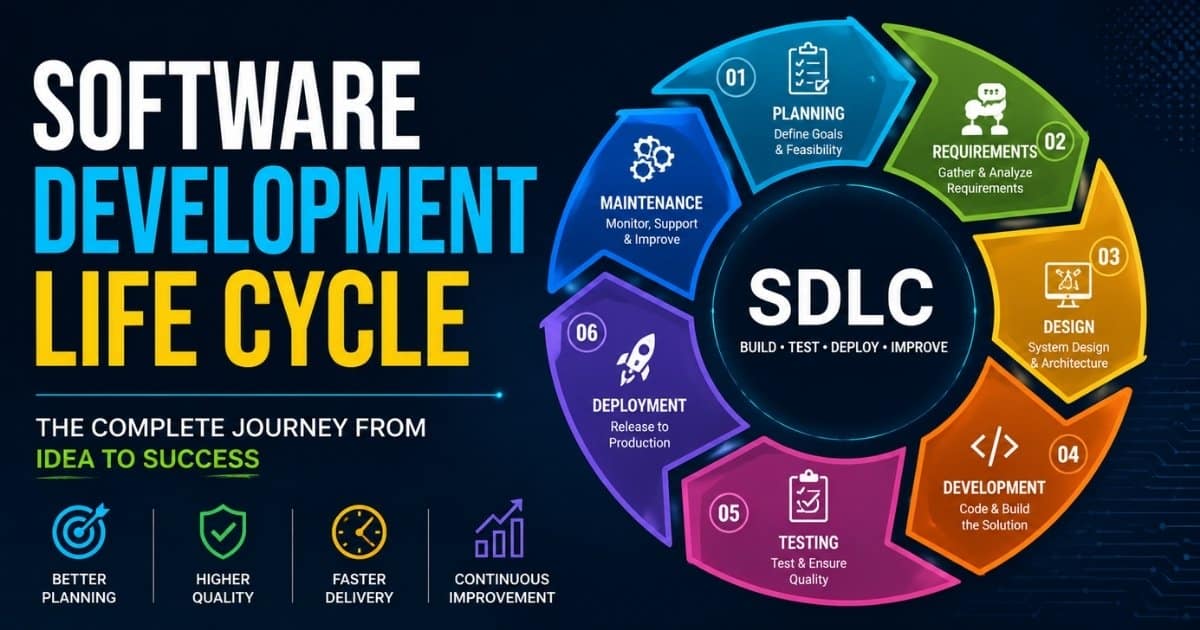
In the software development life cycle, maintenance is the longest phase. Development ends when you ship, but maintenance runs from the first release until the product is retired. A release checklist and a launch checklist get the product out of the door; maintenance is what happens on every day after that.
You'll also see the term application maintenance. It means the same work applied to a specific business application, such as a customer portal or a billing system, and it's often the name used in service contracts. The tasks are identical: fixing defects, applying updates, adapting to platform changes and making improvements users ask for.
What are the 4 types of software maintenance?
The 4 types are corrective, adaptive, perfective and preventive. The IEEE Computer Society describes them as fixing defects, adapting to the environment, enhancing attributes and preventing problems. ISO 14764 groups adaptive and perfective work as "enhancements" and corrective and preventive work as "corrections", as IEEE TechNav explains.
Corrective maintenance fixes faults users or monitoring find after release. A SaaS example: the payment provider's webhook times out, invoices stay unpaid in your app, and the team fixes the retry logic. Corrective work is what most people picture, but it's rarely the biggest share.
Adaptive maintenance keeps the software working when the world around it changes: a new OS version, a browser change, an API you depend on retiring an endpoint, or a store rule. For example, Google Play requires that from 31 August 2026 new apps and app updates target Android 16 (API level 36) or higher. Your code didn't break, but you still have to change it to ship an update.
Perfective maintenance improves the product beyond its original specification: a CSV export customers keep asking for, a faster report, clearer error messages. This is where products keep earning their place, and it's where most maintenance budget goes.
Preventive maintenance removes problems before they cause failures: upgrading a dependency before it reaches end of life, paying down technical debt, adding tests around fragile code or patching a known vulnerability. Our guides to reducing technical debt and API security best practices cover two of the most common preventive jobs.
Software maintenance types at a glance
Each type has a different trigger, and skipping each one fails in a different way. This table is the quickest way to sort a maintenance request.
| Type | What triggers it | SaaS example | Who usually asks | Risk if you skip it |
|---|---|---|---|---|
| Corrective | A fault found after release | Payment webhook retries fail and invoices stay unpaid | Customers, support team, monitoring alerts | Lost revenue, churn, support load |
| Adaptive | A change outside your code: OS, browser, API, store rules, regulation | Raising the Android target API level so updates can ship | Platform deadlines, integration partners | You can't ship updates, or an integration stops working |
| Perfective | Users want more, or the product needs to be faster or clearer | A CSV export, a faster dashboard, clearer error messages | Customers, sales, product team | Customers move to a product that keeps improving |
| Preventive | Known risk: vulnerabilities, end-of-life versions, fragile code | Upgrading a JWT library with a known signature bypass | Engineering, security audits, dependency alerts | Security incidents and big, risky upgrades later |
Most requests fit one type, but some span two. A security fix that forces a major library upgrade is preventive in purpose and adaptive in effort, which is why it needs testing rather than a quick patch. Our release notes guide shows how to explain each kind of change to users.
How much does software maintenance cost, and what drives it?
Maintenance is a running cost, not a one-off, and it depends more on how the software is built and what it connects to than on its size. The IEEE Computer Society notes that "the majority of costs arise from evolutionary enhancements rather than defect repairs." For scale, the US Government Accountability Office reported in May 2023 that federal agencies typically spend about 80 percent of their IT budgets on operating and maintaining existing systems. You'll also see a "60 to 80 percent of lifetime cost" rule quoted widely; our custom software cost guide explains why we don't treat it as a measured figure.
The yearly figure for your product comes down to these drivers:
| Cost driver | Why it adds work | How to reduce it |
|---|---|---|
| Technical debt | Every change takes longer and breaks more in code nobody wants to touch | Measure it with a technical debt ratio and pay some down every sprint |
| Number of dependencies | Each one ages, gets vulnerabilities and eventually needs a major upgrade | Fewer, well-maintained libraries; a scheduled dependency check |
| Platforms | Web, iOS and Android each have their own release rules and deadlines | Shared code where it fits; track platform deadlines in one calendar |
| Integrations | Every third-party API can change, deprecate or rate-limit you | Wrap each integration behind one module with its own tests |
| Compliance and security | Audits, patch deadlines and evidence take recurring effort | Automate evidence: logs, dependency reports, access reviews |
| Traffic and data growth | Queries, jobs and infrastructure that worked at launch slow down | Monitoring with alerts before users notice |
| Team turnover | New people spend time relearning undocumented decisions | Runbooks, architecture notes and a clear owner per area |
To budget, start from your own data: hours spent on maintenance tickets last quarter, split by type, plus the known upgrades on your calendar. Our guides to hidden software development costs, SaaS running costs and MVP development cost show where maintenance fits in the total.
What does a maintenance check look like in practice?
Here's a worked example: a scheduled dependency check on a small Node.js API. The sample app uses 4 common libraries (Express, jsonwebtoken, axios and moment) pinned to versions from 2021, and nobody has touched its code since. We ran the check with Node.js 22 on 19 November 2026 against the live npm advisory database, using npm audit and npm outdated. A short script sorts every finding into a maintenance type and a priority:
// maintenance-check.ts: run with node --experimental-strip-types maintenance-check.ts ./sample-app
import { execFileSync } from "node:child_process";

const dir = process.argv[2] ?? ".";
const npm = (args: string[]) => {
  try { return JSON.parse(execFileSync("npm", args, { cwd: dir, encoding: "utf8" })); }
  catch (e: any) { return JSON.parse(e.stdout || "{}"); } // audit and outdated exit 1 when they find something
};
const major = (v: string) => Number(v.split(".")[0]);
const priority: Record<string, string> = { critical: "P1", high: "P2", moderate: "P3", low: "P4" };

const audit = npm(["audit", "--json"]);
const outdated = npm(["outdated", "--json"]);
const rows: string[][] = [];

for (const [pkg, o] of Object.entries<any>(outdated)) {
  const vuln = audit.vulnerabilities?.[pkg];
  const fix = typeof vuln?.fixAvailable === "object" ? vuln.fixAvailable : null;
  if (vuln && fix) {
    rows.push([priority[vuln.severity], "preventive", pkg, `${o.current} -> ${fix.version}`,
      fix.isSemVerMajor ? "security fix is a major upgrade: branch, test, release" : "patch now: non-breaking fix"]);
  }
  if (major(o.latest) > major(fix?.version ?? o.current)) {
    rows.push(["P3", "adaptive", pkg, `-> ${o.latest}`, "new major version: plan the upgrade"]);
  } else if (!vuln) {
    rows.push(["P4", "routine", pkg, `${o.current} -> ${o.latest}`, "batch into the next release"]);
  }
}
// sort by priority and print one line per finding
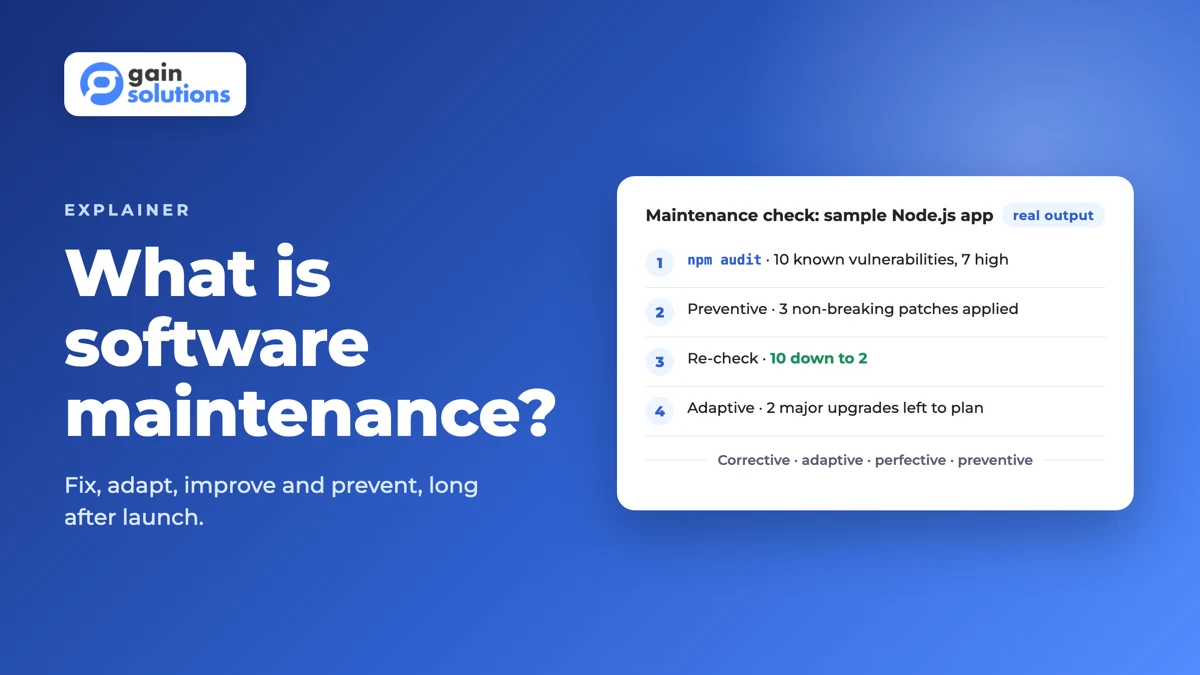
The real output from the first run:
Maintenance check 2026-11-19, Node v22.11.0
Known vulnerabilities: 10 (critical 0, high 7, moderate 0, low 3)
P2  preventive axios        0.21.1 -> 0.21.4 patch now: non-breaking fix
P2  preventive express      4.17.1 -> 4.22.3 patch now: non-breaking fix
P2  preventive jsonwebtoken 8.5.1 -> 9.0.3   security fix is a major upgrade: branch, test, release
P2  preventive moment       2.29.1 -> 2.31.0 patch now: non-breaking fix
P3  adaptive   axios        -> 1.21.1        new major version: plan the upgrade
P3  adaptive   express      -> 5.3.0         new major version: plan the upgrade
We applied the 3 non-breaking patches and ran the same check again:
Maintenance check 2026-11-19, Node v22.11.0
Known vulnerabilities: 2 (critical 0, high 2, moderate 0, low 0)
P2  preventive axios        0.21.4 -> 1.21.1 security fix is a major upgrade: branch, test, release
P2  preventive jsonwebtoken 8.5.1 -> 9.0.3   security fix is a major upgrade: branch, test, release
P3  adaptive   express      -> 5.3.0         new major version: plan the upgrade
Three things to notice. The code never changed, but its risk did: 10 known vulnerabilities, 7 of them high, accumulated in 4 libraries just by time passing. The quick patches removed 8 of the 10, but the last 2 need major upgrades (axios 1.x and jsonwebtoken 9), which can change behaviour and need a branch, tests and a planned release, not a Friday-afternoon fix. And because the check is a script, it can run on a schedule in CI, which turns surprise security work into a backlog you can plan. That matches what NIST SP 800-218 asks of software producers: find and address vulnerabilities in released software and fix the root causes. See our DevOps best practices and SaaS security checklist for where this fits in a pipeline.
What's the difference between software support and maintenance?
Support helps users and restores service when something goes wrong. Maintenance changes the software so the problem doesn't happen again, and keeps it current. Most contracts bundle both, but they're measured differently, so it helps to keep them apart.
| Software support | Software maintenance | |
|---|---|---|
| Goal | Answer users and restore service now | Keep the software correct, secure and current |
| Trigger | A question, a ticket or an incident | A defect, a platform change, a request or a known risk |
| Typical work | Answering questions, workarounds, incident response, restarts | Code changes, upgrades, patches, refactoring, new features |
| Measured by | Response and resolution times, satisfaction | Defects that recur, patch age, dependency health, release frequency |
Good support depends on seeing problems early. Software observability and the right SaaS monitoring tools tell the support team what broke and give the maintenance team the evidence to fix the cause.
What should a software maintenance plan cover?
A software maintenance plan, or maintenance agreement if a partner does the work, should say what's covered, how fast each kind of issue gets a response, and how you'll know the work is happening. Without it, every request turns into a negotiation.
- Scope by type: which corrective, adaptive, perfective and preventive work is included, and what counts as new development.
- Severity levels, for example P1 (service down) to P4 (cosmetic), with a response target and an update rhythm for each.
- Monitoring and alerting: what's watched, who gets paged and when.
- A security patch schedule, including how fast known vulnerabilities get fixed.
- Dependency, runtime and OS updates. The Node.js release schedule, for example, says production applications should only use Active LTS or Maintenance LTS releases.
- Backups and tested restores. A backup nobody has restored is a guess.
- The release process: environments, testing, approvals and rollback. Our software testing strategies and QA automation vs manual testing guides help set it up.
- Monthly reporting: work done by type, open risks and upcoming deadlines.
- Handover terms: documentation, access and code ownership if the arrangement ends.
If you run containers, add cluster patching to the list; our Kubernetes security guide covers what that involves.
When do you need a maintenance partner, and when is your own team enough?
Keep maintenance in-house when you have engineers who know the code and time set aside for it. Bring in a partner when knowledge has left, platforms have multiplied or deadlines are piling up faster than your team can absorb them.
| Situation | What to do |
|---|---|
| A steady product with an in-house team that knows the code | Keep it in-house; reserve fixed capacity for maintenance every sprint |
| The only developer who knew the system has left | Get a partner to document the system first, then take over maintenance |
| The agency that built the product is gone | Start with a code and dependency audit before agreeing any scope |
| You run a web app plus iOS and Android apps | A team that covers all 3 platforms, so store deadlines don't slip |
| A security audit or customer due diligence is coming | A preventive sprint: patch, upgrade, document, then keep it on a schedule |
| The stack is old and nobody wants to touch it | Decide between refactoring and rebuilding before paying to maintain it as is |
Our guides to dedicated development teams, staff augmentation vs dedicated teams, in-house vs outsourcing and outsourcing software development compare the models, and refactor vs rebuild helps with the last row.
How to set up software maintenance in 6 steps
- List what you run and who owns it. Apps, services, integrations, infrastructure and their dependencies, each with a named owner.
- Turn on monitoring and alerts. Errors, uptime, slow queries and failed jobs, routed to someone who can act.
- Set severity levels and response targets. Agree what P1 to P4 mean before the first incident, not during it.
- Schedule patches and dependency checks. Run a check like the one above in CI every week, and keep a calendar of platform and end-of-life deadlines.
- Keep one maintenance backlog, tagged by type. Corrective, adaptive, perfective and preventive in one place, so you can see where the time goes.
- Review every quarter. Look at hours by type, open risks and technical debt with a technical debt audit, and decide whether to keep maintaining, modernize or migrate.
When maintenance keeps growing and every change is slow, it's time to look at a legacy modernization strategy, broader software modernization, a legacy software migration, a cloud migration or a more scalable architecture.
How GainHQ can help
GainHQ builds and maintains custom software and SaaS products for founders and growing businesses. We keep our own products live: Payrun and Gain.io run on web, iOS and Android, so platform deadlines, dependency upgrades and security patches are part of our normal week. If your product needs a maintenance plan, a dependency and code audit, or a team to take over a system someone else built, talk to GainHQ.
Frequently asked questions
Why is software maintenance important?
Software that isn't maintained gets less secure and less useful over time, even if nobody touches the code. Libraries collect known vulnerabilities, platforms change their rules and users expect improvements. Maintenance keeps the product safe, keeps it shippable on every platform and keeps it worth paying for. Because it lasts as long as the product does, planning maintenance is part of planning the product.
What is application maintenance?
Application maintenance is software maintenance applied to a specific business application, such as a customer portal, an internal tool or a billing system. It covers the same work: fixing defects, applying security patches and updates, adapting to platform and integration changes, and adding improvements users ask for. The term is common in service contracts, where a partner takes responsibility for keeping one or more applications running.
How much should I budget for software maintenance each year?
Start from your own data rather than a rule of thumb: the hours your team spent on maintenance last quarter, split by type, plus known upgrades and platform deadlines for the year ahead. For scale, US federal agencies report spending about 80 percent of IT budgets on operating and maintaining existing systems. Technical debt, dependencies, platforms and integrations move the yearly number most.
How often should software be updated?
Apply security patches as soon as a fix is available and tested, starting with critical and high-severity issues. Check dependencies at least weekly with an automated tool such as npm audit, batch minor updates into regular releases, and plan major upgrades before versions reach end of life. Platform deadlines, such as Google Play's target API level rules, set some dates for you.
What happens if you stop maintaining software?
The software keeps running for a while, but the risk grows. Known vulnerabilities pile up in its dependencies, platform rules eventually block new releases, integrations break when third-party APIs change, and every later fix gets bigger because several upgrades are now due at once. In our sample check, 4 untouched libraries had collected 10 known vulnerabilities.
Is software maintenance part of the SDLC?
Yes. Maintenance is the phase of the software development life cycle that starts after release and lasts until the software is retired, which makes it the longest phase. Changes made during maintenance go back through the earlier steps in small loops: analysis, design, coding, testing and release. ISO/IEC/IEEE 14764 is the standard that describes the maintenance process.
Can you outsource software maintenance?
Yes. Many companies outsource maintenance, especially when the original developers have left or the product runs on several platforms. Agree the scope by maintenance type, severity levels and response targets, the patch schedule, reporting and handover terms in writing. Start with a code and dependency audit, so both sides know the product's real condition before work begins.